Samsung
Samsung's Stats
Reviews
- Review Count0
- Helpfulness Votes0
- First ReviewNone
- Last ReviewNone
- Featured Reviews0
- Average Rating0
Reviews Comments
- Review Comment Count0
- Helpfulness Votes0
- First Review CommentNone
- Last Review CommentNone
- Featured Review Comments0
Questions
- Question Count0
- Helpfulness Votes0
- First QuestionNone
- Last QuestionNone
- Featured Questions0
- Answer Count74735
- Helpfulness Votes37,935
- First AnswerApril 24, 2013
- Last AnswerOctober 9, 2026
- Featured Answers0
- Best Answers3941
Samsung's Reviews
Samsung has not submitted any reviews.
Samsung's Questions
Samsung has not submitted any questions.
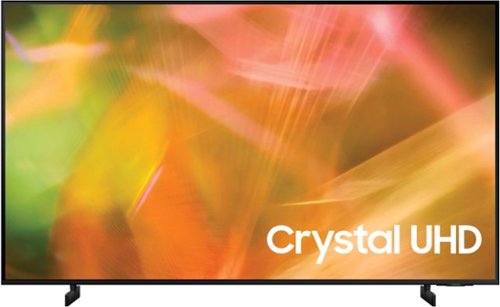
Samsung - 43" Class 8000 Series LED 4K UHD Smart Tizen TV (2021)
Step up to the world of Crystal UHD from Samsung. Elevated color and clarity offer you a picture that has to be seen to be believed. Add in smart features that make watching TV even easier, and you have a TV that is essential.
which mount and other equipment do you recommend by your company but don't know which equipment i need (keeping cost in mind)

Hi! The 43" AU8000 features a 200 x 200 VESA pattern for compatibility with a wide range of universal mounting solutions. You can check out a list mounting solutions available for purchase from Best Buy at the following link: https://www.bestbuy.com/site/searchpage.jsp?_dyncharset=UTF-8&browsedCategory=abcat0106004&id=pcat17071&iht=n&ks=960&list=y&qp=tvmountsize_facet%3DTV%20Size%20Compatibility~33%22%20-%2044%22&sc=Global&st=categoryid%24abcat0106004&type=page&usc=All%20Categories
^Tim
^Tim
4 years, 6 months ago
by
Posted by:
Samsung
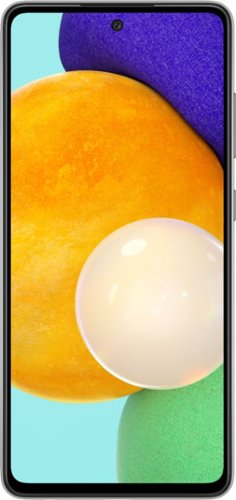
Samsung - Galaxy A52 5G 128GB (Unlocked) - Black
We've outfitted Galaxy A52 5G for Verizon with some of our most awesome Galaxy innovations so you can stream, capture and experience all the action at a price you'll love.
Please confirm it will work on AT&T with 5G. The specific model number listed is not on the AT&T list of models that will work.
Hi William!
Thank you for reaching out to us. We appreciate your interest in knowing if Galaxy A52 5G (Unlocked) works with AT&T. Yes, an unlocked phone works on multiple networks, and make sure that you have a compatible SIM card. SIM cards must be compatible with the area's available networks. Contact provider for details.
You may visit our website for more information about unlocked phones: https://www.samsung.com/us/mobile/phones/unlocked-by-samsung/.
Should you need more assistance, please feel free to get back to us via the following options:
1. Facebook Messenger: http://m.me/samsungsupport
2. Twitter: https://twitter.com/messages/compose?recipient_id=18768513
3. Samsung Community: https://us.community.samsung.com/t5/Samsung-Community/ct-p/us
Reference #: 1144314601
Have a great day.
Melardo
Thank you for reaching out to us. We appreciate your interest in knowing if Galaxy A52 5G (Unlocked) works with AT&T. Yes, an unlocked phone works on multiple networks, and make sure that you have a compatible SIM card. SIM cards must be compatible with the area's available networks. Contact provider for details.
You may visit our website for more information about unlocked phones: https://www.samsung.com/us/mobile/phones/unlocked-by-samsung/.
Should you need more assistance, please feel free to get back to us via the following options:
1. Facebook Messenger: http://m.me/samsungsupport
2. Twitter: https://twitter.com/messages/compose?recipient_id=18768513
3. Samsung Community: https://us.community.samsung.com/t5/Samsung-Community/ct-p/us
Reference #: 1144314601
Have a great day.
Melardo
4 years, 6 months ago
by
Posted by:
Samsung
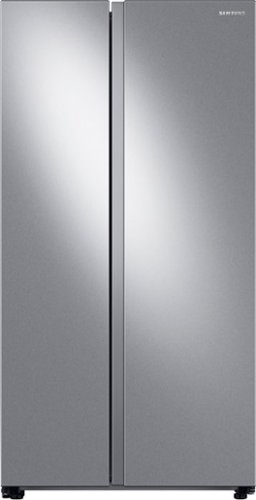
Large capacity Smart Side-by-Side Refrigerator with In-Door Ice Maker is beautifully designed with a modern look that blends seamlessly into your kitchen and a finish that withstands everyday smudges.
Is this ALL refrigerator and no freezer? That's what I'm looking for, freezerless refrigerator.
Hi Carole.
Thank you for reaching out regarding your Samsung - 28 cu. ft. Side-by-Side Refrigerator with WiFi and Large Capacity if this all refrigerator and no freezer. Regarding your concern, this would be refrigerator and freezer combined.
Here is the link for the full specs, features, and dimensions.
https://www.samsung.com/us/home-appliances/refrigerators/side-by-side/28-cu-ft-smart-side-by-side-refrigerator-in-stainless-steel-rs28a500asr-aa/#specs
Should you need more assistance, please feel free to get back to us via the following options:
1. Facebook Messenger: http://m.me/samsungsupport
2. Twitter: https://twitter.com/messages/compose?recipient_id=18768513
3. Samsung Community: https://us.community.samsung.com/t5/Samsung-Community/ct-p/us
Thank you for being a valued customer of Samsung. Have a great day.
Reference Ticket Number: 1144314518
^Camille
Thank you for reaching out regarding your Samsung - 28 cu. ft. Side-by-Side Refrigerator with WiFi and Large Capacity if this all refrigerator and no freezer. Regarding your concern, this would be refrigerator and freezer combined.
Here is the link for the full specs, features, and dimensions.
https://www.samsung.com/us/home-appliances/refrigerators/side-by-side/28-cu-ft-smart-side-by-side-refrigerator-in-stainless-steel-rs28a500asr-aa/#specs
Should you need more assistance, please feel free to get back to us via the following options:
1. Facebook Messenger: http://m.me/samsungsupport
2. Twitter: https://twitter.com/messages/compose?recipient_id=18768513
3. Samsung Community: https://us.community.samsung.com/t5/Samsung-Community/ct-p/us
Thank you for being a valued customer of Samsung. Have a great day.
Reference Ticket Number: 1144314518
^Camille
4 years, 6 months ago
by
Posted by:
Samsung

Samsung - 15W Fast Charge Single Wireless pad - Black
Wirelessly charge your smartphones and earbuds. Fast Charge feature available for even faster charging speeds on select phone models.
Does it work on galaxy s22
Hi Giz!
Thank you for reaching out to us. We appreciate your interest in knowing if Samsung - 15W Fast Charge Single Wireless pad works with Galaxy S22. It can be charged using a 15W charger or a Superfast 25W charger.
You may use this link about "Wall Chargers and Charging your Galaxy Phone or Tablet" for your reference: https://www.samsung.com/us/support/answer/ANS00078994/.
Should you need more assistance, please feel free to get back to us via the following options:
1. Facebook Messenger: http://m.me/samsungsupport
2. Twitter: https://twitter.com/messages/compose?recipient_id=18768513
3. Samsung Community: https://us.community.samsung.com/t5/Samsung-Community/ct-p/us
Reference #: 1144314524
Have a great day.
Melardo
Thank you for reaching out to us. We appreciate your interest in knowing if Samsung - 15W Fast Charge Single Wireless pad works with Galaxy S22. It can be charged using a 15W charger or a Superfast 25W charger.
You may use this link about "Wall Chargers and Charging your Galaxy Phone or Tablet" for your reference: https://www.samsung.com/us/support/answer/ANS00078994/.
Should you need more assistance, please feel free to get back to us via the following options:
1. Facebook Messenger: http://m.me/samsungsupport
2. Twitter: https://twitter.com/messages/compose?recipient_id=18768513
3. Samsung Community: https://us.community.samsung.com/t5/Samsung-Community/ct-p/us
Reference #: 1144314524
Have a great day.
Melardo
4 years, 6 months ago
by
Posted by:
Samsung
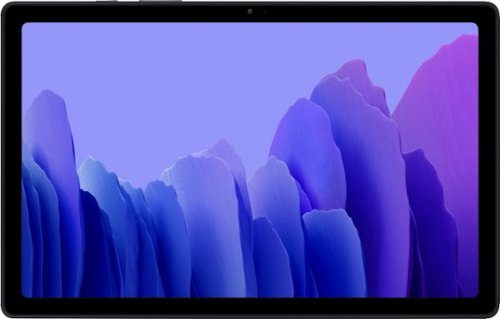
Samsung - Galaxy Tab A7 10.4" Wi-Fi 32GB - Gray
Galaxy Tab A7 combines the slim, lightweight design you need, with the immersive entertainment experience you crave.
Is it touch screen?
Hi There!
Thank you for bringing this to our attention. We value your query regarding if the Galaxy Tab A7 is a touchscreen. In line with this, navigating the device is via touching the screen.
For more information, please visit the user manual on Pages 10, 125, 25, and 26:
https://downloadcenter.samsung.com/content/UM/202011/20201111215558948/WIF_SM-T500_SM-T505_EN_UM_Q_10.1_FINAL.pdf
Should you need more assistance, you may reach us via the following for immediate support:
1. Samsung Community: https://us.community.samsung.com/t5/Samsung-Community/ct-p/us
2. Facebook Messenger: http://m.me/samsungsupport
3. Twitter: https://twitter.com/messages/compose?recepient_ id=18768513
Reference Number: 1144314506
Thank you for choosing Samsung. Have a great day!
^Chrystel
Thank you for bringing this to our attention. We value your query regarding if the Galaxy Tab A7 is a touchscreen. In line with this, navigating the device is via touching the screen.
For more information, please visit the user manual on Pages 10, 125, 25, and 26:
https://downloadcenter.samsung.com/content/UM/202011/20201111215558948/WIF_SM-T500_SM-T505_EN_UM_Q_10.1_FINAL.pdf
Should you need more assistance, you may reach us via the following for immediate support:
1. Samsung Community: https://us.community.samsung.com/t5/Samsung-Community/ct-p/us
2. Facebook Messenger: http://m.me/samsungsupport
3. Twitter: https://twitter.com/messages/compose?recepient_ id=18768513
Reference Number: 1144314506
Thank you for choosing Samsung. Have a great day!
^Chrystel
4 years, 6 months ago
by
Posted by:
Samsung
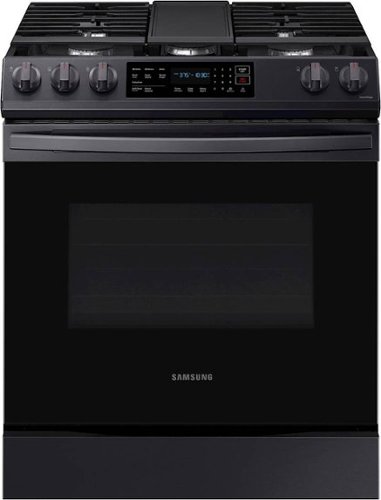
Samsung - 6.0 cu. ft. Front Control Slide-In Gas Range with Convection & Wi-Fi, Fingerprint Resistant - Black Stainless Steel
The Samsung Front Control Slide-In Gas Range with Convection is fully Wi-Fi connected and voice enabled, making it easy to create delicious meals for your family faster.
I need replacement parts for NX60T8311SG black stainless
Hi danny.
Thank you for reaching out regarding your Samsung - 6.0 cu. ft. Front Control Slide-In Gas Range with Convection & Wi-Fi, Fingerprint Resistant replacement parts. Regarding your concern, I suggest you get in touch with your Samsung part team for them to be able to assist you in getting the accurate replacement parts. You can reach them on this details.
J & J International, Inc.
Live Help : 800.627.4368
( Mon - Fri 9:00 AM ~ 6:30 PM EST )
Fax : 973.226.6682
Here is the link also for further assistance.
http://www.samsungparts.com/CustomerService.aspx
Should you need more assistance, please feel free to get back to us via the following options:
1. Facebook Messenger: http://m.me/samsungsupport
2. Twitter: https://twitter.com/messages/compose?recipient_id=18768513
3. Samsung Community: https://us.community.samsung.com/t5/Samsung-Community/ct-p/us
Thank you for being a valued customer of Samsung. Have a great day.
Reference Ticket Number: 1144314429
^Camille
Thank you for reaching out regarding your Samsung - 6.0 cu. ft. Front Control Slide-In Gas Range with Convection & Wi-Fi, Fingerprint Resistant replacement parts. Regarding your concern, I suggest you get in touch with your Samsung part team for them to be able to assist you in getting the accurate replacement parts. You can reach them on this details.
J & J International, Inc.
Live Help : 800.627.4368
( Mon - Fri 9:00 AM ~ 6:30 PM EST )
Fax : 973.226.6682
Here is the link also for further assistance.
http://www.samsungparts.com/CustomerService.aspx
Should you need more assistance, please feel free to get back to us via the following options:
1. Facebook Messenger: http://m.me/samsungsupport
2. Twitter: https://twitter.com/messages/compose?recipient_id=18768513
3. Samsung Community: https://us.community.samsung.com/t5/Samsung-Community/ct-p/us
Thank you for being a valued customer of Samsung. Have a great day.
Reference Ticket Number: 1144314429
^Camille
4 years, 6 months ago
by
Posted by:
Samsung
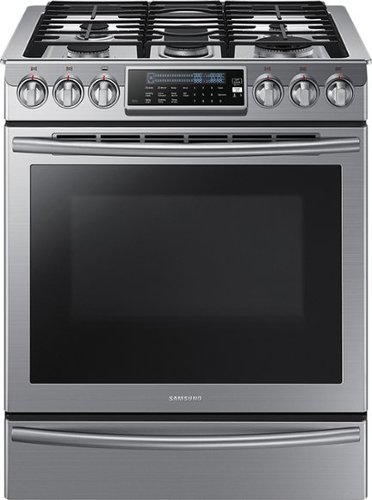
Samsung - 5.8 Cu. Ft. Self-Cleaning Slide-In Gas Convection Range - Stainless Steel
Create new recipes every day. This spacious Samsung range is equipped with all the tools you need to expand your culinary skills. The Guiding Light controls, reversible cast iron griddle, custom wok grate, and more, will help you bring variety to every mealtime.
do I need 220 or 110 power supply
Hello,
Thank you for reaching out and raising your question about the power supply needed for your Samsung - 5.8 Cu. Ft. Self-Cleaning Slide-In Gas Convection Range - Stainless steel. We are here to help.
To answer your question, you need to use a dedicated 120-volt, 60-Hz, 20-amp, AC, fused electrical circuit for this range. A time-delay fuse or circuit breaker is recommended. Do not plug more than one appliance into this circuit.
You can also check this link https://downloadcenter.samsung.com/content/UM/202103/20210308174059918/NX58H9500WS_DG68-00566A-14_EN.pdf for the user's manual. Just go to page 9 for the important safety information.
Should you need more assistance, please feel free to get back to us via the following options:
1. Facebook Messenger: http://m.me/samsungsupport
2. Twitter: https://twitter.com/messages/compose?recipient_id=18768513
3. Samsung Community: https://us.community.samsung.com/t5/Samsung-Community/ct-p/us
Your reference number is 1144314377.
-Noraina
Thank you for reaching out and raising your question about the power supply needed for your Samsung - 5.8 Cu. Ft. Self-Cleaning Slide-In Gas Convection Range - Stainless steel. We are here to help.
To answer your question, you need to use a dedicated 120-volt, 60-Hz, 20-amp, AC, fused electrical circuit for this range. A time-delay fuse or circuit breaker is recommended. Do not plug more than one appliance into this circuit.
You can also check this link https://downloadcenter.samsung.com/content/UM/202103/20210308174059918/NX58H9500WS_DG68-00566A-14_EN.pdf for the user's manual. Just go to page 9 for the important safety information.
Should you need more assistance, please feel free to get back to us via the following options:
1. Facebook Messenger: http://m.me/samsungsupport
2. Twitter: https://twitter.com/messages/compose?recipient_id=18768513
3. Samsung Community: https://us.community.samsung.com/t5/Samsung-Community/ct-p/us
Your reference number is 1144314377.
-Noraina
4 years, 6 months ago
by
Posted by:
Samsung
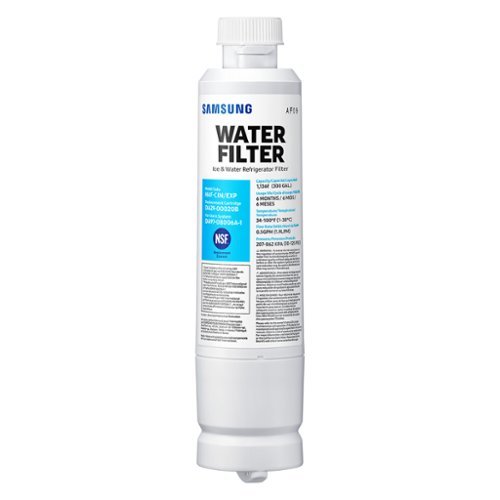
Give your family safe, fresh-testing water with Samsung genuine filters. Samsung water filters remove over 99% of numerous harmful contaminants, including lead. Each filter lasts for 6 months or 300 gallons.
No Water with new filter...
Says replace with DA29-00020A/B but can only find DA29-0020B, when we put it in we get no water but if we put the old one in we have water. Yet the box says they are compatible. Are they?
Hello Carrie,
Thank you for reaching out and sharing your feedback about the water filter in your Samsung refrigerator. I understand you're having an issue with the water filter as there's no water coming out after changing it, yet the box says the new filter is compatible with your refrigerator. We do apologize for the inconvenience this has caused you. We are here to help.
To help you with this, I am providing this link https://www.samsung.com/us/support/troubleshooting/TSG01001875/ to guide you. Just click on "Water does not dispense at all" as it has the troubleshooting steps to fix the issue.
Another link you may find useful is this one https://www.samsung.com/us/support/answer/ANS00060149/ on how to replace the water filter in your Samsung refrigerator.
Should you need more assistance, please feel free to get back to us via the following options:
1. Facebook Messenger: http://m.me/samsungsupport
2. Twitter: https://twitter.com/messages/compose?recipient_id=18768513
3. Samsung Community: https://us.community.samsung.com/t5/Samsung-Community/ct-p/us
Your reference number is 1144314226.
-Noraina
Thank you for reaching out and sharing your feedback about the water filter in your Samsung refrigerator. I understand you're having an issue with the water filter as there's no water coming out after changing it, yet the box says the new filter is compatible with your refrigerator. We do apologize for the inconvenience this has caused you. We are here to help.
To help you with this, I am providing this link https://www.samsung.com/us/support/troubleshooting/TSG01001875/ to guide you. Just click on "Water does not dispense at all" as it has the troubleshooting steps to fix the issue.
Another link you may find useful is this one https://www.samsung.com/us/support/answer/ANS00060149/ on how to replace the water filter in your Samsung refrigerator.
Should you need more assistance, please feel free to get back to us via the following options:
1. Facebook Messenger: http://m.me/samsungsupport
2. Twitter: https://twitter.com/messages/compose?recipient_id=18768513
3. Samsung Community: https://us.community.samsung.com/t5/Samsung-Community/ct-p/us
Your reference number is 1144314226.
-Noraina
4 years, 6 months ago
by
Posted by:
Samsung
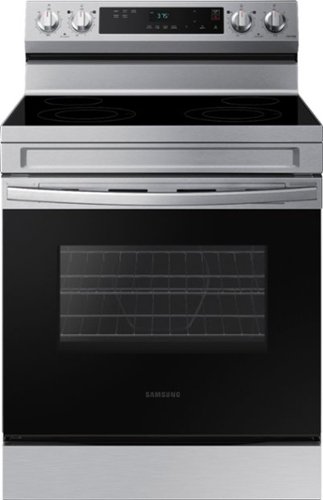
Elevate the look of your kitchen with Samsung~s Smart Freestanding Electric Range. Our Stainless Steel design elegantly wraps around cooktop sides and up through the slim control panel. Upgraded technology makes cooking on your stove simple and fun.
please tell me how to download the user manual. Can't believe after paying for a product they don't include a owners manual, Just another way for the big company to save money.
Hello,
Thank you for reaching out and raising your concern about your Samsung - 6.3 cu. ft. Freestanding Electric Range with WiFi and Steam Clean - Stainless steel. We are sorry to hear that you didn't receive the user manual after buying your unit. We would like to help you through this.
To help you with this, I am providing this link https://downloadcenter.samsung.com/content/UM/202103/20210308172014230/NE63A6111_AA_01_EN.pdf for the user's manual.
Should you need more assistance, please feel free to get back to us via the following options:
1. Facebook Messenger: http://m.me/samsungsupport
2. Twitter: https://twitter.com/messages/compose?recipient_id=18768513
3. Samsung Community: https://us.community.samsung.com/t5/Samsung-Community/ct-p/us
Your reference number is 1144313833.
-Noraina
Thank you for reaching out and raising your concern about your Samsung - 6.3 cu. ft. Freestanding Electric Range with WiFi and Steam Clean - Stainless steel. We are sorry to hear that you didn't receive the user manual after buying your unit. We would like to help you through this.
To help you with this, I am providing this link https://downloadcenter.samsung.com/content/UM/202103/20210308172014230/NE63A6111_AA_01_EN.pdf for the user's manual.
Should you need more assistance, please feel free to get back to us via the following options:
1. Facebook Messenger: http://m.me/samsungsupport
2. Twitter: https://twitter.com/messages/compose?recipient_id=18768513
3. Samsung Community: https://us.community.samsung.com/t5/Samsung-Community/ct-p/us
Your reference number is 1144313833.
-Noraina
4 years, 6 months ago
by
Posted by:
Samsung
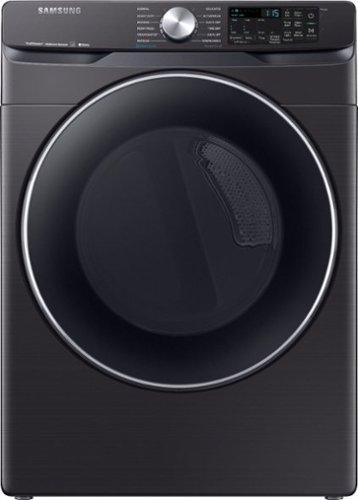
Samsung - 7.5 Cu. Ft. Stackable Smart Electric Dryer with Steam and Sensor Dry - Black Stainless Steel
With Bixby enabled Wi-Fi connectivity, Samsung's 7.5 cu. ft. front-load dryer allows you to remotely start or stop your cycle, schedule laundry on your time, receive end-of-cycle alerts, and more right from your smartphone. Steam Sanitize+ eliminates 99.9% of germs and bacteria, while the Multi-Steam technology relaxes and smooths away wrinkles from everyday wear. Sensor Dry optimizes cycle time and temperature to thoroughly dry without damaging your clothes. Bring inspiration to your laundry room with beautiful designer colors, including black stainless steel finish
Is it possible to turn off the steam dryer feature with a button or do you need to take off the water hose
Hi Kath,
Thank you for reaching out and we hope you are in good health. We appreciate your interest in Samsung home appliances, specifically the Samsung - 7.5 Cu. Ft. Stackable Smart Electric Dryer with Steam Sanitize+ and Sensor Dry - Black stainless steel.
The Steam Sanitize cycle is one of the standard selections of this dryer. You simply need to select another drying option. I have included the user manual link below. Please click on the link and turn to pages 42 - 47.
https://downloadcenter.samsung.com/content/UM/202101/20210108101259759/DV6300_DC68-03381T-11_EN_CFR_MES.pdf
Please feel free to communicate with us through the channels below if you have additional questions.
1. Facebook Messenger: http://m.me/samsungsupport
2. Twitter: https://twitter.com/messages/compose?recipient_id=18768513
3. Samsung Community: https://us.community.samsung.com/t5/Samsung-Community/ct-p/us
Your reference number: 1144313796
Leo
Thank you for reaching out and we hope you are in good health. We appreciate your interest in Samsung home appliances, specifically the Samsung - 7.5 Cu. Ft. Stackable Smart Electric Dryer with Steam Sanitize+ and Sensor Dry - Black stainless steel.
The Steam Sanitize cycle is one of the standard selections of this dryer. You simply need to select another drying option. I have included the user manual link below. Please click on the link and turn to pages 42 - 47.
https://downloadcenter.samsung.com/content/UM/202101/20210108101259759/DV6300_DC68-03381T-11_EN_CFR_MES.pdf
Please feel free to communicate with us through the channels below if you have additional questions.
1. Facebook Messenger: http://m.me/samsungsupport
2. Twitter: https://twitter.com/messages/compose?recipient_id=18768513
3. Samsung Community: https://us.community.samsung.com/t5/Samsung-Community/ct-p/us
Your reference number: 1144313796
Leo
4 years, 6 months ago
by
Posted by:
Samsung