Samsung
Samsung's Stats
Reviews
- Review Count0
- Helpfulness Votes0
- First ReviewNone
- Last ReviewNone
- Featured Reviews0
- Average Rating0
Reviews Comments
- Review Comment Count0
- Helpfulness Votes0
- First Review CommentNone
- Last Review CommentNone
- Featured Review Comments0
Questions
- Question Count0
- Helpfulness Votes0
- First QuestionNone
- Last QuestionNone
- Featured Questions0
- Answer Count74778
- Helpfulness Votes37,936
- First AnswerApril 24, 2013
- Last AnswerOctober 12, 2026
- Featured Answers0
- Best Answers3941
Samsung's Reviews
Samsung has not submitted any reviews.
Samsung's Questions
Samsung has not submitted any questions.
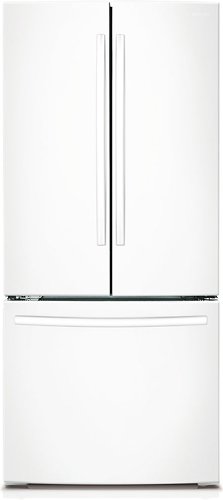
Samsung - 21.8 Cu. Ft. French Door Refrigerator - White
This beautiful and sleek French door refrigerator fits any kitchen decor and has enough room to fit up to 22 bags of groceries. Available in 30" (22 cu. ft.), this refrigerator provides more space inside, not outside.
i NEED EXACT DIMENSIONS, INCLUDING WHAT IS THE DEPTH OF THIS FRIDGE. ALSO THE DEPTH WHEN THE DOOR IS OPENED AT 90 DEGREES.

Hello FRIDGESHOPPING,
Thank you for reaching out and letting us know your inquiry about the dimension of this Samsung refrigerator and the depth when the door is 90 degrees open. We understand that this may be essential for you. We're here to help.
Here are the dimensions:
Product Dimensions with Hinges, Handles, and Door- 29 3/4" W x 66 3/4" H x 36 1/4" D
Product Dimensions without Hinges and Door- 29 3/4" W x 65 1/4" H x 30 7/8" D
Product Dimensions with Door with Handles- 29 6/8" W x 66 6/8" H x 36 1/4" D
Product Dimensions with Door without Handles- 29 3/4" W x 66 3/4" H x 34 3/4" D
Product Dimensions with Doors Open- 29 3/4" W x 66 3/4" H x 45 6/8" D
Product Dimensions without Hinges or Handles- 29 3/4" W x 65 3/8" H x 33 7/8" D
Product Dimensions without Door without Handles- 29 3/4" W x 66 6/8" H x 30 1/2" D
Net Height with Hinge- 66 3/4
Width- 29 3/4
Depth With Door 90 Degrees Open- 45 5/8 inches
For reference, attached is a link to the website for the full specifications of the product.
https://www.samsung.com/us/home-appliances/refrigerators/3-door-french-door/30-wide-22-cu-ft-french-door-refrigerator-white-rf220nctaww-aa/#specs
For other concerns, do not hesitate to reach out via our Support Channels below:
1. Facebook Messenger: http://m.me/samsungsupport
2. Twitter: https://twitter.com/messages/compose?recipient_id=18768513
3. Samsung Community: https://us.commuity.samsung.com/t5/Samsung-Community/ct-p/us
Thank you, and stay safe!
Your Reference Ticket Number: 1144262573
-Angelica
Thank you for reaching out and letting us know your inquiry about the dimension of this Samsung refrigerator and the depth when the door is 90 degrees open. We understand that this may be essential for you. We're here to help.
Here are the dimensions:
Product Dimensions with Hinges, Handles, and Door- 29 3/4" W x 66 3/4" H x 36 1/4" D
Product Dimensions without Hinges and Door- 29 3/4" W x 65 1/4" H x 30 7/8" D
Product Dimensions with Door with Handles- 29 6/8" W x 66 6/8" H x 36 1/4" D
Product Dimensions with Door without Handles- 29 3/4" W x 66 3/4" H x 34 3/4" D
Product Dimensions with Doors Open- 29 3/4" W x 66 3/4" H x 45 6/8" D
Product Dimensions without Hinges or Handles- 29 3/4" W x 65 3/8" H x 33 7/8" D
Product Dimensions without Door without Handles- 29 3/4" W x 66 6/8" H x 30 1/2" D
Net Height with Hinge- 66 3/4
Width- 29 3/4
Depth With Door 90 Degrees Open- 45 5/8 inches
For reference, attached is a link to the website for the full specifications of the product.
https://www.samsung.com/us/home-appliances/refrigerators/3-door-french-door/30-wide-22-cu-ft-french-door-refrigerator-white-rf220nctaww-aa/#specs
For other concerns, do not hesitate to reach out via our Support Channels below:
1. Facebook Messenger: http://m.me/samsungsupport
2. Twitter: https://twitter.com/messages/compose?recipient_id=18768513
3. Samsung Community: https://us.commuity.samsung.com/t5/Samsung-Community/ct-p/us
Thank you, and stay safe!
Your Reference Ticket Number: 1144262573
-Angelica
4 years, 7 months ago
by
Posted by:
Samsung

With room to hold three devices at once ~ a smartwatch and two phones, or a smartwatch, earbuds, and phone ~ you can power up your ecosystem all at once**. So when you~re done for the day, just put your devices down in one place to be ready for tomorrow.
I have a Samsung Galaxy Watch. 42 mm. Purchased 2 years ago. Why does it not charge on this charger?
Hi Anny!
Thank you for reaching out to us. We apologize if Samsung - Wireless Charger Pad Trio is not charging on your Galaxy Watch. To answer your question, Samsung - Wireless Charger Pad Trio is not compatible with Galaxy Watch.
For more information, you may visit our website under the "Specs" tab, click on "See All Specs," and look for "Compatible Models": https://www.samsung.com/us/mobile/mobile-accessories/phones/wireless-charger-pad-trio-black-ep-p6300tbegus/#specs.
Should you need more assistance, please feel free to get back to us via the following options:
1. Facebook Messenger: http://m.me/samsungsupport
2. Twitter: https://twitter.com/messages/compose?recipient_id=18768513
3. Samsung Community: https://us.community.samsung.com/t5/Samsung-Community/ct-p/us
Reference #: 1144262565
Have a great day.
Melardo
Thank you for reaching out to us. We apologize if Samsung - Wireless Charger Pad Trio is not charging on your Galaxy Watch. To answer your question, Samsung - Wireless Charger Pad Trio is not compatible with Galaxy Watch.
For more information, you may visit our website under the "Specs" tab, click on "See All Specs," and look for "Compatible Models": https://www.samsung.com/us/mobile/mobile-accessories/phones/wireless-charger-pad-trio-black-ep-p6300tbegus/#specs.
Should you need more assistance, please feel free to get back to us via the following options:
1. Facebook Messenger: http://m.me/samsungsupport
2. Twitter: https://twitter.com/messages/compose?recipient_id=18768513
3. Samsung Community: https://us.community.samsung.com/t5/Samsung-Community/ct-p/us
Reference #: 1144262565
Have a great day.
Melardo
4 years, 7 months ago
by
Posted by:
Samsung

Samsung - Galaxy S22+ 5G 256GB (Unlocked) - Green
The only glare you'll get now is from jealous strangers. Enjoy high outdoor visibility and a crystal-clear view in bright daylight or at night with adaptive 120Hz Infinity-O Displays equipped with Vision Booster tech. Make nighttime pics and videos come out clear as day with the epic upgrades to our Pro-grade Camera: a big pixel sensor that pulls in tons of light and Super Clear Glass to dial down lens flare. Get epic low-light portraits and selfies thanks to all-new upgrades to the Rear Camera and Selfie Camera, each capturing more light for incredible color and detail. Live Sharing with Google Duo lets you co-watch YouTube videos and content with the whole gang from anywhere. You can even cast it onto your TV to see everyone all at once. Give your night videos the big TV break they deserve. Use Smart View to cast to your TV and either mirror your phone, or keep using other apps without interrupting the show. Seamlessly connect your phone and computer and use your favorite mobile apps right on your Windows PC. Accomplish more and keep the collaboration going wherever your business takes you with the next-level integration of both Microsoft and Google cloud productivity tools. Switch up the view with an even bigger screen, or use both devices at once for even more space to create. Your Samsung Account makes it seamless to continue edits from one Galaxy to another, so you can start something on your phone and finish on Galaxy Tab S8+. Whether you're vlogging your day, gaming all night or simply scrolling your feed, the 4nm processor makes for an incredibly smooth experience. Worry less with Corning~ Gorilla~ Glass Victus~+ on the screen and back panels and a polished, protective Armor Aluminum frame. Plus, with its IP68 water resistance rating, it can take a splash, too. Secure your private data from the second you turn your phone on with Samsung Knox. Knox Vault helps keep your biometric information safe, while Secure Folder locks down your private data. And the new Permission Usage dashboard lets you see which apps are sharing your data or tracking you, and allows you to grant or deny access on your terms.
Hi good day, If i buy this cellphone Unlocked on the US, can i use it in South america with an South american operator? Thanks. Johan R
Hello Mao16bg,
Thank you for bringing this to our attention and raising your query regarding if the Galaxy S22+ (Unlocked) works in South America. In line with this, unlocked phones by Samsung work on multiple networks. Also, it gives you the freedom to switch carriers any time and make sure that you have a compatible SIM card. Please note that sim cards must be compatible with the area's available networks. International calling, data services, and coverage vary by the network provider. Contact provider for details.
You may visit our website for more information about unlocked phones: https://www.samsung.com/us/mobile/phones/unlocked-by-samsung/
You may also check out our website under "Learn about Unlocked phones" for further information:
https://www.samsung.com/us/smartphones/galaxy-s22/buy/?modelCode=SM-S906UZGEXAA
Should you need more assistance, you may reach us via the following for immediate support:
1. Samsung Community: https://us.community.samsung.com/t5/Samsung-Community/ct-p/us
2. Facebook Messenger: http://m.me/samsungsupport
3. Twitter: https://twitter.com/messages/compose?recepient_ id=18768513
Reference Number: 1144262492
Thank you for choosing Samsung. Have a great day!
^Chrystel
Thank you for bringing this to our attention and raising your query regarding if the Galaxy S22+ (Unlocked) works in South America. In line with this, unlocked phones by Samsung work on multiple networks. Also, it gives you the freedom to switch carriers any time and make sure that you have a compatible SIM card. Please note that sim cards must be compatible with the area's available networks. International calling, data services, and coverage vary by the network provider. Contact provider for details.
You may visit our website for more information about unlocked phones: https://www.samsung.com/us/mobile/phones/unlocked-by-samsung/
You may also check out our website under "Learn about Unlocked phones" for further information:
https://www.samsung.com/us/smartphones/galaxy-s22/buy/?modelCode=SM-S906UZGEXAA
Should you need more assistance, you may reach us via the following for immediate support:
1. Samsung Community: https://us.community.samsung.com/t5/Samsung-Community/ct-p/us
2. Facebook Messenger: http://m.me/samsungsupport
3. Twitter: https://twitter.com/messages/compose?recepient_ id=18768513
Reference Number: 1144262492
Thank you for choosing Samsung. Have a great day!
^Chrystel
4 years, 7 months ago
by
Posted by:
Samsung
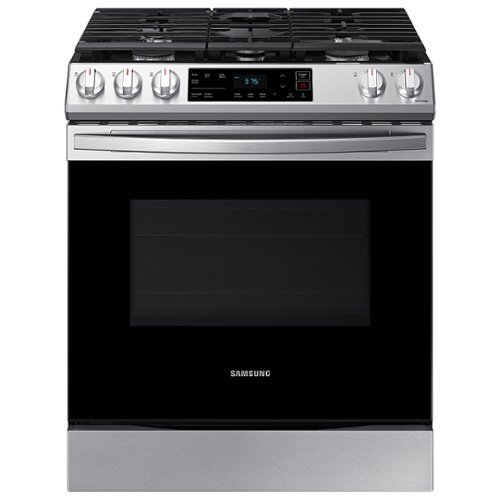
Samsung - 6.0 cu. ft. Front Control Slide-in Gas Range with Wi-Fi, Fingerprint Resistant - Stainless Steel
The Samsung Front Control Slide-in Gas Range is fully Wi-Fi connected and voice enabled, making it easy to create delicious meals for your family.
Is the center burner good for a griddle?
Hi Griddle.
Thank you for reaching out regarding your Samsung - 6.0 cu. ft. Front Control Slide-in Gas Range with Wi-Fi, Fingerprint Resistant if the center burner is good for a griddle. Regarding your concern, yes, this is good for a griddle.
I will be sharing the link to your user manual for further assistance. Please go to page 16.
https://downloadcenter.samsung.com/content/UM/202103/20210308174840236/NX60T8111SS_AA_DG68-01223A-06_EN.pdf
Should you need more assistance, please feel free to get back to us via the following options:
1. Facebook Messenger: http://m.me/samsungsupport
2. Twitter: https://twitter.com/messages/compose?recipient_id=18768513
3. Samsung Community: https://us.community.samsung.com/t5/Samsung-Community/ct-p/us
Thank you for being a valued customer of Samsung. Have a great day.
Reference Ticket Number: 1144262463
^Camille
Thank you for reaching out regarding your Samsung - 6.0 cu. ft. Front Control Slide-in Gas Range with Wi-Fi, Fingerprint Resistant if the center burner is good for a griddle. Regarding your concern, yes, this is good for a griddle.
I will be sharing the link to your user manual for further assistance. Please go to page 16.
https://downloadcenter.samsung.com/content/UM/202103/20210308174840236/NX60T8111SS_AA_DG68-01223A-06_EN.pdf
Should you need more assistance, please feel free to get back to us via the following options:
1. Facebook Messenger: http://m.me/samsungsupport
2. Twitter: https://twitter.com/messages/compose?recipient_id=18768513
3. Samsung Community: https://us.community.samsung.com/t5/Samsung-Community/ct-p/us
Thank you for being a valued customer of Samsung. Have a great day.
Reference Ticket Number: 1144262463
^Camille
4 years, 7 months ago
by
Posted by:
Samsung
With room to hold three devices at once ~ a smartwatch and two phones, or a smartwatch, earbuds, and phone ~ you can power up your ecosystem all at once**. So when you~re done for the day, just put your devices down in one place to be ready for tomorrow.
It's compatible with samsung galaxy s22 and samsung watch 4 40mm? Suport 45W charge?
Hi Maribel!
Thank you for reaching out to us. We appreciate your interest in knowing if Samsung - Wireless Charger Pad Trio works with Galaxy S22 and Galaxy Watch4. We apologize; this Samsung - Wireless Charger Pad Trio is not compatible with Galaxy S22 and Galaxy Watch4.
For more information, you may visit our website under the "Specs" tab, click on "See All Specs," and look for Smartphone Compatibility": https://www.samsung.com/us/mobile/mobile-accessories/phones/wireless-charger-pad-trio-black-ep-p6300tbegus/#specs.
Should you need more assistance, please feel free to get back to us via the following options:
1. Facebook Messenger: http://m.me/samsungsupport
2. Twitter: https://twitter.com/messages/compose?recipient_id=18768513
3. Samsung Community: https://us.community.samsung.com/t5/Samsung-Community/ct-p/us
Reference #: 1144262429
Have a great day.
Melardo
Thank you for reaching out to us. We appreciate your interest in knowing if Samsung - Wireless Charger Pad Trio works with Galaxy S22 and Galaxy Watch4. We apologize; this Samsung - Wireless Charger Pad Trio is not compatible with Galaxy S22 and Galaxy Watch4.
For more information, you may visit our website under the "Specs" tab, click on "See All Specs," and look for Smartphone Compatibility": https://www.samsung.com/us/mobile/mobile-accessories/phones/wireless-charger-pad-trio-black-ep-p6300tbegus/#specs.
Should you need more assistance, please feel free to get back to us via the following options:
1. Facebook Messenger: http://m.me/samsungsupport
2. Twitter: https://twitter.com/messages/compose?recipient_id=18768513
3. Samsung Community: https://us.community.samsung.com/t5/Samsung-Community/ct-p/us
Reference #: 1144262429
Have a great day.
Melardo
4 years, 7 months ago
by
Posted by:
Samsung
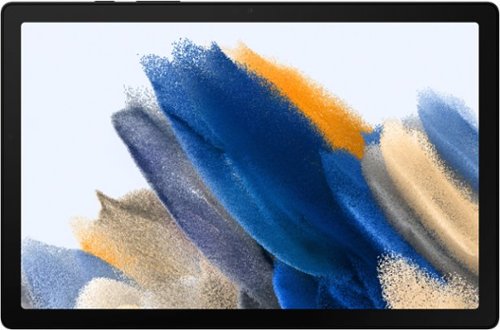
Samsung - Galaxy Tab A8 10.5" 32GB - Wi-Fi - Gray
Bring home Galaxy Tab A8, the awesomely entertaining tablet enhanced by the Galaxy ecosystem experience.
Can you use a headphone or ear plugs with this?
Hi Pete,
Thank you for reaching out and taking interest if you're able to use a headphone or earplug with the Galaxy Tab A8. Yes, it does have an audio port wherein you can plug in a headphone to answer your question.
Please see the user manual on Page 5 for your reference:
https://downloadcenter.samsung.com/content/UM/202201/20220126064947117/SAM_X200_EN_UM_OS11_010322_FINAL_AC.pdf
Should you need more assistance, you may reach us via the following for immediate support:
1. Samsung Community: https://us.community.samsung.com/t5/Samsung-Community/ct-p/us
2. Facebook Messenger: http://m.me/samsungsupport
3. Twitter: https://twitter.com/messages/compose?recepient_ id=18768513
Reference Number: 1144262401
Thank you for choosing Samsung. Have a great day!
^Chrystel
Thank you for reaching out and taking interest if you're able to use a headphone or earplug with the Galaxy Tab A8. Yes, it does have an audio port wherein you can plug in a headphone to answer your question.
Please see the user manual on Page 5 for your reference:
https://downloadcenter.samsung.com/content/UM/202201/20220126064947117/SAM_X200_EN_UM_OS11_010322_FINAL_AC.pdf
Should you need more assistance, you may reach us via the following for immediate support:
1. Samsung Community: https://us.community.samsung.com/t5/Samsung-Community/ct-p/us
2. Facebook Messenger: http://m.me/samsungsupport
3. Twitter: https://twitter.com/messages/compose?recepient_ id=18768513
Reference Number: 1144262401
Thank you for choosing Samsung. Have a great day!
^Chrystel
4 years, 7 months ago
by
Posted by:
Samsung
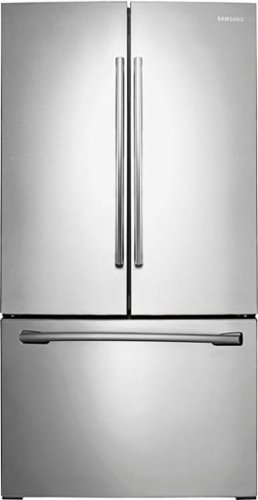
Samsung - 25.5 Cu. Ft. French Door Refrigerator with Internal Water Dispenser - Stainless Steel
Add this sleek and spacious Samsung 25.5 cu. ft. french door refrigerator to your busy household. Control the settings exactly how you want in order to freeze and chill food fast. Plus, you'll have plenty of ways to organize ingredients, making it easier for everyone to grab and go. Get great-tasting, filtered water directly from your refrigerator. Spend less time and money buying bottled water.
how wide is the refrig?
Hi marsha,
Thank you for reaching out to know how wide the refrigerator is. For the dimensions (WxHxD with hinges, handles, and doors): 35 3/4" x 70" x 35 5/8, for (WxHxD without hinges and door): 35 3/4" x 68 5/8" x 29 1/4", and for s (WxHxD with hinge and door, no handle): 35 3/4" x 70" x 33 1/4".
I will provide you with the link that indicates the complete dimension of your refrigerator and other information.
Here's a link: https://image-us.samsung.com/SamsungUS/pim/migration/doc/rf261beaesp-aa_RF261BEA.pdf
For further assistance, you may contact us via the following options:
1. Facebook Messenger: http://m.me/samsungsupport
2. Twitter: https://twitter.com/messages/compose?recipient_id=18768513
3. Samsung Community: https://us.community.samsung.com/t5/Samsung-Community/ct-p/us
Thank you for choosing Samsung, and have a great day!
Ticket number: 1144262382
^Rainly
Thank you for reaching out to know how wide the refrigerator is. For the dimensions (WxHxD with hinges, handles, and doors): 35 3/4" x 70" x 35 5/8, for (WxHxD without hinges and door): 35 3/4" x 68 5/8" x 29 1/4", and for s (WxHxD with hinge and door, no handle): 35 3/4" x 70" x 33 1/4".
I will provide you with the link that indicates the complete dimension of your refrigerator and other information.
Here's a link: https://image-us.samsung.com/SamsungUS/pim/migration/doc/rf261beaesp-aa_RF261BEA.pdf
For further assistance, you may contact us via the following options:
1. Facebook Messenger: http://m.me/samsungsupport
2. Twitter: https://twitter.com/messages/compose?recipient_id=18768513
3. Samsung Community: https://us.community.samsung.com/t5/Samsung-Community/ct-p/us
Thank you for choosing Samsung, and have a great day!
Ticket number: 1144262382
^Rainly
4 years, 7 months ago
by
Posted by:
Samsung
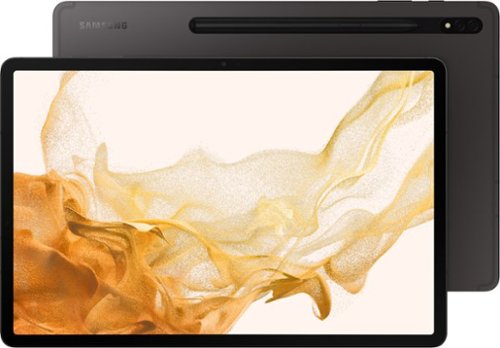
Samsung - Galaxy Tab S8+ - 12.4" 256GB - Wi-Fi - with S-Pen - Graphite
Plus-up your life with Galaxy Tab S8+, a premium tablet with a large screen and PC-like capabilities that helps you do more on the go.~ ~Wi-Fi 6E enabled router required. Sold separately
Does it function as GSM with dual sims for making phone calls?
Hi MartinO!
Thank you for reaching out to us. We appreciate your interest in knowing if Galaxy Tab S8+ (Wi-Fi) has GSM with a dual SIM card slot. We apologize; this tablet is a Wi-Fi model. A SIM card may be
preinstalled, or you may use your previous SIM card. Network indicators for 5G services are based on your carrier’s specifications and network availability. Contact
your carrier for more details.
You may access the user's manual under Setup your Device on page 8 for more information https://downloadcenter.samsung.com/content/UM/202202/20220212030801893/SAM_X700_X800_X808_X900_EN_UM_OS12_012422_FINAL.pdf.
Should you need more assistance, please feel free to get back to us via the following options:
1. Facebook Messenger: http://m.me/samsungsupport
2. Twitter: https://twitter.com/messages/compose?recipient_id=18768513
3. Samsung Community: https://us.community.samsung.com/t5/Samsung-Community/ct-p/us
Reference #: 1144262381
Have a great day.
Melardo
Thank you for reaching out to us. We appreciate your interest in knowing if Galaxy Tab S8+ (Wi-Fi) has GSM with a dual SIM card slot. We apologize; this tablet is a Wi-Fi model. A SIM card may be
preinstalled, or you may use your previous SIM card. Network indicators for 5G services are based on your carrier’s specifications and network availability. Contact
your carrier for more details.
You may access the user's manual under Setup your Device on page 8 for more information https://downloadcenter.samsung.com/content/UM/202202/20220212030801893/SAM_X700_X800_X808_X900_EN_UM_OS12_012422_FINAL.pdf.
Should you need more assistance, please feel free to get back to us via the following options:
1. Facebook Messenger: http://m.me/samsungsupport
2. Twitter: https://twitter.com/messages/compose?recipient_id=18768513
3. Samsung Community: https://us.community.samsung.com/t5/Samsung-Community/ct-p/us
Reference #: 1144262381
Have a great day.
Melardo
4 years, 7 months ago
by
Posted by:
Samsung
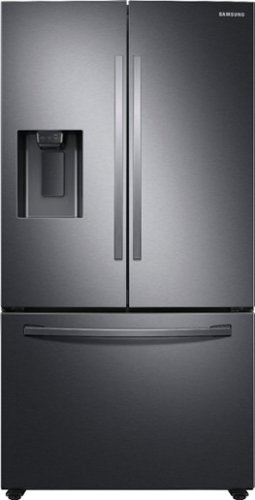
Samsung - 27 cu. ft. 3-Door French Door Refrigerator with External Water & Ice Dispenser - Black Stainless Steel
Samsung's 27 cu. ft. large capacity 3-door French door refrigerator is beautifully designed with a minimal dispenser, sleek-edge doors, and modern handles. The clean lines and modern form blend beautifully into your kitchen, while the fingerprint-resistant finish withstands everyday smudges.
Are the doors flush (zero clearance)? The space I have to insert refrigerator is narrow so I need right door to be flush when open.
Thanks for reaching out and we hope you are in good health. I see your point when spaces are tight. If the door opens more than it should, it will get damaged and we don't want that to happen.
I have included the general specification of the right door below.
Right door fully open: 130°.
Right side clearance with door completely opened: 13 2/8" (337 mm).
Right door open 90°: 1 7/8" (47 mm)
Right door open 90° with door handle: 3 5/8" (93 mm).
I have included the link to the user manual. Please click the link below and turn to page 17 for the complete clearance specification of the refrigerator.
https://downloadcenter.samsung.com/content/UM/202101/20210114185852082/FDR_RF6000T_DA68-04012A-02_EN-MES-CFR.pdf
Please feel free to communicate with us through the channels below if you have additional questions.
1. Facebook Messenger: http://m.me/samsungsupport
2. Twitter: https://twitter.com/messages/compose?recipient_id=18768513
3. Samsung Community: https://us.community.samsung.com/t5/Samsung-Community/ct-p/us
Your reference number: 1144262330
Leo
I have included the general specification of the right door below.
Right door fully open: 130°.
Right side clearance with door completely opened: 13 2/8" (337 mm).
Right door open 90°: 1 7/8" (47 mm)
Right door open 90° with door handle: 3 5/8" (93 mm).
I have included the link to the user manual. Please click the link below and turn to page 17 for the complete clearance specification of the refrigerator.
https://downloadcenter.samsung.com/content/UM/202101/20210114185852082/FDR_RF6000T_DA68-04012A-02_EN-MES-CFR.pdf
Please feel free to communicate with us through the channels below if you have additional questions.
1. Facebook Messenger: http://m.me/samsungsupport
2. Twitter: https://twitter.com/messages/compose?recipient_id=18768513
3. Samsung Community: https://us.community.samsung.com/t5/Samsung-Community/ct-p/us
Your reference number: 1144262330
Leo
4 years, 7 months ago
by
Posted by:
Samsung
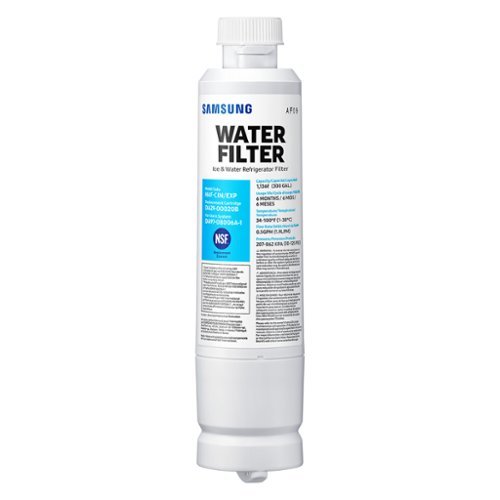
Give your family safe, fresh-testing water with Samsung genuine filters. Samsung water filters remove over 99% of numerous harmful contaminants, including lead. Each filter lasts for 6 months or 300 gallons.
How do you reset the warning light
Hi Vkats,
Thank you for reaching out on how you can reset the water filter light on your refrigerator.
I will provide you with the link that indicates the steps on how you can reset the water filter light.
Here's a link: https://www.samsung.com/us/support/answer/ANS00060149/
For further assistance, you may contact us via the following options:
1. Facebook Messenger: http://m.me/samsungsupport
2. Twitter: https://twitter.com/messages/compose?recipient_id=18768513
3. Samsung Community: https://us.community.samsung.com/t5/Samsung-Community/ct-p/us
Thank you for choosing Samsung, and have a great day!
Ticket number: 1144262327
^Rainly
Thank you for reaching out on how you can reset the water filter light on your refrigerator.
I will provide you with the link that indicates the steps on how you can reset the water filter light.
Here's a link: https://www.samsung.com/us/support/answer/ANS00060149/
For further assistance, you may contact us via the following options:
1. Facebook Messenger: http://m.me/samsungsupport
2. Twitter: https://twitter.com/messages/compose?recipient_id=18768513
3. Samsung Community: https://us.community.samsung.com/t5/Samsung-Community/ct-p/us
Thank you for choosing Samsung, and have a great day!
Ticket number: 1144262327
^Rainly
4 years, 7 months ago
by
Posted by:
Samsung