Samsung
Samsung's Stats
Reviews
- Review Count0
- Helpfulness Votes0
- First ReviewNone
- Last ReviewNone
- Featured Reviews0
- Average Rating0
Reviews Comments
- Review Comment Count0
- Helpfulness Votes0
- First Review CommentNone
- Last Review CommentNone
- Featured Review Comments0
Questions
- Question Count0
- Helpfulness Votes0
- First QuestionNone
- Last QuestionNone
- Featured Questions0
- Answer Count74779
- Helpfulness Votes37,937
- First AnswerApril 24, 2013
- Last AnswerOctober 12, 2026
- Featured Answers0
- Best Answers3941
Samsung's Reviews
Samsung has not submitted any reviews.
Samsung's Questions
Samsung has not submitted any questions.
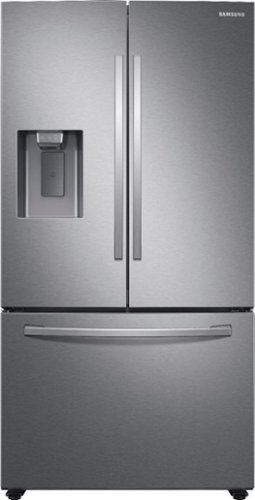
Samsung - 27 cu. ft. 3-Door French Door Refrigerator with External Water & Ice Dispenser - Stainless Steel
Samsung's 27 cu. ft. large capacity 3-door French door refrigerator is beautifully designed with a minimal dispenser, sleek-edge doors, and modern handles. The clean lines and modern form blend beautifully into your kitchen, while the fingerprint-resistant finish withstands everyday smudges.
My left door on this refrigerator always wants to close. is anyone else having this issue and is so how did you fix problem.

Greetings!
Thank you for reaching out and we hope you are in good health. I also had the same scenario a few years back with my Samsung refrigerator, doors were closing by themselves, but I wanted them to stay open.
By default, when the fridge is properly leveled, the doors should automatically swing closed when you let go of them. This helps to keep food cool and reduces energy consumption from having the doors open too long.
If you prefer to have the door remain open, what you can do is, when leveling the fridge, have the front of the fridge slightly lower than it otherwise would be rather than the back of the fridge. Try to only lower it just enough for the doors to behave the way you want. If the fridge is too far unlevel, it can cause issues with cooling, leaks, and noise.
Please click on the link for assistance with leveling your refrigerator.
https://www.samsung.com/us/support/answer/ANS00062321/
Please feel free to communicate with us through the channels below if you have additional questions.
1. Facebook Messenger: http://m.me/samsungsupport
2. Twitter: https://twitter.com/messages/compose?recipient_id=18768513
3. Samsung Community: https://us.community.samsung.com/t5/Samsung-Community/ct-p/us
Your reference number: 1144257764
Leo
Thank you for reaching out and we hope you are in good health. I also had the same scenario a few years back with my Samsung refrigerator, doors were closing by themselves, but I wanted them to stay open.
By default, when the fridge is properly leveled, the doors should automatically swing closed when you let go of them. This helps to keep food cool and reduces energy consumption from having the doors open too long.
If you prefer to have the door remain open, what you can do is, when leveling the fridge, have the front of the fridge slightly lower than it otherwise would be rather than the back of the fridge. Try to only lower it just enough for the doors to behave the way you want. If the fridge is too far unlevel, it can cause issues with cooling, leaks, and noise.
Please click on the link for assistance with leveling your refrigerator.
https://www.samsung.com/us/support/answer/ANS00062321/
Please feel free to communicate with us through the channels below if you have additional questions.
1. Facebook Messenger: http://m.me/samsungsupport
2. Twitter: https://twitter.com/messages/compose?recipient_id=18768513
3. Samsung Community: https://us.community.samsung.com/t5/Samsung-Community/ct-p/us
Your reference number: 1144257764
Leo
4 years, 7 months ago
by
Posted by:
Samsung
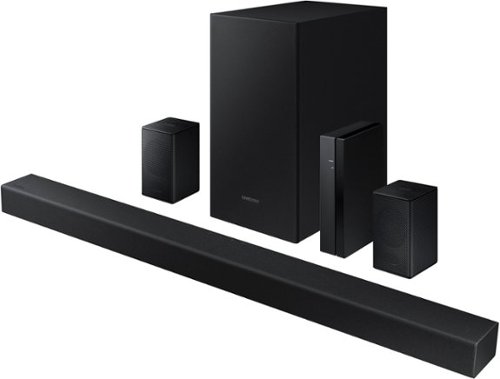
Samsung - 4.1-Channel Soundbar with Wireless Rear Speaker Kit and DOLBY AUDIO / DTS 2.0 - Black
Elevate your audio experience with high-quality optimized sound.
How to install the remote control battery
Hi! To replace the batteries in the remote included with the HW-A470, first flip the remote upside down, then push the rear cover open in the direction of the arrow at the bottom of the remote control. Grab the remote control with two hands, then, push it forward with your thumbs. I hope this helps!
^Tim
^Tim
4 years, 7 months ago
by
Posted by:
Samsung
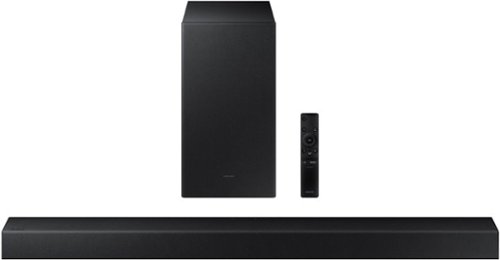
Samsung - HW-A450 Wireless 2.1ch Sound bar with Dolby Audio - Black
Elevate your sound experience with powerful bass.
What’s the difference between the Bluetooth and the cable connection? Do we get a better sound?
Hi Jc! Great Question. While the Bluetooth connection provides a simple wire free connection, we suggest using the included digital optical audio cable when available for the best user experience and audio quality. Wireless connections may fall prone to issues with interference causing delays or connection issues.
^Tim
^Tim
4 years, 7 months ago
by
Posted by:
Samsung
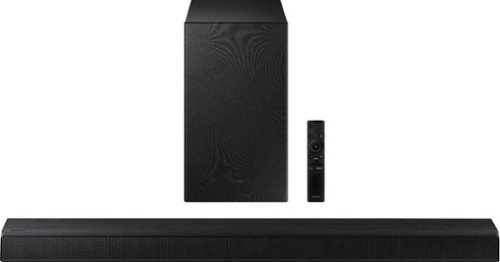
Samsung - HW-A550 2.1ch Sound bar with Dolby 5.1 - Black
Elevate your experience with virtual 3D surround sound.
What is the Bluetooth version? You really need to list it in your specifications.
Hi Mehrdad! The HW-A550 uses Bluetooth Version 4.2.
^Tim
^Tim
4 years, 7 months ago
by
Posted by:
Samsung
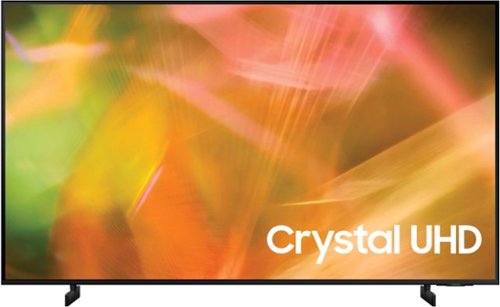
Samsung - 43" Class 8000 Series LED 4K UHD Smart Tizen TV (2021)
Step up to the world of Crystal UHD from Samsung. Elevated color and clarity offer you a picture that has to be seen to be believed. Add in smart features that make watching TV even easier, and you have a TV that is essential.
just got this tv and like it so far. as others have commented the remote is not the easiest to use and is very small. get many, many channels and streaming choices, but I cannot get the local live tv stations with this remote. how does one do this?
Hi annebee! To access live local TV channels, you must first connect an external antenna to the TV, then perform a channel scan which allows the TV to access the available channels based on your signal strength. Once the channel scan is performed, you can find the available channels through the built in TV guide. Should you need additional assistance with this, Please contact us at 1-800-SAMSUNG (ask for Soundbars), available 8AM - 12AM EST, 7 days a week.
^Tim
^Tim
4 years, 7 months ago
by
Posted by:
Samsung
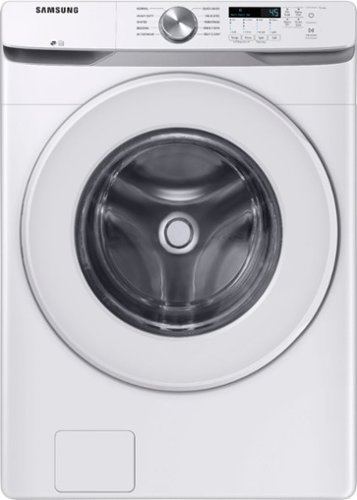
Samsung~s Energy Star Certified Front Load washer has 4.5 cu. ft. capacity to fit more in every load and cut down on laundry time. It is equipped with Vibration Reduction Technology+ to reduce noise for quiet washing and features Self Clean+ to eliminate 99% of bacteria that can form in the drum.1
what if i live in an apartment without a water hookup… can i buy a hose and connect it to a sink?
Hi jomama.
Thank you for reaching out regarding your Samsung - 4.5 Cu. Ft. High-Efficiency Stackable Front Load Washer with Vibration Reduction Technology+ if you can use a water hose and hook it up on the sink. Regarding your concern, yes, you can as long as the following requirements are met. Here are the requirements.
Proper water pressure for this washer is between 20-116 psi (137-800 kPa). Water pressure less than 20 psi (137 kPa) may cause the water valve not to close completely. Or, it may take longer to fill the drum, causing the washer to turn off.
Water taps must be within 4 ft. (122 cm) from the rear of the washer so that the provided inlet hoses reach the washer.
I will be sharing this link to your user manual for further assistance. Please go to page 17.
https://downloadcenter.samsung.com/content/UM/202003/20200323131637312/WF6000T_SEHC_DC68-04006F-01_EN_CFR_MES.pdf
Should you need more assistance, please feel free to get back to us via the following options:
1. Facebook Messenger: http://m.me/samsungsupport
2. Twitter: https://twitter.com/messages/compose?recipient_id=18768513
3. Samsung Community: https://us.community.samsung.com/t5/Samsung-Community/ct-p/us
Thank you for being a valued customer of Samsung. Have a great day.
Reference Ticket Number: 1144257657
^Camille
Thank you for reaching out regarding your Samsung - 4.5 Cu. Ft. High-Efficiency Stackable Front Load Washer with Vibration Reduction Technology+ if you can use a water hose and hook it up on the sink. Regarding your concern, yes, you can as long as the following requirements are met. Here are the requirements.
Proper water pressure for this washer is between 20-116 psi (137-800 kPa). Water pressure less than 20 psi (137 kPa) may cause the water valve not to close completely. Or, it may take longer to fill the drum, causing the washer to turn off.
Water taps must be within 4 ft. (122 cm) from the rear of the washer so that the provided inlet hoses reach the washer.
I will be sharing this link to your user manual for further assistance. Please go to page 17.
https://downloadcenter.samsung.com/content/UM/202003/20200323131637312/WF6000T_SEHC_DC68-04006F-01_EN_CFR_MES.pdf
Should you need more assistance, please feel free to get back to us via the following options:
1. Facebook Messenger: http://m.me/samsungsupport
2. Twitter: https://twitter.com/messages/compose?recipient_id=18768513
3. Samsung Community: https://us.community.samsung.com/t5/Samsung-Community/ct-p/us
Thank you for being a valued customer of Samsung. Have a great day.
Reference Ticket Number: 1144257657
^Camille
4 years, 7 months ago
by
Posted by:
Samsung
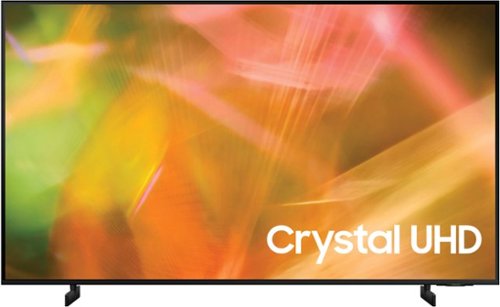
Samsung - 55" Class 8000 Series LED 4K UHD Smart Tizen TV (2021)
Step up to the world of Crystal UHD from Samsung. Elevated color and clarity offer you a picture that has to be seen to be believed. Add in smart features that make watching TV even easier, and you have a TV that is essential.
Is it possible to use this TV in portrait mode (vertically)?
Hi PortraitMode! Great question; however, the AU8000 does not feature the ability to be used in portrait mode.
^Tim
^Tim
4 years, 7 months ago
by
Posted by:
Samsung
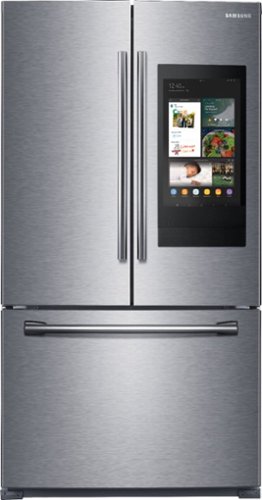
Samsung - 25.1 Cu. Ft. French Door Refrigerator with Family Hub - Stainless Steel
Samsung believes connected living starts with people and their busy lives. The kitchen is the heart of home, and the refrigerator is the heart of the kitchen. Samsung's Family Hub refrigerator helps you connect to what's most important: your family and home, whenever and wherever. Family Hub lets you see inside your refrigerator, manage your family's calendars, stream music, see who's at the front door and much more, all right from your refrigerator. Samsung's 25.1 cu. ft. capacity 3-door French door refrigerator is beautifully designed with high-efficiency LED lighting and EZ-open handles. The clean lines and modern form blend beautifully into any kitchen.
Do you have to have a samsung phone in order to link to the refrigerator family hub?
Hi Didi,
Thank you for reaching out and we hope you are in good health. You don't have to a Samsung phone to link to your refrigerator. You can use an android phone or an iPhone granted some minimum requirements are met.
Please click on the links below to learn and download the SmartThings app.
https://www.samsung.com/us/support/owners/app/smartthings
https://www.samsung.com/us/support/answer/ANS00078849/
https://www.samsung.com/us/support/answer/ANS00078850/
Please feel free to communicate with us through the channels below if you have additional questions.
1. Facebook Messenger: http://m.me/samsungsupport
2. Twitter: https://twitter.com/messages/compose?recipient_id=18768513
3. Samsung Community: https://us.community.samsung.com/t5/Samsung-Community/ct-p/us
Your reference number: 1144257619
Leo
Thank you for reaching out and we hope you are in good health. You don't have to a Samsung phone to link to your refrigerator. You can use an android phone or an iPhone granted some minimum requirements are met.
Please click on the links below to learn and download the SmartThings app.
https://www.samsung.com/us/support/owners/app/smartthings
https://www.samsung.com/us/support/answer/ANS00078849/
https://www.samsung.com/us/support/answer/ANS00078850/
Please feel free to communicate with us through the channels below if you have additional questions.
1. Facebook Messenger: http://m.me/samsungsupport
2. Twitter: https://twitter.com/messages/compose?recipient_id=18768513
3. Samsung Community: https://us.community.samsung.com/t5/Samsung-Community/ct-p/us
Your reference number: 1144257619
Leo
4 years, 7 months ago
by
Posted by:
Samsung
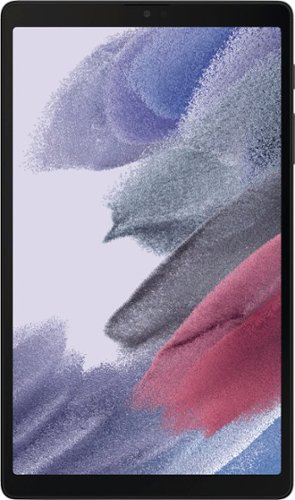
Samsung - Galaxy Tab A7 Lite 8.7" 64 GB - Wi-Fi - Dark Gray
Meet the device your whole family will love: Samsung Galaxy Tab A7 Lite, the tablet that's made to be shared. With its compact 8.7" screen, Galaxy Tab A7 Lite is perfectly sized for entertainment on the go. Its sturdy metal frame is built to be brought along from the living room to your beach vacation, or wherever you want to take it. Galaxy Tab A7 Lite comes with access to hours of ad-free YouTube Premium and Samsung TV at no extra charge so you can keep the family happy without annoying interruptions. Plus, with a powerful processor for fast streaming and plenty of storage for your favorite files, Galaxy Tab A7 Lite simplifies entertainment needs for everyone under your roof.
Does it have a touch screen?
Hi CathyO,
Thank you for bringing this to our attention, and interested in whether the Galaxy Tab A7 Lite has a touch screen feature. In line with this, yes, its navigation is via touching the screen by using your finger or a capacitive stylus.
Please see the user manual on Page 12 for your reference:
https://downloadcenter.samsung.com/content/UM/202106/20210623002343105/SAM_T220_T227_EN_UM_R11.0_060721_FINAL_AC.pdf
Should you need more assistance, you may reach us via the following for immediate support:
1. Samsung Community: https://us.community.samsung.com/t5/Samsung-Community/ct-p/us
2. Facebook Messenger: http://m.me/samsungsupport
3. Twitter: https://twitter.com/messages/compose?recepient_ id=18768513
Reference Number: 1144257522
Thank you for choosing Samsung. Have a great day!
^Chrystel
Thank you for bringing this to our attention, and interested in whether the Galaxy Tab A7 Lite has a touch screen feature. In line with this, yes, its navigation is via touching the screen by using your finger or a capacitive stylus.
Please see the user manual on Page 12 for your reference:
https://downloadcenter.samsung.com/content/UM/202106/20210623002343105/SAM_T220_T227_EN_UM_R11.0_060721_FINAL_AC.pdf
Should you need more assistance, you may reach us via the following for immediate support:
1. Samsung Community: https://us.community.samsung.com/t5/Samsung-Community/ct-p/us
2. Facebook Messenger: http://m.me/samsungsupport
3. Twitter: https://twitter.com/messages/compose?recepient_ id=18768513
Reference Number: 1144257522
Thank you for choosing Samsung. Have a great day!
^Chrystel
4 years, 7 months ago
by
Posted by:
Samsung
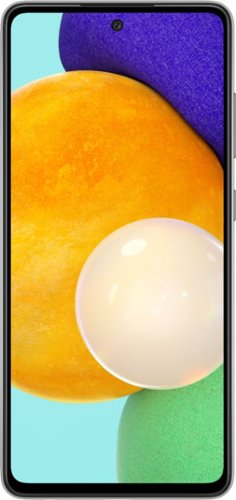
Samsung - Galaxy A52 5G 128GB (Unlocked) - Black
We've outfitted Galaxy A52 5G for Verizon with some of our most awesome Galaxy innovations so you can stream, capture and experience all the action at a price you'll love.
does it work with consumer cellar??
Hi Comit2,
Thank you for bringing this to our attention and raising your query regarding if the Galaxy A52 (Unlocked) works with Consumer Cellular. In line with this, unlocked phones by Samsung work on multiple networks. Also, it gives you the freedom to switch carriers any time and make sure that you have a compatible SIM card. Please note that sim cards must be compatible with the area's available networks. International calling, data services, and coverage vary by the network provider.
Contact provider for details.
You may visit our website for more information about unlocked phones: https://www.samsung.com/us/mobile/phones/unlocked-by-samsung/
You may also check out our website under "Learn about Unlocked phones" for further information:
https://www.samsung.com/us/mobile/phones/galaxy-a/buy/?modelCode=SM-A526UZKDXAA
Should you need more assistance, you may reach us via the following for immediate support:
1. Samsung Community: https://us.community.samsung.com/t5/Samsung-Community/ct-p/us
2. Facebook Messenger: http://m.me/samsungsupport
3. Twitter: https://twitter.com/messages/compose?recepient_ id=18768513
Reference Number: 1144257421
Thank you for choosing Samsung. Have a great day!
^Chrystel
Thank you for bringing this to our attention and raising your query regarding if the Galaxy A52 (Unlocked) works with Consumer Cellular. In line with this, unlocked phones by Samsung work on multiple networks. Also, it gives you the freedom to switch carriers any time and make sure that you have a compatible SIM card. Please note that sim cards must be compatible with the area's available networks. International calling, data services, and coverage vary by the network provider.
Contact provider for details.
You may visit our website for more information about unlocked phones: https://www.samsung.com/us/mobile/phones/unlocked-by-samsung/
You may also check out our website under "Learn about Unlocked phones" for further information:
https://www.samsung.com/us/mobile/phones/galaxy-a/buy/?modelCode=SM-A526UZKDXAA
Should you need more assistance, you may reach us via the following for immediate support:
1. Samsung Community: https://us.community.samsung.com/t5/Samsung-Community/ct-p/us
2. Facebook Messenger: http://m.me/samsungsupport
3. Twitter: https://twitter.com/messages/compose?recepient_ id=18768513
Reference Number: 1144257421
Thank you for choosing Samsung. Have a great day!
^Chrystel
4 years, 7 months ago
by
Posted by:
Samsung