Samsung
Samsung's Stats
Reviews
- Review Count0
- Helpfulness Votes0
- First ReviewNone
- Last ReviewNone
- Featured Reviews0
- Average Rating0
Reviews Comments
- Review Comment Count0
- Helpfulness Votes0
- First Review CommentNone
- Last Review CommentNone
- Featured Review Comments0
Questions
- Question Count0
- Helpfulness Votes0
- First QuestionNone
- Last QuestionNone
- Featured Questions0
- Answer Count73778
- Helpfulness Votes37,946
- First AnswerApril 24, 2013
- Last AnswerAugust 21, 2026
- Featured Answers0
- Best Answers3946
Samsung's Reviews
Samsung has not submitted any reviews.
Samsung's Questions
Samsung has not submitted any questions.
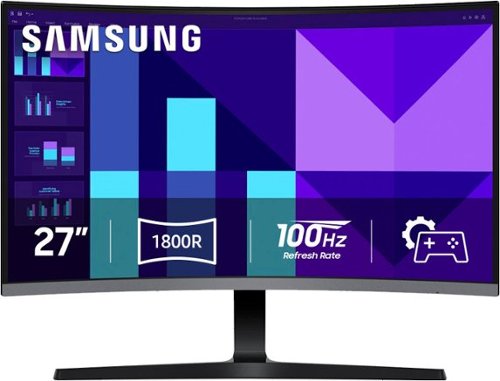
Samsung's 27" S3 FHD 100Hz Curved Monitor with Speakers provides an immersive viewing experience. The 1800R Curved Screen enhances depth perception and minimizes peripheral distractions, enabling greater focus. The 100Hz Refresh Rate reduces lag and motion blur when playing games, watching videos, or working on creative projects. Game Mode with optimizable settings allows color and image contrast to be instantly adjusted, filling the screen with every detail in view. Built-in Speakers free up desk space, minimize connections, and create a more efficient working environment for listening with ease. Eye Saver Mode with T~V-certified eye comfort technology reduces irritating screen flicker and minimizes excessive blue light, even during long sessions. Multiple Connectivity enables devices to be plugged straight into the monitor for a more convenient computing environment.
Is this unit good for office work?

cauldweii:
Yes, the Samsung S39GD is a good monitor for typical office work. Full HD (1080p) is great for everyday productivity tasks such as email, spreadsheets, documents, and browsing. The S39GD supports a 100Hz refresh rate, which provides noticeably smoother motion than traditional 60Hz monitors, helpful for scrolling through documents and multitasking. The monitor also includes HDMI IN, making it easy to connect to most work laptops (including MacBooks with an adapter).
It also includes a VGA port for older devices. The S39GD offers Eye Saver Mode and reduced blue light + flicker control, which are ideal for long work sessions.
- Samsung Monitors
Yes, the Samsung S39GD is a good monitor for typical office work. Full HD (1080p) is great for everyday productivity tasks such as email, spreadsheets, documents, and browsing. The S39GD supports a 100Hz refresh rate, which provides noticeably smoother motion than traditional 60Hz monitors, helpful for scrolling through documents and multitasking. The monitor also includes HDMI IN, making it easy to connect to most work laptops (including MacBooks with an adapter).
It also includes a VGA port for older devices. The S39GD offers Eye Saver Mode and reduced blue light + flicker control, which are ideal for long work sessions.
- Samsung Monitors
5 months ago
by
Posted by:
Samsung
Samsung's 27" S3 FHD 100Hz Curved Monitor with Speakers provides an immersive viewing experience. The 1800R Curved Screen enhances depth perception and minimizes peripheral distractions, enabling greater focus. The 100Hz Refresh Rate reduces lag and motion blur when playing games, watching videos, or working on creative projects. Game Mode with optimizable settings allows color and image contrast to be instantly adjusted, filling the screen with every detail in view. Built-in Speakers free up desk space, minimize connections, and create a more efficient working environment for listening with ease. Eye Saver Mode with T~V-certified eye comfort technology reduces irritating screen flicker and minimizes excessive blue light, even during long sessions. Multiple Connectivity enables devices to be plugged straight into the monitor for a more convenient computing environment.
Is this monitor compatible with a MacBook Pro (MacOS Tahoe - M2 Pro)?
Sammy:
Yes, the Samsung S39GD is compatible with a MacBook Pro (macOS Tahoe – M2 Pro).
- Samsung Monitors
Yes, the Samsung S39GD is compatible with a MacBook Pro (macOS Tahoe – M2 Pro).
- Samsung Monitors
5 months ago
by
Posted by:
Samsung
Samsung's 27" S3 FHD 100Hz Curved Monitor with Speakers provides an immersive viewing experience. The 1800R Curved Screen enhances depth perception and minimizes peripheral distractions, enabling greater focus. The 100Hz Refresh Rate reduces lag and motion blur when playing games, watching videos, or working on creative projects. Game Mode with optimizable settings allows color and image contrast to be instantly adjusted, filling the screen with every detail in view. Built-in Speakers free up desk space, minimize connections, and create a more efficient working environment for listening with ease. Eye Saver Mode with T~V-certified eye comfort technology reduces irritating screen flicker and minimizes excessive blue light, even during long sessions. Multiple Connectivity enables devices to be plugged straight into the monitor for a more convenient computing environment.
Does it have a type c port?
Jones:
No, the Samsung S39GD monitor does not have a USB‑C (Type‑C) port.
- Samsung Monitors
No, the Samsung S39GD monitor does not have a USB‑C (Type‑C) port.
- Samsung Monitors
5 months ago
by
Posted by:
Samsung
Samsung's 27" S3 FHD 100Hz Curved Monitor with Speakers provides an immersive viewing experience. The 1800R Curved Screen enhances depth perception and minimizes peripheral distractions, enabling greater focus. The 100Hz Refresh Rate reduces lag and motion blur when playing games, watching videos, or working on creative projects. Game Mode with optimizable settings allows color and image contrast to be instantly adjusted, filling the screen with every detail in view. Built-in Speakers free up desk space, minimize connections, and create a more efficient working environment for listening with ease. Eye Saver Mode with T~V-certified eye comfort technology reduces irritating screen flicker and minimizes excessive blue light, even during long sessions. Multiple Connectivity enables devices to be plugged straight into the monitor for a more convenient computing environment.
Can I connect this monitor to my laptop for work?
Yes, you can connect the Samsung S39GD monitor to your laptop for work, as long as your laptop has a compatible video output. The Samsung S39GD monitor includes the following input ports - HDMI IN and VGA (PC IN).
- Samsung Monitors
- Samsung Monitors
5 months ago
by
Posted by:
Samsung
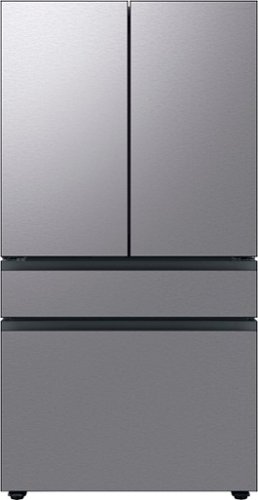
Extra-large capacity 4-Door French Door Refrigerator; a revolution in convenience and design, the concealed Beverage Center features both a water dispenser and AutoFill Water Pitcher. Plus a Dual Ice Maker with cubed ice and Ice Bites.
Is it panel ready? If not, any models capable of having a panel added to front
Hello A,
We appreciate your interest in your Samsung refrigerator and your question about customization options.
This model is part of our Bespoke lineup, which means the front panels are designed to be customizable rather than traditional panel‑ready cabinetry panels. You can change the panels using Samsung’s interchangeable Bespoke panel system and select from various available colors and finishes.
You can explore the full guide here:
Install your custom Samsung Bespoke refrigerator panels
https://www.samsung.com/us/support/answer/ANS10006822/
Please keep this reference number for your records: 1152251350.
We appreciate hearing from you, and Samsung truly values your business.
Pope
Samsung Care
We appreciate your interest in your Samsung refrigerator and your question about customization options.
This model is part of our Bespoke lineup, which means the front panels are designed to be customizable rather than traditional panel‑ready cabinetry panels. You can change the panels using Samsung’s interchangeable Bespoke panel system and select from various available colors and finishes.
You can explore the full guide here:
Install your custom Samsung Bespoke refrigerator panels
https://www.samsung.com/us/support/answer/ANS10006822/
Please keep this reference number for your records: 1152251350.
We appreciate hearing from you, and Samsung truly values your business.
Pope
Samsung Care
5 months ago
by
Posted by:
Samsung
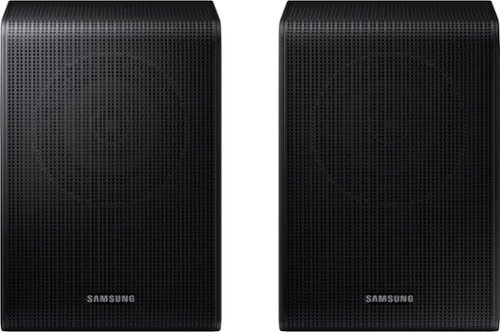
Get a truly cinematic experience from your home theater with rear speakers that connect wirelessly to your soundbar for simple setup and less clutter. With true surround sound, add audio depth and dimension with sound that comes from all sides, making you feel like you're in the scene.
Are these speakers compatible with the HW-K950 soundbar system?
Hello, No, the SWA-9250S Wireless Rear Speakers are compatible with the HW-Q600F, HW-B750F, HW-B650F, HW-B630F, and HW-B550F 2025 Samsung Soundbars. ~ Samsung SOlutions
5 months ago
by
Posted by:
Samsung
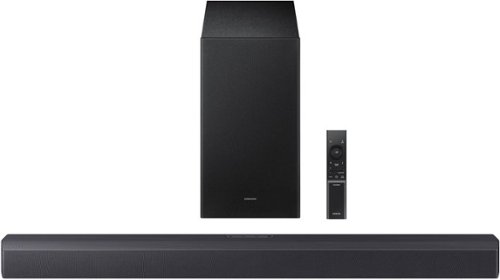
Revel in deep, rich bass that makes thunderstorms and helicopters on screen rumble through your room with a wireless subwoofer, perfect for the intense thrills of action packed movies and fast paced games. Hear voices, whispers and subtle details, even at low volume, with intelligently optimized audio. Delight in movie nights with sound that distinguishes and separates ambient noise from on screen dialogue along with virtual spatial audio that flows all around you.
WILL THIS WORK WITH THE un65ks8000f?
Hi there! Yes, you can connect the HW-B550F Soundbar to your Samsung 8000F Series TV using an HDMI ARC connection or via Bluetooth wireless. ~ Samsung Solutions
5 months ago
by
Posted by:
Samsung
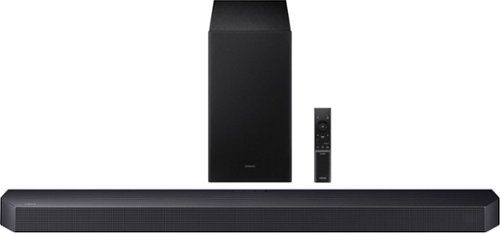
Get swept away into any film, concert or soundtrack with Dolby Atmos 3D sound that reveals rich depth and intricate details. Be surrounded by sound and feel at the center of it all with up-firing channels that project audio overhead, a dedicated center channel for clear dialogue and a wireless subwoofer that delivers room-shaking bass. Pair the soundbar with a Samsung TV to experience powerful, robust audio with Q-Symphony and level up your entertainment a notch or two or three.
Why does TV/ARC scroll across the soundbar 3-4 times whenever I change the volume up or down and how do I stop this?
Hello Chad! When “TV ARC” scrolls across the soundbar display while adjusting the volume, it means the soundbar is confirming that the audio source is the TV through the ARC connection. This can happen when the TV sends a control signal each time the volume is changed.
To help resolve this, try power cycling both the TV and soundbar by unplugging them from power for about 60 seconds, then plugging them back in. You can also disconnect and reconnect the HDMI cable to ensure it is securely connected to the TV’s HDMI ARC/eARC port. ~ Samsung Solutions
To help resolve this, try power cycling both the TV and soundbar by unplugging them from power for about 60 seconds, then plugging them back in. You can also disconnect and reconnect the HDMI cable to ensure it is securely connected to the TV’s HDMI ARC/eARC port. ~ Samsung Solutions
5 months ago
by
Posted by:
Samsung
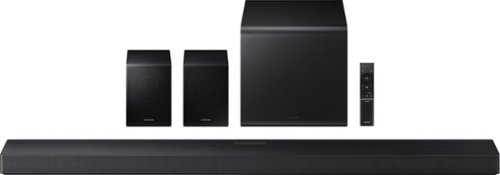
Enjoy a sleek, low profile design that fits into your space while delivering rich, multidimensional true surround sound with included rear speakers. Built in sensors detect whether the soundbar is placed flat on a table or is mounted flush against a wall and automatically recalibrates speaker direction for powerful Dolby Atmos audio, regardless of the setup. Enhance your home theater experience with crystal clear dialogue and booming bass, perfect for fast paced thrillers or action movies.
Was is the weight of just the sound bar itself?
Hello WB! The HW-QS750F Soundbar weighs 9.7 lbs, and the included subwoofer weighs 10.6 lbs. ~ Samsung Solutions
5 months ago
by
Posted by:
Samsung
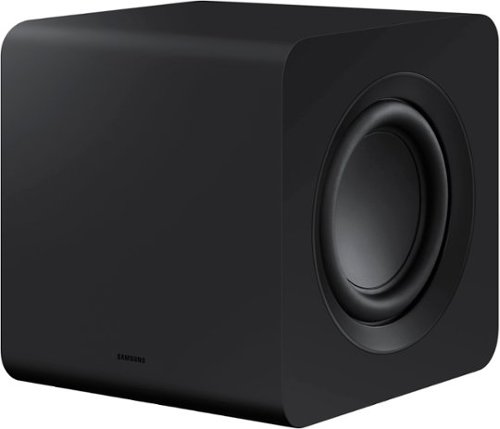
Designed to complement the S-series soundbar, the W510 subwoofer brings the sound even deeper. Listen to sound as you should - wirelessly.
Can I run two of these with one soundbar?
Hi there SakiMarki! No, you can only have one SWA-W510 Subwoofer connected to either of the exclusively compatible HW-S61B/S61D, HW-S60B/S60D & HW-S50B Soundbars. ~Samsung Solutions
5 months ago
by
Posted by:
Samsung