Samsung
Samsung's Stats
Reviews
- Review Count0
- Helpfulness Votes0
- First ReviewNone
- Last ReviewNone
- Featured Reviews0
- Average Rating0
Reviews Comments
- Review Comment Count0
- Helpfulness Votes0
- First Review CommentNone
- Last Review CommentNone
- Featured Review Comments0
Questions
- Question Count0
- Helpfulness Votes0
- First QuestionNone
- Last QuestionNone
- Featured Questions0
- Answer Count74791
- Helpfulness Votes37,938
- First AnswerApril 24, 2013
- Last AnswerOctober 13, 2026
- Featured Answers0
- Best Answers3942
Samsung's Reviews
Samsung has not submitted any reviews.
Samsung's Questions
Samsung has not submitted any questions.
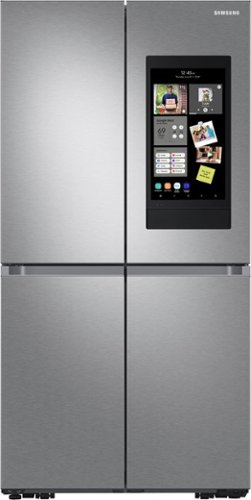
Samsung - 29 cu. ft. 4-Door Flex Smart Refrigerator with Family Hub - Stainless Steel
Extra-large capacity Smart 4-Door Flex refrigerator with Family Hub helps you connect to what~s most important: your family and home. Samsung~s Family Hub lets you see inside your refrigerator, manage your family~s calendars, stream music, see who~s at the front door and much more, all right from your fridge.
Is there a warranty for Family Hub?

Hi KIM.
Thank you for reaching out regarding your Samsung - 29 cu. ft. Smart 4-Door Flex refrigerator with Family Hub and Beverage Center warranty. Regarding your concern, here are the warranty details.
One (1) year parts and labor
Five (5) years parts and labor on Sealed Refrigeration System Only (Compressor, Evaporator, Condenser, Drier, and Connecting Tubing)
Ten (10) years part and Five (5) years labor on Digital Inverter Compressor Only
I will provide you with a link to further assist you with the warranty.
https://www.samsung.com/us/support/service/warranty/RF29A9771SR/AA
Should you need more assistance, please feel free to get back to us via the following options:
1. Facebook Messenger: http://m.me/samsungsupport
2. Twitter: https://twitter.com/messages/compose?recipient_id=18768513
3. Samsung Community: https://us.community.samsung.com/t5/Samsung-Community/ct-p/us
Thank you for being a valued customer of Samsung. Have a great day.
Reference Ticket Number: 1144243112
^Camille
Thank you for reaching out regarding your Samsung - 29 cu. ft. Smart 4-Door Flex refrigerator with Family Hub and Beverage Center warranty. Regarding your concern, here are the warranty details.
One (1) year parts and labor
Five (5) years parts and labor on Sealed Refrigeration System Only (Compressor, Evaporator, Condenser, Drier, and Connecting Tubing)
Ten (10) years part and Five (5) years labor on Digital Inverter Compressor Only
I will provide you with a link to further assist you with the warranty.
https://www.samsung.com/us/support/service/warranty/RF29A9771SR/AA
Should you need more assistance, please feel free to get back to us via the following options:
1. Facebook Messenger: http://m.me/samsungsupport
2. Twitter: https://twitter.com/messages/compose?recipient_id=18768513
3. Samsung Community: https://us.community.samsung.com/t5/Samsung-Community/ct-p/us
Thank you for being a valued customer of Samsung. Have a great day.
Reference Ticket Number: 1144243112
^Camille
4 years, 7 months ago
by
Posted by:
Samsung
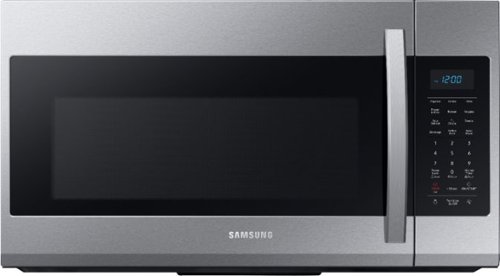
Samsung - 1.9 Cu. Ft. Over-the-Range Microwave with Sensor Cook - Stainless Steel
Samsung 1.9 Cu. Ft. Over-the-Range Microwave: This Samsung over-the-range microwave makes preparing multiple dishes effortless with a large 1.9 cu. ft. capacity, accommodating even your big dishes. The Sensor Cook technology automatically adjusts your cooking time for optimal results. Additionally, the fingerprint-resistant finish helps reduce smudges and minimizes cleaning.
So I thought there was cardboard on the inside the wasn’t removed after installed. Where can I purchase a replacement part? It was apparently important.
Hi NotCardboard,
Thank you for reaching out and we hope you are in good health. The cardboard like material removed is called mica. It covers the waveguide system that feeds microwave energy into the cavity.
To order a replacement, please visit our authorized distributor for parts and accessories website below.
https://www.samsungparts.com/Default.aspx
Please feel free to communicate with us through the channels below if you have additional questions.
1. Facebook Messenger: http://m.me/samsungsupport
2. Twitter: https://twitter.com/messages/compose?recipient_id=18768513
3. Samsung Community: https://us.community.samsung.com/t5/Samsung-Community/ct-p/us
Your reference number: 1144243050
Leo
Thank you for reaching out and we hope you are in good health. The cardboard like material removed is called mica. It covers the waveguide system that feeds microwave energy into the cavity.
To order a replacement, please visit our authorized distributor for parts and accessories website below.
https://www.samsungparts.com/Default.aspx
Please feel free to communicate with us through the channels below if you have additional questions.
1. Facebook Messenger: http://m.me/samsungsupport
2. Twitter: https://twitter.com/messages/compose?recipient_id=18768513
3. Samsung Community: https://us.community.samsung.com/t5/Samsung-Community/ct-p/us
Your reference number: 1144243050
Leo
4 years, 7 months ago
by
Posted by:
Samsung
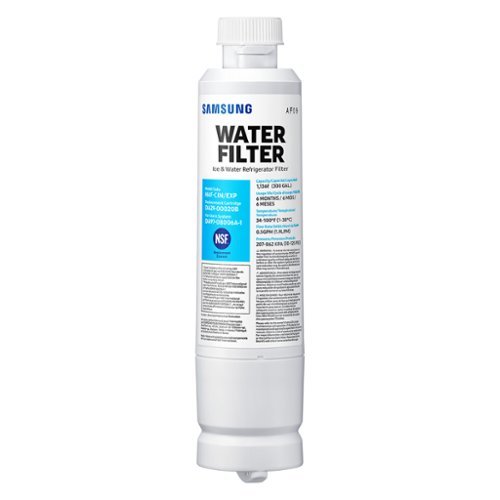
Give your family safe, fresh-testing water with Samsung genuine filters. Samsung water filters remove over 99% of numerous harmful contaminants, including lead. Each filter lasts for 6 months or 300 gallons.
Is this model compatiable for my fridge?
The filter I just removed from the fridge and need to replace is model HAF-CIN/EXP and Replacement Cartridge says DA29-00020B. Is this is correct filter?
Thanks!
Thanks!
Hello.
Thank you for reaching out regarding your Water Filter for Select Samsung Refrigerators - White if compatible with your refrigerator. Regarding your concern, yes, this is compatible with the refrigerator.
I will be providing you with a link on where to purchase the water filter.
https://www.samsung.com/us/home-appliances/home-appliances-accessories/refrigerators/haf-cin-refrigerator-water-filter-haf-cin-exp/
Should you need more assistance, please feel free to get back to us via the following options:
1. Facebook Messenger: http://m.me/samsungsupport
2. Twitter: https://twitter.com/messages/compose?recipient_id=18768513
3. Samsung Community: https://us.community.samsung.com/t5/Samsung-Community/ct-p/us
Thank you for being a valued customer of Samsung. Have a great day.
Reference Ticket Number: 1144243047
^Camille
Thank you for reaching out regarding your Water Filter for Select Samsung Refrigerators - White if compatible with your refrigerator. Regarding your concern, yes, this is compatible with the refrigerator.
I will be providing you with a link on where to purchase the water filter.
https://www.samsung.com/us/home-appliances/home-appliances-accessories/refrigerators/haf-cin-refrigerator-water-filter-haf-cin-exp/
Should you need more assistance, please feel free to get back to us via the following options:
1. Facebook Messenger: http://m.me/samsungsupport
2. Twitter: https://twitter.com/messages/compose?recipient_id=18768513
3. Samsung Community: https://us.community.samsung.com/t5/Samsung-Community/ct-p/us
Thank you for being a valued customer of Samsung. Have a great day.
Reference Ticket Number: 1144243047
^Camille
4 years, 7 months ago
by
Posted by:
Samsung
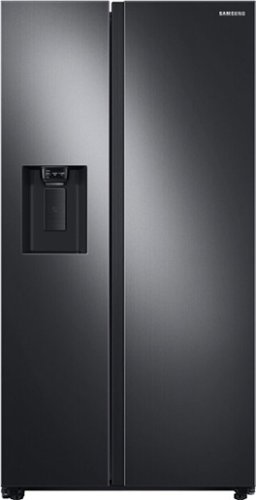
Samsung 27.4 cu. ft. large capacity Side-by-Side refrigerator that is beautifully designed with a minimal display dispenser, modern design that blends beautifully into your kitchen, and a finish that withstands everyday smudges.
Does the ice maker have crushed ice?
Hi rf.
Thank you for reaching out regarding your Samsung - 27.4 Cu. Ft. Side-by-Side Refrigerator if this does crush ice. Regarding your concern, yes, it makes crush.
I will be providing your user manual for further assistance. Please go to page 32.
https://downloadcenter.samsung.com/content/UM/202002/20200209000842125/SBS_RS5300T_DA68-03958J-01_EN_MES_CFR.pdf
Should you need more assistance, please feel free to get back to us via the following options:
1. Facebook Messenger: http://m.me/samsungsupport
2. Twitter: https://twitter.com/messages/compose?recipient_id=18768513
3. Samsung Community: https://us.community.samsung.com/t5/Samsung-Community/ct-p/us
Thank you for being a valued customer of Samsung. Have a great day.
Reference Ticket Number: 1144242824
^Camille
Thank you for reaching out regarding your Samsung - 27.4 Cu. Ft. Side-by-Side Refrigerator if this does crush ice. Regarding your concern, yes, it makes crush.
I will be providing your user manual for further assistance. Please go to page 32.
https://downloadcenter.samsung.com/content/UM/202002/20200209000842125/SBS_RS5300T_DA68-03958J-01_EN_MES_CFR.pdf
Should you need more assistance, please feel free to get back to us via the following options:
1. Facebook Messenger: http://m.me/samsungsupport
2. Twitter: https://twitter.com/messages/compose?recipient_id=18768513
3. Samsung Community: https://us.community.samsung.com/t5/Samsung-Community/ct-p/us
Thank you for being a valued customer of Samsung. Have a great day.
Reference Ticket Number: 1144242824
^Camille
4 years, 7 months ago
by
Posted by:
Samsung
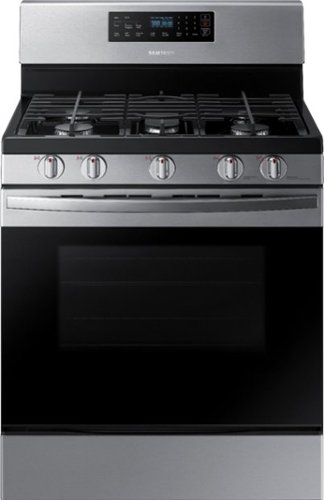
Samsung - 5.8 Cu. Ft. Self-Cleaning Freestanding Gas Range - Stainless Steel
The Samsung 5.8 cu. ft. freestanding gas range offers very large capacity that can easily accomodate a very large roast and a powerful and flexible cooktop that cooks faster with 5 specialized burners, including a 17K BTU power burner and a 5K simmer burner.
If we loose power to the stove can we still light the stove top burners with a match?
Hi JEFF,
Thank you for reaching out and we hope you are in good health. Yes, you can turn on the stove top burners with a match during power outages.
Please feel free to communicate with us through the channels below if you have additional questions.
1. Facebook Messenger: http://m.me/samsungsupport
2. Twitter: https://twitter.com/messages/compose?recipient_id=18768513
3. Samsung Community: https://us.community.samsung.com/t5/Samsung-Community/ct-p/us
Your reference number: 1144242833
Leo
Thank you for reaching out and we hope you are in good health. Yes, you can turn on the stove top burners with a match during power outages.
Please feel free to communicate with us through the channels below if you have additional questions.
1. Facebook Messenger: http://m.me/samsungsupport
2. Twitter: https://twitter.com/messages/compose?recipient_id=18768513
3. Samsung Community: https://us.community.samsung.com/t5/Samsung-Community/ct-p/us
Your reference number: 1144242833
Leo
4 years, 7 months ago
by
Posted by:
Samsung
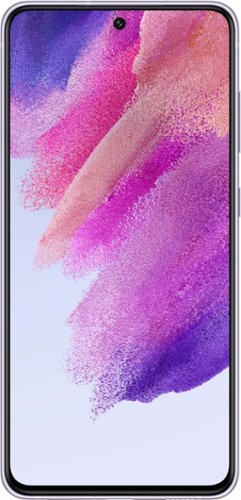
Samsung - Galaxy S21 FE 5G 128GB (Unlocked) - Lavender
Take your everyday experiences to the next level with the phone that's designed to fuel the passions of every fan. Whether you're a gaming guru, social star or fashionista, Samsung Galaxy S21 FE 5G is jam-packed with features that help you get more out of whatever you're into, including an All-Day Intelligent Battery, a powerful processor, a smooth and strong display, a triple-lens camera and more. Plus, choose from four colors for a stylish look that will set off your fan vibe.
if this phone is unlocked why do you need to activate it with a network? can't work with any network?
Hi Light!
Thank you for reaching out to us. We appreciate your interest in knowing if Galaxy S21 FE 5G (Unlocked) works with any network. Yes, an unlocked phone works on multiple networks, and make sure that you have a compatible SIM card. SIM cards must be compatible with the area's available networks. Contact provider for details.
You may visit our website for more information about unlocked phones: https://www.samsung.com/us/mobile/phones/unlocked-by-samsung/.
Should you need more assistance, please feel free to get back to us via the following options:
1. Facebook Messenger: http://m.me/samsungsupport
2. Twitter: https://twitter.com/messages/compose?recipient_id=18768513
3. Samsung Community: https://us.community.samsung.com/t5/Samsung-Community/ct-p/us
Reference #: 1144242688
Have a great day.
Melardo
Thank you for reaching out to us. We appreciate your interest in knowing if Galaxy S21 FE 5G (Unlocked) works with any network. Yes, an unlocked phone works on multiple networks, and make sure that you have a compatible SIM card. SIM cards must be compatible with the area's available networks. Contact provider for details.
You may visit our website for more information about unlocked phones: https://www.samsung.com/us/mobile/phones/unlocked-by-samsung/.
Should you need more assistance, please feel free to get back to us via the following options:
1. Facebook Messenger: http://m.me/samsungsupport
2. Twitter: https://twitter.com/messages/compose?recipient_id=18768513
3. Samsung Community: https://us.community.samsung.com/t5/Samsung-Community/ct-p/us
Reference #: 1144242688
Have a great day.
Melardo
4 years, 7 months ago
by
Posted by:
Samsung
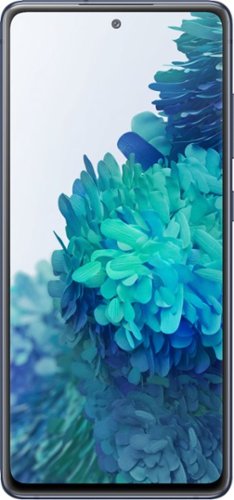
Samsung - Galaxy S20 FE 5G 128GB - Cloud Navy (Sprint)
We get you. The standout in the crowd, the one with relentless passion. The one that stays true to yourself and connected to those around you. You deserve a phone that delivers industry-leading tech and allows you to express yourself in way you choose. With bold color options, pro-grade camera, 120Hz display and an all-day intelligent battery~ that charges up in minutes~, the Galaxy S20 FE 5G for Sprint delivers uncompromised innovation. This is unexpected. ~Based on average battery life under typical usage conditions. Average expected performance based on typical use. Actual battery life depends on factors such as network, features selected, frequency of calls, and voice, data, and other application usage patterns. Results may vary. ~When using 25W charger, sold separately.
Will this phone work with Boost Mobile? Sprint bought Boost recently (I think) Boost is turning off their 3G network and now I have to up grade, but I am having a hard time finding a boost phone.
Hi RhodaH, Thank you for bringing this to our attention. I appreciate you taking the time to raise this inquiry regarding whether Samsung - Galaxy S20 FE 5G (Sprint) will work with Boost mobile.
Boost was previously owned and operated by Sprint. Following the Sprint and T-Mobile merger, DISH has acquired Boost Mobile.
The device you have, Samsung - Galaxy S20 FE 5G (Sprint), is a 5G capable device and will still work with the Sprint network even if the 3G service is turned off.
Should you need more assistance, please feel free to get back to us via the following options:
1. Facebook Messenger: http://m.me/samsungsupport
2. Twitter: https://twitter.com/messages/compose?recipient_id=18768513
3. Samsung Community: https://us.community.samsung.com/t5/Samsung-Community/ct-p/us
Reference Number: 1144242667
Have a great day.
^Charles
Boost was previously owned and operated by Sprint. Following the Sprint and T-Mobile merger, DISH has acquired Boost Mobile.
The device you have, Samsung - Galaxy S20 FE 5G (Sprint), is a 5G capable device and will still work with the Sprint network even if the 3G service is turned off.
Should you need more assistance, please feel free to get back to us via the following options:
1. Facebook Messenger: http://m.me/samsungsupport
2. Twitter: https://twitter.com/messages/compose?recipient_id=18768513
3. Samsung Community: https://us.community.samsung.com/t5/Samsung-Community/ct-p/us
Reference Number: 1144242667
Have a great day.
^Charles
4 years, 7 months ago
by
Posted by:
Samsung
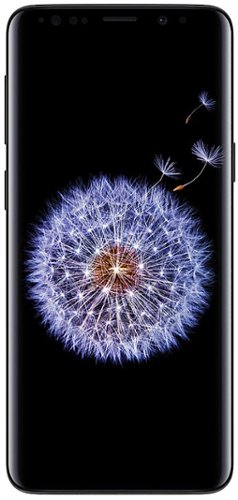
Samsung - Refurbished Good - Galaxy S9 64GB (Unlocked) - Midnight Black
Introducing the Samsung Galaxy S9 - The Camera. Reimagined. Our category-defining Dual Aperture lens adapts like the human eye. It's able to automatically switch between various lighting conditions with ease~making your photos look great whether it's bright or dark, day or night. If it's dark, the lens opens to F1.5 mode to pull in light for a bright and clear photo and in the daylight, the lens shifts to F2.4 mode to help your picture come out sharp. Super Slow-mo lets you see the things you could have missed in the blink of an eye. Set the video to music or turn it into a looping GIF, and share it with a tap. Then sit back and watch the reactions roll in. Create an Augmented Reality version of yourself simply by taking a selfie. Then share your real-life feelings as emoji stickers and videos. Intelligent Scan is a new technology that combines face recognition and iris scan to make unlocking simple even in low light.
Is this phone compatible with T-Mobile?
Hi Pouna,
Thank you for bringing this to our attention. I appreciate your inquiry about whether the Galaxy S9 (Unlocked) will work with T-Mobile. In line with this, unlocked phones by Samsung work on multiple networks. Also, it gives you the freedom to switch carriers any time and make sure that you have a compatible SIM card. Please note that sim cards must be compatible with the area's available networks. International calling, data services, and coverage vary by the network provider. Contact provider for details.
You may visit our website for more information about unlocked phones: https://www.samsung.com/us/mobile/phones/unlocked-by-samsung/.
Should you need more assistance, you may reach us via the following for immediate support:
1. Samsung Community: https://us.community.samsung.com/t5/Samsung-Community/ct-p/us
2. Facebook Messenger: http://m.me/samsungsupport
3. Twitter: https://twitter.com/messages/compose?recepient_ id=18768513
Reference Number: 1144242665
Thank you for choosing Samsung. Have a great day!
^Chrystel
Thank you for bringing this to our attention. I appreciate your inquiry about whether the Galaxy S9 (Unlocked) will work with T-Mobile. In line with this, unlocked phones by Samsung work on multiple networks. Also, it gives you the freedom to switch carriers any time and make sure that you have a compatible SIM card. Please note that sim cards must be compatible with the area's available networks. International calling, data services, and coverage vary by the network provider. Contact provider for details.
You may visit our website for more information about unlocked phones: https://www.samsung.com/us/mobile/phones/unlocked-by-samsung/.
Should you need more assistance, you may reach us via the following for immediate support:
1. Samsung Community: https://us.community.samsung.com/t5/Samsung-Community/ct-p/us
2. Facebook Messenger: http://m.me/samsungsupport
3. Twitter: https://twitter.com/messages/compose?recepient_ id=18768513
Reference Number: 1144242665
Thank you for choosing Samsung. Have a great day!
^Chrystel
4 years, 7 months ago
by
Posted by:
Samsung
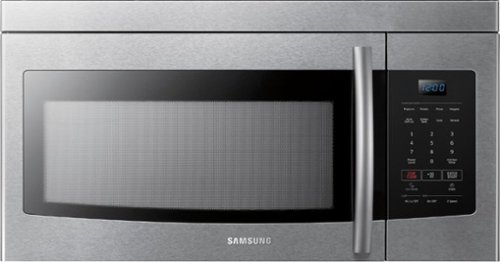
Samsung - 1.6 Cu. Ft. Over-the-Range Microwave - Stainless Steel
Cook what you love. This over-the-range Samsung microwave lets you heat healthy food with the touch of a button. Plus, the powerful ventilation system keeps your kitchen air fresh and free of steam or fumes, and Eco Mode turns off the LED display when it~s not needed.
What type of Light does this have? is it a LED light?
Hello,
Thank you for reaching out and letting us know your inquiry on what type of light this Samsung microwave has. We understand that this may be essential for you. We're here to help.
As per checking, it has a 40-watt incandescent bulb.
You may also refer to the user manual for additional information about the product, which you may check anytime.
https://downloadcenter.samsung.com/content/UM/201712/20171227164806882/2017.12.22_ME16K3000A_AA_EN-MES.pdf
For other concerns, do not hesitate to reach out via our Support Channels below:
1. Facebook Messenger: http://m.me/samsungsupport
2. Twitter: https://twitter.com/messages/compose?recipient_id=18768513
3. Samsung Community: https://us.commuity.samsung.com/t5/Samsung-Community/ct-p/us
Thank you, and stay safe!
Your Reference Ticket Number: 1144242634
-Angelica
Thank you for reaching out and letting us know your inquiry on what type of light this Samsung microwave has. We understand that this may be essential for you. We're here to help.
As per checking, it has a 40-watt incandescent bulb.
You may also refer to the user manual for additional information about the product, which you may check anytime.
https://downloadcenter.samsung.com/content/UM/201712/20171227164806882/2017.12.22_ME16K3000A_AA_EN-MES.pdf
For other concerns, do not hesitate to reach out via our Support Channels below:
1. Facebook Messenger: http://m.me/samsungsupport
2. Twitter: https://twitter.com/messages/compose?recipient_id=18768513
3. Samsung Community: https://us.commuity.samsung.com/t5/Samsung-Community/ct-p/us
Thank you, and stay safe!
Your Reference Ticket Number: 1144242634
-Angelica
4 years, 7 months ago
by
Posted by:
Samsung
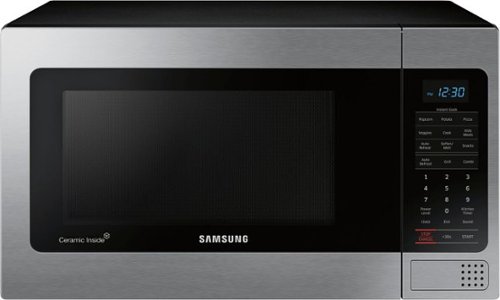
Samsung - 1.1 Cu. Ft. Countertop Microwave with Grilling Element - Stainless Steel
The Samsung Grill Cooking Countertop Microwave makes preparing multiple dishes effortless with 1.1 cu. Ft. capacity. The grilling element allows you to enjoy crispy food in minutes. Additionally, the Ceramic Enamel interior provides a durable, scratch resistant and easy to clean interior, making everyday maintenance simple
Does the inside of microwave hold moisture when using it
Hi Ceekay,
Thank you for reaching out and we hope you are in good health. The most common form of condensation on the inside comes from the food you're cooking.
Please click on the link below for further information about moisture or condensation that may form.
https://www.samsung.com/us/support/troubleshooting/TSG01110250/
Please feel free to communicate with us through the channels below if you have additional questions.
1. Facebook Messenger: http://m.me/samsungsupport
2. Twitter: https://twitter.com/messages/compose?recipient_id=18768513
3. Samsung Community: https://us.community.samsung.com/t5/Samsung-Community/ct-p/us
Your reference number: 1144242609
Leo
Thank you for reaching out and we hope you are in good health. The most common form of condensation on the inside comes from the food you're cooking.
Please click on the link below for further information about moisture or condensation that may form.
https://www.samsung.com/us/support/troubleshooting/TSG01110250/
Please feel free to communicate with us through the channels below if you have additional questions.
1. Facebook Messenger: http://m.me/samsungsupport
2. Twitter: https://twitter.com/messages/compose?recipient_id=18768513
3. Samsung Community: https://us.community.samsung.com/t5/Samsung-Community/ct-p/us
Your reference number: 1144242609
Leo
4 years, 7 months ago
by
Posted by:
Samsung