Samsung
Samsung's Stats
Reviews
- Review Count0
- Helpfulness Votes0
- First ReviewNone
- Last ReviewNone
- Featured Reviews0
- Average Rating0
Reviews Comments
- Review Comment Count0
- Helpfulness Votes0
- First Review CommentNone
- Last Review CommentNone
- Featured Review Comments0
Questions
- Question Count0
- Helpfulness Votes0
- First QuestionNone
- Last QuestionNone
- Featured Questions0
- Answer Count73779
- Helpfulness Votes37,946
- First AnswerApril 24, 2013
- Last AnswerAugust 22, 2026
- Featured Answers0
- Best Answers3946
Samsung's Reviews
Samsung has not submitted any reviews.
Samsung's Questions
Samsung has not submitted any questions.
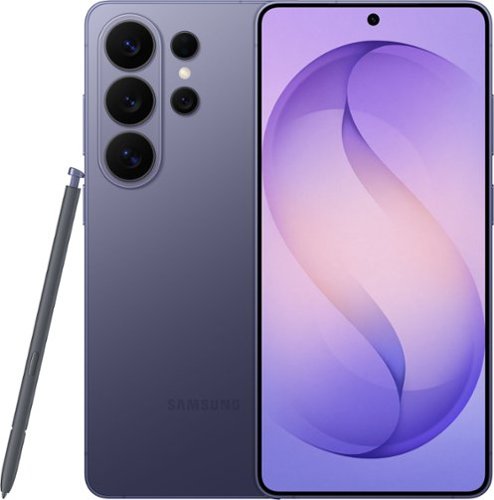
When everything just works, you stay in the moment. Samsung Galaxy S26 Ultra anticipates what you need next, empowers your creativity, delivers powerful performance with stunning, ultra-vivid viewing and even gives you the freedom to keep your screen private~whenever you choose. Out with friends and capturing the night? Nightography brings every scene to life, revealing rich detail even in low light. Snap photos or record video confidently as the night goes on, and then use Photo Assist with Galaxy AI to refine your shots in seconds ~cleaning up distractions, enhancing details and helping every memory look the way it felt. No extra apps. No slowing down. Creativity doesn~t stop once the moment is captured. Creative Studio with Galaxy AI on Galaxy S26 Ultra turns inspiration into creation, just like that. Transform photos into custom stickers, design invitations or generate entirely new images using a simple prompt ~all without switching apps or learning new tools. Whether you~re refining a memory or imagining something brand new, Galaxy AI helps bring ideas to life effortlessly, so creativity feels intuitive, not technical. When it~s time to turn ideas into plans, Galaxy S26 Ultra makes it simple. Now Nudge with Galaxy AI helps you stay on top of conversations by suggesting quick actions like adding an event, sharing a photo or finding a location ~all without slowing things down. All of this happens with privacy in mind. With the world~s first privacy display built into a phone, you can keep personal moments for your eyes only. Whether you~re creating, checking emails or just catching up, everything feels effortless and on your terms. Samsung Galaxy S26 Ultra is more than a smartphone ~it~s your companion.
Does the new phone have a SD micro slot for extra memory

Greetings Dj, thank you for asking us your question about the Samsung Galaxy S26 Ultra. No, the Galaxy S26 Ultra does not support expandable storage. If you have any other questions for us, please feel free to reach out to Support. Thank you for being a valued Samsung customer. - Debra
5 months, 2 weeks ago
by
Posted by:
Samsung
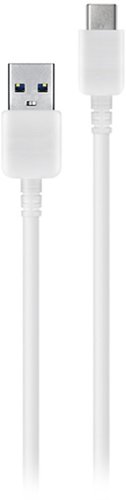
Charge your device quickly and easily with this Samsung USB-C cable. It also transfers photo, video, data and music files between your smartphone and laptop.
Will this work on a Samsung galaxy note 10 cell phone.
Hello, thank you for taking the time to ask us your question about the Samsung 3.3' USB Type A-to-USB Type C Device Cable. Yes, the advertised 3.3' USB Type A-to-USB Type C Device Cable is compatible with USB Type C devices, like the Note10. If you have any other questions for us or if you would like any further assistance, , please feel free to reach out to Support. Thank you for being a loyal Samsung customer. - Debra
5 months, 2 weeks ago
by
Posted by:
Samsung
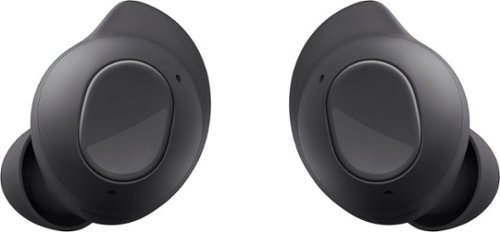
Meet Galaxy Buds FE, your new favorite everyday audio experience. Buds FE fit comfortably into your day, combining your favorite Galaxy innovations on the go. With their ear-friendly design and a variety of wingtip options, your Buds stay in place securely and comfortably ~ you might even forget you~re wearing them. Lose yourself in the sounds you love with Active Noise Cancellation and Ambient Sound. Plus, Buds FE connect seamlessly with your Galaxy devices ~ get ready for effortless pairing from your phone to your Tab to your laptop. It~s easy to keep up with Buds FE too. Get a notification if you leave a Bud behind, and locate it easily with SmartThings Find. Enjoy your favorite audio experiences throughout your day with Galaxy Buds FE. Whether on a call or during face-to-face conversations, hear real-time translations through your Buds with Galaxy AI.~
Can these charge on a charging pad?
Hey there Charging, thank you for asking us your question about the Samsung Galaxy Buds FE. No, the Samsung Galaxy Buds FE do not support wireless charging. Please feel free to contact Support if you have additional questions for us. Thank you for being a staunch Samsung customer. - Debra
5 months, 2 weeks ago
by
Posted by:
Samsung
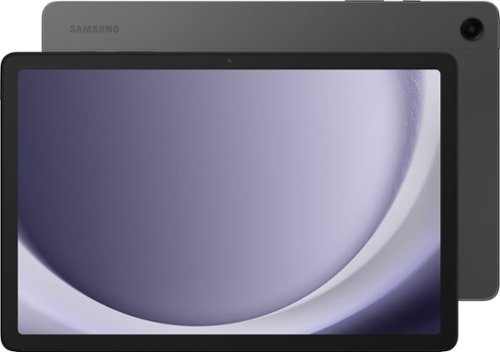
Samsung - Galaxy Tab A9+ 11" 128GB - Wi-Fi - Graphite
Meet your go to device for on-the-go family fun Galaxy Tab A9+. A bright, engaging 11" screen is perfect for every family member to do what they love. Whether they~re enjoying a show, unwinding with a game, or catching up on schoolwork or day to day tasks, an upgraded chipset makes every experience feel smooth and easy. You can even open multiple apps at the same time and get all your everyday tasks done quickly. Use it for hours without worrying about power and keep everything you love together with plenty of storage space. Plus, the preloaded Samsung Kids app provides a safe digital environment for your little ones to happily learn and play. Give your family a great all in one Tab that perfectly meets all their everyday needs without taking a bite out of your wallet Galaxy Tab A9+.
Help! my tablet started randomly talking when I took it out of the case and now it won’t do anything. Won’t turn on, off, reset or charge. what should I do?
Salutations, thank you for asking us your question about the Samsung Galaxy Tab A9+. Your phone or tablet may not turn on if you are not charging it properly. But on the other hand, it may not turn off if it's completely frozen. If it’s not responding when you are pressing the Power button, check out "Samsung phone or tablet will not power on or off" to help resolve what you have described to be experiencing with your tablet. If you have any questions for us afterward or if you would like further assistance, please feel free to reach out to Support. Thank you for being a valued Samsung customer. - Debra
5 months, 2 weeks ago
by
Posted by:
Samsung
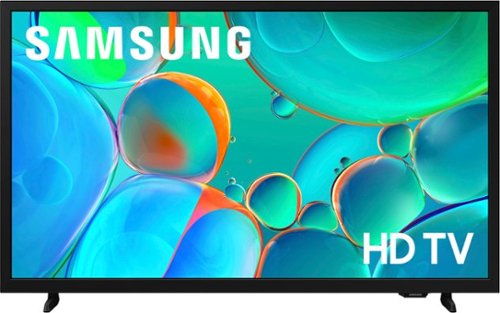
Enjoy your favorite shows in high definition, featuring vibrant colors, deep contrast and dynamic audio that flows with the action. Stream 2,700+ free channels including 400+ Samsung TV Plus premium channels, and feel secure with triple-layer protection for your personal data.
Do the screws that attach the feet screw in all the way? The screws on my tv won’t.
Hi Toccoa,
To best assist you, please call us at 1-800-SAMSUNG. Our LiveChat agents are also available via the ‘Support’ link on our website.
~ Samsung Advisor
To best assist you, please call us at 1-800-SAMSUNG. Our LiveChat agents are also available via the ‘Support’ link on our website.
~ Samsung Advisor
5 months, 2 weeks ago
by
Posted by:
Samsung
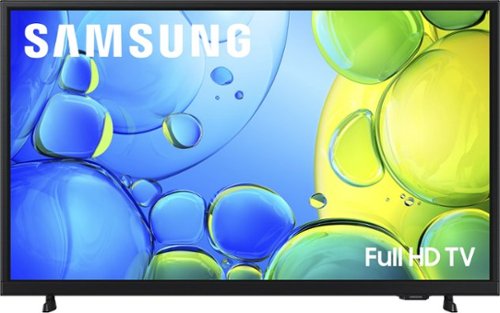
Step up to Full HD for a significantly clearer picture than regular HD. Enjoy impressive, fine-tuned colors and deep contrast, all wrapped in a sleek design and secured by triple-layer protection. Virtual 3-D sound is enhanced and tracks movement on screen for a truly immersive experience.
can i see apple tv on this tv
Hi,
Yes, Apple TV is available on the F6000F.
~Samsung Advisor
Yes, Apple TV is available on the F6000F.
~Samsung Advisor
5 months, 2 weeks ago
by
Posted by:
Samsung
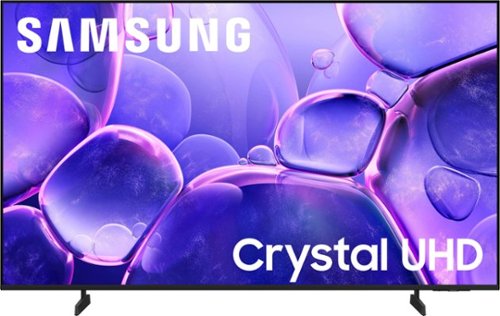
Upgrade your home theater with this stylish 4K TV featuring vibrant colors, rich contrast and an advanced 4K processor. Stay endlessly entertained with thousands of on demand shows and movies for free and enjoy peace of mind as watch thanks to our proprietary triple layer security that protects your personal data across all connected devices at once.
The red power light on the TV I just purchased is blinking. How do I fix it
Hi,
If the red standby light is off or blinking, unplug the TV for 30 seconds and try again. If the issue continues, contact Samsung Support at 1-800-SAMSUNG. Our LiveChat agents are also available via the ‘Support’ link on our website.
~ Samsung Advisor
If the red standby light is off or blinking, unplug the TV for 30 seconds and try again. If the issue continues, contact Samsung Support at 1-800-SAMSUNG. Our LiveChat agents are also available via the ‘Support’ link on our website.
~ Samsung Advisor
5 months, 2 weeks ago
by
Posted by:
Samsung
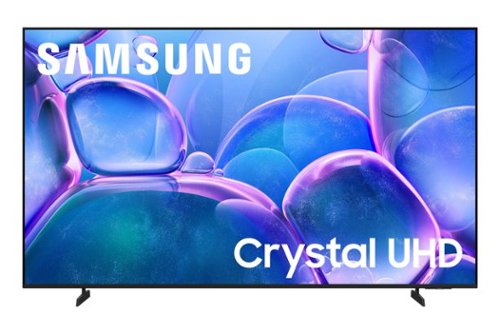
Upgrade your home theater with this stylish 4K TV featuring vibrant colors, rich contrast and an advanced 4K processor. Stay endlessly entertained with thousands of on demand shows and movies for free and enjoy peace of mind as watch thanks to our proprietary triple layer security that protects your personal data across all connected devices at once.
Is this tv compatible with a wall mount used for a 75" TLC
Hi Debbie,
The 75" U7900F TV requires a wall mount compatible with a VESA Map of 400x300mm. You will need to confirm the specs of your TLC mount for compatibility.
~Samsung Advisor
The 75" U7900F TV requires a wall mount compatible with a VESA Map of 400x300mm. You will need to confirm the specs of your TLC mount for compatibility.
~Samsung Advisor
5 months, 2 weeks ago
by
Posted by:
Samsung
Samsung - 70" Class U7900 Series UHD 4K Smart Tizen TV (2025)
Upgrade your home theater with this stylish 4K TV featuring vibrant colors, rich contrast and an advanced 4K processor. Stay endlessly entertained with thousands of on demand shows and movies for free and enjoy peace of mind as watch thanks to our proprietary triple layer security that protects your personal data across all connected devices at once.
seems my existing mount size is 400 mm * 400 mm. can i adjust it to reuse it?
Hi,
The 70" U7900F requires a mount compatible with a VESA Map of 400x300mm and 4 M8
10-12mm screws. It's possible your mount is adjustable, but may require different screws.
~Samsung Advisor
The 70" U7900F requires a mount compatible with a VESA Map of 400x300mm and 4 M8
10-12mm screws. It's possible your mount is adjustable, but may require different screws.
~Samsung Advisor
5 months, 2 weeks ago
by
Posted by:
Samsung
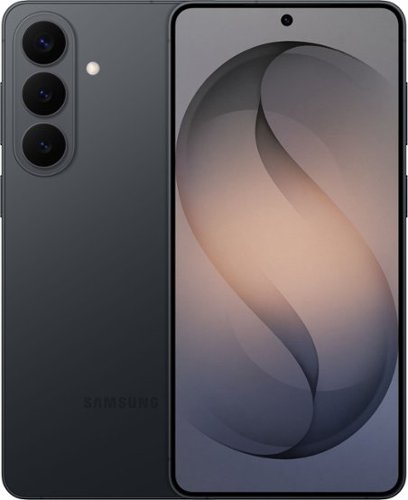
Samsung Galaxy S26+ is designed for the moments when creativity strikes ~ and the pace of your day doesn~t slow down. Powered by Galaxy AI, it helps you shape ideas, express yourself and keep everything moving naturally from inspiration to execution. With Photo Assist, creativity goes far beyond the original shot. Add or remove elements while restoring details or apply artistic styles like painting, black-and-white or playful illustrations to reimagine your photos in seconds. It~s an easy, intuitive way to give your images a new perspective ~ no additional apps required. Creative Studio with Galaxy AI takes those ideas even further. Create custom stickers, personalized profile pictures or entirely new images with a simple prompt. Whether you~re refining a memory or starting from scratch, Galaxy S26+ makes it effortless to turn imagination into something tangible and ready to share. As ideas turn into action, Galaxy S26+ keeps everything in sync. Now Nudge with Galaxy AI supports your conversations by surfacing helpful actions like adding events, viewing your calendar, sharing photos, browsing locations or sending contact details ~ right when they make sense. And with ProScaler enhancing sharpness and color automatically, everything you create, read and type looks clearer and more vibrant throughout the day. Samsung Galaxy S26+ brings creativity and momentum together ~ helping you express more, organize faster and move through your day with ease.
Is the back made of glass or any other material that is fragile
Hello there Mrt, thank you for asking us your question about the Samsung Galaxy S26. The advertised Galaxy S26+ has been constructed with an Armor Aluminum frame and Corning Gorilla Glass Victus 2 on both the front and back for enhanced durability. If you have additional questions for us or if you would like further assistance, please feel free to contact Support. Thank you for choosing Samsung! - Debra
5 months, 2 weeks ago
by
Posted by:
Samsung