Samsung
Samsung's Stats
Reviews
- Review Count0
- Helpfulness Votes0
- First ReviewNone
- Last ReviewNone
- Featured Reviews0
- Average Rating0
Reviews Comments
- Review Comment Count0
- Helpfulness Votes0
- First Review CommentNone
- Last Review CommentNone
- Featured Review Comments0
Questions
- Question Count0
- Helpfulness Votes0
- First QuestionNone
- Last QuestionNone
- Featured Questions0
- Answer Count75013
- Helpfulness Votes37,959
- First AnswerApril 24, 2013
- Last AnswerOctober 23, 2026
- Featured Answers0
- Best Answers3948
Samsung's Reviews
Samsung has not submitted any reviews.
Samsung's Questions
Samsung has not submitted any questions.
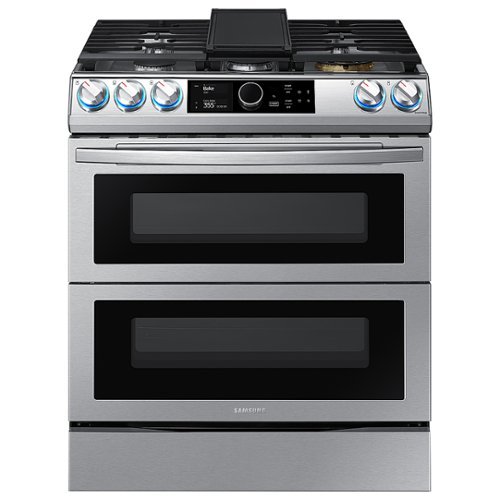
Samsung - Flex Duo 6.3 cu. ft. Front Control Slide-in Dual Fuel Range with Smart Dial, Air Fry & WiFi, Fingerprint Resistant - Stainless Steel
The Samsung Front Control Slide-in Dual Fuel Range with Smart Dial and Air Fry is fully Wi-Fi connected and voice enabled, giving you the tools you need to simplify the cooking experience in the kitchen.
Can you explain the steam clean? Does the stove need to be attached to a source of water?

I'm happy to help with this, bldITHACA! I actually have this link (https://bit.ly/3k54rtD) that has detailed information on how and when to use the steam clean feature. It also has tons of other great cleaning tips. ^Jecca
5 years ago
by
Posted by:
Samsung
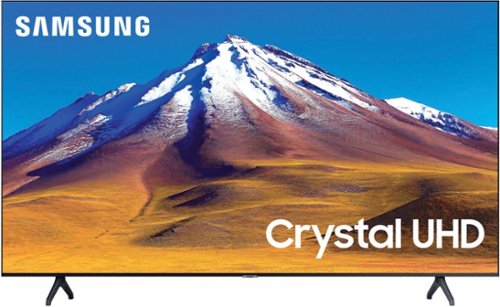
Samsung - 70 Class TU6985 4K Crystal UHD Smart Tizen TV (2021)
Get enhanced smart capabilities with the TU6985. Crystal Processor 4K automatically upscales your favorite movies, TV shows and sports events to 4K. Smart TV powered by Tizen lets you find content and navigate streaming services easily. PurColor fine tunes colors while HDR steps up to millions of shades of color that go beyond what HDTV can offer.
Please tell me the difference between this TV and UN70TU6980FXZA SKU:6428508
Hi! The TU6985 is the 2021 version of the TU6980 featuring the latest app improvements and partnerships. ^Tim
5 years ago
by
Posted by:
Samsung
Samsung - 70 Class TU6985 4K Crystal UHD Smart Tizen TV (2021)
Get enhanced smart capabilities with the TU6985. Crystal Processor 4K automatically upscales your favorite movies, TV shows and sports events to 4K. Smart TV powered by Tizen lets you find content and navigate streaming services easily. PurColor fine tunes colors while HDR steps up to millions of shades of color that go beyond what HDTV can offer.
When did this TV come out? i know it came out in 2021 but i want the exact date. and i can't find any reviews which leads me to believe that it only came out a couple weeks ago.
Hi Joseph! The TU6985 is a 2021 Samsung TV made available for purchase in September 2021.
^Tim
^Tim
5 years ago
by
Posted by:
Samsung
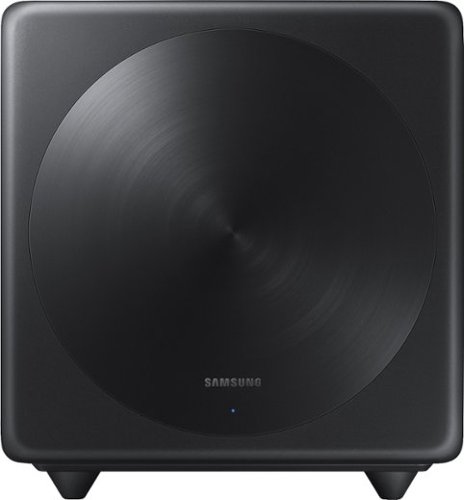
Samsung - Wireless Subwoofer - Black
Turn up the bass in your home theater or audio system with this 6.5-inch Samsung subwoofer. Wireless connectivity allows a neat cable-free setup, while compatibility with select Samsung S Series sound bars enables seamless integration with your system. With an output of up to 130W, this Samsung subwoofer offers powerful sound.
Will this subwoofer work with Samsung HW-Q60T soundbar and if not what is correct one to use. Thank you,
Hi Steve! The SWA-W500 is compatible with the following S series soundbars from Samsung: S60T, S60A, S50A. The HW-Q60T included its own wireless subwoofer, and is not compatible with an additional subwoofer unit. For additional assistance, please call us at 1-800-SAMSUNG (ask for Soundbars), available 8AM - 12AM EST, 7 days a week. ^Tim
5 years ago
by
Posted by:
Samsung
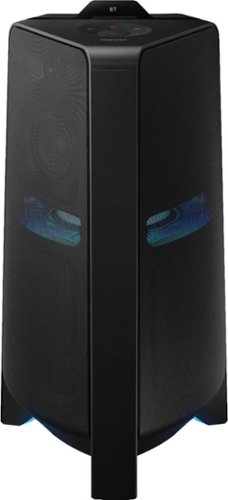
Samsung - Sound Tower Powered Wireless Speaker (Each) - Black
Get the party started with this Samsung T70 sound tower. The powerful speakers fill the room with up to 1500W of bi-directional sound, and the built-in 10-inch woofer delivers loud, impressively detailed bass. This Samsung T70 sound tower has integrated LED party lights that enhance any gathering with a variety of rhythmic lighting effects.
Can you turn the lights off on the tower?
Hi Crawford! Yes, the lights can be disabled. You can also adjust the style and color. For additional control of the sound tower, connect it to the compatible Sound Tower app on your smart phone. ^Tim
5 years ago
by
Posted by:
Samsung
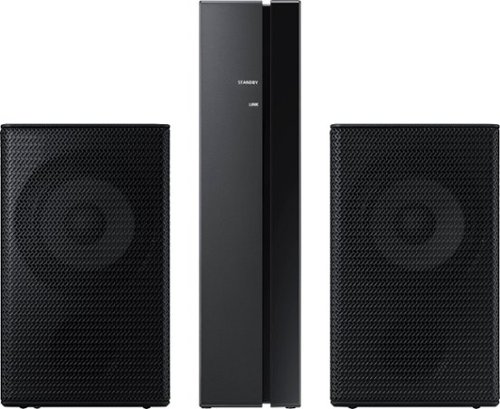
Samsung - 2.0-Channel Wireless Rear Speaker Kit with Surround Sound - Black
Connect easily and wirelessly to optional Samsung speakers for room-filling sound.
are these speakers compatible with the HW T510
Hi kam! The SWA-9100S is backwards compatible with the following 2020 Samsung soundbars: HW-Q900T, HW-Q800T, HW-Q70T, HW-S60T
^Tim
^Tim
5 years ago
by
Posted by:
Samsung

Samsung - HW-S50A 3.0ch Sound bar with Dolby Digital 5.1 - Deep Gray
Experience virtual 3D sound with the S Series, S50A all-in-one premium soundbar, a versatile soundbar that delivers sharp and realistic audio. Dialogue sounds crisp and super clean thanks to a built-in center speaker, so you won~t miss a word. Whether you~re playing games, watching sports, or kicking back with your favorite show, Adaptive Sound Lite enhances and optimizes your entertainment to a new level of audio. Plus, you can seamlessly pair mobile devices with Bluetooth~ TV Connection~. ~Please check whether your TV is Bluetooth~ compatible.
I have a 5 year old Samsung TV (520D) and love it. I got a Vizo soundbar for it and the sound improved but I can not control the volume with the TV control, Actually the Xfinity remote. Can I use this and use the Xfiinity remote to control the volume
Hi daves1600! Samsung soundbars feature the ability to be controlled by a wide range of universal IR remotes. To enable this feature, first turn Off the Soundbar. Then, push up and hold the WOOFER button for 5 seconds. Each time you push the WOOFER button up and hold it for 5 seconds, the mode switches in the following order: “Off-TV Remote” (Default mode), “Samsung-TV Remote”, “All-TV Remote”. The LED indicator status changes each time the mode is changed. More information can be found on page 17 of the full user manual.
^Tim
^Tim
5 years ago
by
Posted by:
Samsung
Samsung - HW-S50A 3.0ch Sound bar with Dolby Digital 5.1 - Deep Gray
Experience virtual 3D sound with the S Series, S50A all-in-one premium soundbar, a versatile soundbar that delivers sharp and realistic audio. Dialogue sounds crisp and super clean thanks to a built-in center speaker, so you won~t miss a word. Whether you~re playing games, watching sports, or kicking back with your favorite show, Adaptive Sound Lite enhances and optimizes your entertainment to a new level of audio. Plus, you can seamlessly pair mobile devices with Bluetooth~ TV Connection~. ~Please check whether your TV is Bluetooth~ compatible.
I want to lower the BASS, for better results should I be in Standard sound mode or Adaptive mode?
Hi Bigrod! Press the SOUND CONTROL button (looks like a gear symbol) to control the volume of the treble or bass sound. Select “Treble ”, “Bass”, “Sync”, or “Center Level” in
Sound Settings, and then adjust the volume between -6~+6 by using the Up/Down buttons. More information can be found on page 14 in the full user manual.
^Tim
Sound Settings, and then adjust the volume between -6~+6 by using the Up/Down buttons. More information can be found on page 14 in the full user manual.
^Tim
5 years ago
by
Posted by:
Samsung
Samsung - HW-S50A 3.0ch Sound bar with Dolby Digital 5.1 - Deep Gray
Experience virtual 3D sound with the S Series, S50A all-in-one premium soundbar, a versatile soundbar that delivers sharp and realistic audio. Dialogue sounds crisp and super clean thanks to a built-in center speaker, so you won~t miss a word. Whether you~re playing games, watching sports, or kicking back with your favorite show, Adaptive Sound Lite enhances and optimizes your entertainment to a new level of audio. Plus, you can seamlessly pair mobile devices with Bluetooth~ TV Connection~. ~Please check whether your TV is Bluetooth~ compatible.
Headphone connection?
Hi JD! The HW-S50A does not feature a 3.5mm connection, or have the ability to connect wirelessly to a pair of headphones. ^Tim
5 years ago
by
Posted by:
Samsung
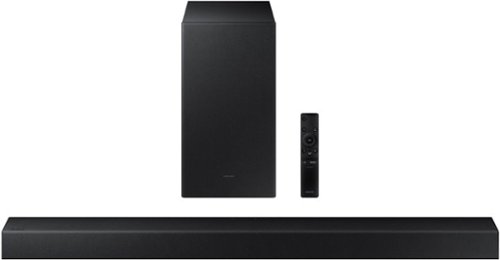
Samsung - HW-A450 Wireless 2.1ch Sound bar with Dolby Audio - Black
Elevate your sound experience with powerful bass.
Does the Samsung A450 sound bar have sound levelling?
Hi! The HW-A450 features Adaptive Sound Lite providing enhanced audio tracking for your content in real time, with technology that equalizes background music and consistent volume control. ^Tim
5 years ago
by
Posted by:
Samsung