Samsung
Samsung's Stats
Reviews
- Review Count0
- Helpfulness Votes0
- First ReviewNone
- Last ReviewNone
- Featured Reviews0
- Average Rating0
Reviews Comments
- Review Comment Count0
- Helpfulness Votes0
- First Review CommentNone
- Last Review CommentNone
- Featured Review Comments0
Questions
- Question Count0
- Helpfulness Votes0
- First QuestionNone
- Last QuestionNone
- Featured Questions0
- Answer Count73779
- Helpfulness Votes37,946
- First AnswerApril 24, 2013
- Last AnswerAugust 22, 2026
- Featured Answers0
- Best Answers3946
Samsung's Reviews
Samsung has not submitted any reviews.
Samsung's Questions
Samsung has not submitted any questions.
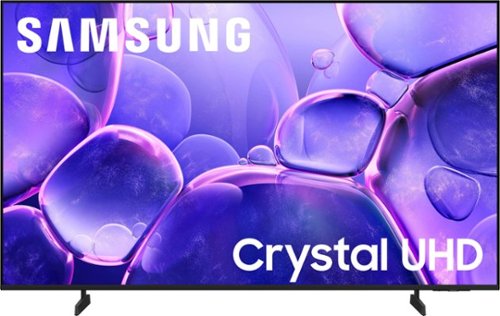
Samsung - 55 Class U8000F Series Crystal UHD 4K Smart Tizen TV (2025)
Upgrade your home theater with this stylish 4K TV featuring vibrant colors, rich contrast and an advanced 4K processor. Stay endlessly entertained with thousands of on demand shows and movies for free and enjoy peace of mind as watch thanks to our proprietary triple layer security that protects your personal data across all connected devices at once.
I connected an antenna to the coaxial input. No problem. I can't find a way to change the input. Big problem. Can someone explain to me how to do that on this tv? When I use the connection setup, it only references HDMI.

Hi Cordobatim,
To change sources, press left on your remote control cursor, then navigate to and select Connected Devices > Antenna. I hope this helps!
~Samsung Advisor
To change sources, press left on your remote control cursor, then navigate to and select Connected Devices > Antenna. I hope this helps!
~Samsung Advisor
6 months ago
by
Posted by:
Samsung
Upgrade your home theater with this stylish 4K TV featuring vibrant colors, rich contrast and an advanced 4K processor. Stay endlessly entertained with thousands of on demand shows and movies for free and enjoy peace of mind as watch thanks to our proprietary triple layer security that protects your personal data across all connected devices at once.
Soundbars compatible with this model
Hi Les,
The HW-B550F Soundbar would be a great addition to Samsung's U7900 TV. With 2.1 channels and a dedicated built-in center speaker, dialogue is enhanced so you hear every word.
~Samsung Advisor
The HW-B550F Soundbar would be a great addition to Samsung's U7900 TV. With 2.1 channels and a dedicated built-in center speaker, dialogue is enhanced so you hear every word.
~Samsung Advisor
6 months ago
by
Posted by:
Samsung
Samsung - 70" Class U7900 Series UHD 4K Smart Tizen TV (2025)
Upgrade your home theater with this stylish 4K TV featuring vibrant colors, rich contrast and an advanced 4K processor. Stay endlessly entertained with thousands of on demand shows and movies for free and enjoy peace of mind as watch thanks to our proprietary triple layer security that protects your personal data across all connected devices at once.
it work with YouTube
Hi,
Yes, the U7900 TV has the YouTube app pre-installed.
~Samsung Advisor
Yes, the U7900 TV has the YouTube app pre-installed.
~Samsung Advisor
6 months ago
by
Posted by:
Samsung
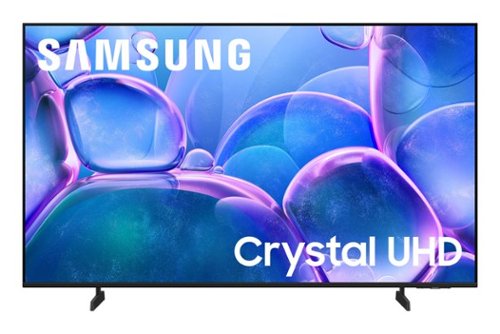
Samsung - 50" Class U7900 Series UHD 4K Smart Tizen TV (2025)
Upgrade your home theater with this stylish 4K TV featuring vibrant colors, rich contrast and an advanced 4K processor. Stay endlessly entertained with thousands of on demand shows and movies for free and enjoy peace of mind as watch thanks to our proprietary triple layer security that protects your personal data across all connected devices at once.
Is this compatible with a DVD player?
Hi Beth,
You can connect a DVD player via HDMI cable.
~Samsung Advisor
You can connect a DVD player via HDMI cable.
~Samsung Advisor
6 months ago
by
Posted by:
Samsung
Samsung - 43 Class U8000F Series Crystal UHD 4K Smart Tizen TV (2025)
Upgrade your home theater with this stylish 4K TV featuring vibrant colors, rich contrast and an advanced 4K processor. Stay endlessly entertained with thousands of on demand shows and movies for free and enjoy peace of mind as watch thanks to our proprietary triple layer security that protects your personal data across all connected devices at once.
Can I use a soundbar with this TV?
Hi Tooie,
Yes, you can connect a soundbar via HDMI or Bluetooth.
~Samsung Advisor
Yes, you can connect a soundbar via HDMI or Bluetooth.
~Samsung Advisor
6 months ago
by
Posted by:
Samsung
Samsung - 43 Class U8000F Series Crystal UHD 4K Smart Tizen TV (2025)
Upgrade your home theater with this stylish 4K TV featuring vibrant colors, rich contrast and an advanced 4K processor. Stay endlessly entertained with thousands of on demand shows and movies for free and enjoy peace of mind as watch thanks to our proprietary triple layer security that protects your personal data across all connected devices at once.
Does this TV have a voice remote feature. Can I also download another voice assistant on my TV as well. My sales rep told me that this TV has a voice remote.
Hi,
The U8000F does not have a voice remote feature. You can use an external voice assistant, such as Alexa, or use Bixby on your phone via the SmartThings app.
~Samsung Advisor
The U8000F does not have a voice remote feature. You can use an external voice assistant, such as Alexa, or use Bixby on your phone via the SmartThings app.
~Samsung Advisor
6 months ago
by
Posted by:
Samsung
Upgrade your home theater with this stylish 4K TV featuring vibrant colors, rich contrast and an advanced 4K processor. Stay endlessly entertained with thousands of on demand shows and movies for free and enjoy peace of mind as watch thanks to our proprietary triple layer security that protects your personal data across all connected devices at once.
Is there a optical output?
Hi Rad85,
The U7900 TV does not feature an optical port.
~Samsung Advisor
The U7900 TV does not feature an optical port.
~Samsung Advisor
6 months ago
by
Posted by:
Samsung
Upgrade your home theater with this stylish 4K TV featuring vibrant colors, rich contrast and an advanced 4K processor. Stay endlessly entertained with thousands of on demand shows and movies for free and enjoy peace of mind as watch thanks to our proprietary triple layer security that protects your personal data across all connected devices at once.
Can the soap opera effect (auto motion I believe) be turned off on this model?
Hi Ebax79,
Yes, to change the motion settings, go to Settings > All Settings > Picture > Expert Settings > Picture Clarity Settings. Set to Auto for automatic adjustment or choose Custom to manually fine-tune options like Judder Reduction and LED Clear Motion.
~Samsung Advisor
Yes, to change the motion settings, go to Settings > All Settings > Picture > Expert Settings > Picture Clarity Settings. Set to Auto for automatic adjustment or choose Custom to manually fine-tune options like Judder Reduction and LED Clear Motion.
~Samsung Advisor
6 months ago
by
Posted by:
Samsung
Samsung - 50 Class U8000F Series Crystal UHD 4K Smart Tizen TV (2025)
Upgrade your home theater with this stylish 4K TV featuring vibrant colors, rich contrast and an advanced 4K processor. Stay endlessly entertained with thousands of on demand shows and movies for free and enjoy peace of mind as watch thanks to our proprietary triple layer security that protects your personal data across all connected devices at once.
Can I download the MLB app with this tv?
Hi Clim6,
Yes, the MLB app is available for download.
~Samsung Advisor
Yes, the MLB app is available for download.
~Samsung Advisor
6 months ago
by
Posted by:
Samsung
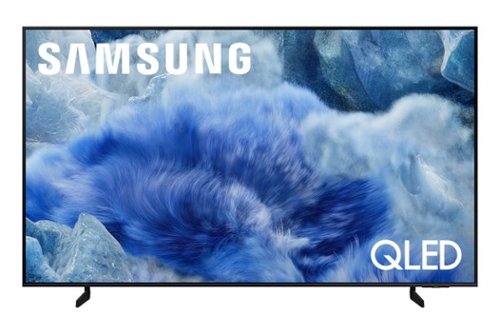
Elevate your entertainment with vivid visuals and dynamic audio tailored to your content. A color spectrum of over one billion shades brings scenes to life with distinctive contrast, highlighting details with precision. Plus, discover innovative personalized experiences with Samsung Vision AI and also enjoy access to thousands of live TV channels, movies and shows all for free while Knox protects your confidential data.
Is this tv good for watching sports? Is the picture bright and colors pop ?
Sammy333 - With Motion Xcelerator 144Hz (sometimes called Motion Xcelerator Turbo+), the 75" Q8F TV ensures exceptional motion clarity with minimal lag or blur, making fast-paced action look crisp and seamless. Whether you're gaming or watching sports, you’ll experience ultra-smooth performance at top speeds.
~ Samsung Specialist
~ Samsung Specialist
6 months ago
by
Posted by:
Samsung