Samsung
 
 
Samsung's Stats
 
Reviews
  • Review Count
    0
  • Helpfulness Votes
    0
  • First Review
    None
  • Last Review
    None
  • Featured Reviews
    0
  • Average Rating
    0
 
Reviews Comments
  • Review Comment Count
    0
  • Helpfulness Votes
    0
  • First Review Comment
    None
  • Last Review Comment
    None
  • Featured Review Comments
    0
 
Questions
  • Question Count
    0
  • Helpfulness Votes
    0
  • First Question
    None
  • Last Question
    None
  • Featured Questions
    0
 
  • Answer Count
    69230
  • Helpfulness Votes
    37,289
  • First Answer
    April 24, 2013
  • Last Answer
    February 4, 2026
  • Featured Answers
    0
  • Best Answers
    3860
 
 
Samsung's Reviews
 
Samsung has not submitted any reviews.
 
Samsung's Questions
 
Samsung has not submitted any questions.
 
Samsung's Answers
<<prev 1 ... 4708 4709 4710 4711 4712 ... 6923 next>>
 
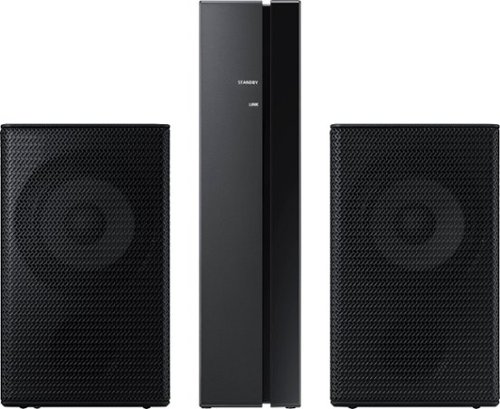
 Samsung - Wireless Rear Speakers (Pair) - Black
Samsung - Wireless Rear Speakers (Pair) - Black
Mount this Samsung wireless rear speaker kit and enjoy enhanced surround sound without taking up a lot of space. The lightweight system is easy to setup, adding home-theater-quality enjoyment without the tangle of wires and confusing diagrams. This Samsung wireless rear speaker kit boasts low standby power usage and a slim design, making it an ideal option for placement in your home.
 

Are these loudspeakers compatible with Samsung HW-Q60T 5.1ch Sound bar with 3D Surround Sound and Acoustic Beam (2020)?

Hi Will! The SWA-9000s is not compatible with the HW-Q60T. The correct rear speaker kit is model SWA-8500s found at the following link from Best Buy: https://www.bestbuy.com/site/samsung-wireless-rear-loudspeakers-black/5754510.p?skuId=5754510
^Tim
5 years, 1 month ago
by
Posted by: 
Samsung
 
 Samsung - Wireless Rear Speakers (Pair) - Black
Samsung - Wireless Rear Speakers (Pair) - Black
Set up a seamless home entertainment system with this Samsung wireless rear speaker kit. Easy to incorporate with your soundbar, the units mount to your wall and connect wirelessly to eliminate unsightly tangles of wire. Low standby power consumption and a slim design make this Samsung wireless rear speaker kit an ideal solution for smaller spaces.
 

Do these rear speakers work with Hw-t550 soundbar?

Hi Bigred! Yes, the SWA-8500s is the correct rear speaker kit to pair with the HW-T500 to provide a wireless surround sound experience. ^Tim
5 years, 1 month ago
by
Posted by: 
Samsung
 
 Samsung - Wireless Rear Speakers (Pair) - Black
Samsung - Wireless Rear Speakers (Pair) - Black
Set up a seamless home entertainment system with this Samsung wireless rear speaker kit. Easy to incorporate with your soundbar, the units mount to your wall and connect wirelessly to eliminate unsightly tangles of wire. Low standby power consumption and a slim design make this Samsung wireless rear speaker kit an ideal solution for smaller spaces.
 

Can you link multiple recievers to control multiple locations off source of signal such as a home theatre setup. Or speaker set up for second viewing location

Hi Madfresh86! Samsung soundbars will only connect to one wireless rear speaker kit at a time. If using multiple rear speaker kits for different viewing locations, you would need to disconnect and pair the wireless rear speaker kit each time you change receivers. ^Tim
5 years, 1 month ago
by
Posted by: 
Samsung
 
 Samsung - Wireless Rear Speakers (Pair) - Black
Samsung - Wireless Rear Speakers (Pair) - Black
Set up a seamless home entertainment system with this Samsung wireless rear speaker kit. Easy to incorporate with your soundbar, the units mount to your wall and connect wirelessly to eliminate unsightly tangles of wire. Low standby power consumption and a slim design make this Samsung wireless rear speaker kit an ideal solution for smaller spaces.
 

Will this work with the T510 soundbar/subwoofer? Please help i want rear speakers but I can't find any that list this model. Thanks in advance

Hi! Yes, the SWA-8500s is the compatible rear speaker kit solution for the HW-T510 soundbar. This wireless rear speaker solution provides an immersive surround sound experience when paired with a compatible Samsung soundbar. ^Tim
5 years, 1 month ago
by
Posted by: 
Samsung
 
 Samsung - 2.0-Channel Soundbar with Built-in Subwoofers - Black
Samsung - 2.0-Channel Soundbar with Built-in Subwoofers - Black
Samsung S40T Sound bar you can count on to provide clear, captivating and realistic sound in the comfort of your home, all in one elegantly refined design. Everything you need in a single soundbar. The all-in-one system has two woofers and tweeters built into its slender frame, so you can enjoy a rich audio experience from anywhere in the room. A sound system designed to be part of your home. The refined design features Kvadrat textiles and complements any interior with the perfect balance of style, cutting-edge technology and durability. Connect, listen, enjoy with Bluetooth~ multi connectionConnect two different smart devices at the same time so you can conveniently switch between devices.Bluetooth~ TV connectionConnect via Bluetooth and enjoy your favorite content without unsightly cables.
 

i'm using a dish remote that works the samsung un32j525d tv. will that remote work the sound bar if connected to tv optically?

Hi skipper! The HW-S40T is compatible with a wide range of remotes from various manufactures. To allow these remotes to control the HW-S40T, first turn Off the Soundbar. Next, push up and hold the WOOFER button on the remote for 5 seconds. Each time you push the WOOFER button up and hold it for 5 seconds, the mode switches in the following order: “Samsung-TV Remote” (Default mode), “Off-TV Remote”, “All-TV Remote”. Leave the soundbar in the "All-TV Remote" setting for compatibility with the most remote soltuions. For additional assistance troubleshooting soundbar settings, please reach out to Samsung Support at: ― Phone: 1-800-SAMSUNG / Available 8AM - 12AM EST, 7 days a week ― LiveChat or Email: https://www.samsung.com/us/support/#contact_us_for_support We look forward to hearing from you. ^Tim
5 years, 1 month ago
by
Posted by: 
Samsung
 
 Samsung - 2.0-Channel Soundbar with Built-in Subwoofers - Black
Samsung - 2.0-Channel Soundbar with Built-in Subwoofers - Black
Samsung S40T Sound bar you can count on to provide clear, captivating and realistic sound in the comfort of your home, all in one elegantly refined design. Everything you need in a single soundbar. The all-in-one system has two woofers and tweeters built into its slender frame, so you can enjoy a rich audio experience from anywhere in the room. A sound system designed to be part of your home. The refined design features Kvadrat textiles and complements any interior with the perfect balance of style, cutting-edge technology and durability. Connect, listen, enjoy with Bluetooth~ multi connectionConnect two different smart devices at the same time so you can conveniently switch between devices.Bluetooth~ TV connectionConnect via Bluetooth and enjoy your favorite content without unsightly cables.
 

I have this speaker connected via optical with my LG tv. The Soundbar remote can do everything, except raise or lower the volume.

Hi Dansf! The soundbar remote is not designed to control functions of the TV. The volume control on the soundbar remote will only control the volume of the soundbar itself. For additional assistance troubleshooting the remote, please reach out to Samsung Support at: ― Phone: 1-800-SAMSUNG / Available 8AM - 12AM EST, 7 days a week ― LiveChat or Email: https://www.samsung.com/us/support/#contact_us_for_support We look forward to hearing from you. ^Tim
5 years, 1 month ago
by
Posted by: 
Samsung
 
 Samsung - 4.0-Channel Soundbar with Built-in Subwoofer and Voice Assistant - Black
Samsung - 4.0-Channel Soundbar with Built-in Subwoofer and Voice Assistant - Black
Enjoy music listening or movie watching with this Samsung sound bar. The virtual four-channel configuration connects the included speakers for immersive 3-D sound reproduction, while Bluetooth technology lets you stream audio from devices wirelessly. This Samsung sound bar supports voice assistance for hands-free operation, and the built-in Wi-Fi lets you play music from the internet.
 

I could not find anything in the instructions on how to connect the sound bar to Alexa. Do I program it to my router? If yes how?

Hi Cflat! Using Alexa, you can play music, listen to news, see weather forecasts, and control home appliances. To use Amazon Alexa, an Amazon account is required to connect the Soundbar over the network. First, install the SmartThings app on your mobile device and then launch it. Next, enter the Alexa account by following the instructions on the app and then log in the service. Once connected to Alexa through the Smart Things app, you can call Alexa or press the "Multi Function" button on the Soundbar for 3 seconds to use the Alexa service. This information can be found in the user manual at the following link: https://www.samsung.com/us/support/owners/product/2020-lifestyle-soundbar-hw-s60t

For additional assistance connecting the Alexa service, please reach out to Samsung Support at:
― Phone: 1-800-SAMSUNG / Available 8AM - 12AM EST, 7 days a week
― LiveChat or Email:  https://www.samsung.com/us/support/#contact_us_for_support
We look forward to hearing from you.
^Tim
5 years, 1 month ago
by
Posted by: 
Samsung
 
 Samsung - 2.1-Channel Soundbar with Wireless Subwoofer and Dolby Audio - Black
Samsung - 2.1-Channel Soundbar with Wireless Subwoofer and Dolby Audio - Black
Go beyond what you see and experience more powerful sound with clear tones and deep bass in the HW-T510 Soundbar. Pairs seamlessly with your Samsung TV. Feel the rumble of deep bass from the wireless sub-woofer and stream music from your mobile, no strings attached.
 

Just got this for Xmas. Set it up without the bluetooth setup (TV doesn't have). Used the optical cable. The volume of the tv can only be adjusted manually on the soundbar. How can I get the remote to adjust the volume?

Hi HollyW! If you want to control the soundbar with your TV’s remote, push up and hold the "WOOFER" button for 5 seconds repeatedly until “ALL-TV REMOTE” appears in the display. Then, use your TV’s menu to select external speakers as the sound output. Alternatively, utilize the HDMI ARC connection for volume control with the TV remote without changing any settings on the soundbar. If you need additional assistance setting up this feature, please reach out to Samsung Support at: ― Phone: 1-800-SAMSUNG / Available 8AM - 12AM EST, 7 days a week ― LiveChat or Email: https://www.samsung.com/us/support/#contact_us_for_support We look forward to hearing from you. ^Tim
5 years, 1 month ago
by
Posted by: 
Samsung
 
 Samsung - 2.1-Channel Soundbar with Wireless Subwoofer and Dolby Audio (2020) - Black
Samsung - 2.1-Channel Soundbar with Wireless Subwoofer and Dolby Audio (2020) - Black
Experience immersive entertainment with this Samsung soundbar system. The built-in Bluetooth lets you stream music from compatible devices, while the Smart Sound system automatically detects what you are watching and optimizes the audio for enhanced enjoyment. This Samsung soundbar system has an optical input that lets it connect directly to your Samsung TV.
 

Bought this brand new, got it home and connected. Once I start playing a show or music there is a constant humming/droning noise coming from the subwoofer that completely makes viewing not enjoyable. Since unplugged the subwoofer only using soundbar.

Hi Dharr! I’m sorry to see that you are experiencing an unusual noise from the subwoofer. So that we can better troubleshoot towards a solution, please reach out to Samsung Support at: ― Phone: 1-800-SAMSUNG / Available 8AM - 12AM EST, 7 days a week ― LiveChat or Email: https://www.samsung.com/us/support/#contact_us_for_support We look forward to hearing from you. ^Tim
5 years, 1 month ago
by
Posted by: 
Samsung
 
 Samsung - 3.1-Channel Soundbar with Wireless Subwoofer and DTS Virtual:X/Dolby Digital - Black
Samsung - 3.1-Channel Soundbar with Wireless Subwoofer and DTS Virtual:X/Dolby Digital - Black
Enjoy high-grade audio at home with this Samsung T Series acoustic beam sound bar. Dolby Audio and DTS provide rich, robust sound for a 3-D surround sound experience, and the center-channel speaker provides clear dialog reproduction. Game mode automatically adjusts the output of this Samsung T Series acoustic beam sound bar in real time for complete audio immersion.
 

May I add wireless speakers to my Samsung HW-T650 soundbar

Hi! Yes, the SWA-8500s is the compatible rear speaker kit with Samsung soundbar HW-T650. This kit provides a wireless rear speaker solution giving you an immersive audio experience. Check it out at the following link from Best Buy: https://www.bestbuy.com/site/samsung-wireless-rear-loudspeakers-black/5754510.p?skuId=5754510
^Tim
5 years, 1 month ago
by
Posted by: 
Samsung