Samsung
Samsung's Stats
Reviews
- Review Count0
- Helpfulness Votes0
- First ReviewNone
- Last ReviewNone
- Featured Reviews0
- Average Rating0
Reviews Comments
- Review Comment Count0
- Helpfulness Votes0
- First Review CommentNone
- Last Review CommentNone
- Featured Review Comments0
Questions
- Question Count0
- Helpfulness Votes0
- First QuestionNone
- Last QuestionNone
- Featured Questions0
- Answer Count73564
- Helpfulness Votes37,918
- First AnswerApril 24, 2013
- Last AnswerAugust 11, 2026
- Featured Answers0
- Best Answers3939
Samsung's Reviews
Samsung has not submitted any reviews.
Samsung's Questions
Samsung has not submitted any questions.
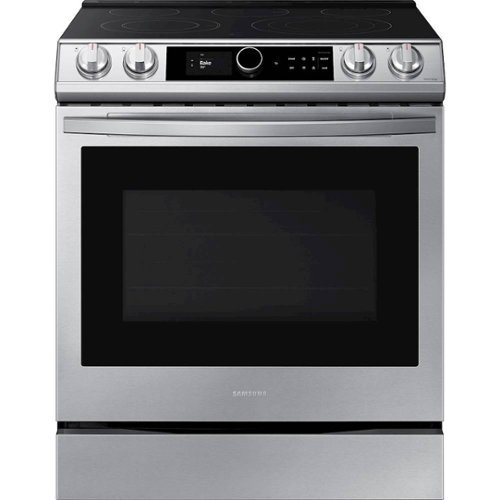
Samsung - 6.3 cu. ft. Front Control Slide-in Electric Convection Range with Smart Dial, Air Fry & Wi-Fi, Fingerprint Resistant - Stainless Steel
The Samsung front control slide-in electric range with Smart Dial and Air Fry is fully Wi-Fi connected and voice enabled, giving you the tools you need to simplify the cooking experience in the kitchen.
Since the range can not be pushed against wall because of gas outlet from wall (about 6”), how do you fill the gap betwwen back of range and the wall ? Thank you,

Hi Kirt! Many users choose to add a trim kit to the range to help fill in gaps around it. I recommend checking with SamsungParts.com or calling 1-800-627-4368 for information on available trim kits for this model. ^Jecca
5 years, 2 months ago
by
Posted by:
Samsung
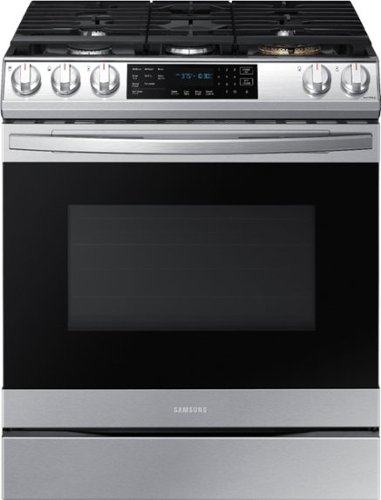
Samsung - 6.0 cu. ft. Front Control Slide-In Gas Convection Range with Air Fry & Wi-Fi, Fingerprint Resistant - Stainless Steel
The Samsung front control slide-in gas range with Air Fry is fully Wi-Fi connected and voice enabled, making it easy to create delicious and healthier* meals for your family. *As compared to deep frying.
Everything seems great except the sounds are so annoying to us! We found out you can turn all sound off, but we would like to hear some kind of BEEP or even the annoying music when timer is done. Is this possible? To have sound for only the timer?
That is a great question! I did check to see if there was a way to do this. Unfortunately, the "sound on/off" feature on this model is only able to mute or unmute all sounds together. ^Jecca
5 years, 2 months ago
by
Posted by:
Samsung
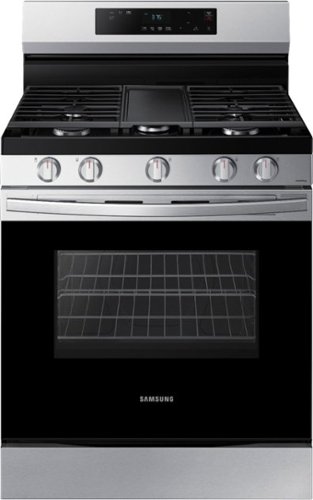
Elevate the look of your kitchen with Samsung~s Smart Freestanding Gas Range. Upgraded technology makes cooking with your stove simple and fun.
What are the required parts that come with this when purchasing? doesn't it just need to be plugged in into a outlet and it's good to be used?
Thanks so much for asking, KageU! Because this model is a gas model, it will require a gas connection. This does add some steps to the installation process. I do have this link (https://bit.ly/2RsPYwl) to the installation manual for this model. Page 10 has a full list of what's included with the range. Also, pages 17-22 have step by step installation instructions. ^Jecca
5 years, 2 months ago
by
Posted by:
Samsung
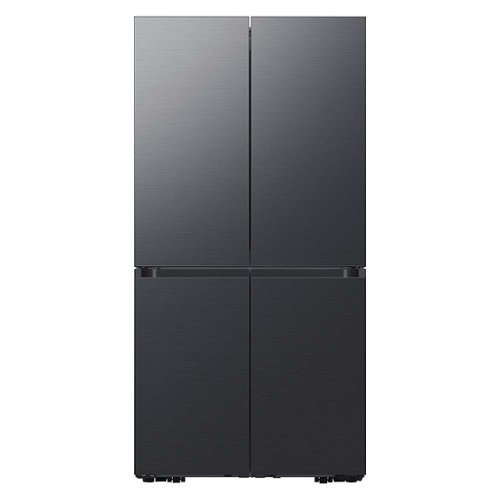
Samsung - BESPOKE 23 cu. ft. 4-Door Flex French Door Counter Depth Smart Refrigerator with Customizable Panel Colors - Matte Black Steel
Smart Counter Depth 4-Door Flex refrigerator with customizable door panels available in multiple colors and finishes. It features the Beverage Center with both a water dispenser and AutoFill Water Pitcher, plus a Dual Ice Maker with Ice bites.
Why were the panels set to 73" height but the hinge height is ~72"? This will create a lot of conflict for people with cabinets above the refrigerator.
Hi there JasonBB! I'm sorry for any confusion about this. For this model, the hinges are actually slightly recessed into the frame of the refrigerator. You can see this in some of the close up pictures with the doors open. Because of this, the panel will reach higher than where the hinge is, and therefore must be slightly longer. ^Jecca
5 years, 2 months ago
by
Posted by:
Samsung
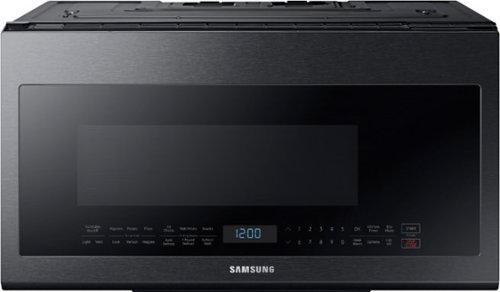
Samsung - 2.1 Cu. Ft. Over-the-Range Microwave with Sensor Cook - Black Stainless Steel
This Samsung Over-the-Range Microwave makes preparing multiple dishes effortless with its large 2.1cu. ft. capacity, accommodating even your biggest dishes. The Glass Control panel provides a seamless, integrated look, ensuring all design elements will match in your kitchen. Sensor Cook technology automatically adjusts your cooking time for optimal results. Additionally, the Ceramic Enamel Interior provides a durable, scratch-resistant and easy to clean interior, making everyday maintenance simple.
How high above a gas stove does this need to be mounted?
I'm happy to help with this, Lucasfarrier! I have this link (https://bit.ly/3u32mQB) to the installation manual for this model. Page 7 has a diagram with all the spacing dimensions you'll need. ^Jecca
5 years, 2 months ago
by
Posted by:
Samsung
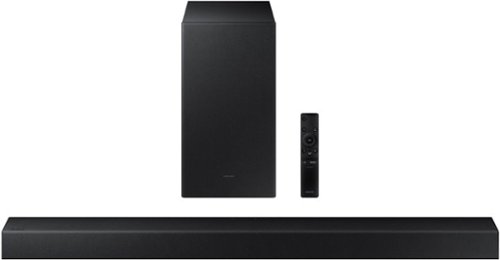
Samsung - HW-A450 Wireless 2.1ch Sound bar with Dolby Audio - Black
Elevate your sound experience with powerful bass.
Will this work on the Samsung 6 Series?
Hi Chris! Yes, the HW-A450 Soundbar can connect to the Samsung 6 Series TV via Optical cable. ^Gina
5 years, 2 months ago
by
Posted by:
Samsung
Samsung - HW-A450 Wireless 2.1ch Sound bar with Dolby Audio - Black
Elevate your sound experience with powerful bass.
Does the soundbar connect with other bluetooth devices.. like the phone for music?
Hi PK! Yes, the HW-A450 is a Bluetooth enabled soundbar, and will seamlessly pair with any Bluetooth enabled devices, such as your Smartphone. ^Gina
5 years, 2 months ago
by
Posted by:
Samsung
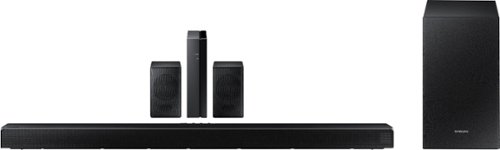
Samsung - HW-Q65T 7.1ch Soundbar with Dolby 5.1 / DTS Virtual:X - Black
Elevate your entertaining experience with immersive 3D sound. The power of Samsung sound bar Q65T makes surround soundbar comes to life with speakers that fire all around you.
I have this Samung sound bar I bought 2 years ago. So my old soundbar is louder than this one which is supposedly 7.1?! Samsung - 5.1-Channel 360W Soundbar System with 6-1/2" Wireless Subwoofer - Charcoal Black
Hi AntiLiberal - While I am unsure of which Samsung Soundbar model you previously purchased 2 years ago, the HW-Q65T is a 480W, 7.1 channel soundbar featuring Dolby Digital 5.1 and DTS Virtual:X technologies. You can try manually optimizing your audio experience by pressing the SOUND CONTROL button (looks like a gear) to access the setting items such as TREBLE, BASS, or AUDIO SYNC. The selected item can be adjusted using the Up/Down buttons.
– To control the volume of the treble or bass sound, select TREBLE or BASS in Sound Settings, and then adjust the volume between -6 to +6 by using the Up/Down buttons.
– Press and hold the SOUND CONTROL button for about 5 seconds to adjust the sound for each frequency band. 150Hz, 300Hz, 600Hz, 1.2kHz, 2.5kHz, 5kHz, and 10kHz are selectable using the Left/Right buttons and each can be adjusted to a setting between -6 to +6 using the Up/Down buttons. (Make sure the Sound mode is set to “STANDARD”.)
– If the video on the TV and audio from the Soundbar are not synchronized, select SYNC in Sound Control, and then set the audio delay between 0~300 milliseconds by using the Up/Down buttons.
– SYNC is only supported for some functions.
– If Surround Speakers are connected, select REAR LEVEL and then use the Up/Down buttons to adjust the volume within a -6 to +6 range.
If you need further assistance, please contact Samsung Customer Support at 1-800-SAMSUNG. We look forward to hearing from you. ^Gina
– To control the volume of the treble or bass sound, select TREBLE or BASS in Sound Settings, and then adjust the volume between -6 to +6 by using the Up/Down buttons.
– Press and hold the SOUND CONTROL button for about 5 seconds to adjust the sound for each frequency band. 150Hz, 300Hz, 600Hz, 1.2kHz, 2.5kHz, 5kHz, and 10kHz are selectable using the Left/Right buttons and each can be adjusted to a setting between -6 to +6 using the Up/Down buttons. (Make sure the Sound mode is set to “STANDARD”.)
– If the video on the TV and audio from the Soundbar are not synchronized, select SYNC in Sound Control, and then set the audio delay between 0~300 milliseconds by using the Up/Down buttons.
– SYNC is only supported for some functions.
– If Surround Speakers are connected, select REAR LEVEL and then use the Up/Down buttons to adjust the volume within a -6 to +6 range.
If you need further assistance, please contact Samsung Customer Support at 1-800-SAMSUNG. We look forward to hearing from you. ^Gina
5 years, 2 months ago
by
Posted by:
Samsung
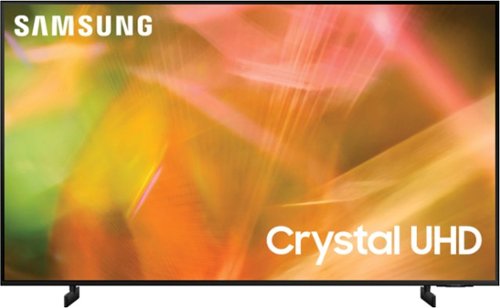
Samsung - 75" Class 8000 Series LED 4K UHD Smart Tizen TV (2021)
Step up to the world of Crystal UHD from Samsung. Elevated color and clarity offer you a picture that has to be seen to be believed. Add in smart features that make watching TV even easier, and you have a TV that is essential.
I have a TV stand that is only 60" wide. Will this fit it? I guess how far apart are the legs?
Hi NYMickey! The 75" AU8000 has two leg width adjustments - 41.2" or 49.9" - both widths will allow you to place the TV on your 60" TV stand. ^Gina
5 years, 2 months ago
by
Posted by:
Samsung
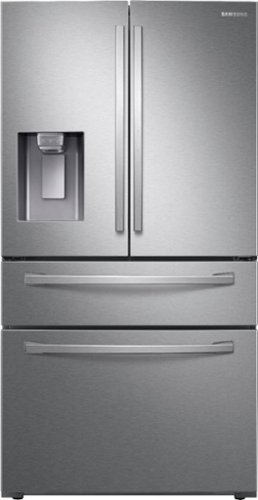
Samsung - 22.4 cu. ft. 4-Door French Door Counter Depth Refrigerator with Food Showcase - Stainless Steel
A counter depth refrigerator that is beautifully designed, with a modern dispenser, polished door, and sleek handles. The Food Showcase Door provides quick access to on-the-go items.
What keeps best in the small drawer?
Thanks for asking, Hazy! This model has a refrigerator section (the top section with the french doors), a freezer section (the bottom drawer), and a FlexZone (the middle drawer). The FlexZone is a flexible section that can be converted to hold many different types of items. Page 44 of the user manual (https://bit.ly/3oyVkSv) has details about which settings to choose for which items. ^Jecca
5 years, 2 months ago
by
Posted by:
Samsung