Samsung
Samsung's Stats
Reviews
- Review Count0
- Helpfulness Votes0
- First ReviewNone
- Last ReviewNone
- Featured Reviews0
- Average Rating0
Reviews Comments
- Review Comment Count0
- Helpfulness Votes0
- First Review CommentNone
- Last Review CommentNone
- Featured Review Comments0
Questions
- Question Count0
- Helpfulness Votes0
- First QuestionNone
- Last QuestionNone
- Featured Questions0
- Answer Count75114
- Helpfulness Votes37,981
- First AnswerApril 24, 2013
- Last AnswerOctober 28, 2026
- Featured Answers0
- Best Answers3950
Samsung's Reviews
Samsung has not submitted any reviews.
Samsung's Questions
Samsung has not submitted any questions.
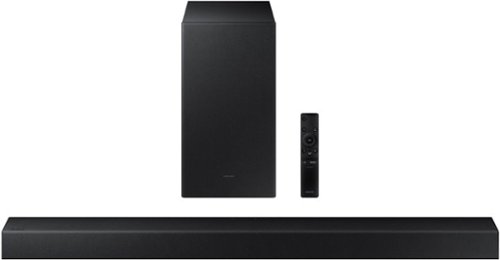
Samsung - HW-A450 Wireless 2.1ch Sound bar with Dolby Audio - Black
Elevate your sound experience with powerful bass.
can sound bar be mounted to top of TV?

Hi Ike! The HW-A450 includes mounting hardware allowing you to attach the soundbar to the wall directly. You can place is below or above the TV, however, for optimal listening experience you want the audio pointed at about chest or head level when seated, not over your head. ^Tim
5 years, 3 months ago
by
Posted by:
Samsung
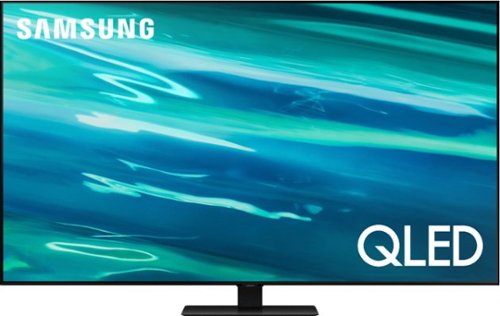
Samsung - 65" Class Q80A Series QLED 4K UHD Smart Tizen TV (2021)
Nothing will get by you with the precise visible details, even in the darkest scenes, and sound that moves around you.
how far are the versa mount holes from the top and bottom?
Hi johnforbes - The distance from the top mounting holes to the top of the 65" Q80A TV is 8.7". The distance from the bottom mounting holes to the bottom of the TV is 11.8". ^Gina
5 years, 3 months ago
by
Posted by:
Samsung
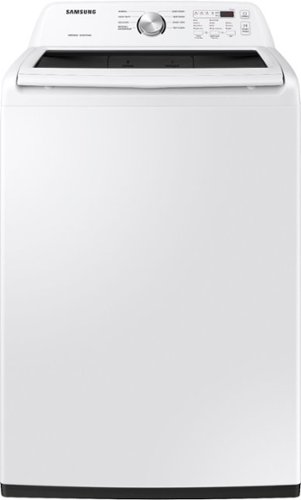
Samsung~s Large 4.5 cu. ft. Capacity Top Load washer fits more in every load and cuts down on laundry time. It is equipped with Vibration Reduction Technology+ to reduce noise for quiet washing and features Self Clean to eliminate bacteria from the drum.
does this washer have a self cleaning setting feature?
Hello Kitty! If you want to activate or deactivate the child lock function, press the Kitchen Timer button for 3 seconds.
The display will show ON when the oven is locked, and
then re-displays the time. You may also find this information on page 10 of the user manual. I have provided the link below.
(https://downloadcenter.samsung.com/content/UM/201911/20191122104255594/ME4000R_ME19R7041FS_AA_EN-MES-CFR.pdf)
Thanks for choosing Samsung. ^Nic
The display will show ON when the oven is locked, and
then re-displays the time. You may also find this information on page 10 of the user manual. I have provided the link below.
(https://downloadcenter.samsung.com/content/UM/201911/20191122104255594/ME4000R_ME19R7041FS_AA_EN-MES-CFR.pdf)
Thanks for choosing Samsung. ^Nic
5 years, 3 months ago
by
Posted by:
Samsung
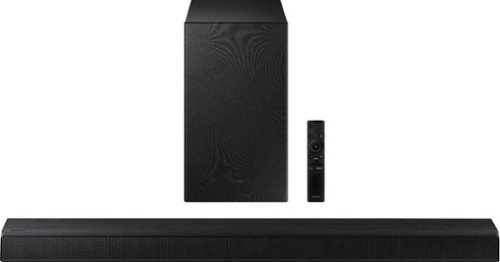
Samsung - HW-A550 2.1ch Sound bar with Dolby 5.1 - Black
Elevate your experience with virtual 3D surround sound.
Will this work for a Sharp lc 32 lb 37 ou tv ? Thanks
Hi Boom! The HW-A550 features HDMI ARC, Digital Optical Audio, and Bluetooth Audio technology. Check the back of your TV or the user manual if needed to verify if your TV is compatible with one of these connections. ^Tim
5 years, 3 months ago
by
Posted by:
Samsung
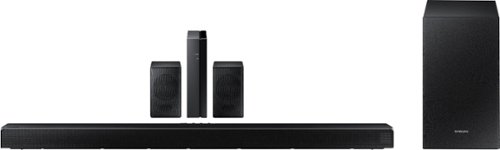
Samsung - HW-Q65T 7.1ch Soundbar with Dolby 5.1 / DTS Virtual:X - Black
Elevate your entertaining experience with immersive 3D sound. The power of Samsung sound bar Q65T makes surround soundbar comes to life with speakers that fire all around you.
I have a Samsung 7.1 sound bar. Do I go from my cable box to the sound bar then to the TV? I am presently going from cable box to TV - TV to sound bar. With it set up this way they are out of sync. Picture does not match voice.
Hi! If the video on the TV and audio from the Q65T Soundbar are not synchronized, press the SOUND CONTROL button on the soundbar remote, until you see AUDIO SYNC on the display. You can then set the audio delay between 0~300 milliseconds by using the Up/Down buttons. You can also try the below to minimize the delay: 1) Connect the source directly to the Soundbar’s HDMI input, then connect the Soundbar to the HDMI ARC input on the TV. 2) On the TV, set the Sound Delay level to 0. Home > Settings > Sound > Expert Settings > Digital Output Audio Delay: “0” 3) Change the audio format to PCM on both the source device and the TV. Please also make sure you are running the latest firmware update (ver1006.0 released 6/30/21) which includes improved connectivity. Should you need further assistance with this issue, or have any questions about features or operation, please contact Samsung Customer Support at 1-800-SAMSUNG (ask for Soundbars), available 8AM -12AM EST, 7 days a week, text HELP to 62913, LiveChat on Samsung.com, or Email: https://www.samsung.com/us/support/#contact_us_for_support ^Tim
5 years, 3 months ago
by
Posted by:
Samsung
Samsung - HW-Q65T 7.1ch Soundbar with Dolby 5.1 / DTS Virtual:X - Black
Elevate your entertaining experience with immersive 3D sound. The power of Samsung sound bar Q65T makes surround soundbar comes to life with speakers that fire all around you.
Does this come with an eARC port?
Hi Noah! The HW-Q65T supports HDMI ARC but does not feature eARC support. For eARC support check out the HW-Q700A or above from Samsung. ^Tim
5 years, 3 months ago
by
Posted by:
Samsung

Samsung - 5.1.2-Channel Soundbar with Dolby Atmos/DTS:X
Explore realistic 3D audio with sound precisely projected from above, in front, behind and to the side of you with the latest acoustic technologies.
When buying I was lead to believe these rear speakers were wireless. I explained that I had a couple outlets close to where I would place them and that I could run power from there to the speakers. Do I really need to have them wired to the box?
Hi Serroco! The HW-Q850A Rear Speakers connect to the wireless module, which allows you to place these three units in the back of your room. One wire is required to connect each rear speaker to the wireless module. Then plug in the power cable to the module. The “wireless” convenience is in connecting your soundbar and any other speakers at the front of the room to the rear speakers – this can now be done via Wi-Fi through the wireless module, eliminating any clutter of long wires running the length of your room. ^Tim
5 years, 3 months ago
by
Posted by:
Samsung
Samsung - HW-Q65T 7.1ch Soundbar with Dolby 5.1 / DTS Virtual:X - Black
Elevate your entertaining experience with immersive 3D sound. The power of Samsung sound bar Q65T makes surround soundbar comes to life with speakers that fire all around you.
Any reason the sound cuts off out of nowhere? It's happening quite frequently. The sound bar didn't turn off. The sound just goes mute. I have to turn it off and then back on again to fix it. It's very annoying
Hi Concernedcustomer! Thank you for sharing your concerns with the sound dropping on your soundbar.
So that we can better troubleshoot towards a solution, please reach out to Samsung Support at: 1-800-SAMSUNG (ask for Soundbars), 8AM -12AM EST (Mon-Fri), 9AM – 6PM EST (Sat), text HELP to 62913, LiveChat on Samsung.com, or Email: https://www.samsung.com/us/support/#contact_us_for_support
We look forward to hearing from you.
^Tim
So that we can better troubleshoot towards a solution, please reach out to Samsung Support at: 1-800-SAMSUNG (ask for Soundbars), 8AM -12AM EST (Mon-Fri), 9AM – 6PM EST (Sat), text HELP to 62913, LiveChat on Samsung.com, or Email: https://www.samsung.com/us/support/#contact_us_for_support
We look forward to hearing from you.
^Tim
5 years, 3 months ago
by
Posted by:
Samsung
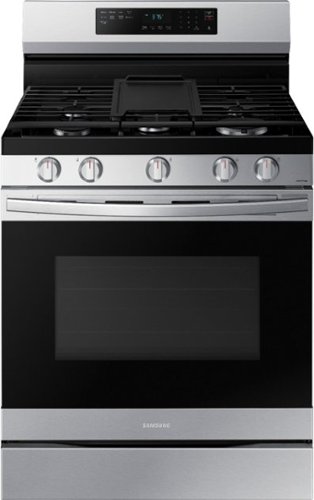
Elevate the look of your kitchen with Samsung~s Smart Freestanding Gas Range. Upgraded technology makes cooking simple and fun.
It looks like this question has been answered, however, I need clarification regarding the self-cleaning feature. Is there STEAM involved in the process???
Hello there! Is the steam involved in the cleaning process is a good question. During the self-cleaning process, the oven uses high temperatures (well above cooking temperatures) to burn off leftover grease and residue completely or reduce them to finely powdered ash that you can wipe away with a damp cloth. The process will cause some steam and we ask that you not open the oven door immediately due to the escaping hot air/and or steam that could burn you.
I have also provided the link to the user manual where you can find this information on page 42.
(https://downloadcenter.samsung.com/content/UM/202105/20210525183339900/NX60A6511SS_AA_DG68-01339A-02_EN-MES-CFR_210511.pdf)
Thank you for choosing Samsung. ^Nic
I have also provided the link to the user manual where you can find this information on page 42.
(https://downloadcenter.samsung.com/content/UM/202105/20210525183339900/NX60A6511SS_AA_DG68-01339A-02_EN-MES-CFR_210511.pdf)
Thank you for choosing Samsung. ^Nic
5 years, 3 months ago
by
Posted by:
Samsung

Samsung - 75" Class The Frame Series LED 4K UHD Smart Tizen TV (2021)
Transform your home with The Frame. Showcases artwork, watch television, movies, or display photos on this beautiful QLED screen. TV when it~s on, and art when it~s off. In Art Mode, the screen becomes a work of art, and with a subscription to the Samsung Art Store, you can choose from an entire library of artists~ works with something for everyone. You can even change the onscreen artwork as often as you like. Quantum Processor 4K automatically upscales all you content to 4K, and 100% Color Volume with Quantum Dot enriches every scene with millions of shades of color. The Frame truly changes the definition of what a TV can be.
How do I turn on this TV manually? My remote is not working, can't find the power button on the TV itself...
Hi Helpmepls - Press and hold the TV Controller button located on the lower right rear corner of The Frame TV. This should allow your TV to turn on and off. So we can understand the issues you are experiencing with your remote & provide you with troubleshooting, please reach out to Samsung Support at: 1-800-SAMSUNG (ask for TVs), available 8AM -12AM EST M-F (9AM – 6PM EST Sat), text HELP to 62913, LiveChat on Samsung.com, or Email: https://www.samsung.com/us/support/#contact_us_for_support ^Gina
5 years, 3 months ago
by
Posted by:
Samsung