Samsung
Samsung's Stats
Reviews
- Review Count0
- Helpfulness Votes0
- First ReviewNone
- Last ReviewNone
- Featured Reviews0
- Average Rating0
Reviews Comments
- Review Comment Count0
- Helpfulness Votes0
- First Review CommentNone
- Last Review CommentNone
- Featured Review Comments0
Questions
- Question Count0
- Helpfulness Votes0
- First QuestionNone
- Last QuestionNone
- Featured Questions0
- Answer Count75153
- Helpfulness Votes37,972
- First AnswerApril 24, 2013
- Last AnswerOctober 30, 2026
- Featured Answers0
- Best Answers3950
Samsung's Reviews
Samsung has not submitted any reviews.
Samsung's Questions
Samsung has not submitted any questions.
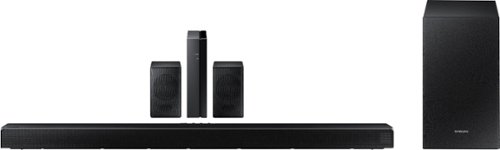
Samsung - HW-Q65T 7.1ch Soundbar with Dolby 5.1 / DTS Virtual:X - Black
Elevate your entertaining experience with immersive 3D sound. The power of Samsung sound bar Q65T makes surround soundbar comes to life with speakers that fire all around you.
Hi. On page 23 the manual says that the rear speakers can be turned ON/OFF by using the Up/Down buttons to adjust the volume within a -6 to +6 range. However, no level adjustment is possible...all it does is cycle the rear speakers on and off. ???

Bryan - When pressing the Sound Control button on your Soundbar remote (looks like a gear), you will be able to select REAR LEVEL and use the Up/Down buttons to adjust the volume within a -6 to +6 range. If you are still unable to adjust the volume, please contact Samsung Support at 1-800-SAMSUNG, available 8AM - 12AM EST, 7 days a week. ^Gina
5 years, 5 months ago
by
Posted by:
Samsung
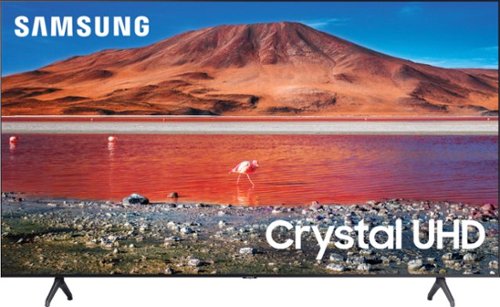
Samsung - 50" Class 7 Series LED 4K UHD Smart Tizen TV (2020)
Build an immersive media room with this 50-inch Samsung Smart TV. The Crystal 4K processor automatically improves the image quality of everything you watch, and the HDR technology makes colors look vivid and lifelike. This Samsung Smart TV has a universal guide that organizes live and streamed content so you can find what you're looking for quickly.
When you are playing videos off a USB drive, can those videos be continuously and seamlessly looped? (Wanting to use this for a gallery video installation.)
rafael - When the connected USB drive is selected as your TV's Source, you will be able to choose from various functions such as looping or repeating content. ^Gina
5 years, 5 months ago
by
Posted by:
Samsung
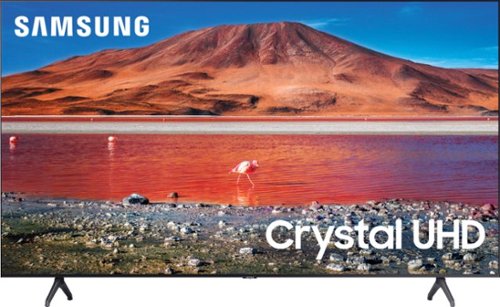
Samsung - 43" Class 7 Series LED 4K UHD Smart Tizen TV
Upgrade your home entertainment setup with this 43-inch Samsung LED Smart TV. Tizen OS provides access to popular streaming services, while the 4K Ultra HD resolution delivers true-to-life picture quality. This Samsung LED Smart TV is compatible with several virtual assistants for voice control, and the HDMI and USB inputs connect to external sources.
Are you able to mount this Tv on a stand or on a wall?
Hi John! You can mount the 43" TU7000 on the wall or a universal center base, as long as the mount/base support this TV's VESA Pattern of 200mm x 200mm. ^Gina
5 years, 5 months ago
by
Posted by:
Samsung
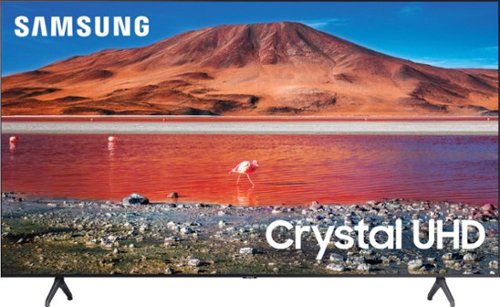
Samsung - 58" Class 7 Series LED 4K UHD Smart Tizen TV
Make every movie night special with this 58-inch Samsung smart TV. Native 4K UHD resolution makes shows look sharp and detailed, and the Crystal 4K processor enhances image quality in real time. This Samsung smart TV has a variety of features that let you access and play content from your favorite streaming services.
Does this have voice remote
Hi there! The TU7000 does not have a voice remote. When stepping up to the TU8000, you will gain built-in Voice Assistants (Amazon Alexa, Bixby, Google Assistant) with a voice button on your OneRemote. ^Gina
5 years, 5 months ago
by
Posted by:
Samsung
Samsung - 50" Class 7 Series LED 4K UHD Smart Tizen TV (2020)
Build an immersive media room with this 50-inch Samsung Smart TV. The Crystal 4K processor automatically improves the image quality of everything you watch, and the HDR technology makes colors look vivid and lifelike. This Samsung Smart TV has a universal guide that organizes live and streamed content so you can find what you're looking for quickly.
What is the mounting hole pattern on the back of the TV?
Hi there! The 50" TU7000 has a VESA Pattern of 200mm x 200mm. ^Gina
5 years, 5 months ago
by
Posted by:
Samsung
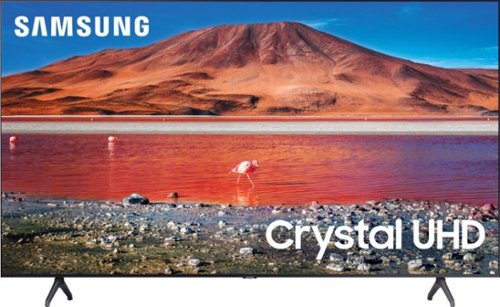
Samsung - 65" Class 7 Series LED 4K UHD Smart Tizen TV (2019)
Get enhanced smart capabilities with the TU7000 . Crystal Processor 4K automatically upscales your favorite movies, TV shows and sports events to 4K. Smart TV powered by Tizen lets you find content and navigate streaming services easily. PurColor fine tunes colors while HDR steps up to millions of shades of color that go beyond what HDTV can offer. And Direct Lit backlighting technology sharpens visuals and improves clarity.
How to install older Samsung sound bar
Hi Shorty - Installation of your Samsung Soundbar will depend on which model you are connecting to the TU7000 TV. You can connect a soundbar via Optical or HDMI cable, or wirelessly via Wi-Fi or Bluetooth - depending on what inputs are featured on your soundbar. So we can better assist you in connecting your Samsung Soundbar and TV, please reach out to Samsung Support at:
― Phone: 1-800-SAMSUNG / Available 8AM - 12AM EST, 7 days a week
― LiveChat or Email: https://www.samsung.com/us/support/#contact_us_for_support
We look forward to hearing from you. ^Gina
― Phone: 1-800-SAMSUNG / Available 8AM - 12AM EST, 7 days a week
― LiveChat or Email: https://www.samsung.com/us/support/#contact_us_for_support
We look forward to hearing from you. ^Gina
5 years, 5 months ago
by
Posted by:
Samsung

Samsung - 4.0-Channel Soundbar with Built-in Subwoofer and Voice Assistant - Black
Enjoy music listening or movie watching with this Samsung sound bar. The virtual four-channel configuration connects the included speakers for immersive 3-D sound reproduction, while Bluetooth technology lets you stream audio from devices wirelessly. This Samsung sound bar supports voice assistance for hands-free operation, and the built-in Wi-Fi lets you play music from the internet.
Can I connect phone via Bluetooth to play my music collection?
Hi Lorenzo! The HW-S60T Soundbar is Bluetooth enabled; you can stream music from your Smartphone directly to the soundbar via Bluetooth. ^Gina
5 years, 5 months ago
by
Posted by:
Samsung
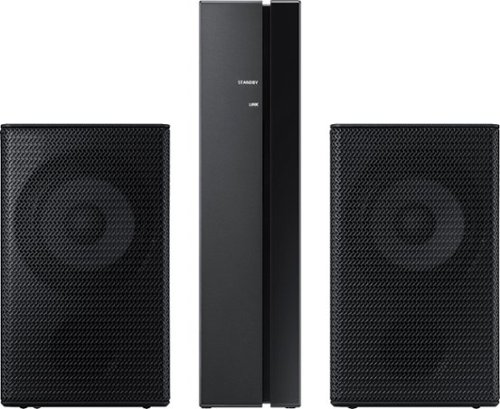
Samsung - Wireless Rear Speakers (Pair) - Black
Mount this Samsung wireless rear speaker kit and enjoy enhanced surround sound without taking up a lot of space. The lightweight system is easy to setup, adding home-theater-quality enjoyment without the tangle of wires and confusing diagrams. This Samsung wireless rear speaker kit boasts low standby power usage and a slim design, making it an ideal option for placement in your home.
Will the speakers work with the HW-M550ZA?
Hi there - The HW-M550 Soundbar is compatible with the SWA-8500S Rear Kit. Check it out at Best Buy: https://www.bestbuy.com/site/samsung-wireless-rear-loudspeakers-black/5754510.p?skuId=5754510. ^Gina
5 years, 5 months ago
by
Posted by:
Samsung
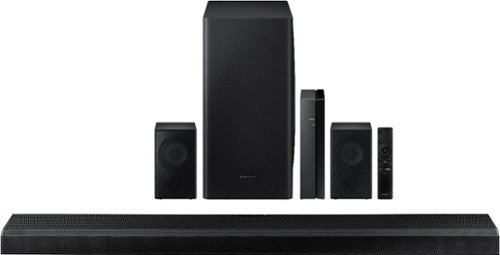
Samsung - 5.1.2-Channel Soundbar with Wireless Rear Speakers and Dolby Atmos/DTS:X - Black
Enhance your movie and audio experience with this Samsung Acoustic Beam Q Series sound bar. The 8-inch subwoofer and 1.5-inch tweeters produce powerful room-filling sound, while the included remote control lets you adjust settings and handle playback effortlessly. This Samsung Acoustic Beam Q Series sound bar has Bluetooth connectivity for streaming audio smoothly, and the wall-mountable design allows for a customized setup.
My eARK connection on my Q850T has quit being recognized by my QLED 75” Samsung tv. Not sure why. But when u plug it into the HDMI/eARK port I get a no signal from HDMI 3 port on the tv. Now soundbar is saying WIFI. Please help
Hi Scott - So that we can better troubleshoot towards a solution, please reach out to Samsung Support at:
― Phone: 1-800-SAMSUNG / Available 8AM - 12AM EST, 7 days a week
― LiveChat or Email: https://www.samsung.com/us/support/#contact_us_for_support
We look forward to hearing from you. ^Gina
― Phone: 1-800-SAMSUNG / Available 8AM - 12AM EST, 7 days a week
― LiveChat or Email: https://www.samsung.com/us/support/#contact_us_for_support
We look forward to hearing from you. ^Gina
5 years, 5 months ago
by
Posted by:
Samsung
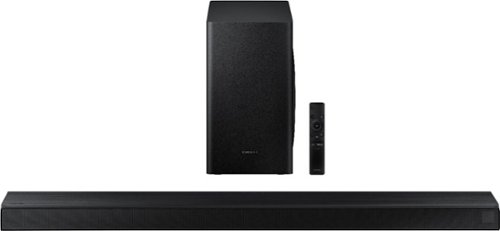
Samsung - 3.1-Channel Soundbar with Wireless Subwoofer and DTS Virtual:X/Dolby Digital - Black
Enjoy high-grade audio at home with this Samsung T Series acoustic beam sound bar. Dolby Audio and DTS provide rich, robust sound for a 3-D surround sound experience, and the center-channel speaker provides clear dialog reproduction. Game mode automatically adjusts the output of this Samsung T Series acoustic beam sound bar in real time for complete audio immersion.
The sound in the sound bar goes mute briefly a few times when I turn on the TV or switch to Roku. I tried unplugging the whole unit for 30 seconds to reset and it still does it. Any suggestions?
Hi BobJ - So that we can better troubleshoot towards a solution with your HW-T650 Soundbar, please reach out to Samsung Support at:
― Phone: 1-800-SAMSUNG / Available 8AM - 12AM EST, 7 days a week
― LiveChat or Email: https://www.samsung.com/us/support/#contact_us_for_support
We look forward to hearing from you. ^Gina
― Phone: 1-800-SAMSUNG / Available 8AM - 12AM EST, 7 days a week
― LiveChat or Email: https://www.samsung.com/us/support/#contact_us_for_support
We look forward to hearing from you. ^Gina
5 years, 5 months ago
by
Posted by:
Samsung