Samsung
Samsung's Stats
Reviews
- Review Count0
- Helpfulness Votes0
- First ReviewNone
- Last ReviewNone
- Featured Reviews0
- Average Rating0
Reviews Comments
- Review Comment Count0
- Helpfulness Votes0
- First Review CommentNone
- Last Review CommentNone
- Featured Review Comments0
Questions
- Question Count0
- Helpfulness Votes0
- First QuestionNone
- Last QuestionNone
- Featured Questions0
- Answer Count75154
- Helpfulness Votes37,976
- First AnswerApril 24, 2013
- Last AnswerNovember 2, 2026
- Featured Answers0
- Best Answers3950
Samsung's Reviews
Samsung has not submitted any reviews.
Samsung's Questions
Samsung has not submitted any questions.

Samsung - Galaxy Note20 5G 128GB - Mystic Bronze (AT&T)
The power to work. The power to play. This isn't the time to slow down, this is the time to forge ahead and take the opportunities that come your way. You don~t need a smartphone. You need a power phone. One as beautiful as it is intelligent with a pen that is mightier, a battery that doesn't leave you hanging and is as well-connected as you. Samsung Galaxy Note20 5G takes power to the next level with cutting-edge technology, letting you master whatever you choose to do next.
Does this phone have a curved edge screen like the 9+?

That is a great question! The Galaxy Note20 5G does not have an edge screen. I have included a link that provides a closer look and more information on the design of this device. Thank you for asking this question. ^Kayla
https://www.samsung.com/us/smartphones/galaxy-note20-5g/
https://www.samsung.com/us/smartphones/galaxy-note20-5g/
5 years, 7 months ago
by
Posted by:
Samsung
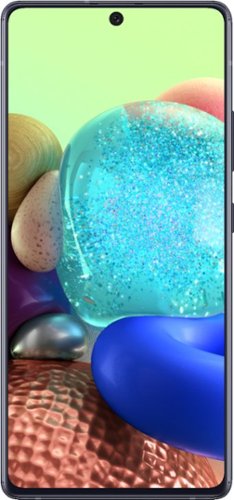
Samsung - Galaxy A71 5G 128GB (Unlocked) - Prism Cube Black
The Samsung Galaxy A71 5G is your all-access pass to the 5G~ revolution, combining the unprecedented speed of next-gen connectivity with turbo-charged performance. Capture professional-grade photos with a versatile quad lens camera, take smooth, stable video even while moving and see it all on a vivid 6.7~ Super AMOLED+ Infinity Display~. All powered by a long-lasting~, fast charging battery~. ~Measured diagonally, the screen size is 6.7~ in the full rectangle and 6.6~ with accounting for the rounded corners. Actual viewable area is less due to the rounded corners and camera lens. ~Based on average battery life under typical usage conditions. Average expected performance based on typical use. Actual battery life depends on factors such as network, features selected, frequency of calls, and voice, data, and other application usage patterns. Results may vary. ~Fast Charging capability through provided charger. ~Requires optimal 5G network connection, available in select markets. Check with your carrier for availability and details. Download and streaming speeds may vary based on content provider, server connection and other factors.
Does the A71 5G work in Europe (the Netherlands) with my sim card with no problem or will i need to switch cards there with a different phone number? Thanks
Hello there. Although this Galaxy A71 5G is unlocked, we would suggest contacting the carrier to ensure their services can be added. Thank you for asking this question. ^Kayla
5 years, 7 months ago
by
Posted by:
Samsung
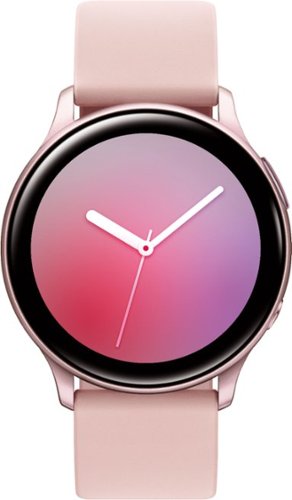
Get calls and texts on your wrist with this Samsung Galaxy Watch Active2 smartwatch. The intuitive interface and touch bezel make it easy to access apps and send texts, and the 1.15GHz processor ensures fast performance. This Samsung Galaxy Watch Active2 smartwatch has a durable chassis that stands up to heavy use and rough treatment.
Can you send actual text messages or just quick replies that are set up already on the phone?
Yes! You are able to send custom text messages, as well as, quick responses using the Galaxy Watch Active2. I have included a link with more information on all the different ways this can be done. Thank you for asking this question. ^Kayla
https://www.samsung.com/us/support/answer/ANS00078022/
https://www.samsung.com/us/support/answer/ANS00078022/
5 years, 7 months ago
by
Posted by:
Samsung
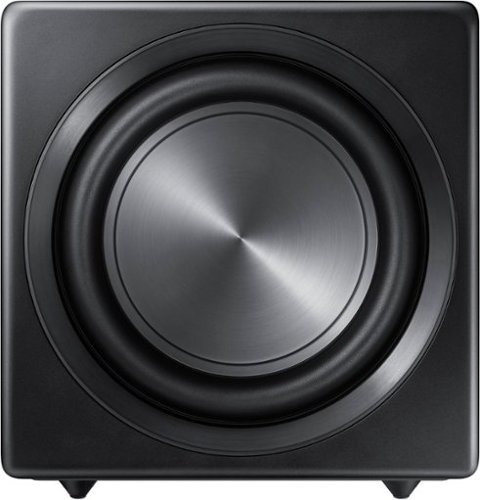
Samsung - Sound+ 10" 200W Wireless Powered Subwoofer - Black
Create rumbling low frequencies in your home theater with this 10-inch Samsung Sound+ subwoofer. Its wide frequency range of 27-120Hz ensures you'll hear every boom and thump while you watch movies, and its sealed enclosure provides crisp, accurate sound. This powerful wireless Samsung Sound+ subwoofer pairs seemlessly with Sound+ soundbars, making it easy to add anytime you're ready..
Hi, Can it link 2 subs like this to a MS6500 soundbar ?
Hi Mers! You are only able to pair one SWA-W700 Subwoofer to your Sound+ Soundbar at a time. ^Gina
5 years, 7 months ago
by
Posted by:
Samsung
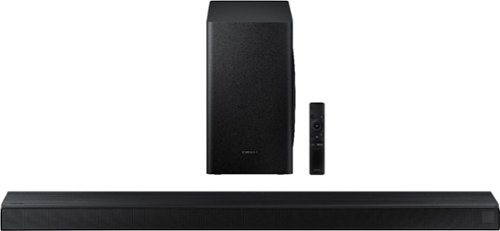
Samsung - 3.1-Channel Soundbar with Wireless Subwoofer and DTS Virtual:X/Dolby Digital - Black
Enjoy high-grade audio at home with this Samsung T Series acoustic beam sound bar. Dolby Audio and DTS provide rich, robust sound for a 3-D surround sound experience, and the center-channel speaker provides clear dialog reproduction. Game mode automatically adjusts the output of this Samsung T Series acoustic beam sound bar in real time for complete audio immersion.
Can I control the volume and power of this sound bar with fire tv stick remote which I use to currently turn my tv on and off and control volume
Hi Drew! You can control the volume of the HW-T650 Soundbar with your FireTV Stick remote. First, ensure your TV and HW-T650 Soundbar are plugged into HDMI ARC connections. You will then need to enable Anynet+. Press the Home button your TV remote, and then navigate to and select Settings > General. Select External Device Manager, and then select Anynet+ (HDMI-CEC) to turn it on. ^Gina
5 years, 7 months ago
by
Posted by:
Samsung
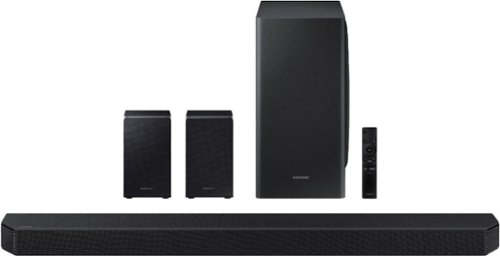
Samsung - 9.1.4-Channel Soundbar with Wireless Subwoofer and Dolby Atmos/DTS:X - Black
The HW-Q950T has immersive sound quality with True 9.1.4ch sound. With Up-firing rear speakers including Q-symphony, Dolby Atmos, DTS:XUsability-, adaptive sound, game Pro Mode. Premium Design textile by Kvadrat along with seamless connectivity and built in voice assistant, this is the best fit for Samsung QLED TV.
What is a good place to put the two satellite speakers? Should they mounted on floor stands, on-wall or on-ceiling? How does this affect the surround (Atmos/DTS) effect?
Hi MKP! Placement of the rear speakers on the HW-Q950T will ultimately depend on your preference as well as your room layout. If you mount the rear speakers on the ceiling, you will not be able to receive the up-firing sound the rear speakers produce. We recommend mounting the rear speakers on floor stands to provide you with the best audio experience. ^Gina
5 years, 7 months ago
by
Posted by:
Samsung
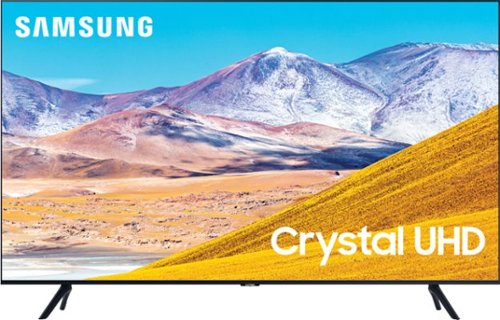
Samsung - 75" Class 8 Series LED 4K UHD Smart Tizen TV
Experience immersive entertainment with this 75-inch Samsung UHD 8 Series Smart TV. Crystal Processor 4K provides vivid visuals, and the Dolby Digital Plus sound technology delivers crisp, powerful sound through the 20W speakers. This Samsung UHD 8 Series Smart TV has Wi-Fi connectivity for streaming movies easily, while Bixby, Alexa, and Google Assistant support enables voice-activated control.
Does the Samsung 75" 8 Series Model: UN75TU8000FXZA SKU:6401717 have Ambient Mode?
Hi Joe! Yes, the TU8000 features Ambient Mode. ^Gina
5 years, 7 months ago
by
Posted by:
Samsung
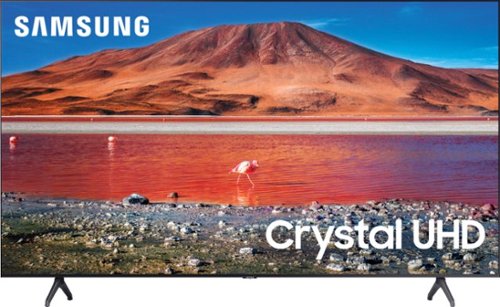
Samsung - 43" Class 7 Series LED 4K UHD Smart Tizen TV
Upgrade your home entertainment setup with this 43-inch Samsung LED Smart TV. Tizen OS provides access to popular streaming services, while the 4K Ultra HD resolution delivers true-to-life picture quality. This Samsung LED Smart TV is compatible with several virtual assistants for voice control, and the HDMI and USB inputs connect to external sources.
With this model can shows be recorded?
Hi freddy! To record shows, you will need an external DVR device, or a streaming service that allows you to record programs within the app (eg: YouTube TV). ^Gina
5 years, 7 months ago
by
Posted by:
Samsung
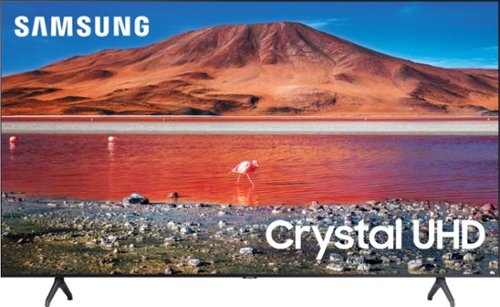
Samsung - 70 Class 7 Series LED 4K UHD Smart Tizen TV (2020)
Enhance your viewing experience with this 70-inch Samsung 4K UHD smart TV. The HDR technology and 4K UHD resolution render sharp details and realistic colors, while a Crystal processor delivers exceptional picture quality on the flat-panel display. This Bluetooth-enabled Samsung 4K UHD smart TV is voice controllable for hands-free operation and seamless wireless streaming.
I CANNOT LOCATE A 70" QLED TV (BUILTIN CABINET. MUST BE 70" QLED TECHNOLOGY). IS LED NOTATION SAME AS QLED?
Hi there! The TU7000 features LED technology; QLED (Quantum Dot) technology is found in our Q60T TV and above. The 2021 Q60A TV is available in 70" at Best Buy: https://www.bestbuy.com/site/samsung-70-class-q60a-series-qled-4k-uhd-smart-tizen-tv/6453025.p?skuId=6453025 ^Gina
5 years, 7 months ago
by
Posted by:
Samsung
Samsung - 70 Class 7 Series LED 4K UHD Smart Tizen TV (2020)
Enhance your viewing experience with this 70-inch Samsung 4K UHD smart TV. The HDR technology and 4K UHD resolution render sharp details and realistic colors, while a Crystal processor delivers exceptional picture quality on the flat-panel display. This Bluetooth-enabled Samsung 4K UHD smart TV is voice controllable for hands-free operation and seamless wireless streaming.
How do I watch my directtv cable on this TV? I turn the source to my cable but when I use my cable remote it just switches over to Samsung TV. I want to watch my regular cable.
Hi Night1221! So that we can better assist you towards a solution, please reach out to Samsung Support at:
― Phone: 1-800-SAMSUNG / Available 8AM - 12AM EST, 7 days a week
― LiveChat or Email: https://www.samsung.com/us/support/#contact_us_for_support
We look forward to hearing from you. ^Gina
― Phone: 1-800-SAMSUNG / Available 8AM - 12AM EST, 7 days a week
― LiveChat or Email: https://www.samsung.com/us/support/#contact_us_for_support
We look forward to hearing from you. ^Gina
5 years, 7 months ago
by
Posted by:
Samsung