Samsung
Samsung's Stats
Reviews
- Review Count0
- Helpfulness Votes0
- First ReviewNone
- Last ReviewNone
- Featured Reviews0
- Average Rating0
Reviews Comments
- Review Comment Count0
- Helpfulness Votes0
- First Review CommentNone
- Last Review CommentNone
- Featured Review Comments0
Questions
- Question Count0
- Helpfulness Votes0
- First QuestionNone
- Last QuestionNone
- Featured Questions0
- Answer Count73785
- Helpfulness Votes37,946
- First AnswerApril 24, 2013
- Last AnswerAugust 24, 2026
- Featured Answers0
- Best Answers3946
Samsung's Reviews
Samsung has not submitted any reviews.
Samsung's Questions
Samsung has not submitted any questions.
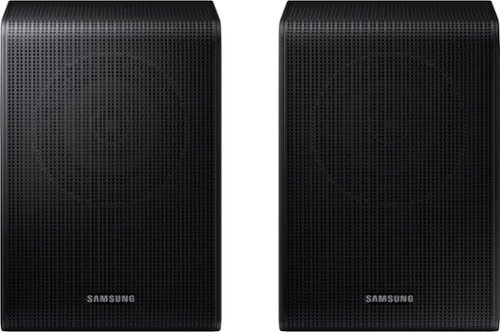
Get a truly cinematic experience from your home theater with rear speakers that connect wirelessly to your soundbar for simple setup and less clutter. With true surround sound, add audio depth and dimension with sound that comes from all sides, making you feel like you're in the scene.
Hi is this compatible with hwmm36za ?

Hello Ron! The SWA-9250S Wireless Rear Speakers are compatible with the HW-Q600F, HW-B750F, HW-B650F, HW-B630F, and HW-B550F 2025 Samsung Soundbars. ~ Samsung Solutions
6 months ago
by
Posted by:
Samsung
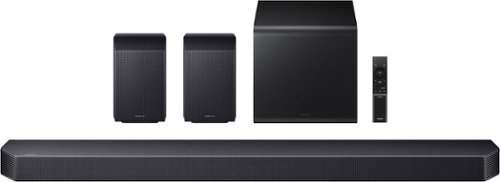
Experience the next level of sound immersion with multidimensional sound that surrounds you in a rich soundscape. With 9.1.4 channels, deep bass fills the room while clear, balanced audio brings every detail to life. From intense action to subtle ambiance, this powerful soundbar enhances your home theater, making every scene feel more engaging.
How do I turn the SW level up. When I use the SW remote which is set at 0, after adjusting higher to 3 or 4, it goes right back to 0
Hello Rick! There are multiple ways to control the bass levels for the HW-Q930F Soundbar.
1) Using the WOOFER button on the provided Soundbar remote. Use the woofer button by pushing forward or pulling backward on the button itself to adjust the bass levels between -12 or -6/+6. If you want to reset the bass to 0 then push the button in.
2) When you press the TONE CONTROL button, you can adjust the treble or bass levels between -6/+6.
Alternatively, you can adjust all of these same settings and more within the SmartThings app. Download the app for your iOS or Android device and then connect your Soundbar to Wi-Fi. From here, you will be able to adjust all of the same settings as the provided remote, but with the added benefit of being able to see the changes on your smart device.
~ Samsung Solutions
1) Using the WOOFER button on the provided Soundbar remote. Use the woofer button by pushing forward or pulling backward on the button itself to adjust the bass levels between -12 or -6/+6. If you want to reset the bass to 0 then push the button in.
2) When you press the TONE CONTROL button, you can adjust the treble or bass levels between -6/+6.
Alternatively, you can adjust all of these same settings and more within the SmartThings app. Download the app for your iOS or Android device and then connect your Soundbar to Wi-Fi. From here, you will be able to adjust all of the same settings as the provided remote, but with the added benefit of being able to see the changes on your smart device.
~ Samsung Solutions
6 months ago
by
Posted by:
Samsung
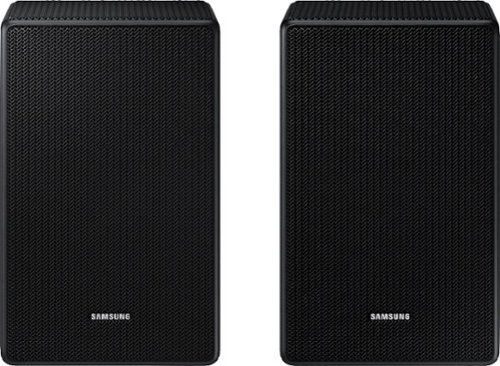
Is this compatible with HW-Q990D/ZA sound bar?
Hello Sacsum! The HW-Q990D Soundbar is exclusively compatible with its' included rear speakers and subwoofer. ~Samsung Solutions
6 months ago
by
Posted by:
Samsung
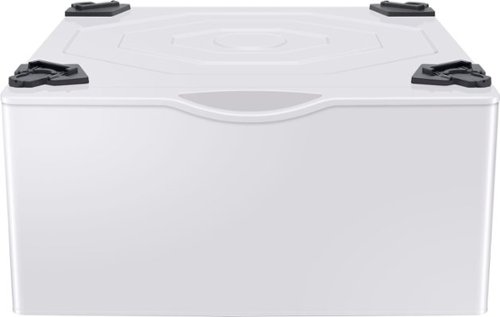
This 27" wide pedestal will allow you to lift your Samsung front-load washer or dryer by more than a foot for a more convenient height. Tidy up your laundry space with an easily accessible built-in storage drawer.
Is this compatible with Samsung WF42H5000AW/A2
Hello Donna,
Yes, WE402NW/A3 is the compatible pedestal for the washer model WF42H5000AW/A2.
Have a wonderful day.
-Kimberly
Yes, WE402NW/A3 is the compatible pedestal for the washer model WF42H5000AW/A2.
Have a wonderful day.
-Kimberly
6 months ago
by
Posted by:
Samsung

From Wireless Dolby Atmos to sound calibrated to fit your space, the ultra slim Samsung S800D delivers a rich audio experience with style and features set to impress.
Is the hw s801d soundbar compatible with the 2025 Samsung the frame pro?
Hello Hotspot! Yes, with the HW-S801D Soundbar, you will be able to fully utilize all the soundbar's features like Q-Symphony, which provides perfectly synchronized audio from both Samsung Frame Pro speakers and soundbar speakers that tracks with each scene for the most harmonious, cinematic experience. ~ Samsung Solutions
6 months ago
by
Posted by:
Samsung
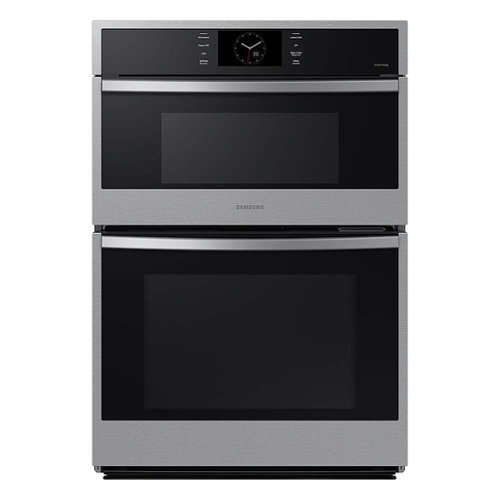
Samsung 30" Microwave Combination Wall Ovens feature stunning stainless steel finishes that blend seamlessly with the d~cor of your kitchen. Rich with features like Steam Cook, Air Sous Vide, and Air Fry, you'll enjoy cooking just like a professional in your own kitchen.
Can you provide the dimension and weight specs of the box or crate or whatever so I can plan on logistics when this is delivered.
Hi Pete,
The shipping dimensions (W x H x D) and weight of the wall oven are as follows:
Dimensions: 33 ¾ inches x 48 ¼ inches x 29 7/16 inches
Weight: 299.8 pounds
Have a great day!
Nicole
The shipping dimensions (W x H x D) and weight of the wall oven are as follows:
Dimensions: 33 ¾ inches x 48 ¼ inches x 29 7/16 inches
Weight: 299.8 pounds
Have a great day!
Nicole
6 months ago
by
Posted by:
Samsung
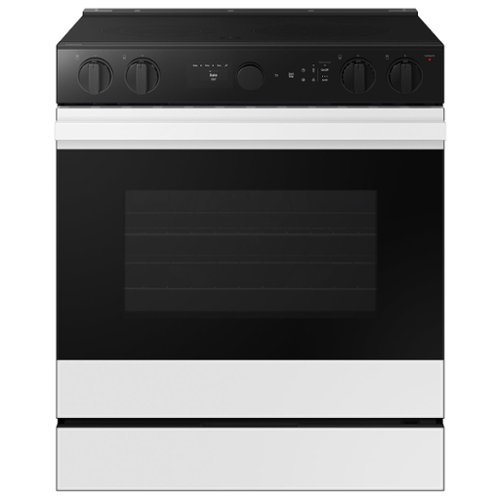
Samsung - Bespoke Smart Slide-In Electric Range 6.3 cu. ft. with Air Sous Vide & Air Fry - White Glass
Samsung's ENERGY STAR Certified, smart electric range features a stylish and contemporary Bespoke design with a recessed handle that seamlessly blends into your kitchen for an elegant and minimalist look. Air Sous Vide locks in flavor and moisture so you can enjoy gourmet cooking at home and Air Fry built into the oven lets you cook healthier fried food.
Does this range have convection bake
Hi there,
Yes, this range has a convection bake feature.
Have a great day!
Nicole
Yes, this range has a convection bake feature.
Have a great day!
Nicole
6 months ago
by
Posted by:
Samsung
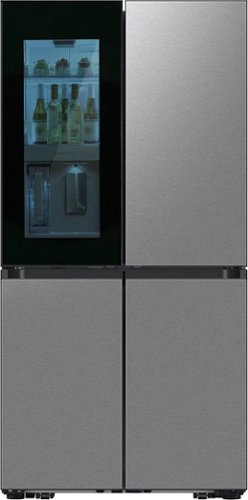
Samsung - 36 in. Wide Bespoke 29 Cu. Ft. 4-Door Flex French Door Refrigerator with Auto Open Door - Stainless Steel
Samsung's Bespoke 4-Door Flex 29 cu. ft. Refrigerator features Beverage Zone with a fridge within your fridge. Choose from two temperature settings for the Beverage Zone, plus get quick and easy access to refreshingly cold water two ways. With Auto Open Door, you can fully open doors with a light touch even if your hands are full.
Is there a shelf that retracts (or pushes back) halfway for taller items?
Hi there,
Yes, this refrigerator has a shelf that you can retract or slide to store taller items.
Have a great day!
Nicole
Yes, this refrigerator has a shelf that you can retract or slide to store taller items.
Have a great day!
Nicole
6 months ago
by
Posted by:
Samsung

Step up to Full HD for a significantly clearer picture than regular HD. Enjoy impressive, fine-tuned colors and deep contrast, all wrapped in a sleek design and secured by triple-layer protection. Virtual 3-D sound is enhanced and tracks movement on screen for a truly immersive experience.
If I use an antenna, can I update the software? If so, how is this accomplished?
Hi Louise,
Yes, you can connect an antenna. To update the TV's software, go to Settings> Support> Software Update.
~Samsung Advisor
Yes, you can connect an antenna. To update the TV's software, go to Settings> Support> Software Update.
~Samsung Advisor
6 months ago
by
Posted by:
Samsung
Step up to Full HD for a significantly clearer picture than regular HD. Enjoy impressive, fine-tuned colors and deep contrast, all wrapped in a sleek design and secured by triple-layer protection. Virtual 3-D sound is enhanced and tracks movement on screen for a truly immersive experience.
Is Spectrum supported on this tv?
Hi Chocolate15,
Yes, Spectrum is supported.
~Samsung Advisor
Yes, Spectrum is supported.
~Samsung Advisor
6 months ago
by
Posted by:
Samsung