Samsung
Samsung's Stats
Reviews
- Review Count0
- Helpfulness Votes0
- First ReviewNone
- Last ReviewNone
- Featured Reviews0
- Average Rating0
Reviews Comments
- Review Comment Count0
- Helpfulness Votes0
- First Review CommentNone
- Last Review CommentNone
- Featured Review Comments0
Questions
- Question Count0
- Helpfulness Votes0
- First QuestionNone
- Last QuestionNone
- Featured Questions0
- Answer Count73516
- Helpfulness Votes37,919
- First AnswerApril 24, 2013
- Last AnswerAugust 10, 2026
- Featured Answers0
- Best Answers3940
Samsung's Reviews
Samsung has not submitted any reviews.
Samsung's Questions
Samsung has not submitted any questions.
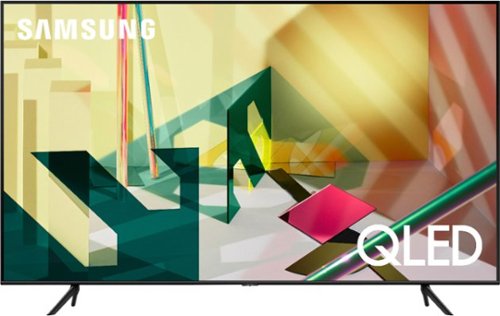
Samsung - 75" Class Q70T Series QLED 4K UHD Smart Tizen TV
View your favorite shows in sensational quality with this Samsung Smart TV. The Quantum Processor utilizes deep learning AI to convert content into 4K, while dual LED backlighting enhances contrast. This Samsung Smart TV boasts Motion Rate 240 to ensure crisp, clear visuals and Quantum HDR for optimum color and detail.
what is the difference between the q70t and the q80t? looking at 75-82 inch tv. playing movies and games

Great question! When stepping up from the Q70T to the Q80T, you will gain features such as Quantum HDR 8X, Direct Full Array Backlight Technology, Object Tracking Sound for 3D immersive audio, and Ultra Viewing Angle plus Anti-Reflective Technology for more accurate colors and greater versatility in TV placement and seating without distracting glare. ^Val
5 years, 6 months ago
by
Posted by:
Samsung
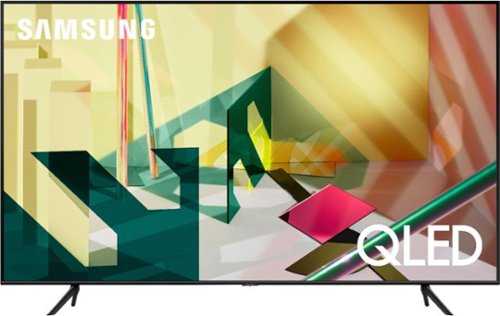
Samsung - 65" Class Q70T Series QLED 4K UHD Smart Tizen TV
Get the most out of your viewing experience with this 65-inch Samsung QLED Q70T Series 4K UHD HDR Smart TV. The 4K Quantum processor autonomously optimizes entertainment for an immersive experience by utilizing Ambient Mode+, Quantum HDR, 4K AI upscaling and active voice amplifier technology. This Samsung QLED Q70T Series 4K UHD HDR Smart TV boasts Real Game Enhancer+ and AMD FreeSync to improve overall performance while gaming.
How far apart are the legs for the stand? How many inches of surface do you need below the TV to have it stand properly?
Hi Kyle, the full dimensions of the 65" Q70T TV are 57.1" x 32.6" x 2.3"" (WxHxD) when measured without the feet. The measurement between the feet is 44.5" ^Val
5 years, 6 months ago
by
Posted by:
Samsung
Samsung - 65" Class Q70T Series QLED 4K UHD Smart Tizen TV
Get the most out of your viewing experience with this 65-inch Samsung QLED Q70T Series 4K UHD HDR Smart TV. The 4K Quantum processor autonomously optimizes entertainment for an immersive experience by utilizing Ambient Mode+, Quantum HDR, 4K AI upscaling and active voice amplifier technology. This Samsung QLED Q70T Series 4K UHD HDR Smart TV boasts Real Game Enhancer+ and AMD FreeSync to improve overall performance while gaming.
What are the dimensions of the Q70T?
Hi FlyingJ, the full dimensions of the 65" Q70T TV are 57.1" x 32.6" x 2.3"" (WxHxD) when measured without the feet. The measurement between the feet is 44.5" ^Val
5 years, 6 months ago
by
Posted by:
Samsung
Samsung - 65" Class Q70T Series QLED 4K UHD Smart Tizen TV
Get the most out of your viewing experience with this 65-inch Samsung QLED Q70T Series 4K UHD HDR Smart TV. The 4K Quantum processor autonomously optimizes entertainment for an immersive experience by utilizing Ambient Mode+, Quantum HDR, 4K AI upscaling and active voice amplifier technology. This Samsung QLED Q70T Series 4K UHD HDR Smart TV boasts Real Game Enhancer+ and AMD FreeSync to improve overall performance while gaming.
What are the dimensions?
Hi Tvbuyerw, the full dimensions of the 65" Q70T TV are 57.1" x 32.6" x 2.3"" (WxHxD) when measured without the feet. The measurement between the feet is 44.5" ^Val
5 years, 6 months ago
by
Posted by:
Samsung
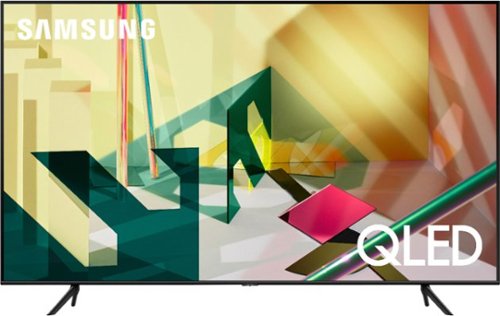
Samsung - 55" Class Q70T Series QLED 4K UHD Smart Tizen TV
Get an immersive viewing experience with this 55-inch Samsung QLED Q70T Series Smart TV. The 4K UHD resolution ensures accurate color reproduction, while the Tizen OS provides access to popular streaming services. This Samsung QLED Q70T Series Smart TV features a wide viewing angle so you can watch it comfortably from multiple sitting positions.
I have an HDMI cable connected from my present TV ('Samsung Projection) to my cable box. Should I purchase a new one with this TV?
Hi Mike, you can connect your Q70T to your cable box with an HDMI cable. ^Val
5 years, 6 months ago
by
Posted by:
Samsung
Samsung - 65" Class Q70T Series QLED 4K UHD Smart Tizen TV
Get the most out of your viewing experience with this 65-inch Samsung QLED Q70T Series 4K UHD HDR Smart TV. The 4K Quantum processor autonomously optimizes entertainment for an immersive experience by utilizing Ambient Mode+, Quantum HDR, 4K AI upscaling and active voice amplifier technology. This Samsung QLED Q70T Series 4K UHD HDR Smart TV boasts Real Game Enhancer+ and AMD FreeSync to improve overall performance while gaming.
Does this Have split screen PIP . To allow you to watch 2 ports (HDMI 1 and 2) at the same time. not tuners, ports. I know this answer, but it would be a great answer to add.
Hi jack12, our Multi View feature allows you to display two different content at the same time. For example, you can view media from different sources, such as a TV app, HDMI devices, Samsung TV plus, Blu-ray player, or game console, on the main left screen, while also mirroring your phone to the smaller screen. Multi View provides you with endless possibilities for splitting screens and viewing several types of content at the same time. ^Val
5 years, 6 months ago
by
Posted by:
Samsung
Samsung - 55" Class Q70T Series QLED 4K UHD Smart Tizen TV
Get an immersive viewing experience with this 55-inch Samsung QLED Q70T Series Smart TV. The 4K UHD resolution ensures accurate color reproduction, while the Tizen OS provides access to popular streaming services. This Samsung QLED Q70T Series Smart TV features a wide viewing angle so you can watch it comfortably from multiple sitting positions.
Is this tv 4k, hdmi 2.1 ,120 fps ? Getting a ps5 and these are the features i need to fully maximize its performance.
Hi Liquid, Great question! HDMI 2.1 is a somewhat complicated specification, so to better help our customers with their TV decision-making, we highlight the specific features supported by each TV model. All 4 HDMI ports on the [model] are capable of Variable Refresh Rate (VRR), FreeSync, HDR10+, and Auto Low Latency Mode (ALLM/Auto Game Mode). In addition, HDMI 4 supports 4K@120fps (FRL); HDMI 3 offers Enhanced Audio Return Channel (eARC). If we can be of further help, please reach out to us at 1-800-SAMSUNG. ^Val
5 years, 6 months ago
by
Posted by:
Samsung
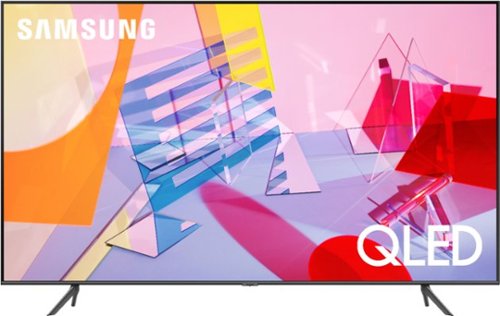
Samsung - 65" Class Q60T Series QLED 4K UHD Smart Tizen TV
Enjoy stunning entertainment with this 65-inch LG 4K HDR smart TV. The Quantum processor delivers exceptional picture quality, while the HDR technology and 4K resolution produce crisp, clear images on the flat-panel display. This Bluetooth-enabled LG 4K HDR smart TV is voice controllable for seamless hands-free operation, and the Wi-Fi connectivity lets you stream content wirelessly.
Does this TV eliminate motion blur?
Hi Louis, the Q60T features Picture Clarity Settings which can be adjusted for optimal motion image performance. ^Val
5 years, 6 months ago
by
Posted by:
Samsung
Samsung - 65" Class Q60T Series QLED 4K UHD Smart Tizen TV
Enjoy stunning entertainment with this 65-inch LG 4K HDR smart TV. The Quantum processor delivers exceptional picture quality, while the HDR technology and 4K resolution produce crisp, clear images on the flat-panel display. This Bluetooth-enabled LG 4K HDR smart TV is voice controllable for seamless hands-free operation, and the Wi-Fi connectivity lets you stream content wirelessly.
I was wanting to know if my stand will be okay for this tv. The stand dimension is 47 length, 16 width, 16 high. The tv that I am interested in is the Samsung 60t size 65 inch. The dimension is inches.
Hi Joyce, the full dimensions of the 65" Q60T TV are 57.1" x 32.6" x 2.3"" (WxHxD) when measured without the feet. The measurement between the feet is 42.8" ^Val
5 years, 6 months ago
by
Posted by:
Samsung
Samsung - 65" Class Q60T Series QLED 4K UHD Smart Tizen TV
Enjoy stunning entertainment with this 65-inch LG 4K HDR smart TV. The Quantum processor delivers exceptional picture quality, while the HDR technology and 4K resolution produce crisp, clear images on the flat-panel display. This Bluetooth-enabled LG 4K HDR smart TV is voice controllable for seamless hands-free operation, and the Wi-Fi connectivity lets you stream content wirelessly.
Do you haul away current tv?
Hi Jojo, for more information regarding Best Buy's recycling program, please visit: https://www.bestbuy.com/site/recycling/tv-appliances-haul-away/pcmcat174900050009.c?id=pcmcat174900050009 ^Val
5 years, 6 months ago
by
Posted by:
Samsung