Samsung
Samsung's Stats
Reviews
- Review Count0
- Helpfulness Votes0
- First ReviewNone
- Last ReviewNone
- Featured Reviews0
- Average Rating0
Reviews Comments
- Review Comment Count0
- Helpfulness Votes0
- First Review CommentNone
- Last Review CommentNone
- Featured Review Comments0
Questions
- Question Count0
- Helpfulness Votes0
- First QuestionNone
- Last QuestionNone
- Featured Questions0
- Answer Count75239
- Helpfulness Votes37,991
- First AnswerApril 24, 2013
- Last AnswerNovember 3, 2026
- Featured Answers0
- Best Answers3950
Samsung's Reviews
Samsung has not submitted any reviews.
Samsung's Questions
Samsung has not submitted any questions.
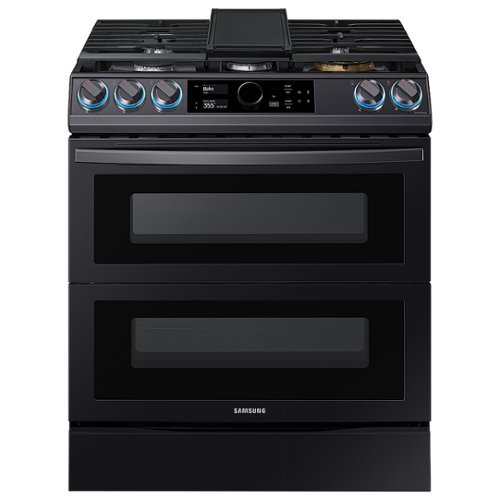
Samsung - Flex Duo 6.3 cu. ft. Front Control Slide-in Dual Fuel Range with Smart Dial, Air Fry & WiFi, Fingerprint Resistant - Black Stainless Steel
The Samsung Front Control Slide-in Dual Fuel Range with Smart Dial and Air Fry is fully Wi-Fi connected and voice enabled, giving you the tools you need to simplify the cooking experience in the kitchen.
What are the measurements of the ovens? The specifications show the cubic feet, but can you tell me the actual height and width measurements of each oven. Thank you

Great question, MamaT! This link (https://bit.ly/389GhYq) has the whole oven dimensions listed in the product info section. ^Jecca
5 years, 7 months ago
by
Posted by:
Samsung
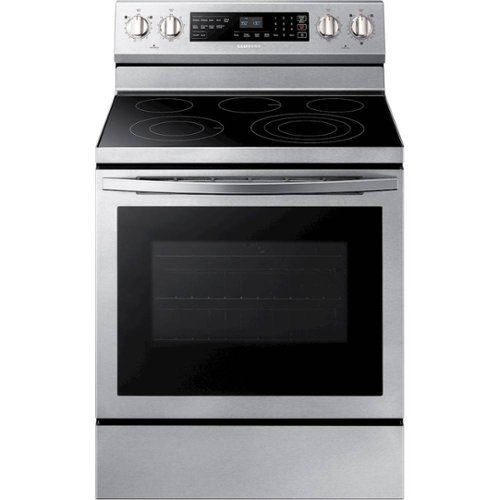
Samsung - 5.9 Cu. Ft. Self-Cleaning Freestanding Electric Convection Range - Stainless Steel
The Samsung 5.9 cu. ft. freestanding electric range offers a powerful, flexible cooktop that cooks fast with 5 specialized elements. True convection distributes heat throughout the oven fast and evenly. Rapid Boil offers intense heat and precise control, for fast and even cooking.
I selected bake & start. I could hear a fan running during baking. when i looked in the window i could see the fan turning. Why? I did not select the convection setting. I baked some food for 30 min, and it took over 1 hr to cool down. Is this normal?
Thanks so much for asking about this, JDJAS5! I have this link (https://bit.ly/3qay9xa) that has everything you need to know about fan noises in your range. ^Jecca
5 years, 7 months ago
by
Posted by:
Samsung
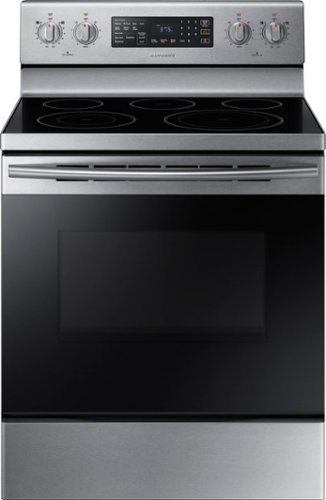
Samsung - 5.9 cu. ft. Convection Freestanding Electric Range - Stainless Steel
Stainless steel cooktop design and die-cast knobs for a modern look. Fan Convection distributes heat throughout the oven faster and more evenly, saving more time than traditional ovens. The large oven interior capacity can easily accommodate a big roast, multiple casserole dishes or several racks of cookies for the holidays.
We bought what we thought was a new oven; but turned out to be refurbished. The control panel is completely not coming on. Could the electrical wires being backwards be the cause?
Hi there! I'd like to help with this! I have this link (https://bit.ly/38cr5tU) that can walk you through what to check if the control panel is not working properly. ^Jecca
5 years, 7 months ago
by
Posted by:
Samsung
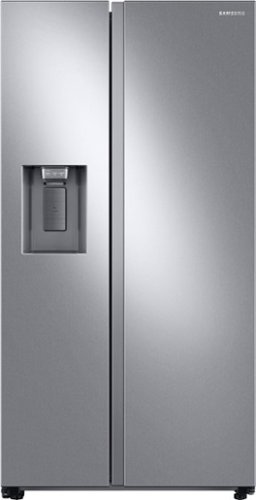
Samsung's 22 cu. ft. side-by-side counter-depth refrigerator is beautifully designed with a built-in look for a seamless fit. It offers smooth and streamlined exterior design with elegant flat doors, a minimal display dispenser, and easy-to-open recessed handles that blend perfectly into your cabinetry, adding function and style to your kitchen.
Can you adjust the hinge to limit the swing of the door? Our current fridge opens to far and bangs into the cabinet next to it. Do any refrigerators have this feature?
Thanks for asking, FASTFRED! This model does not have an option to adjust how wide the doors open. ^Jecca
5 years, 7 months ago
by
Posted by:
Samsung
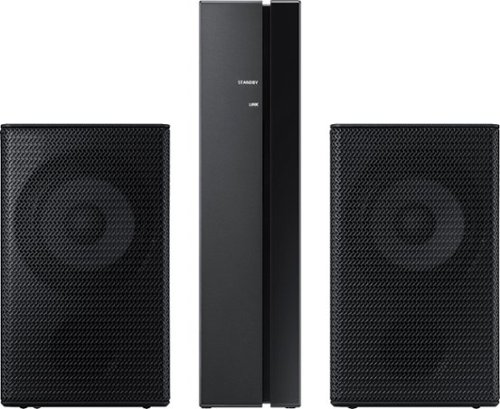
Samsung - Wireless Rear Speakers (Pair) - Black
Mount this Samsung wireless rear speaker kit and enjoy enhanced surround sound without taking up a lot of space. The lightweight system is easy to setup, adding home-theater-quality enjoyment without the tangle of wires and confusing diagrams. This Samsung wireless rear speaker kit boasts low standby power usage and a slim design, making it an ideal option for placement in your home.
What is the RMS or max output rating of the receiver? What about the speakers?
Hi Mikey P: The Samsung SWA-9000S rear speaker kit amplifier and speakers are meant to work together and are perfectly matched. ^Patty
5 years, 8 months ago
by
Posted by:
Samsung
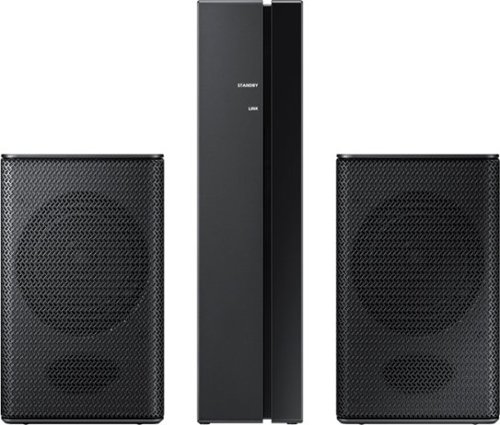
Samsung - Wireless Rear Speakers (Pair) - Black
Set up a seamless home entertainment system with this Samsung wireless rear speaker kit. Easy to incorporate with your soundbar, the units mount to your wall and connect wirelessly to eliminate unsightly tangles of wire. Low standby power consumption and a slim design make this Samsung wireless rear speaker kit an ideal solution for smaller spaces.
Is it compatible with HW-H751?
Hi Areaza: The SWA-8500S rear speaker kit is compatible with the following Samsung soundbars: HW-Q70R, HW-Q60R, HW-R650, HW-R550, HW-R450, HW-N400, HW-N450, HW-N550, HW-N650 HW-M360, HW-M450, HW-M4500, HW-M550, HW-Q60T, HW-T650, HW-S60T, HW-T550, and HW-T450. ^Patty
5 years, 8 months ago
by
Posted by:
Samsung
Samsung - Wireless Rear Speakers (Pair) - Black
Set up a seamless home entertainment system with this Samsung wireless rear speaker kit. Easy to incorporate with your soundbar, the units mount to your wall and connect wirelessly to eliminate unsightly tangles of wire. Low standby power consumption and a slim design make this Samsung wireless rear speaker kit an ideal solution for smaller spaces.
Are the wireless rear speakers compadible to connect to the HW-S40T 2.0ch all in one soundbar (2020)?
Hi GFlame: The HW-S40T is not compatible with Rear Speaker Kits; however, the HW-S60T Soundbar is compatible with the SWA-8500S Rear Speaker Kit. Check out the HW-S60T at Best Buy: https://www.bestbuy.com/site/samsung-hw-s60t-4-0ch-all-in-one-soundbar-with-alexa-built-in-2020-black/6400705.p?skuId=6400705 ^Patty
5 years, 8 months ago
by
Posted by:
Samsung

Samsung - 4.0-Channel Soundbar with Built-in Subwoofer and Voice Assistant - Black
Enjoy music listening or movie watching with this Samsung sound bar. The virtual four-channel configuration connects the included speakers for immersive 3-D sound reproduction, while Bluetooth technology lets you stream audio from devices wirelessly. This Samsung sound bar supports voice assistance for hands-free operation, and the built-in Wi-Fi lets you play music from the internet.
Can this soundbar be placed in an Alexa speaker group?
Hi Hippyhippy: The HW-S60T soundbar cannot be placed in an Alexa speaker group, however your Alexa devices may be connected through the SmartThings App. ^Patty
5 years, 8 months ago
by
Posted by:
Samsung
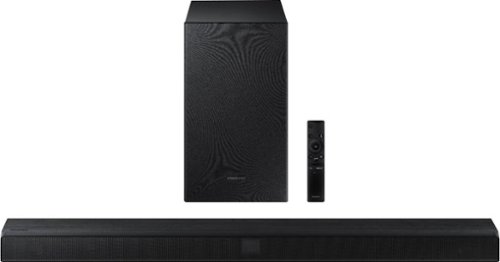
Samsung - 2.1-Channel Soundbar with Wireless Subwoofer and Dolby Audio/DTS Virtual:X (2020) - Black
Elevate your sound system with this Samsung 2.1-channel sound bar. Dolby Audio and DTS Virtual technologies produce accurate audio and simulate a complete surround sound experience, while Bluetooth multi-connection lets you connect two devices and easily switch between them. This 320W Samsung 2.1-channel sound bar features a wireless subwoofer for enhanced bass.
With the 55in Q 60 series TV, The TV doesn’t see it as a Bluetooth device, and smart things does not have it as a recognized device either. It can’t connect by Bluetooth to this model Samsung TV.
Hi Hank: You may connect your HW-T550 soundbar using the following steps:
1. Press the PAIR button on the remote control to enter the “BT PAIRING” mode.
(OR) a. Press the (Source) button on the top panel and then select “BT”. “BT” changes to “BT PAIRING” in a few seconds automatically or changes to “BT READY” if there is a connect record.
b. When “BT READY” appears, press and hold the (Source) button on the top panel of the
Soundbar for more than 5 seconds to display “BT PAIRING”.
2. Select Bluetooth mode on the TV.
3. Select “[AV] Samsung Soundbar T5-Series” from the list on TV’s screen.
An available Soundbar is indicated with “Need Pairing” or “Paired” on the TV’s Bluetooth device
list. To connect the TV to the Soundbar, select the message, and then establish a connection.
• When the TV is connected, [TV Name] → “BT” appears on the Soundbar’s front display.
4. You can now hear TV sound from the Soundbar.
If the device fails to connect:
• If a previously connected Soundbar listing (e.g. “[AV] Samsung Soundbar T5-Series”) appears in the list, delete it.
• Then repeat steps 1 through 3.
NOTE:
• After you have connected the Soundbar to your TV the first time, use the “BT READY” mode to
reconnect.
For detailed instructions, see pages 12-13 in the Full Manual:
https://downloadcenter.samsung.com/content/UM/202004/20200423095450114/HW-T550_ZA_FullManual_01_ENG_200304.pdf ^Patty
1. Press the PAIR button on the remote control to enter the “BT PAIRING” mode.
(OR) a. Press the (Source) button on the top panel and then select “BT”. “BT” changes to “BT PAIRING” in a few seconds automatically or changes to “BT READY” if there is a connect record.
b. When “BT READY” appears, press and hold the (Source) button on the top panel of the
Soundbar for more than 5 seconds to display “BT PAIRING”.
2. Select Bluetooth mode on the TV.
3. Select “[AV] Samsung Soundbar T5-Series” from the list on TV’s screen.
An available Soundbar is indicated with “Need Pairing” or “Paired” on the TV’s Bluetooth device
list. To connect the TV to the Soundbar, select the message, and then establish a connection.
• When the TV is connected, [TV Name] → “BT” appears on the Soundbar’s front display.
4. You can now hear TV sound from the Soundbar.
If the device fails to connect:
• If a previously connected Soundbar listing (e.g. “[AV] Samsung Soundbar T5-Series”) appears in the list, delete it.
• Then repeat steps 1 through 3.
NOTE:
• After you have connected the Soundbar to your TV the first time, use the “BT READY” mode to
reconnect.
For detailed instructions, see pages 12-13 in the Full Manual:
https://downloadcenter.samsung.com/content/UM/202004/20200423095450114/HW-T550_ZA_FullManual_01_ENG_200304.pdf ^Patty
5 years, 8 months ago
by
Posted by:
Samsung
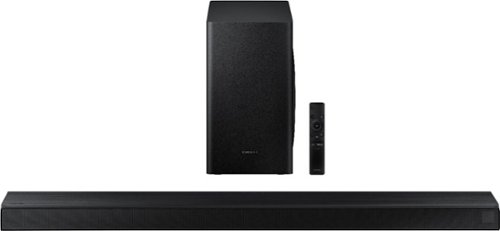
Samsung - 3.1-Channel Soundbar with Wireless Subwoofer and DTS Virtual:X/Dolby Digital - Black
Enjoy high-grade audio at home with this Samsung T Series acoustic beam sound bar. Dolby Audio and DTS provide rich, robust sound for a 3-D surround sound experience, and the center-channel speaker provides clear dialog reproduction. Game mode automatically adjusts the output of this Samsung T Series acoustic beam sound bar in real time for complete audio immersion.
Will the remote when 25 feet from bar? Will it work if there is furniture between remote and sound at?
Hi Tex: The remote for the HW-T650 soundbar will work from 25 feet away as long as it is in line of sight of the soundbar. ^Patty
5 years, 8 months ago
by
Posted by:
Samsung