Samsung
Samsung's Stats
Reviews
- Review Count0
- Helpfulness Votes0
- First ReviewNone
- Last ReviewNone
- Featured Reviews0
- Average Rating0
Reviews Comments
- Review Comment Count0
- Helpfulness Votes0
- First Review CommentNone
- Last Review CommentNone
- Featured Review Comments0
Questions
- Question Count0
- Helpfulness Votes0
- First QuestionNone
- Last QuestionNone
- Featured Questions0
- Answer Count75195
- Helpfulness Votes37,977
- First AnswerApril 24, 2013
- Last AnswerNovember 2, 2026
- Featured Answers0
- Best Answers3950
Samsung's Reviews
Samsung has not submitted any reviews.
Samsung's Questions
Samsung has not submitted any questions.
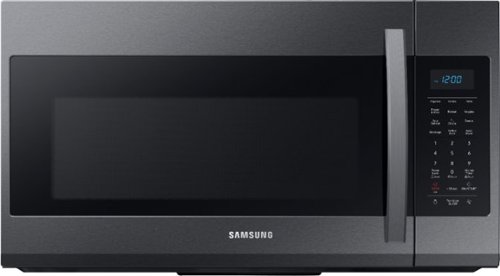
Samsung - 1.9 Cu. Ft. Over-the-Range Microwave with Sensor Cook - Black Stainless Steel
Samsung 1.9 Cu. Ft. Over-the-Range Microwave: This Samsung over-the-range microwave makes preparing multiple dishes effortless with a large 1.9 cu. ft. capacity, accommodating even your big dishes. The Sensor Cook technology automatically adjusts your cooking time for optimal results. Additionally, the fingerprint-resistant finish helps reduce smudges and minimizes cleaning.
Installed the microwave today and it seems to work great. I do have one concern. When I hit start, the unit does start and runs fine...however there is a clicking sound when the start button is pressed. Only last for 2 clicks and stops.

Hi Michael! We would love the opportunity to speak with you more in depth about the concerns you're having. Please reference ticket number 1142823325, and contact us through either Facebook Messenger: http://m.me/samsungsupport; or Twitter: https://twitter.com/messages/compose?recipient_id=18768513. ^Jecca
5 years, 9 months ago
by
Posted by:
Samsung
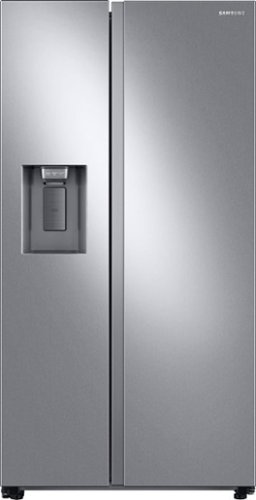
Samsung 27.4 cu. ft. large capacity Side-by-Side refrigerator that is beautifully designed with a minimal display dispenser, modern design that blends beautifully into your kitchen, and a finish that withstands everyday smudges.
Are the refrigerator shelves plastic or glass
Great question, Pikachu! According to our specifications (https://bit.ly/2K2NaCk) the shelves in this refrigerator are made of tempered glass. ^Jecca
5 years, 9 months ago
by
Posted by:
Samsung
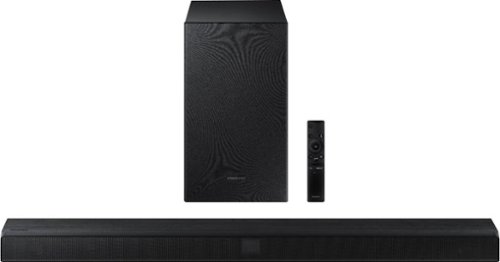
Samsung - 2.1-Channel Soundbar with Wireless Subwoofer and Dolby Audio/DTS Virtual:X (2020) - Black
Elevate your sound system with this Samsung 2.1-channel sound bar. Dolby Audio and DTS Virtual technologies produce accurate audio and simulate a complete surround sound experience, while Bluetooth multi-connection lets you connect two devices and easily switch between them. This 320W Samsung 2.1-channel sound bar features a wireless subwoofer for enhanced bass.
my connection is optical cable wen you hit sound control the base an treble that goes from -6 to 6 the sound does not change
Hi there! I'm sorry to see you're having trouble with your HW-T550 soundbar. So that we can better troubleshoot towards a solution, please reach out to Samsung Support at:
― Phone: 1-800-SAMSUNG / Available 8AM - 12AM EST, 7 days a week
― LiveChat or Email: https://www.samsung.com/us/support/#contact_us_for_support
We look forward to hearing from you. ^Gina
― Phone: 1-800-SAMSUNG / Available 8AM - 12AM EST, 7 days a week
― LiveChat or Email: https://www.samsung.com/us/support/#contact_us_for_support
We look forward to hearing from you. ^Gina
5 years, 9 months ago
by
Posted by:
Samsung
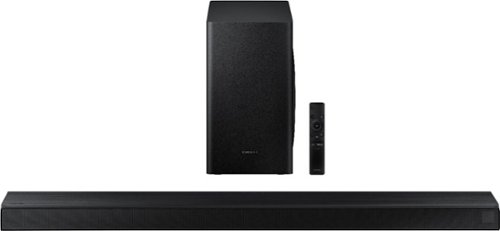
Samsung - 3.1-Channel Soundbar with Wireless Subwoofer and DTS Virtual:X/Dolby Digital - Black
Enjoy high-grade audio at home with this Samsung T Series acoustic beam sound bar. Dolby Audio and DTS provide rich, robust sound for a 3-D surround sound experience, and the center-channel speaker provides clear dialog reproduction. Game mode automatically adjusts the output of this Samsung T Series acoustic beam sound bar in real time for complete audio immersion.
hello, can you add the wireless back set of speakers to this sound bar, and achieve 5.1 sound?
Hi there! You can add the SWA-8500S Rear Kit to the HW-T650 soundbar. Check it out at Best Buy: https://www.bestbuy.com/site/samsung-wireless-rear-loudspeakers-black/5754510.p?skuId=5754510 ^Gina
5 years, 9 months ago
by
Posted by:
Samsung
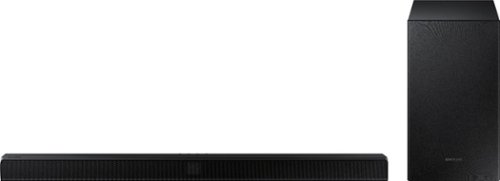
Samsung - 2.1-Channel Soundbar with Wireless Subwoofer and Dolby Audio - Black
Go beyond what you see and experience more powerful sound with clear tones and deep bass in the HW-T510 Soundbar. Pairs seamlessly with your Samsung TV. Feel the rumble of deep bass from the wireless sub-woofer and stream music from your mobile, no strings attached.
how should the woofter be placed in the room.
Hi there! The subwoofer should be placed upright, placed wherever you desire! The subwoofer can be placed up to 30' away from your soundbar. ^Gina
5 years, 9 months ago
by
Posted by:
Samsung
Samsung - 2.1-Channel Soundbar with Wireless Subwoofer and Dolby Audio - Black
Go beyond what you see and experience more powerful sound with clear tones and deep bass in the HW-T510 Soundbar. Pairs seamlessly with your Samsung TV. Feel the rumble of deep bass from the wireless sub-woofer and stream music from your mobile, no strings attached.
Can this speaker be hooked up to a mixer with mics for karaoke?
Hi MikeyP! So that we can better assist you with your question, please reach out to Samsung Support at:
― Phone: 1-800-SAMSUNG / Available 8AM - 12AM EST, 7 days a week
― LiveChat or Email: https://www.samsung.com/us/support/#contact_us_for_support
We look forward to hearing from you. ^Gina
― Phone: 1-800-SAMSUNG / Available 8AM - 12AM EST, 7 days a week
― LiveChat or Email: https://www.samsung.com/us/support/#contact_us_for_support
We look forward to hearing from you. ^Gina
5 years, 9 months ago
by
Posted by:
Samsung
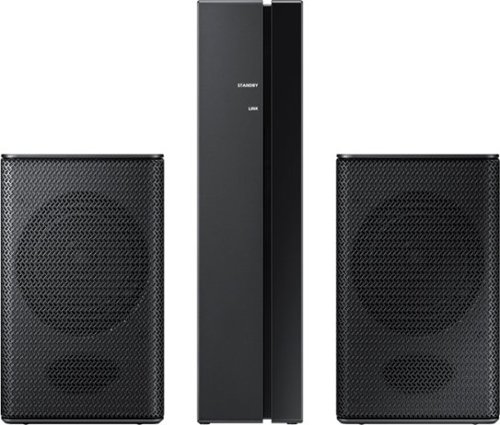
Samsung - Wireless Rear Speakers (Pair) - Black
Set up a seamless home entertainment system with this Samsung wireless rear speaker kit. Easy to incorporate with your soundbar, the units mount to your wall and connect wirelessly to eliminate unsightly tangles of wire. Low standby power consumption and a slim design make this Samsung wireless rear speaker kit an ideal solution for smaller spaces.
Will this work with Samsung HW-R450/ZA?
Hi there! Yes, the SWA-8500S Rear Kit is compatible with the HW-R450 Soundbar. ^Gina
5 years, 9 months ago
by
Posted by:
Samsung
Samsung - Wireless Rear Speakers (Pair) - Black
Set up a seamless home entertainment system with this Samsung wireless rear speaker kit. Easy to incorporate with your soundbar, the units mount to your wall and connect wirelessly to eliminate unsightly tangles of wire. Low standby power consumption and a slim design make this Samsung wireless rear speaker kit an ideal solution for smaller spaces.
Will this connect to HWT550ZA
Hi Lenny! Yes, the SWA-8500S Rear Kit is compatible with the HW-T550 Soundbar. ^Gina
5 years, 9 months ago
by
Posted by:
Samsung
Samsung - Wireless Rear Speakers (Pair) - Black
Set up a seamless home entertainment system with this Samsung wireless rear speaker kit. Easy to incorporate with your soundbar, the units mount to your wall and connect wirelessly to eliminate unsightly tangles of wire. Low standby power consumption and a slim design make this Samsung wireless rear speaker kit an ideal solution for smaller spaces.
Is there a rear speaker kit that is compatible with Samsung sound bar model HW-T410
Hi there! The HW-T410 Soundbar is compatible with the SWA-8500S Rear Kit. Check it out at Best Buy: https://www.bestbuy.com/site/samsung-wireless-rear-loudspeakers-black/5754510.p?skuId=5754510 ^Gina
5 years, 9 months ago
by
Posted by:
Samsung
Samsung - Wireless Rear Speakers (Pair) - Black
Set up a seamless home entertainment system with this Samsung wireless rear speaker kit. Easy to incorporate with your soundbar, the units mount to your wall and connect wirelessly to eliminate unsightly tangles of wire. Low standby power consumption and a slim design make this Samsung wireless rear speaker kit an ideal solution for smaller spaces.
Can these speakers work with a Bluetooth record player too?
Hi Dobbs! The SWA-8500S Rear Kit speakers are only compatible with select Samsung soundbars. If you pair a compatible Samsung soundbar such as the HW-Q60T with the SWA-8500S Rear Kit, you may be able to connect your Bluetooth record player depending on the model. For more help, please contact Samsung TV Support at 1-800-SAMSUNG, available 8AM - 12AM EST, 7 days a week. For more contact options, click here: https://www.samsung.com/us/support/contact/
We look forward to hearing from you.
^Gina
We look forward to hearing from you.
^Gina
5 years, 9 months ago
by
Posted by:
Samsung