Samsung
Samsung's Stats
Reviews
- Review Count0
- Helpfulness Votes0
- First ReviewNone
- Last ReviewNone
- Featured Reviews0
- Average Rating0
Reviews Comments
- Review Comment Count0
- Helpfulness Votes0
- First Review CommentNone
- Last Review CommentNone
- Featured Review Comments0
Questions
- Question Count0
- Helpfulness Votes0
- First QuestionNone
- Last QuestionNone
- Featured Questions0
- Answer Count75189
- Helpfulness Votes37,977
- First AnswerApril 24, 2013
- Last AnswerNovember 2, 2026
- Featured Answers0
- Best Answers3950
Samsung's Reviews
Samsung has not submitted any reviews.
Samsung's Questions
Samsung has not submitted any questions.
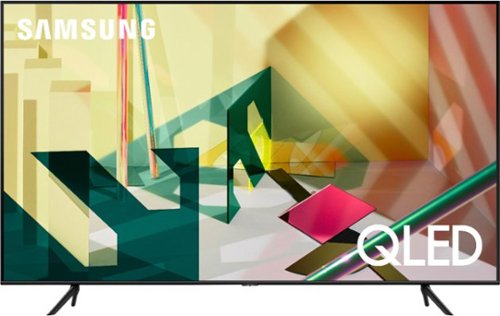
Samsung - 75" Class Q70T Series QLED 4K UHD Smart Tizen TV
View your favorite shows in sensational quality with this Samsung Smart TV. The Quantum Processor utilizes deep learning AI to convert content into 4K, while dual LED backlighting enhances contrast. This Samsung Smart TV boasts Motion Rate 240 to ensure crisp, clear visuals and Quantum HDR for optimum color and detail.
What is the manufactures warranty

Hi Vic! The Q70T features a one year manufacturers warranty. For the full list of information and terms of the warranty, check out the following support page from Samsung: https://www.samsung.com/us/support/service/warranty/QN75Q70TAFXZA
For additional coverage with extended length, check out the Geek Squad protection offers available for your TV. You can learn more about Geek Squad Protection at the following link from Best Buy: https://www.bestbuy.com/site/geek-squad-protection/tv-home-theater-protection-plans/pcmcat280100050012.c?id=pcmcat280100050012
^Tim
For additional coverage with extended length, check out the Geek Squad protection offers available for your TV. You can learn more about Geek Squad Protection at the following link from Best Buy: https://www.bestbuy.com/site/geek-squad-protection/tv-home-theater-protection-plans/pcmcat280100050012.c?id=pcmcat280100050012
^Tim
5 years, 10 months ago
by
Posted by:
Samsung

Samsung - 75" Class Q90T Series QLED 4K UHD Smart Tizen TV
Watch your favorite movies and shows with this 75-inch Samsung QLED 4K smart TV. The Quantum Processor 4K delivers exceptional picture quality, while the HDMI and USB ports let you connect to various external devices for an immersive viewing experience. This Bluetooth-enabled Samsung QLED 4K smart TV has Wi-Fi compatibility for streaming content wirelessly.
Love the tv, however whenever there are written words with a black background (end credits, for example) the screen gets very light and it's difficult to read the words. How do I prevent that from happening?
Hi Radleyjm! I’m sorry to see that you are having issues with the image in certain scenarios on your new TV.
So that we can better troubleshoot towards a solution, please reach out to Samsung Support at:
― Phone: 1-800-SAMSUNG / Available 8AM - 12AM EST, 7 days a week
― LiveChat or Email: https://www.samsung.com/us/support/#contact_us_for_support
We look forward to hearing from you.
^Tim
So that we can better troubleshoot towards a solution, please reach out to Samsung Support at:
― Phone: 1-800-SAMSUNG / Available 8AM - 12AM EST, 7 days a week
― LiveChat or Email: https://www.samsung.com/us/support/#contact_us_for_support
We look forward to hearing from you.
^Tim
5 years, 10 months ago
by
Posted by:
Samsung

Samsung - 43" Class The Frame Series LED 4K UHD Smart Tizen TV
Watch movies and favorite programs with realistic, vibrant colors on this 43-inch Samsung The Frame QLED smart TV. Wi-Fi connectivity offers easy access to streaming services, and the 4K Quantum Processor provides accurate pictures for a cinematic viewing experience. This Samsung The Frame QLED smart TV supports voice control for easy operation, and the 20W speaker system produces powerful sound for an all-around entertainment experience.
Can someone tell me what the exact measurement is from the top of the TV to the top and/or middle of the wall portion of the no-gap wall mount bracket? Trying to understand where the mount needs to go relative to the TV and documentation is sparse.
Images for this Question
(click to see full-size image)

Hi HM04! The distance from the top of the TV to the top mounting holes for the 43" Frame is 3.5" or 9cm. ^Tim
5 years, 10 months ago
by
Posted by:
Samsung
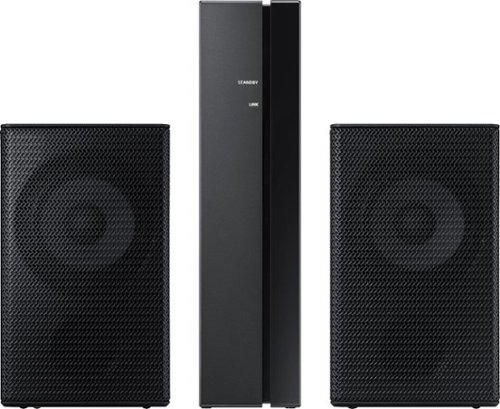
Samsung - Wireless Rear Speakers (Pair) - Black
Mount this Samsung wireless rear speaker kit and enjoy enhanced surround sound without taking up a lot of space. The lightweight system is easy to setup, adding home-theater-quality enjoyment without the tangle of wires and confusing diagrams. This Samsung wireless rear speaker kit boasts low standby power usage and a slim design, making it an ideal option for placement in your home.
Will these pair with the T40M?
Hi! The SWA-9000S is not compatible with the HW-T40M soundbar. Check out the SWA-8500S wireless rear speaker kit, compatible with the HW-T40M, at the following link from Best Buy: https://www.bestbuy.com/site/samsung-wireless-rear-loudspeakers-black/5754510.p?skuId=5754510 ^Tim
5 years, 10 months ago
by
Posted by:
Samsung
Samsung - Wireless Rear Speakers (Pair) - Black
Mount this Samsung wireless rear speaker kit and enjoy enhanced surround sound without taking up a lot of space. The lightweight system is easy to setup, adding home-theater-quality enjoyment without the tangle of wires and confusing diagrams. This Samsung wireless rear speaker kit boasts low standby power usage and a slim design, making it an ideal option for placement in your home.
Will these be compatible with my HW-T650 sound bar.
Hi! The SWA-9000S is not compatible with the HW-T650 soundbar. Check out the SWA-8500S wireless rear speaker kit, compatible with the HW-T650, at the following link from Best Buy: https://www.bestbuy.com/site/samsung-wireless-rear-loudspeakers-black/5754510.p?skuId=5754510
^Tim
^Tim
5 years, 10 months ago
by
Posted by:
Samsung
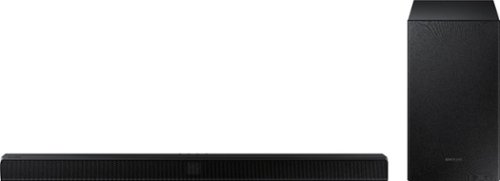
Samsung - 2.1-Channel Soundbar with Wireless Subwoofer and Dolby Audio - Black
Go beyond what you see and experience more powerful sound with clear tones and deep bass in the HW-T510 Soundbar. Pairs seamlessly with your Samsung TV. Feel the rumble of deep bass from the wireless sub-woofer and stream music from your mobile, no strings attached.
Can you attach 2 more speakers to make it full 5 chanel?
Hi Clhomme! Yes, you can add the wireless rear speaker kit model SWA-8500s for a surround sound experience. This will create a 4.1 chanel solution. For 5.1 the soundbar must support a center channel like model HW-T650. You can find the rear speaker kit at the following link: https://www.bestbuy.com/site/samsung-wireless-rear-loudspeakers-black/5754510.p?skuId=5754510
Check out the HW-T650 at the following link: https://www.bestbuy.com/site/samsung-3-1-channel-340w-soundbar-with-6-5-wireless-subwoofer-black/6400685.p?skuId=6400685
^Tim
Check out the HW-T650 at the following link: https://www.bestbuy.com/site/samsung-3-1-channel-340w-soundbar-with-6-5-wireless-subwoofer-black/6400685.p?skuId=6400685
^Tim
5 years, 10 months ago
by
Posted by:
Samsung
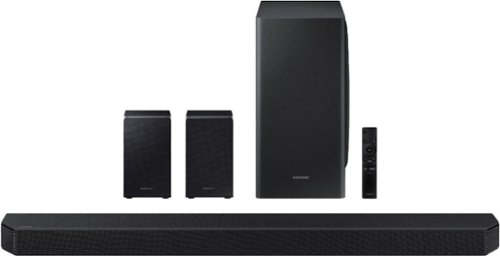
Samsung - 9.1.4-Channel Soundbar with Wireless Subwoofer and Dolby Atmos/DTS:X - Black
The HW-Q950T has immersive sound quality with True 9.1.4ch sound. With Up-firing rear speakers including Q-symphony, Dolby Atmos, DTS:XUsability-, adaptive sound, game Pro Mode. Premium Design textile by Kvadrat along with seamless connectivity and built in voice assistant, this is the best fit for Samsung QLED TV.
Hi, does it come with a wall mount for the soundbar? If not, which third party wall mounts would fit? Thanks! :)
Hi Michael! Yes, the HW-Q950T includes mounting hardware for the soundbar in the box allowing you to secure the soundbar to the wall. ^Tim
5 years, 10 months ago
by
Posted by:
Samsung
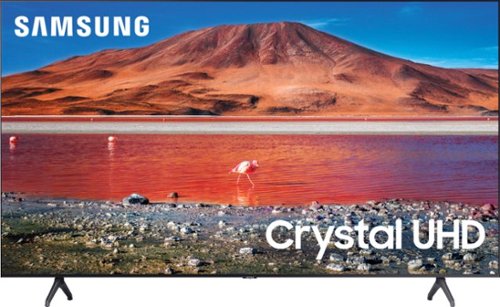
Samsung - 50" Class 7 Series LED 4K UHD Smart Tizen TV (2020)
Build an immersive media room with this 50-inch Samsung Smart TV. The Crystal 4K processor automatically improves the image quality of everything you watch, and the HDR technology makes colors look vivid and lifelike. This Samsung Smart TV has a universal guide that organizes live and streamed content so you can find what you're looking for quickly.
can you hang a newer model soundbar to this tv if the tv is mounted to the wall
Hi! Check out the mounting adapter from Rocketfish allowing you to connect a soundbar mount to the TV mount for a clean look and improved audio experience for a full motion solution. You can find it at the following link from Best Buy: https://www.bestbuy.com/site/rocketfish-universal-soundbar-mounting-system-black/6354301.p?skuId=6354301
^Tim
^Tim
5 years, 10 months ago
by
Posted by:
Samsung
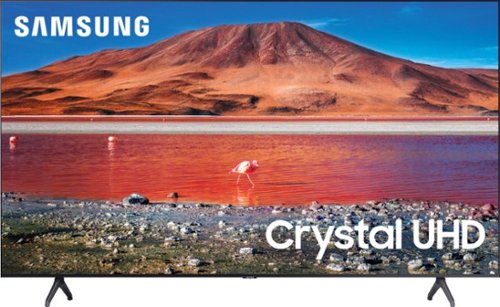
Samsung - 65" Class 7 Series LED 4K UHD Smart Tizen TV (2019)
Get enhanced smart capabilities with the TU7000 . Crystal Processor 4K automatically upscales your favorite movies, TV shows and sports events to 4K. Smart TV powered by Tizen lets you find content and navigate streaming services easily. PurColor fine tunes colors while HDR steps up to millions of shades of color that go beyond what HDTV can offer. And Direct Lit backlighting technology sharpens visuals and improves clarity.
We purchased this TV just before Christmas. We are having issues with the Amazon and Tubi apps. Trouble streaming and freezing in the middle of a program. Is this a common issue? Is there a fix?
Hi! I'm sorry to see you are experiencing issues with streaming on your new TV. If apps are not working correctly, we recommend first checking for firmware updates on your TV. Go to Home > Settings > Support > Software Update. If you do have the latest firmware, then you can next try a cold boot. There are two ways to cold boot your TV:
1) Using the Remote: For most people, the easiest way is to hold down the Power button on the Samsung TV remote until the TV turns off and then on again. This should take about 5 seconds.
2) Using the Plug: If you do not have the remote, unplug your TV from the wall outlet or surge protector, leave it unplugged for 30 seconds, and then plug it back in.
For more help, please contact Samsung TV Support at 1-800-SAMSUNG, available 8AM - 12AM EST, 7 days a week. For more contact options, click here: https://www.samsung.com/us/support/contact/
We look forward to hearing from you.
^Tim
1) Using the Remote: For most people, the easiest way is to hold down the Power button on the Samsung TV remote until the TV turns off and then on again. This should take about 5 seconds.
2) Using the Plug: If you do not have the remote, unplug your TV from the wall outlet or surge protector, leave it unplugged for 30 seconds, and then plug it back in.
For more help, please contact Samsung TV Support at 1-800-SAMSUNG, available 8AM - 12AM EST, 7 days a week. For more contact options, click here: https://www.samsung.com/us/support/contact/
We look forward to hearing from you.
^Tim
5 years, 10 months ago
by
Posted by:
Samsung
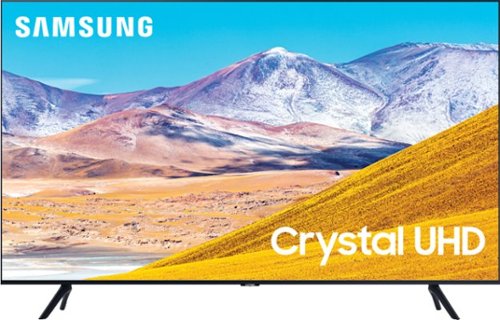
Samsung - 50" Class 8 Series LED 4K UHD Smart Tizen TV
Enjoy crisp visuals while watching your favorite movies or programs on this 50-inch Samsung UHD 8 Series Smart TV. Crystal Processor 4K produces detailed images, while Wi-Fi compatibility lets you stream content seamlessly. This Samsung UHD 8 Series Smart TV supports voice-activated control through Bixby, Alexa, and Google Assistant, and the 20W speakers deliver powerful sound for an all-around entertainment experience.
Where is the volume button on the TV? Can't get the volume to work with the remote, so till I figure that out, want to manually increase and decrease the volume.
Hi MLB1! The TU8000 has a button underneath the Samsung logo on the bottom bezel of the TV. This button will allow you to access controls for the TV such as channel, volume, or source. If you need additional assistance please reach out to Samsung Support at:
― Phone: 1-800-SAMSUNG / Available 8AM - 12AM EST, 7 days a week
― LiveChat or Email: https://www.samsung.com/us/support/#contact_us_for_support
We look forward to hearing from you.
^Tim
― Phone: 1-800-SAMSUNG / Available 8AM - 12AM EST, 7 days a week
― LiveChat or Email: https://www.samsung.com/us/support/#contact_us_for_support
We look forward to hearing from you.
^Tim
5 years, 10 months ago
by
Posted by:
Samsung