Samsung
Samsung's Stats
Reviews
- Review Count0
- Helpfulness Votes0
- First ReviewNone
- Last ReviewNone
- Featured Reviews0
- Average Rating0
Reviews Comments
- Review Comment Count0
- Helpfulness Votes0
- First Review CommentNone
- Last Review CommentNone
- Featured Review Comments0
Questions
- Question Count0
- Helpfulness Votes0
- First QuestionNone
- Last QuestionNone
- Featured Questions0
- Answer Count73825
- Helpfulness Votes37,948
- First AnswerApril 24, 2013
- Last AnswerAugust 24, 2026
- Featured Answers0
- Best Answers3947
Samsung's Reviews
Samsung has not submitted any reviews.
Samsung's Questions
Samsung has not submitted any questions.
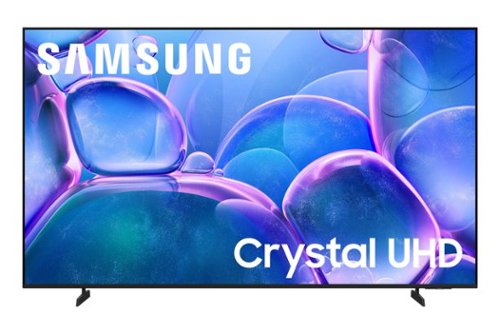
Upgrade your home theater with this stylish 4K TV featuring vibrant colors, rich contrast and an advanced 4K processor. Stay endlessly entertained with thousands of on demand shows and movies for free and enjoy peace of mind as watch thanks to our proprietary triple layer security that protects your personal data across all connected devices at once.
Can i connect this tv to a surround sound receiver

Hi Alfred,
You can connect your sound receiver via HDMI.
~Samsung Advisor
You can connect your sound receiver via HDMI.
~Samsung Advisor
7 months ago
by
Posted by:
Samsung

Staying in the moment is easier than ever with the all-new Galaxy S25 Ultra. Its intelligent AI transforms into your own virtual assistant that evolves with you to work better for you. Let~s say you want to enjoy a night out with friends but don~t have time to plan. Just ask Galaxy S25 Ultra to invite your friends to the nearest bowling lounge tonight. Your phone will find the info and text it to them. You don~t need to slow down your speech or speak like a robot ~just talk to your phone naturally, and it will understand. While you~re out rolling spares, Night Video brings out the details in every moment ~even in low light ~while Audio Eraser makes it easy to reduce distracting noises, like those pins crashing one lane over. Galaxy S25 Ultra also keeps up with your schedule and provides the weather forecast for your night, allowing you to stay a step ahead and adjust plans on the fly. With a phone as evolved as Galaxy S25 Ultra, you don~t have to sweat the small stuff ~it~s handled intelligently.
Is there a manual for this phone?
Hey there, thank you for asking us your question about the Samsung Galaxy S25 Ultra. Yes, of course! We've got you covered! We currently have product manuals, software updates, interactive simulators, and video tutorials that are available to you online. Check them out when you have the free time. If you have any questions or if you would like additional assistance afterward, please do not hesitate to contact Support. Thank you for being a faithful Samsung customer. - Debra
7 months ago
by
Posted by:
Samsung
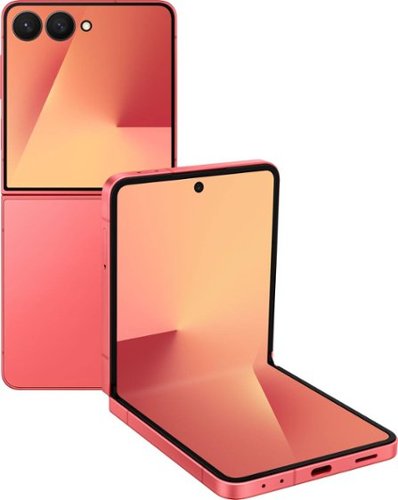
Your life is dynamic, so your phone should be too. Galaxy Z Flip7 moves with you, flexing to whatever your day throws your way. It opens to an expanded 6.9" screen that delivers a more comfortable user experience, then folds down small enough to fit in your palm, pocket or purse. And all that flexibility comes without compromise. The 50MP high res camera captures crisp shots day or night, while FlexCam lets you shoot hands free from almost any angle. On the cover, the larger FlexWindow lets you quickly access smart tools like Now Brief, while the new MultiStar integration makes it easier than ever to add your favorite widgets to your front screen. Plus, FlexWindow is fully customizable, allowing you to create your own screen or select from a variety of fun designs that help you make your phone feel more you. You can even switch playlists or talk to Google Gemini to get assistance on the fly all without opening your Flip. With its convenient and pocketable design, this phone transforms in to what you need when you need it. Galaxy Z Flip7- the phone that flexes with you.
Can I text on the closed screen
Hello, thank you for contacting us with your question about the Samsung Galaxy Z Flip7. Yes, you can text on the Galaxy Z Flip7's cover screen as well as control your music, take photos, check your notifications, get live updates, and use various widgets like weather or calendar with the ability to add additional apps to customize your device to suit your needs. If you have any other questions for us, please feel free to reach out to Support at your leisure. Thank you for being a valued Samsung customer. - Debra
7 months ago
by
Posted by:
Samsung
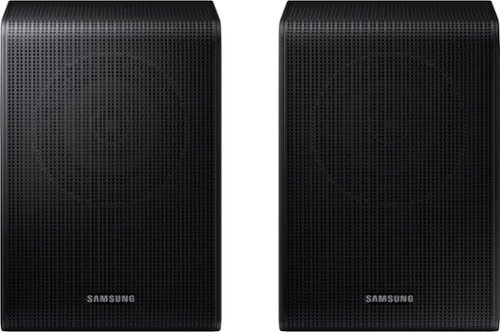
Get a truly cinematic experience from your home theater with rear speakers that connect wirelessly to your soundbar for simple setup and less clutter. With true surround sound, add audio depth and dimension with sound that comes from all sides, making you feel like you're in the scene.
Will this kit work with my Samsung Q900T soundbar?
Hi there! The SWA-9250S Wireless Rear Speakers are compatible with the HW-Q600F, HW-B750F, HW-B650F, HW-B630F, and HW-B550F 2025 Samsung Soundbars. ~ Samsung Solutions
7 months ago
by
Posted by:
Samsung
Get a truly cinematic experience from your home theater with rear speakers that connect wirelessly to your soundbar for simple setup and less clutter. With true surround sound, add audio depth and dimension with sound that comes from all sides, making you feel like you're in the scene.
These are advertized as wireless bluetooth speakers and in the product specs it states these sre not wireless. How do they work then?
Hi DrCurious! There is one speaker wire that connects both of the speakers together, and one power cord to one speaker. The “wireless” convenience is in connecting your soundbar and any other speakers at the front of the room to the rear speakers. This can now be done without the previous wireless transmitter, eliminating any clutter of long wires running the length of your room. ~ Samsung Solutions
7 months ago
by
Posted by:
Samsung
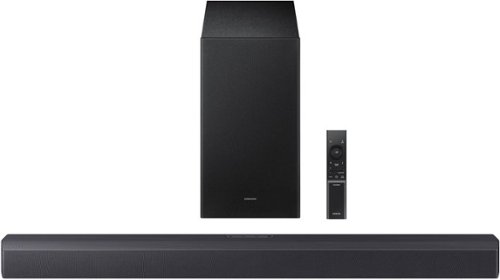
Revel in deep, rich bass that makes thunderstorms and helicopters on screen rumble through your room with a wireless subwoofer, perfect for the intense thrills of action packed movies and fast paced games. Hear voices, whispers and subtle details, even at low volume, with intelligently optimized audio. Delight in movie nights with sound that distinguishes and separates ambient noise from on screen dialogue along with virtual spatial audio that flows all around you.
Can this be used on a covered back porch?
Hello Dub! The HW-B550F is designed for indoor use only. It can be used on a covered back porch if the area stays dry, shaded, and protected from humidity and temperature extremes, but it is not weather-rated. Long-term outdoor use is not recommended, as moisture or heat exposure can damage the unit and void the warranty. ~ Samsung Solutions
7 months ago
by
Posted by:
Samsung
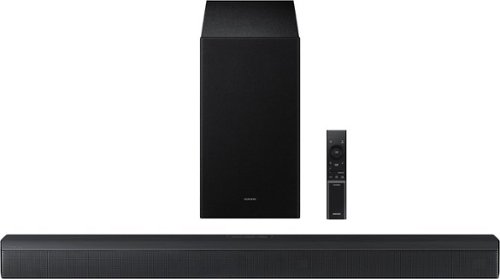
Upgrade your home theater setup with a 3.1 Channel sound system, featuring a built in center speaker to enhance voices and a wireless subwoofer for booming bass. Get rich and balanced sound in your movies and shows while voices are intelligently separated from background noise, delivering clear dialogue even at low volume. Plus, you won't have to hassle with pairing and unpairing your devices to play music - you can connect two simultaneously and switch between them seamlessly.
Can I use my apple remote to work this sound bar?
Hello srr4929! Yes. You can use your Apple TV remote to control the HW-B650F soundbar’s volume and power when the soundbar is connected to the TV via HDMI-ARC and HDMI-CEC is enabled. The Apple remote sends the commands to the TV, which then controls the soundbar. ~ Samsung Solutions
7 months ago
by
Posted by:
Samsung
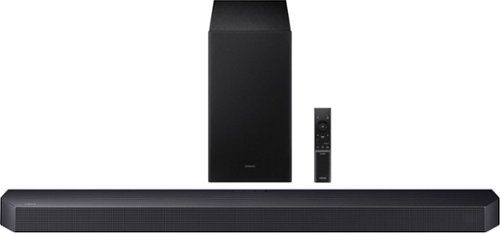
Get swept away into any film, concert or soundtrack with Dolby Atmos 3D sound that reveals rich depth and intricate details. Be surrounded by sound and feel at the center of it all with up-firing channels that project audio overhead, a dedicated center channel for clear dialogue and a wireless subwoofer that delivers room-shaking bass. Pair the soundbar with a Samsung TV to experience powerful, robust audio with Q-Symphony and level up your entertainment a notch or two or three.
How are the sound settings adjusted on the subwoofer? Is there an app to do this?
Hi FootballFan! You can control the volume of the treble or bass sound, press the TONE CONTROL button and then adjust the volume between -6 to +6 by using the Up/Down buttons.
If you need more help, Samsung is here for you. Please call us at 1-800-SAMSUNG, 8AM - 12AM EST (Ask for Soundbars), 7 days a week. Live Chat with an agent as well as manuals, software, creating a service ticket, and warranty info can be found at the ‘Support’ link on our Samsung website.
~ Samsung Solutions
If you need more help, Samsung is here for you. Please call us at 1-800-SAMSUNG, 8AM - 12AM EST (Ask for Soundbars), 7 days a week. Live Chat with an agent as well as manuals, software, creating a service ticket, and warranty info can be found at the ‘Support’ link on our Samsung website.
~ Samsung Solutions
7 months ago
by
Posted by:
Samsung
Get swept away into any film, concert or soundtrack with Dolby Atmos 3D sound that reveals rich depth and intricate details. Be surrounded by sound and feel at the center of it all with up-firing channels that project audio overhead, a dedicated center channel for clear dialogue and a wireless subwoofer that delivers room-shaking bass. Pair the soundbar with a Samsung TV to experience powerful, robust audio with Q-Symphony and level up your entertainment a notch or two or three.
The treble is too loud. There's no bass, i tried all the settings. The volume is not the same, it goes up and down.
Hi ThomasD! To control the volume of the treble or bass sound, press the TONE CONTROL button and then adjust the volume between -6 to +6 by using the Up/Down buttons.
Press and hold the SOUND CONTROL button for about 5 seconds to adjust the sound for each frequency band. 150Hz, 300Hz, 600Hz, 1.2kHz, 2.5kHz, 5kHz, and 10kHz are selectable using the Left/Right buttons and each can be adjusted to a setting between -6 to +6 using the Up/Down buttons. (Make sure the Sound mode is set to “STANDARD”.)
Press the CH LEVEL button so you can adjust the volume of each speaker. CENTER LEVEL or TOP LEVEL can be adjusted using the UP/DOWN buttons from -6 to +6.
~ Samsung Solutions
Press and hold the SOUND CONTROL button for about 5 seconds to adjust the sound for each frequency band. 150Hz, 300Hz, 600Hz, 1.2kHz, 2.5kHz, 5kHz, and 10kHz are selectable using the Left/Right buttons and each can be adjusted to a setting between -6 to +6 using the Up/Down buttons. (Make sure the Sound mode is set to “STANDARD”.)
Press the CH LEVEL button so you can adjust the volume of each speaker. CENTER LEVEL or TOP LEVEL can be adjusted using the UP/DOWN buttons from -6 to +6.
~ Samsung Solutions
7 months ago
by
Posted by:
Samsung
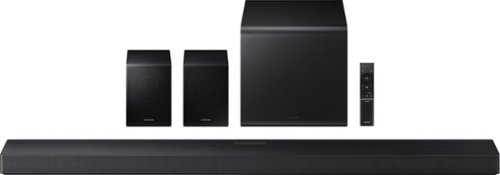
Enjoy a sleek, low profile design that fits into your space while delivering rich, multidimensional true surround sound with included rear speakers. Built in sensors detect whether the soundbar is placed flat on a table or is mounted flush against a wall and automatically recalibrates speaker direction for powerful Dolby Atmos audio, regardless of the setup. Enhance your home theater experience with crystal clear dialogue and booming bass, perfect for fast paced thrillers or action movies.
My soundbar just stopped. Did it die? I tried everything. At least I think I did. Any suggestions.
Hello Empire50, First, try doing a soft reset, unplug the soundbar from the outlet for roughly 30 seconds and then plug it back in.
If this still does not correct your issue, then do a hard reset. With the Soundbar on, press the + & - Volume buttons on the body of the soundbar at the same time for at least 5 seconds. INIT OK” appears on the display and then the Soundbar is reset.
While the Soundbar is On, press both the Vol+ and Vol- buttons on the unit simultaneously until the display shows "INIT", then release. If this doesn’t work, then try using the remote control: While the Soundbar is ON, press and hold the SOUND CONTROL ("Gear") button on the Soundbar remote for 10 seconds. You will see "150HZ" on the display. Keep pressing until you see "INIT" on the display, then release.
If you need more help, Samsung is here for you. Please call us at 1-800-SAMSUNG, 8AM - 12AM EST (Ask for Soundbars), 7 days a week. Live Chat with an agent as well as manuals, software, creating a service ticket, and warranty info can be found at the ‘Support’ link on our Samsung website.
~ Samsung Solutions
If this still does not correct your issue, then do a hard reset. With the Soundbar on, press the + & - Volume buttons on the body of the soundbar at the same time for at least 5 seconds. INIT OK” appears on the display and then the Soundbar is reset.
While the Soundbar is On, press both the Vol+ and Vol- buttons on the unit simultaneously until the display shows "INIT", then release. If this doesn’t work, then try using the remote control: While the Soundbar is ON, press and hold the SOUND CONTROL ("Gear") button on the Soundbar remote for 10 seconds. You will see "150HZ" on the display. Keep pressing until you see "INIT" on the display, then release.
If you need more help, Samsung is here for you. Please call us at 1-800-SAMSUNG, 8AM - 12AM EST (Ask for Soundbars), 7 days a week. Live Chat with an agent as well as manuals, software, creating a service ticket, and warranty info can be found at the ‘Support’ link on our Samsung website.
~ Samsung Solutions
7 months ago
by
Posted by:
Samsung