Samsung
Samsung's Stats
Reviews
- Review Count0
- Helpfulness Votes0
- First ReviewNone
- Last ReviewNone
- Featured Reviews0
- Average Rating0
Reviews Comments
- Review Comment Count0
- Helpfulness Votes0
- First Review CommentNone
- Last Review CommentNone
- Featured Review Comments0
Questions
- Question Count0
- Helpfulness Votes0
- First QuestionNone
- Last QuestionNone
- Featured Questions0
- Answer Count73461
- Helpfulness Votes37,910
- First AnswerApril 24, 2013
- Last AnswerAugust 3, 2026
- Featured Answers0
- Best Answers3938
Samsung's Reviews
Samsung has not submitted any reviews.
Samsung's Questions
Samsung has not submitted any questions.
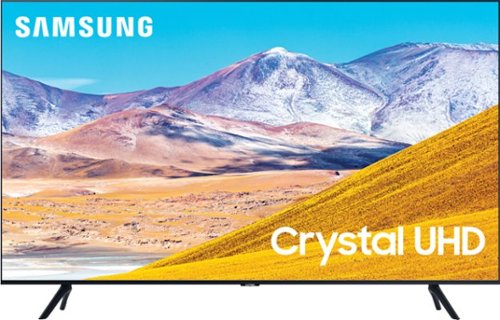
Samsung - 50" Class 8 Series LED 4K UHD Smart Tizen TV
Enjoy crisp visuals while watching your favorite movies or programs on this 50-inch Samsung UHD 8 Series Smart TV. Crystal Processor 4K produces detailed images, while Wi-Fi compatibility lets you stream content seamlessly. This Samsung UHD 8 Series Smart TV supports voice-activated control through Bixby, Alexa, and Google Assistant, and the 20W speakers deliver powerful sound for an all-around entertainment experience.
Does this tv have HDMI 2.1 ports?

Hi Nes! Thank you for considering the TU8000, equipped with 3 HDMI ports, all of which support Auto Low Latency Mode (ALLM/Auto Game Mode). The “HDMI In 2” port also offers eARC.
If you need a TV that offers FRL (4K@120fps), the first model in our 2020 lineup to offer this is the 55" Q70T -- 4K@120fps is on HDMI 4. All Samsung 2020 model year QLED TVs 55” and bigger starting from the Q70T Series have 4K@120fps, VRR and FreeSync. If you have further questions, please reach out to us at 1-800-SAMSUNG.
^Gina
If you need a TV that offers FRL (4K@120fps), the first model in our 2020 lineup to offer this is the 55" Q70T -- 4K@120fps is on HDMI 4. All Samsung 2020 model year QLED TVs 55” and bigger starting from the Q70T Series have 4K@120fps, VRR and FreeSync. If you have further questions, please reach out to us at 1-800-SAMSUNG.
^Gina
5 years, 8 months ago
by
Posted by:
Samsung
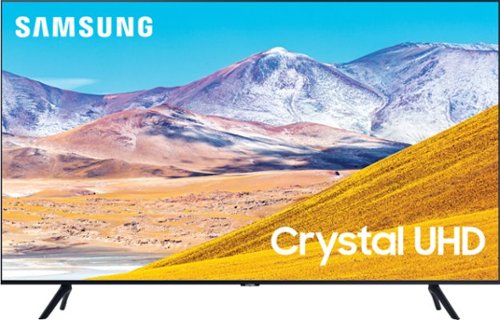
Samsung - 55" Class 8 Series LED 4K UHD Smart Tizen TV
Stream videos, TV shows and movies in clear, detailed quality with this 55-inch Samsung UHD 8 Series LED Smart TV. The 4K Ultra HD resolution delivers lifelike picture quality, while compatibility with popular virtual assistants enables voice control. This Samsung UHD 8 Series LED Smart TV features Bluetooth connectivity to sync with compatible sources.
Is this tv good for gaming on the next generation consoles ?
Hi, you can definitely play PS5 on the TU8000. Auto Low Latency Mode (ALLM/Auto Game Mode) is available on all 3 HDMI ports for this series. The “HDMI In 2” port additionally supports eARC.
However, if you are looking to game at 4K@120fps (FRL), take a look at the Samsung QLED Q70T Series and up. These series in 55" and larger offer 4K@120fps on HDMI 4, as well as have Variable Refresh Rate (VRR) and FreeSync. If we can further help, please call us at 1-800-SAMSUNG. ^Gina
However, if you are looking to game at 4K@120fps (FRL), take a look at the Samsung QLED Q70T Series and up. These series in 55" and larger offer 4K@120fps on HDMI 4, as well as have Variable Refresh Rate (VRR) and FreeSync. If we can further help, please call us at 1-800-SAMSUNG. ^Gina
5 years, 8 months ago
by
Posted by:
Samsung
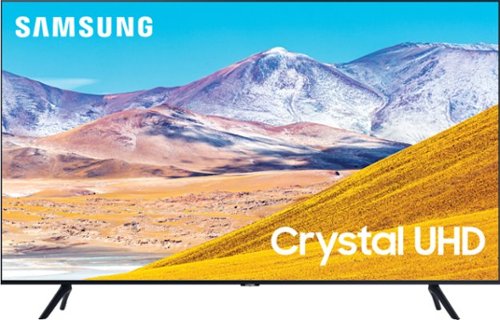
Samsung - 43" Class 8 Series LED 4K UHD Smart Tizen TV
Watch immersive content with this 43-inch Samsung Smart 4K TV. Auto Motion Plus smoothing enhances fast-moving images digitally to reduce blur and ghosting, and the HDMI, USB and Ethernet ports make connectivity easy. This Samsung smart 4K TV features the Tizen OS for hassle-free access to online movies and TV shows.
Will this tv work with a PS5?
Hi, you can definitely play PS5 on the TU8000. Auto Low Latency Mode (ALLM/Auto Game Mode) is available on all 3 HDMI ports for this series. The “HDMI In 2” port additionally supports eARC.
However, if you are looking to game at 4K@120fps (FRL), take a look at the Samsung QLED Q70T Series and up. These series in 55" and larger offer 4K@120fps on HDMI 4, as well as have Variable Refresh Rate (VRR) and FreeSync. If we can further help, please call us at 1-800-SAMSUNG. ^Gina
However, if you are looking to game at 4K@120fps (FRL), take a look at the Samsung QLED Q70T Series and up. These series in 55" and larger offer 4K@120fps on HDMI 4, as well as have Variable Refresh Rate (VRR) and FreeSync. If we can further help, please call us at 1-800-SAMSUNG. ^Gina
5 years, 8 months ago
by
Posted by:
Samsung
Samsung - 55" Class 8 Series LED 4K UHD Smart Tizen TV
Stream videos, TV shows and movies in clear, detailed quality with this 55-inch Samsung UHD 8 Series LED Smart TV. The 4K Ultra HD resolution delivers lifelike picture quality, while compatibility with popular virtual assistants enables voice control. This Samsung UHD 8 Series LED Smart TV features Bluetooth connectivity to sync with compatible sources.
Does this tv support HDMI 2.1?
Hi Taz! Thank you for your interest in the TU8000. With HDMI 2.1 being such a complex topic, we feel it is clearer to highlight the specific features supported by each TV model.
The TU8000 has 3 HDMI ports, all of which support Auto Low Latency Mode (Auto Game Mode). The “HDMI In 2” port further supports eARC.
If you are looking for a TV capable of 4K@120fps (FRL), please consider a step up to the 55" Q70T, which supports FRL on HDMI 4.
All Samsung 2020 model year QLED TVs 55” and larger starting from the Q70T Series are capable of 4K@120fps, as well as FreeSync, and VRR.
If we can help answer any other questions, please call us at 1-800-SAMSUNG. ^Gina
The TU8000 has 3 HDMI ports, all of which support Auto Low Latency Mode (Auto Game Mode). The “HDMI In 2” port further supports eARC.
If you are looking for a TV capable of 4K@120fps (FRL), please consider a step up to the 55" Q70T, which supports FRL on HDMI 4.
All Samsung 2020 model year QLED TVs 55” and larger starting from the Q70T Series are capable of 4K@120fps, as well as FreeSync, and VRR.
If we can help answer any other questions, please call us at 1-800-SAMSUNG. ^Gina
5 years, 8 months ago
by
Posted by:
Samsung
Samsung - 55" Class 8 Series LED 4K UHD Smart Tizen TV
Stream videos, TV shows and movies in clear, detailed quality with this 55-inch Samsung UHD 8 Series LED Smart TV. The 4K Ultra HD resolution delivers lifelike picture quality, while compatibility with popular virtual assistants enables voice control. This Samsung UHD 8 Series LED Smart TV features Bluetooth connectivity to sync with compatible sources.
Does this support HDMI 2.1?
Hi there! Thank you for your interest in the TU8000. With HDMI 2.1 being such a complex topic, we feel it is clearer to highlight the specific features supported by each TV model.
The TU8000 has 3 HDMI ports, all of which support Auto Low Latency Mode (Auto Game Mode). The “HDMI In 2” port further supports eARC.
If you are looking for a TV capable of 4K@120fps (FRL), please consider a step up to the 55" Q70T, which supports FRL on HDMI 4.
All Samsung 2020 model year QLED TVs 55” and larger starting from the Q70T Series are capable of 4K@120fps, as well as FreeSync, and VRR.
If we can help answer any other questions, please call us at 1-800-SAMSUNG. ^Gina
The TU8000 has 3 HDMI ports, all of which support Auto Low Latency Mode (Auto Game Mode). The “HDMI In 2” port further supports eARC.
If you are looking for a TV capable of 4K@120fps (FRL), please consider a step up to the 55" Q70T, which supports FRL on HDMI 4.
All Samsung 2020 model year QLED TVs 55” and larger starting from the Q70T Series are capable of 4K@120fps, as well as FreeSync, and VRR.
If we can help answer any other questions, please call us at 1-800-SAMSUNG. ^Gina
5 years, 8 months ago
by
Posted by:
Samsung
Samsung - 55" Class 8 Series LED 4K UHD Smart Tizen TV
Stream videos, TV shows and movies in clear, detailed quality with this 55-inch Samsung UHD 8 Series LED Smart TV. The 4K Ultra HD resolution delivers lifelike picture quality, while compatibility with popular virtual assistants enables voice control. This Samsung UHD 8 Series LED Smart TV features Bluetooth connectivity to sync with compatible sources.
Does this TV have HDMI 2.1 ports?
Hi Hank! Thank you for considering the TU8000, equipped with 3 HDMI ports, all of which support Auto Low Latency Mode (ALLM/Auto Game Mode). The “HDMI In 2” port also offers eARC.
If you need a TV that offers FRL (4K@120fps), the first model in our 2020 lineup to offer this is the 55" Q70T -- 4K@120fps is on HDMI 4. All Samsung 2020 model year QLED TVs 55” and bigger starting from the Q70T Series have 4K@120fps, VRR and FreeSync. If you have further questions, please reach out to us at 1-800-SAMSUNG. ^Gina
If you need a TV that offers FRL (4K@120fps), the first model in our 2020 lineup to offer this is the 55" Q70T -- 4K@120fps is on HDMI 4. All Samsung 2020 model year QLED TVs 55” and bigger starting from the Q70T Series have 4K@120fps, VRR and FreeSync. If you have further questions, please reach out to us at 1-800-SAMSUNG. ^Gina
5 years, 8 months ago
by
Posted by:
Samsung
Samsung - 50" Class 8 Series LED 4K UHD Smart Tizen TV
Enjoy crisp visuals while watching your favorite movies or programs on this 50-inch Samsung UHD 8 Series Smart TV. Crystal Processor 4K produces detailed images, while Wi-Fi compatibility lets you stream content seamlessly. This Samsung UHD 8 Series Smart TV supports voice-activated control through Bixby, Alexa, and Google Assistant, and the 20W speakers deliver powerful sound for an all-around entertainment experience.
So I’m confused whether the 8 series comes with 2.1 or not? Because in the Q&A for the 50” Samsung is saying it’s only 2.0, but then on the 55” they’re saying it’s 2.1!!! Which is it then??? Pictures attached as well showed the Q&A’s.
Images for this Question
(click to see full-size image)


Hi there! Thank you for your interest in the TU8000. With HDMI 2.1 being such a complex topic, we feel it is clearer to highlight the specific features supported by each TV model.
The TU8000 has 3 HDMI ports, all of which support Auto Low Latency Mode (Auto Game Mode). The “HDMI In 2” port further supports eARC.
If you are looking for a TV capable of 4K@120fps (FRL), please consider a step up to the 55" Q70T, which supports FRL on HDMI 4.
All Samsung 2020 model year QLED TVs 55” and larger starting from the Q70T Series are capable of 4K@120fps, as well as FreeSync, and VRR.
If we can help answer any other questions, please call us at 1-800-SAMSUNG. ^Gina
The TU8000 has 3 HDMI ports, all of which support Auto Low Latency Mode (Auto Game Mode). The “HDMI In 2” port further supports eARC.
If you are looking for a TV capable of 4K@120fps (FRL), please consider a step up to the 55" Q70T, which supports FRL on HDMI 4.
All Samsung 2020 model year QLED TVs 55” and larger starting from the Q70T Series are capable of 4K@120fps, as well as FreeSync, and VRR.
If we can help answer any other questions, please call us at 1-800-SAMSUNG. ^Gina
5 years, 8 months ago
by
Posted by:
Samsung
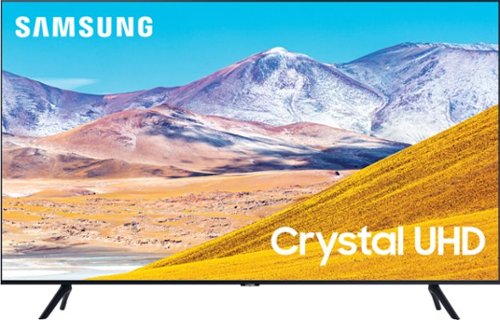
Samsung - 75" Class 8 Series LED 4K UHD Smart Tizen TV
Experience immersive entertainment with this 75-inch Samsung UHD 8 Series Smart TV. Crystal Processor 4K provides vivid visuals, and the Dolby Digital Plus sound technology delivers crisp, powerful sound through the 20W speakers. This Samsung UHD 8 Series Smart TV has Wi-Fi connectivity for streaming movies easily, while Bixby, Alexa, and Google Assistant support enables voice-activated control.
Does this TV contain Picture in Picture capabilities?
Hi Geoff1975! The TU8000 Series does not have PIP (or split-screen). Split-screen capability to view two different content side-by-side is available starting from our QLED Q60T Series and up using our Multi View feature. For example, you can view media from different sources, such as an app, Blu-ray player, or game console, on the main left screen, while also mirroring your phone to the smaller screen. Multi View provides you with endless possibilities for splitting screens and viewing several types of content at the same time. ^Gina
5 years, 8 months ago
by
Posted by:
Samsung
Samsung - 43" Class 8 Series LED 4K UHD Smart Tizen TV
Watch immersive content with this 43-inch Samsung Smart 4K TV. Auto Motion Plus smoothing enhances fast-moving images digitally to reduce blur and ghosting, and the HDMI, USB and Ethernet ports make connectivity easy. This Samsung smart 4K TV features the Tizen OS for hassle-free access to online movies and TV shows.
What HDMI is this TV. Will it work with the new Playstation 5?
Hi Sue! You can definitely play PS5 on the TU8000. Auto Low Latency Mode (ALLM/Auto Game Mode) is available on all 3 HDMI ports for this series. The “HDMI In 2” port additionally supports eARC.
However, if you are looking to game at 4K@120fps (FRL), take a look at the Samsung QLED Q70T Series and up. These series in 55" and larger offer 4K@120fps on HDMI 4, as well as have Variable Refresh Rate (VRR) and FreeSync. If we can further help, please call us at 1-800-SAMSUNG. ^Gina
However, if you are looking to game at 4K@120fps (FRL), take a look at the Samsung QLED Q70T Series and up. These series in 55" and larger offer 4K@120fps on HDMI 4, as well as have Variable Refresh Rate (VRR) and FreeSync. If we can further help, please call us at 1-800-SAMSUNG. ^Gina
5 years, 8 months ago
by
Posted by:
Samsung
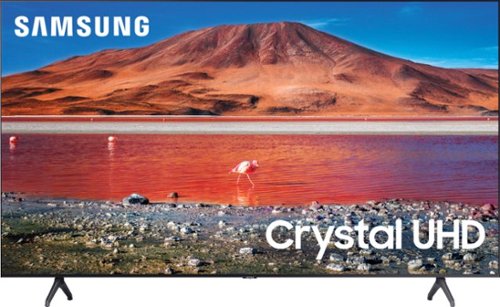
Samsung - 43" Class 7 Series LED 4K UHD Smart Tizen TV
Upgrade your home entertainment setup with this 43-inch Samsung LED Smart TV. Tizen OS provides access to popular streaming services, while the 4K Ultra HD resolution delivers true-to-life picture quality. This Samsung LED Smart TV is compatible with several virtual assistants for voice control, and the HDMI and USB inputs connect to external sources.
Does this tv have HDMI 2.1?
Hi Joeyy! Thank you for considering the TU7000. Because HDMI 2.1 is a complicated spec, we hope that focusing on TV features will be more helpful to you when deciding on the best model for your usage scenario. Our TU7000 has 2 HDMI ports, both of which support Auto Low Latency Mode (ALLM/Auto Game Mode). The “HDMI In 2” port also supports eARC.
If you are looking for a model that also offers 4K@120fps (FRL), please consider our QLED Q70T Series, which has FRL on HDMI 4. All Samsung 2020 model year QLED TVs 55” and bigger starting from the Q70T Series are capable of 4K@120fps, as well as offer Variable Refresh Rate (VRR) and FreeSync. ^Gina
If you are looking for a model that also offers 4K@120fps (FRL), please consider our QLED Q70T Series, which has FRL on HDMI 4. All Samsung 2020 model year QLED TVs 55” and bigger starting from the Q70T Series are capable of 4K@120fps, as well as offer Variable Refresh Rate (VRR) and FreeSync. ^Gina
5 years, 8 months ago
by
Posted by:
Samsung