Samsung
Samsung's Stats
Reviews
- Review Count0
- Helpfulness Votes0
- First ReviewNone
- Last ReviewNone
- Featured Reviews0
- Average Rating0
Reviews Comments
- Review Comment Count0
- Helpfulness Votes0
- First Review CommentNone
- Last Review CommentNone
- Featured Review Comments0
Questions
- Question Count0
- Helpfulness Votes0
- First QuestionNone
- Last QuestionNone
- Featured Questions0
- Answer Count73423
- Helpfulness Votes37,900
- First AnswerApril 24, 2013
- Last AnswerJuly 31, 2026
- Featured Answers0
- Best Answers3936
Samsung's Reviews
Samsung has not submitted any reviews.
Samsung's Questions
Samsung has not submitted any questions.
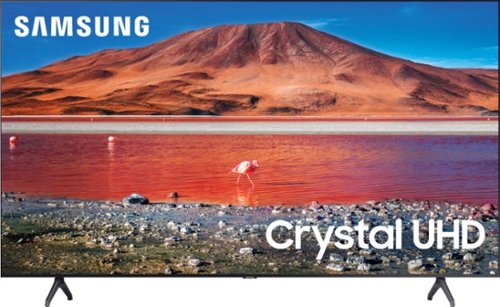
Samsung - 70 Class 7 Series LED 4K UHD Smart Tizen TV (2020)
Enhance your viewing experience with this 70-inch Samsung 4K UHD smart TV. The HDR technology and 4K UHD resolution render sharp details and realistic colors, while a Crystal processor delivers exceptional picture quality on the flat-panel display. This Bluetooth-enabled Samsung 4K UHD smart TV is voice controllable for hands-free operation and seamless wireless streaming.
To get True HD Dolby Atmos, your TV needs to not only support eARC but also have pass-through functionality. Will i be able to utilize this if Im looking to purchase the new Sonos Arc sound bar to use with this TV?

Hi ramm1968! Yes, the TU7000 will provide full Dolby Atmos support through the eARC port when connected to a compatible Dolby Atmos audio device such as the Sonos Arc. ^Tim
5 years, 8 months ago
by
Posted by:
Samsung
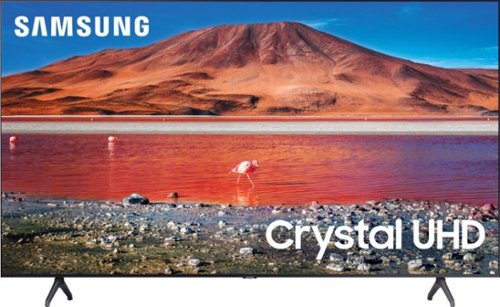
Samsung - 65" Class 7 Series LED 4K UHD Smart Tizen TV (2019)
Get enhanced smart capabilities with the TU7000 . Crystal Processor 4K automatically upscales your favorite movies, TV shows and sports events to 4K. Smart TV powered by Tizen lets you find content and navigate streaming services easily. PurColor fine tunes colors while HDR steps up to millions of shades of color that go beyond what HDTV can offer. And Direct Lit backlighting technology sharpens visuals and improves clarity.
I tried to download Kartina TV app and I wasn’t able to? What I have to do?
Hi Ann! The Kartina TV application is currently not available on the TU7000. For content unavailable through the built in app store, you can take advantage of the screen mirroring features from a mobile Android or Apple device to put more of your favorite content on the big screen. ^Tim
5 years, 8 months ago
by
Posted by:
Samsung
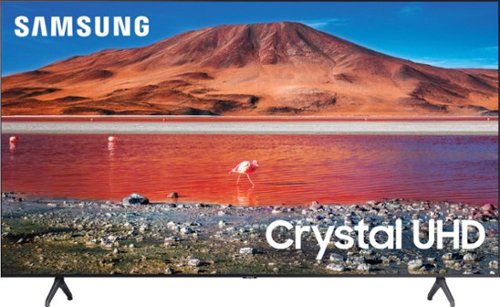
Samsung - 58" Class 7 Series LED 4K UHD Smart Tizen TV
Make every movie night special with this 58-inch Samsung smart TV. Native 4K UHD resolution makes shows look sharp and detailed, and the Crystal 4K processor enhances image quality in real time. This Samsung smart TV has a variety of features that let you access and play content from your favorite streaming services.
Is there a lag in using the Apps ?
Hi Adi! The built in smart platform powered by Tizen is fast and responsive providing a lag free experience when using your apps. ^Tim
5 years, 8 months ago
by
Posted by:
Samsung

Customizable Bezel for Samsung The Frame 50" TVs - Brown
Enhance the appearance of your 2020 The Frame TV with this Samsung The Frame customizable bezel. The brown polish finish gives your display a distinctive look that resembles a work of art, and the snap-in construction offers easy installation and removal. This Samsung The Frame customizable bezel has a magnetic surface for securing the frame to your screen.
When will this be available again? 50 inch in Brown
Hi Nicole! Best Buy and Samsung are working together to make this product available as soon as possible. Please continue to check the website or contact your local Best Buy for more information. ^Tim
5 years, 8 months ago
by
Posted by:
Samsung
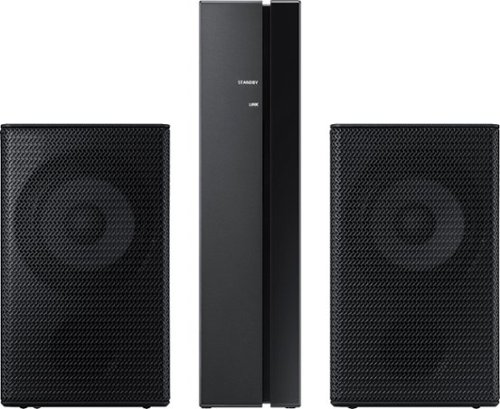
Samsung - Wireless Rear Speakers (Pair) - Black
Mount this Samsung wireless rear speaker kit and enjoy enhanced surround sound without taking up a lot of space. The lightweight system is easy to setup, adding home-theater-quality enjoyment without the tangle of wires and confusing diagrams. This Samsung wireless rear speaker kit boasts low standby power usage and a slim design, making it an ideal option for placement in your home.
Is this compatible with my M 550 sound bar? Will it play the dialogue or just special effects?
Hi Ron! The SWA-8500S is the correct speaker kit compatible with the HW-M550 soundbar. The rear speaker kit will function differently depending on the sound mode the soundbar is using. Check the user manual for your soundbar to learn more about the different modes. Here is a link to the SWA-8500S rear speaker kit: https://www.bestbuy.com/site/samsung-wireless-rear-loudspeakers-black/5754510.p?skuId=5754510 ^Tim
5 years, 8 months ago
by
Posted by:
Samsung
Samsung - Wireless Rear Speakers (Pair) - Black
Mount this Samsung wireless rear speaker kit and enjoy enhanced surround sound without taking up a lot of space. The lightweight system is easy to setup, adding home-theater-quality enjoyment without the tangle of wires and confusing diagrams. This Samsung wireless rear speaker kit boasts low standby power usage and a slim design, making it an ideal option for placement in your home.
Do these work with HW-K960? My original rear speakers have stopped working and cant get replacement.
Hi Adam! Yes, the SWA-9000S is the correct rear speaker kit for the HW-K950. The original speakers included with the HW-K950 featured Dolby Atmos top firing speakers to improve immersion whereas the SWA-9000s will not, you may notice a difference in audio quality. ^Tim
5 years, 8 months ago
by
Posted by:
Samsung
Samsung - Wireless Rear Speakers (Pair) - Black
Mount this Samsung wireless rear speaker kit and enjoy enhanced surround sound without taking up a lot of space. The lightweight system is easy to setup, adding home-theater-quality enjoyment without the tangle of wires and confusing diagrams. This Samsung wireless rear speaker kit boasts low standby power usage and a slim design, making it an ideal option for placement in your home.
Will this work with Hw-Q70R? How much more power does the 9000s have vs 8500S?
Hi Sound02360! The SWA-8500S is the correct rear speaker kit compatible with the HW-Q70R. The SWA-9000S and SWA-8500S feature the same wattage and are compatible with different soundbars. ^Tim
5 years, 8 months ago
by
Posted by:
Samsung
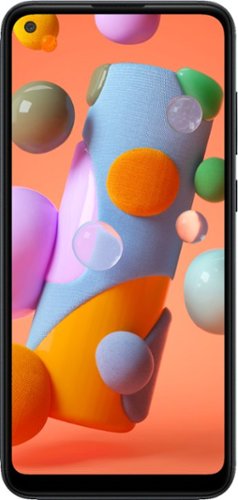
Samsung - Galaxy A11 32GB (Unlocked) - Black
The Samsung Galaxy A11 combines smartphone essentials with the trusted reliability of Samsung. Take crisp, clear photos and videos with our powerful triple lens camera. Enjoy cinematic clarity on our 6.4" edge-to-edge display~. Keep going with a long-lasting battery~ that keeps going with you throughout the day. ~Measured diagonally, the screen size is 6.4" in the full rectangle and 6.3" with accounting for the rounded corners. Actual viewable area is less due to the rounded corners and camera lens. ~Based on average battery life under typical usage conditions. Average expected performance based on typical use. Actual battery life depends on factors such as network, features selected, frequency of calls, and voice, data, and other application usage patterns. Results may vary.
Can you insert micro SD cars Or does it only have the internal 32 GB memory?
Hello Nick, good question! This phone has an expandable memory with a MicroSD (Up to 512GB). ^Elizabeth
5 years, 8 months ago
by
Posted by:
Samsung

Samsung - 4.0-Channel Soundbar with Built-in Subwoofer and Voice Assistant - Black
Enjoy music listening or movie watching with this Samsung sound bar. The virtual four-channel configuration connects the included speakers for immersive 3-D sound reproduction, while Bluetooth technology lets you stream audio from devices wirelessly. This Samsung sound bar supports voice assistance for hands-free operation, and the built-in Wi-Fi lets you play music from the internet.
will this turn on with the tv
Hi udb1951! Yes, the HW-S60T features the ability to turn on along with the TV. ^Tim
5 years, 8 months ago
by
Posted by:
Samsung
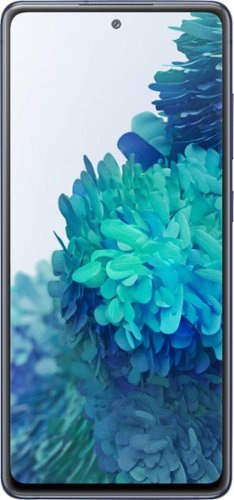
Samsung - Galaxy S20 FE 5G 128GB (Unlocked) - Cloud Navy
We get you. The standout in the crowd, the one with relentless passion. The one that stays true to yourself and connected to those around you. You deserve a phone that delivers industry-leading tech and allows you to express yourself in way you choose. With bold color options, pro-grade camera, 120Hz display and an all-day intelligent battery~ that charges up in minutes~, the Galaxy S20 FE 5G delivers uncompromised innovation. This is unexpected. ~Based on average battery life under typical usage conditions. Average expected performance based on typical use. Actual battery life depends on factors such as network, features selected, frequency of calls, and voice, data, and other application usage patterns. Results may vary. ~When using 25W charger, sold separately.
WHAT DOES UNLOCKED MEAN?
Hello CINDY, thanks for asking! Please follow this link (https://www.samsung.com/us/mobile/phones/unlocked-by-samsung/) to learn more about Unlocked by Samsung. ^Elizabeth
5 years, 8 months ago
by
Posted by:
Samsung