Samsung
Samsung's Stats
Reviews
- Review Count0
- Helpfulness Votes0
- First ReviewNone
- Last ReviewNone
- Featured Reviews0
- Average Rating0
Reviews Comments
- Review Comment Count0
- Helpfulness Votes0
- First Review CommentNone
- Last Review CommentNone
- Featured Review Comments0
Questions
- Question Count0
- Helpfulness Votes0
- First QuestionNone
- Last QuestionNone
- Featured Questions0
- Answer Count73402
- Helpfulness Votes37,895
- First AnswerApril 24, 2013
- Last AnswerJuly 30, 2026
- Featured Answers0
- Best Answers3936
Samsung's Reviews
Samsung has not submitted any reviews.
Samsung's Questions
Samsung has not submitted any questions.
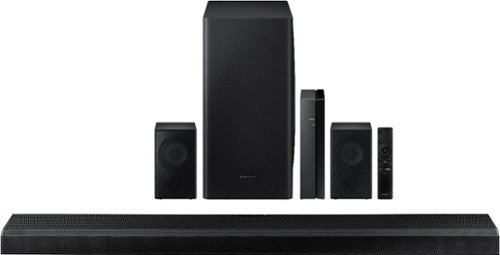
Samsung - 5.1.2-Channel Soundbar with Wireless Rear Speakers and Dolby Atmos/DTS:X - Black
Enhance your movie and audio experience with this Samsung Acoustic Beam Q Series sound bar. The 8-inch subwoofer and 1.5-inch tweeters produce powerful room-filling sound, while the included remote control lets you adjust settings and handle playback effortlessly. This Samsung Acoustic Beam Q Series sound bar has Bluetooth connectivity for streaming audio smoothly, and the wall-mountable design allows for a customized setup.
Do I have to use the rear speakers in order for the system to work? Essentially can I run this soundbar as a 3.1.2ch if I choose?

Hi there, the soundbar and sub will work just fine if you choose not to use the rears at this time. Just put them aside for safekeeping should you want to use them later. Have a great day! ^Scott
5 years, 9 months ago
by
Posted by:
Samsung
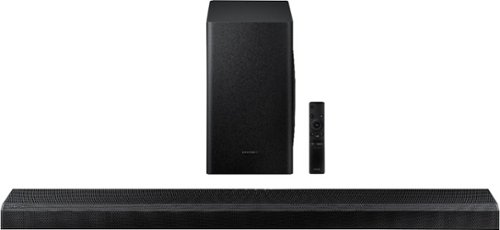
Samsung - 3.1.2-Channel Soundbar with Wireless Subwoofer and Dolby Atmos/DTS:X (2020) - Black
Customize your home theater system with this Samsung sound bar. The 1.5-inch tweeters and the 6.5-inch subwoofer deliver crisp, powerful sound, while the included remote control allows easy multimedia handling. This Samsung sound bar has Bluetooth connectivity for streaming audio files from compatible devices smoothly, and the wall-mountable design helps declutter your space.
Do I need this remote to utilize my sound bar or can I use my cable TV remote that already operates my Samsung TV? (It is not my Samsung remote , it is from Comcast)
Hi JP, if your audio input is set to the soundbar already the Xfinity remote should control your volume with no problem as long as the soundbar is plugged into the eARC/ARC port in the TV. Hope this helped! ^Scott
5 years, 9 months ago
by
Posted by:
Samsung
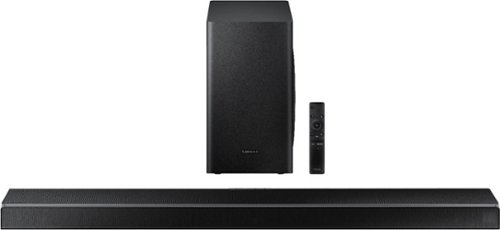
Samsung - 5.1-Channel Soundbar with Wireless Subwoofer and Acoustic Beam - Black
Upgrade your entertainment room with this Samsung soundbar. The 6.5-inch subwoofer and 1.5-inch tweeters deliver powerful well-balanced sound, and Bluetooth connectivity lets you stream audio wirelessly. This Samsung soundbar includes a remote control for handling playback easily, while the HDMI and USB ports allow for flexible connectivity to a wide range of devices.
I have Samsung - 65" Class Q70 Series LED 4K UHD Smart Tizen TV and Apple TV hooked up with XFinityComcast main recorder device. How would I hookup this soundbar so that it handles sound from TV from Cable or AppleTV source?
Hi Mike, You could hook the soundbar up to the eARC port through HDMI and connect to the audio in HDMI port on the soundbar. Then hook up your other devices as usual and you're off to the races. Cheers! ^Scott
5 years, 9 months ago
by
Posted by:
Samsung
Samsung - 5.1-Channel Soundbar with Wireless Subwoofer and Acoustic Beam - Black
Upgrade your entertainment room with this Samsung soundbar. The 6.5-inch subwoofer and 1.5-inch tweeters deliver powerful well-balanced sound, and Bluetooth connectivity lets you stream audio wirelessly. This Samsung soundbar includes a remote control for handling playback easily, while the HDMI and USB ports allow for flexible connectivity to a wide range of devices.
Would this work with an UN46F7100AFXZA tv? This is a Samsung TV, aprox. 7 years old. Are all features compatible with above model?
Hi there, How you hook it up will be important. If you are hooking your source up to a 7 year old TV, then to the soundbar, you'll lose most advanced codecs. But if you connect your source to the soundbar first and then connect an audio out HDMI to the TV you'll have the functionality of whatever your source supports provided it is newer than the TV. I hope this helped! ^Scott
5 years, 9 months ago
by
Posted by:
Samsung

Samsung - 65" Class 9 Series LED 4K UHD Smart Tizen TV
Watch your favorite movies in high definition with this 65-inch Samsung Crystal 4K smart TV. The ultra-fast processor and dynamic crystal display deliver true-to-life color and a high-resolution picture, so you never miss a detail. With next-gen apps and automatic game enhancer settings, this Samsung Crystal 4K smart TV is packed with entertainment options while ensuring an optimal gaming experience.
Is this Tv 120Hz?
Hi there, sure is, 120Hz and 240MR (motion rate). Great Question! ^Scott
5 years, 9 months ago
by
Posted by:
Samsung
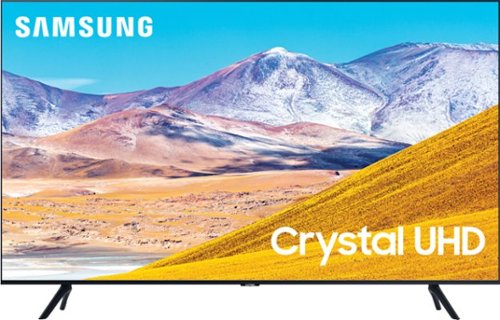
Samsung - 50" Class 8 Series LED 4K UHD Smart Tizen TV
Enjoy crisp visuals while watching your favorite movies or programs on this 50-inch Samsung UHD 8 Series Smart TV. Crystal Processor 4K produces detailed images, while Wi-Fi compatibility lets you stream content seamlessly. This Samsung UHD 8 Series Smart TV supports voice-activated control through Bixby, Alexa, and Google Assistant, and the 20W speakers deliver powerful sound for an all-around entertainment experience.
What are the height and length dimensions of this TV? Thanks.
Hi there, It depends on whether you mean with or without the stand so I'll give you both. Product Height With Stand
28.3 inches
Product Width
44 inches
Product Height Without Stand
25.4 inches
Hope this helps! ^Scott
28.3 inches
Product Width
44 inches
Product Height Without Stand
25.4 inches
Hope this helps! ^Scott
5 years, 9 months ago
by
Posted by:
Samsung
Samsung - 50" Class 8 Series LED 4K UHD Smart Tizen TV
Enjoy crisp visuals while watching your favorite movies or programs on this 50-inch Samsung UHD 8 Series Smart TV. Crystal Processor 4K produces detailed images, while Wi-Fi compatibility lets you stream content seamlessly. This Samsung UHD 8 Series Smart TV supports voice-activated control through Bixby, Alexa, and Google Assistant, and the 20W speakers deliver powerful sound for an all-around entertainment experience.
Can you watch antenna tv with this model and does it have bluetooth built in how many ports
Hi there, this TV has 3 HDMI and 2 USB ports, built in Bluetooth, and you can watch an antenna with it. Great news all around! ^Scott
5 years, 9 months ago
by
Posted by:
Samsung
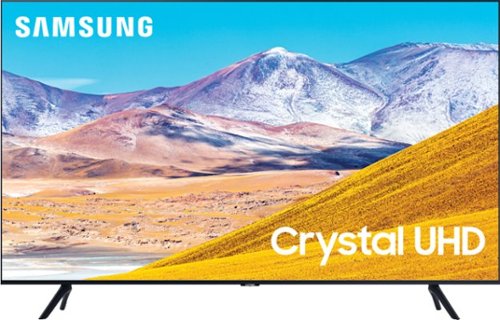
Samsung - 65" Class 8 Series LED 4K UHD Smart Tizen TV
Stream all your favorite shows on this 65-inch Samsung Smart TV. The variety of smart features and applications provides access to a range of streaming services, and compatibility with virtual assistants offers convenient voice-controlled functionality. This Samsung Smart TV has a Crystal Processor 4K that automatically enhances the image quality of movies and shows.
Is this TV better than UN70TU6980FXZA? Can you tell me the difference between this one and Class 6 Series LED 4K UHD Smart Tizen TV? I will only be watching streaming service. Thank you!
Hi there, this TV is better than the UN70TU6980FXZA in several ways. With the TU8000 you will have built in voice assistants like Alexa and Google assistant. You'll also have a voice remote, superior processing, and Ambient mode. I hope this helped! ^Scott
5 years, 9 months ago
by
Posted by:
Samsung
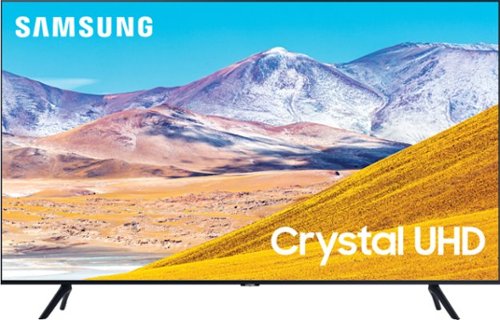
Samsung - 43" Class 8 Series LED 4K UHD Smart Tizen TV
Watch immersive content with this 43-inch Samsung Smart 4K TV. Auto Motion Plus smoothing enhances fast-moving images digitally to reduce blur and ghosting, and the HDMI, USB and Ethernet ports make connectivity easy. This Samsung smart 4K TV features the Tizen OS for hassle-free access to online movies and TV shows.
Samsung 43” TU8000 TV: Place on top cabinet 27” wide. 1. Can legs attach closer so they span no more than 25”? 2. Is there another stand that spans no more tan 25”? 3. What are the VESA holes? T
Hi there, the Samsung - 43" Class 8 Series LED 4K UHD Smart Tizen TV has legs that are 33.1 in apart, so that doesn't sound like a stand that is big enough, and there are no additional holes to put the legs in. The VESA holes are generally for wall mounting, however, they also mount to 3rd party center stands. Check this one out: https://www.bestbuy.com/site/kanto-tabletop-tv-stand-for-most-flat-panel-tvs-up-to-65-black/6114307.p?skuId=6114307. I hope that helped! ^Scott
5 years, 9 months ago
by
Posted by:
Samsung
Samsung - 43" Class 8 Series LED 4K UHD Smart Tizen TV
Watch immersive content with this 43-inch Samsung Smart 4K TV. Auto Motion Plus smoothing enhances fast-moving images digitally to reduce blur and ghosting, and the HDMI, USB and Ethernet ports make connectivity easy. This Samsung smart 4K TV features the Tizen OS for hassle-free access to online movies and TV shows.
Does this remote allow you to set a sleep timer?
Hi Leon, 2020 Samsung TV's do have a sleep timer. Try this: Go to Settings > General > System Manager > Time > Sleep Timer, and then select the amount of time you would like the TV to stay on before powering itself off. I hope this helped! ^Scott
5 years, 9 months ago
by
Posted by:
Samsung