Samsung
Samsung's Stats
Reviews
- Review Count0
- Helpfulness Votes0
- First ReviewNone
- Last ReviewNone
- Featured Reviews0
- Average Rating0
Reviews Comments
- Review Comment Count0
- Helpfulness Votes0
- First Review CommentNone
- Last Review CommentNone
- Featured Review Comments0
Questions
- Question Count0
- Helpfulness Votes0
- First QuestionNone
- Last QuestionNone
- Featured Questions0
- Answer Count73902
- Helpfulness Votes37,953
- First AnswerApril 24, 2013
- Last AnswerAugust 27, 2026
- Featured Answers0
- Best Answers3949
Samsung's Reviews
Samsung has not submitted any reviews.
Samsung's Questions
Samsung has not submitted any questions.
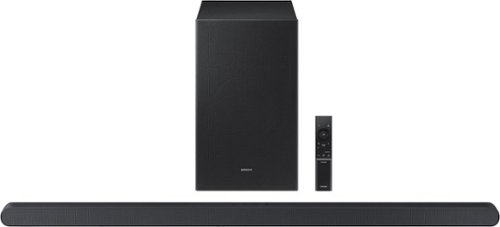
This ultra slim Soundbar delivers a big audio experience. Enjoy audio calibrated to fit your space and Dolby Atmos sound from a slim, stylish package.
Hi, just wanted to ask if this soundbar can be connected to the SmartThings app? I’ve been struggling to get a Samsung sound bar that can.

Hello Jake! Yes, you can connect the HW-S700D to the SmartThings app. ~ Samsung Solutions
8 months ago
by
Posted by:
Samsung

Enjoy room filling sound in an all in one design. Experience captivating 3D audio with Dolby Digital 5.1 capable and DTS Virtual :X. Perfectly synchronized TV and soundbar sound brings a new level of immersion. Plus, don't miss a word, thanks to a built in center speaker.
How do I sync the sound bar remote with my older Samsung1080P smart tv remote so the off/on and volume control are on a single remote?
Hello there! You can use your Samsung TV remote to control both the power and volume of the soundbar by connecting through HDMI-ARC. Simply connect an HDMI cable to the port labeled HDMI-ARC on both the TV and soundbar, then go into your TV settings and turn on Anynet+ (HDMI-CEC). Once enabled, select your sound output as “Receiver/External Speaker (HDMI-ARC),” and the TV remote will control the volume and automatically turn the soundbar on and off.
If your TV doesn’t have HDMI-ARC, just connect using an Optical cable and set the TV speaker to “External Speaker.” Many soundbars can also learn the TV remote’s volume keys, so you will still be able to adjust the volume using your original Samsung TV remote.
~ Samsung Solutions
If your TV doesn’t have HDMI-ARC, just connect using an Optical cable and set the TV speaker to “External Speaker.” Many soundbars can also learn the TV remote’s volume keys, so you will still be able to adjust the volume using your original Samsung TV remote.
~ Samsung Solutions
8 months ago
by
Posted by:
Samsung
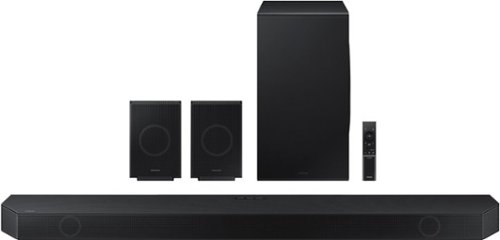
Samsung - HW-Q990D/ZA 11.1.4 Channel Q-Series Soundbar with Wireless Subwoofer and Rear Speakers, Dolby Atmos and Q-Symphony - Black
Experience our greatest of all time-level audio synchronized with your TV~s speakers* and customized to your living space. With intelligently tuned, 11.1.4 Ch. True Dolby Atmos Sound, the Q990D stands above the rest.
how does the Samsung - HW-Q990D/ZA 11.1.4 Channel Q-Series Soundbar with Wireless Subwoofer and Rear Speakers, Dolby Atmos and Q-Symphony compare to boes?
Hi Kathy! With the HW-Q990D, you will get 11 front-facing speakers, 1 subwoofer, and 4 up-firing channels. You’ll be immersed in sound all around as it fills your room with bold, multi-channel audio you can feel from all angles. And with a rear speaker kit included, your complete home theater experience is right in one box. Pairing the HW-Q990D Soundbar with a Samsung TV will unlock a new level of audio. With Q-Symphony, you’ll experience content like never before as your speakers work together to optimize all audio channels to operate as one. ~ Samsung Solutions
8 months ago
by
Posted by:
Samsung
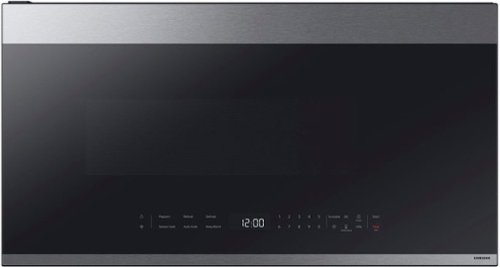
This Samsung Over-the-Range Microwave conveniently syncs with your Samsung range or cooktop so that ventilation and lighting will turn on automatically when you turn on the burners. Through the SmartThings app, you can remotely adjust ventilation speed and cooking time right from your smartphone and receive alerts when heating or cooking is finished. It also has an extra-large 2.1 cu. ft. capacity that will accommodate even your largest dishes, and glass touch controls illuminate with a simple touch and dim when not in use for a clean, seamless look.
Does the Samsung microwave model ME21DG6500SRA have lit numbers on the front?
Hello there,
No, the numbers on the front are not lit. The LED display for this microwave is only for the clock.
Thank you!
^Camille
No, the numbers on the front are not lit. The LED display for this microwave is only for the clock.
Thank you!
^Camille
8 months ago
by
Posted by:
Samsung
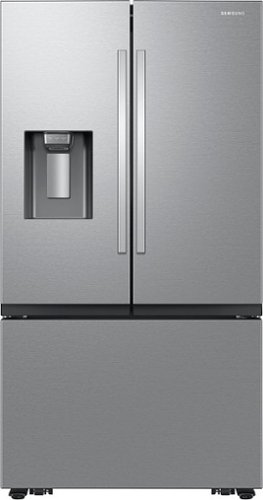
Samsung Mega Capacity 3-Door French Door refrigerator with 31 cu. ft. comes with four types of ice and a modern design. Store more groceries, including big and bulky items. The Dual Auto Ice Maker makes two types of ice ~ cubed, or Ice Bites while the external dispenser offers two additional ice options, curved and crushed.
Can the bottom freezer ice tray be turned off? Prefer to have more space for frozen food.
Hello there,
No, there is no option for the bottom freezer ice tray to be turned off. Only the refrigerator ice maker can be disabled.
Thank you!
^Camille
No, there is no option for the bottom freezer ice tray to be turned off. Only the refrigerator ice maker can be disabled.
Thank you!
^Camille
8 months ago
by
Posted by:
Samsung
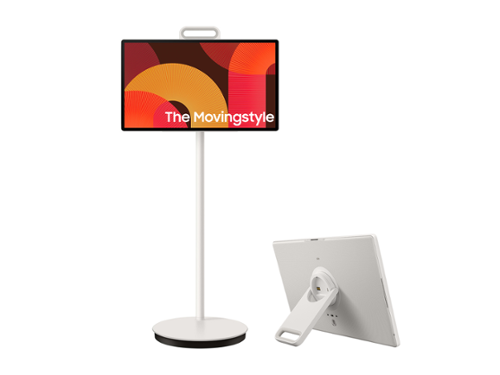
Cut the cord on how you watch, work and engage. Detach and use it like a tablet (does not support a stylus), or leave it on the roll-able floor stand and wheel it where you want to go. This portable touch screen allows you the freedom to watch and interact from room to room with up to 3 hours of battery life - based on Eco Screen Mode, volume 20, HDMI input, power saving mode on, standard video play. Results vary with set tings, usage, temperature, depth of discharge and battery age. Can be charged using the included 65W power adaptor.
Does this support apple screen mirroring and airplay?
Hi TM - Yes, AirPlay is supported.
~ Samsung Specialist
~ Samsung Specialist
8 months ago
by
Posted by:
Samsung
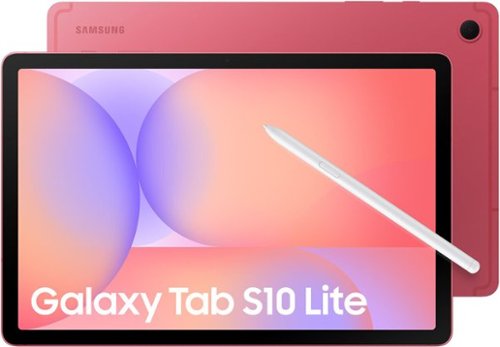
Make the most of your fun with the stylish Galaxy Tab S10 Lite. Streaming, scrolling and reading are captivating on the vivid 10.9" display. If you want to unleash your creativity, you can draw, sketch and color with natural feeling precision thanks to the responsive design of S Pen. The Exynos 1380 processor makes multitasking easier, and the 256GB internal storage allows you to download and keep more of your favorite videos, apps and photos. Tab S10 Lite is more than just fun; it has intelligent features that make getting things done easy. Clean up your notes, solve trigonometric equations and search in a snap. Have your AI assistant at your fingertips with the AI Hot Key on your keyboard. You can even control all connected smart devices in your home right from your Tab S10 Lite without leaving the couch. Tab S10 Lite is built for your everyday. It is durable enough to stand up to the occasional splash, yet still light and stylish enough to be your perfect accessory. Do all the things you love to do with Galaxy Tab S10 Lite.
What accessories come with the S10 Lite? Does it include the charger and stylus and all accessories needed to use it immediately?
Hey there Wason, thank you for taking the time to ask us your question about the Samsung Galaxy Tab S10 Lite. Here's What's Included with the purchase of this device: S-Pen, Data Cable, Ejection Pin, and Quick Start Guide. If you have any other questions for us, please feel free to contact Support at your leisure. Thanks for choosing Samsung! - Debra
8 months ago
by
Posted by:
Samsung
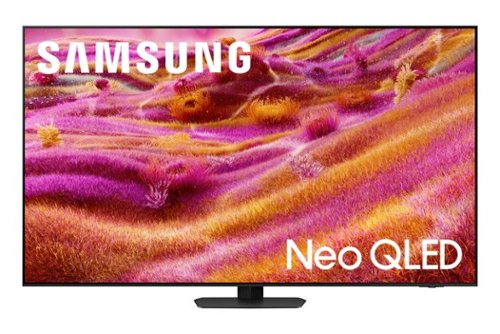
Samsung - 55 Class QN90F Series Neo QLED Mini LED 4K UHD SamsungVision AI Smart Tizen TV (2025)
Our most advanced 4K processor powers Samsung Vision AI for enhanced picture, sound, and breakthrough TV experiences. Get amazingly detailed picture and vivid color on a glare free screen for viewing without distraction, even in the brightest rooms. Enriching new personalized TV experiences let you dive deeper into your content and get more from your TV.
Because the tv isn't supposed to be transported flat, I needed to know these dimensions. I found this info elsewhere Package Size (WxHxD) 57 x 32.5 x 6.7 inch
Hi Jjjj - You can find these measurements on this model’s product page – just click Specifications and scroll down to Box Dimension: https://www.bestbuy.com/product/samsung-55-class-qn90f-series-neo-qled-mini-led-4k-uhd-samsungvision-ai-smart-tizen-tv-2025/J3ZYG2FZ8V
~ Samsung Specialist
~ Samsung Specialist
8 months ago
by
Posted by:
Samsung

Samsung - Galaxy Book5 360 - Copilot+ PC - 15.6" FHD AMOLED Touch-Screen Laptop - Intel Core Ultra 7 - 16GB Memory - 512GB SSD - Gray
Go from class time to downtime on one versatile device. With a 2-in-1 design, Galaxy Book5 360 makes it easier to tackle all your tasks and connect seamlessly to your other Galaxy devices, bringing your world full circle. Boasting a brilliant 15.6" Full-HD AMOLED display and a 360-degree hinge, Book5 360 makes everything from studying to streaming a comfortable experience. Need to go laptop mode to finish an assignment? Easy. Want to take a break with a movie? Prop up Book5 360 in tent mode, select what you want to watch from your touchscreen and kick back. No matter how many hours you plan to spend prepping for your next test or cozying up to watch your favorite series, Book5 360 has a battery built to keep up for hours on end.* Whether you need structure or want to enjoy some spontaneity, Galaxy Book5 360 adapts to do exactly what you need it to, seamlessly.
Does the it have a internal camera?
Salutations, thanks for taking the opportunity to ask us your question about the Samsung Galaxy Book5 360. The advertised Galaxy Book5 360 has a front-facing camera (webcam) for video calls and selfies, but it does not have a rear-facing camera. If you have additional questions for us, please feel free to reach out to Support. Thanks for choosing Samsung! - Debra
8 months ago
by
Posted by:
Samsung

Step up to Full HD for a significantly clearer picture than regular HD. Enjoy impressive, fine-tuned colors and deep contrast, all wrapped in a sleek design and secured by triple-layer protection. Virtual 3-D sound is enhanced and tracks movement on screen for a truly immersive experience.
can i use this in a cold garage
Hi Mill,
The F6000F TV is not intended for outdoor use, as it does not carry an outdoor-use rating. If you’re looking for a TV built specifically for outdoor environments, we recommend The Terrace TV Series.
~ Samsung Advisor
The F6000F TV is not intended for outdoor use, as it does not carry an outdoor-use rating. If you’re looking for a TV built specifically for outdoor environments, we recommend The Terrace TV Series.
~ Samsung Advisor
8 months ago
by
Posted by:
Samsung