Samsung
Samsung's Stats
Reviews
- Review Count0
- Helpfulness Votes0
- First ReviewNone
- Last ReviewNone
- Featured Reviews0
- Average Rating0
Reviews Comments
- Review Comment Count0
- Helpfulness Votes0
- First Review CommentNone
- Last Review CommentNone
- Featured Review Comments0
Questions
- Question Count0
- Helpfulness Votes0
- First QuestionNone
- Last QuestionNone
- Featured Questions0
- Answer Count73902
- Helpfulness Votes37,954
- First AnswerApril 24, 2013
- Last AnswerAugust 27, 2026
- Featured Answers0
- Best Answers3949
Samsung's Reviews
Samsung has not submitted any reviews.
Samsung's Questions
Samsung has not submitted any questions.
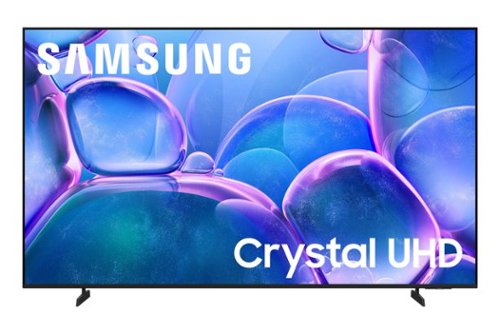
Upgrade your home theater with this stylish 4K TV featuring vibrant colors, rich contrast and an advanced 4K processor. Stay endlessly entertained with thousands of on demand shows and movies for free and enjoy peace of mind as watch thanks to our proprietary triple layer security that protects your personal data across all connected devices at once.
How do I connect a sound bar to this TV? There isn't an optical connection. The Bluetooth is delayed which I do not like. The USB does not work with sound bar. Thanks

Hi steveeeeb,
You can connect to a soundbar via HDMI.
~Samsung Advisor
You can connect to a soundbar via HDMI.
~Samsung Advisor
8 months ago
by
Posted by:
Samsung
Upgrade your home theater with this stylish 4K TV featuring vibrant colors, rich contrast and an advanced 4K processor. Stay endlessly entertained with thousands of on demand shows and movies for free and enjoy peace of mind as watch thanks to our proprietary triple layer security that protects your personal data across all connected devices at once.
How many HDMI connections are on the tv and does it have a USB connections?
Hi Kevin,
The U8000F TV has 3 HDMI ports and 1 USB.
~Samsung Advisor
The U8000F TV has 3 HDMI ports and 1 USB.
~Samsung Advisor
8 months ago
by
Posted by:
Samsung
Samsung - 70" Class U7900 Series UHD 4K Smart Tizen TV (2025)
Upgrade your home theater with this stylish 4K TV featuring vibrant colors, rich contrast and an advanced 4K processor. Stay endlessly entertained with thousands of on demand shows and movies for free and enjoy peace of mind as watch thanks to our proprietary triple layer security that protects your personal data across all connected devices at once.
Did this tv works overseas
Hi Jop,
The U7900 TV is intended for use in the US only.
~Samsung Advisor
The U7900 TV is intended for use in the US only.
~Samsung Advisor
8 months ago
by
Posted by:
Samsung
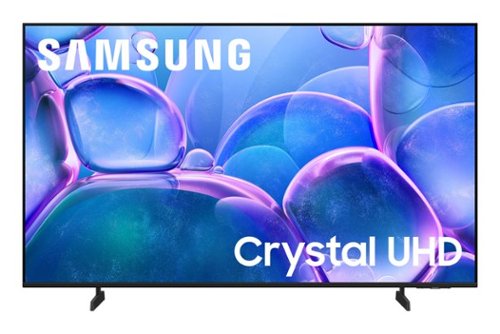
Samsung - 43" Class U7900 Series UHD 4K Smart Tizen TV (2025)
Upgrade your home theater with this stylish 4K TV featuring vibrant colors, rich contrast and an advanced 4K processor. Stay endlessly entertained with thousands of on demand shows and movies for free and enjoy peace of mind as watch thanks to our proprietary triple layer security that protects your personal data across all connected devices at once.
I am looking for a 43 inch tv that I can connect earphones to
Hi,
The 43" U7900 TV can connect to Bluetooth headphones. If a headphone jack is important to your setup, this input is found exclusively on our S90F OLED series.
~Samsung Advisor
The 43" U7900 TV can connect to Bluetooth headphones. If a headphone jack is important to your setup, this input is found exclusively on our S90F OLED series.
~Samsung Advisor
8 months ago
by
Posted by:
Samsung
Samsung - 85" Class U7900 Series UHD 4K Smart Tizen TV (2025)
Upgrade your home theater with this stylish 4K TV featuring vibrant colors, rich contrast and an advanced 4K processor. Stay endlessly entertained with thousands of on demand shows and movies for free and enjoy peace of mind as watch thanks to our proprietary triple layer security that protects your personal data across all connected devices at once.
Does anyone know how many HDMI ports this television has
Hi,
The U7900 TV has 2 HDMI ports.
~Samsung Advisor
The U7900 TV has 2 HDMI ports.
~Samsung Advisor
8 months ago
by
Posted by:
Samsung
Upgrade your home theater with this stylish 4K TV featuring vibrant colors, rich contrast and an advanced 4K processor. Stay endlessly entertained with thousands of on demand shows and movies for free and enjoy peace of mind as watch thanks to our proprietary triple layer security that protects your personal data across all connected devices at once.
How do you enable Voice Assist? I ordered I different remote with the microphone to use the feature, but that part still doesn't work. If I use my mobile device, it recognizes I'm try to talk but it says that feature but does nothing.
Hi SamsungLover,
Your TV Works With Alexa, meaning you’ll need to connect a standalone Alexa device such as an Echo speaker, to control compatible smart home devices and some experiences on your TV.
~Samsung Advisor
Your TV Works With Alexa, meaning you’ll need to connect a standalone Alexa device such as an Echo speaker, to control compatible smart home devices and some experiences on your TV.
~Samsung Advisor
8 months ago
by
Posted by:
Samsung
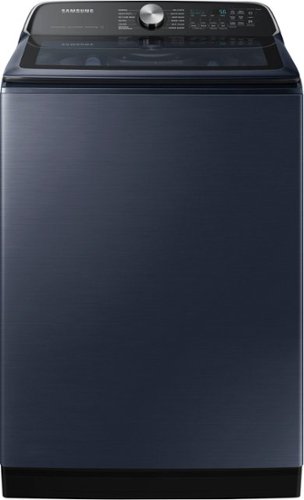
Samsung's 5.5 cu. ft. Extra-Large Capacity Top Load Washing Machine is equipped with Super Speed Wash, which powerfully cleans a full load of laundry in just 28 minutes without sacrificing cleaning performance. With Wi-Fi connectivity, you can remotely start, stop, or delay your smart washer from our simple-to use SmartThings App. Active Waterjet, a built-in water faucet, lets you easily pretreat heavily soiled and stained clothes.
Does it have to be connected to the internet to operate?
Hello there,
No, you can use the washing machine even without an internet connection. The washing machine is not dependent on an internet connection for it to operate. Having an internet connection with this Samsung washing machine model will let you use the Smart Care feature via the SmartThings app and the SmartThings feature, which lets you control your washer remotely.
Have a great day.
^Camille
No, you can use the washing machine even without an internet connection. The washing machine is not dependent on an internet connection for it to operate. Having an internet connection with this Samsung washing machine model will let you use the Smart Care feature via the SmartThings app and the SmartThings feature, which lets you control your washer remotely.
Have a great day.
^Camille
8 months ago
by
Posted by:
Samsung
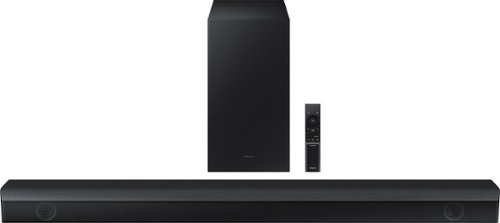
Samsung - HW-B650/ZA 3.1 Channel Soundbar with Wireless Subwoofer, Dolby 5.1 / DTS Virtual:X - Black
Dolby Atmos creates realistic 3D sound by projecting it from all around you, including from above, while DTS Virtual: X expands your listening experience without having to add extra speakers. Boost the bass with a touch of a button. The built-in center speaker delivers enhanced dialogue so you won't miss a word. Experience the intensity of action movies with the powerful bass coming from the included subwoofer. Enjoy optimized audio with enhanced voice clarity on all your favorite video content.
How does this connect to the Samsung 75" Q7.
Hi CGreen74! The HW-B650 features three ways to connect to an external device: HDMI (ARC), digital optical audio, and Bluetooth wireless audio technology. You should have no issues connecting it to your Samsung TV ~Samsung Solutions
8 months ago
by
Posted by:
Samsung
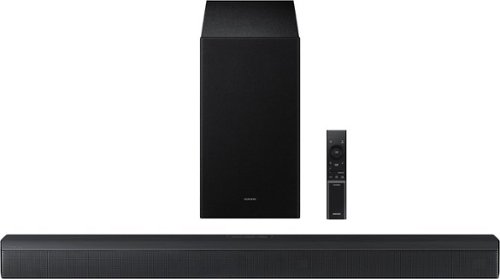
Upgrade your home theater setup with a 3.1 Channel sound system, featuring a built in center speaker to enhance voices and a wireless subwoofer for booming bass. Get rich and balanced sound in your movies and shows while voices are intelligently separated from background noise, delivering clear dialogue even at low volume. Plus, you won't have to hassle with pairing and unpairing your devices to play music - you can connect two simultaneously and switch between them seamlessly.
-Which rear speakers will work with the Samsung - B-series HW-B650F Sound Bar?
Hello DEH! The HW-B650F is compatible with the SWA-9250S Wireless Rear Speaker Kit.
~ Samsung Solutions
~ Samsung Solutions
8 months ago
by
Posted by:
Samsung
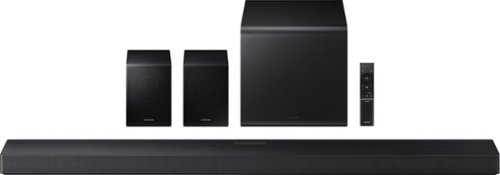
Enjoy a sleek, low profile design that fits into your space while delivering rich, multidimensional true surround sound with included rear speakers. Built in sensors detect whether the soundbar is placed flat on a table or is mounted flush against a wall and automatically recalibrates speaker direction for powerful Dolby Atmos audio, regardless of the setup. Enhance your home theater experience with crystal clear dialogue and booming bass, perfect for fast paced thrillers or action movies.
Do the rear speakers need stands? If so, recommendations?
Hello SDCRx2025! No, the rear speakers included with the HW-QS750F do not require speaker stands. However, you do have the option to either mount them on the wall or purchase third-party stands if you prefer.
~ Samsung Solutions
~ Samsung Solutions
8 months ago
by
Posted by:
Samsung