Samsung
Samsung's Stats
Reviews
- Review Count0
- Helpfulness Votes0
- First ReviewNone
- Last ReviewNone
- Featured Reviews0
- Average Rating0
Reviews Comments
- Review Comment Count0
- Helpfulness Votes0
- First Review CommentNone
- Last Review CommentNone
- Featured Review Comments0
Questions
- Question Count0
- Helpfulness Votes0
- First QuestionNone
- Last QuestionNone
- Featured Questions0
- Answer Count73914
- Helpfulness Votes37,957
- First AnswerApril 24, 2013
- Last AnswerAugust 28, 2026
- Featured Answers0
- Best Answers3950
Samsung's Reviews
Samsung has not submitted any reviews.
Samsung's Questions
Samsung has not submitted any questions.
Upgrade your home theater with this stylish 4K TV featuring vibrant colors, rich contrast and an advanced 4K processor. Stay endlessly entertained with thousands of on demand shows and movies for free and enjoy peace of mind as watch thanks to our proprietary triple layer security that protects your personal data across all connected devices at once.
I've tried adjusting the brightness on the settings, but the picture is very dark and the brightness is as far as it can go and it's still extremely dark. What can ido?

Hi,
If the image appears too dark, we suggest disabling certain energy-saving features, which can automatically adjust brightness and affect how the screen looks.
Go to: Settings > All Settings > General & Privacy > Power and Energy Saving, then turn off Brightness Optimization, Energy Saving Solution, Motion Lighting, and/or Contrast Enhancer.
You can also adjust the Picture Mode to better suit your environment: Settings > All Settings > Picture > Picture Mode
• Standard – Default mode for general viewing
• Dynamic – Brighter and clearer, ideal for well-lit rooms
• Movie – Best for dark room viewing
• Eco – Energy-saving mode
• Filmmaker Mode – Preserves content as intended by creators
To fine-tune brightness, go to: Home > left directional key > Settings > All Settings > Picture > Expert Settings, then adjust the Brightness level (0–50) to your preference.
Lastly, please make sure your TV is running the latest firmware: Home > Home > left directional key > Settings > Support > Software Update > Update Now
We hope these tips help improve your viewing experience. If you need further support, feel free to contact us at 1-800-SAMSUNG, 8AM – 12AM EST, 7 days a week. LiveChat is also available via the ‘Support’ link on our website.
~ Samsung Advisor
If the image appears too dark, we suggest disabling certain energy-saving features, which can automatically adjust brightness and affect how the screen looks.
Go to: Settings > All Settings > General & Privacy > Power and Energy Saving, then turn off Brightness Optimization, Energy Saving Solution, Motion Lighting, and/or Contrast Enhancer.
You can also adjust the Picture Mode to better suit your environment: Settings > All Settings > Picture > Picture Mode
• Standard – Default mode for general viewing
• Dynamic – Brighter and clearer, ideal for well-lit rooms
• Movie – Best for dark room viewing
• Eco – Energy-saving mode
• Filmmaker Mode – Preserves content as intended by creators
To fine-tune brightness, go to: Home > left directional key > Settings > All Settings > Picture > Expert Settings, then adjust the Brightness level (0–50) to your preference.
Lastly, please make sure your TV is running the latest firmware: Home > Home > left directional key > Settings > Support > Software Update > Update Now
We hope these tips help improve your viewing experience. If you need further support, feel free to contact us at 1-800-SAMSUNG, 8AM – 12AM EST, 7 days a week. LiveChat is also available via the ‘Support’ link on our website.
~ Samsung Advisor
9 months ago
by
Posted by:
Samsung
Upgrade your home theater with this stylish 4K TV featuring vibrant colors, rich contrast and an advanced 4K processor. Stay endlessly entertained with thousands of on demand shows and movies for free and enjoy peace of mind as watch thanks to our proprietary triple layer security that protects your personal data across all connected devices at once.
Can I get someone to hook up tv and brackets for wsll
For TV mounting and installation services, we recommend contacting your local Best Buy or visiting:
https://www.bestbuy.com/site/tv-home-theater-services/tv-mounting-packages/pcmcat748300648009.c?id=pcmcat748300648009#1
~ Samsung Advisor
https://www.bestbuy.com/site/tv-home-theater-services/tv-mounting-packages/pcmcat748300648009.c?id=pcmcat748300648009#1
~ Samsung Advisor
9 months ago
by
Posted by:
Samsung
Samsung - 43 Class U8000F Series Crystal UHD 4K Smart Tizen TV (2025)
Upgrade your home theater with this stylish 4K TV featuring vibrant colors, rich contrast and an advanced 4K processor. Stay endlessly entertained with thousands of on demand shows and movies for free and enjoy peace of mind as watch thanks to our proprietary triple layer security that protects your personal data across all connected devices at once.
Can I use a Roku adapter? Or, is Roku installed?
Hi,
The U8000F comes with Samsung TV Plus which offers hundreds of free channels of news, sports, movies, and much more. If you do use a Fire TV Stick, the included universal remote can be set up to control all your connected devices, including a Fire TV Stick.
~ Samsung Advisor
The U8000F comes with Samsung TV Plus which offers hundreds of free channels of news, sports, movies, and much more. If you do use a Fire TV Stick, the included universal remote can be set up to control all your connected devices, including a Fire TV Stick.
~ Samsung Advisor
9 months ago
by
Posted by:
Samsung
Upgrade your home theater with this stylish 4K TV featuring vibrant colors, rich contrast and an advanced 4K processor. Stay endlessly entertained with thousands of on demand shows and movies for free and enjoy peace of mind as watch thanks to our proprietary triple layer security that protects your personal data across all connected devices at once.
Do you have to pay an extra fee monthly to get connected to Verizon cable?
Hi JM,
Verizon Cable is not included with the U7900 TV. However, it is not an additional cost to connect to a cable box outside of the cable subscription fee, cable boxes, and cables.
~Samsung Advisor
Verizon Cable is not included with the U7900 TV. However, it is not an additional cost to connect to a cable box outside of the cable subscription fee, cable boxes, and cables.
~Samsung Advisor
9 months ago
by
Posted by:
Samsung
Upgrade your home theater with this stylish 4K TV featuring vibrant colors, rich contrast and an advanced 4K processor. Stay endlessly entertained with thousands of on demand shows and movies for free and enjoy peace of mind as watch thanks to our proprietary triple layer security that protects your personal data across all connected devices at once.
Hate the remote control that came with the tv. Can I purchase a different one?
Hi Dee,
Yes, you can use a universal IR remote with the U7900 TV.
~Samsung Advisor
Yes, you can use a universal IR remote with the U7900 TV.
~Samsung Advisor
9 months ago
by
Posted by:
Samsung
Samsung - 85" Class U7900 Series UHD 4K Smart Tizen TV (2025)
Upgrade your home theater with this stylish 4K TV featuring vibrant colors, rich contrast and an advanced 4K processor. Stay endlessly entertained with thousands of on demand shows and movies for free and enjoy peace of mind as watch thanks to our proprietary triple layer security that protects your personal data across all connected devices at once.
What is the difference from the Samsung 7900 and the 8000 ? Other then the Price
Hi Goose,
Both the U7900F and U8000F use the Crystal Processor 4K with 4K upscaling, Color Booster, HDR10+, and Motion Xcelerator (60Hz).
Each model includes 20W 2-channel sound with Object Tracking Sound Lite and Q-Symphony. Smart Features: Both support Daily+, SmartThings, IoT connectivity, voice assistants, and Samsung TV Plus.
The main difference – U8000F has 3 HDMI ports, while U7900F includes 2. All other ports and wireless options are the same.
~ Samsung Advisor
Both the U7900F and U8000F use the Crystal Processor 4K with 4K upscaling, Color Booster, HDR10+, and Motion Xcelerator (60Hz).
Each model includes 20W 2-channel sound with Object Tracking Sound Lite and Q-Symphony. Smart Features: Both support Daily+, SmartThings, IoT connectivity, voice assistants, and Samsung TV Plus.
The main difference – U8000F has 3 HDMI ports, while U7900F includes 2. All other ports and wireless options are the same.
~ Samsung Advisor
9 months ago
by
Posted by:
Samsung
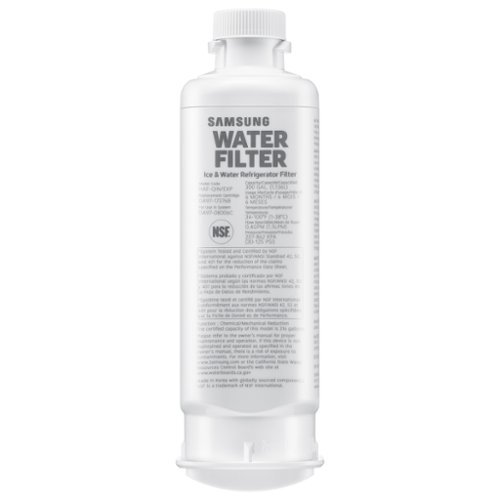
Give your family safe, fresh-testing water with Samsung genuine filters. Samsung water filters remove over 99% of numerous harmful contaminants, including lead. Each filter lasts for 6 months or 300 gallons.
Does this filter fit model Rs27t5561sr frig?
Images for this Question
(click to see full-size image)

Greetings,
Yes, HAF-QIN is the water filter compatible with the refrigerator model RS27T5561SR.
Have a lovely day.
-Kimberly
Yes, HAF-QIN is the water filter compatible with the refrigerator model RS27T5561SR.
Have a lovely day.
-Kimberly
9 months ago
by
Posted by:
Samsung
Elevate your entertainment with vivid visuals and dynamic audio tailored to your content. A color spectrum of over one billion shades brings scenes to life with distinctive contrast, highlighting details with precision. Plus, discover innovative personalized experiences with Samsung Vision AI and also enjoy access to thousands of live TV channels, movies and shows all for free while Knox protects your confidential data.
Can you cast directly to this TV from an iPad? How about from an Android tablet? Or are streaming devices like Chromecast required?
Hi JBOhiodev - You can cast from iOS devices via AirPlay; Android via SmartThings.
~ Samsung Specialist
~ Samsung Specialist
9 months ago
by
Posted by:
Samsung
Samsung - 77 Class S95F OLED 4K Glare-Free TV with SamsungVisionAI (2025)
Our most advanced 4K processor powers Samsung Vision AI to upscale both picture and sound for stunning, cinematic excellence along with personalized experiences. Whether your streaming or gaming, this TV sets the tone and maps out every scene to maximize your viewing pleasure with our best Glare Free technology, exceptional motion enhancement up to 4K for crisp visuals, and OLED HDR Pro for bright and beautiful picture contrast. You'll think you're at a movie theater.
What are the dimensions of the connectors on each end of the OneConnect cable?
Hi John - TV side:
The connector is wider, measuring about 56.8 mm (2.2") across and 78.4 mm (3.1") tall, and includes 37 pins.
One Connect Box side:
This end is a bit smaller, measuring about 33.9 mm (1.3") across and 56 mm (2.2") tall, with 36 pins.
~ Samsung Specialist
The connector is wider, measuring about 56.8 mm (2.2") across and 78.4 mm (3.1") tall, and includes 37 pins.
One Connect Box side:
This end is a bit smaller, measuring about 33.9 mm (1.3") across and 56 mm (2.2") tall, with 36 pins.
~ Samsung Specialist
9 months ago
by
Posted by:
Samsung
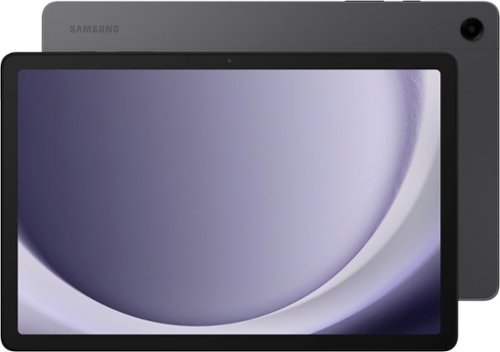
Meet your go to device for on the go family fun Galaxy Tab A9+. A bright, engaging 11" screen is perfect for every family member to do what they love. Whether they~re enjoying a show, unwinding with a game or catching up on schoolwork or day to day tasks, an upgraded chipset makes every experience feel smooth and easy. You can even open multiple apps at the same time and get all your everyday tasks done quickly. Use it for hours without worrying about power, and keep everything you love together with plenty of storage space. Plus, the preloaded Samsung Kids app provides a safe digital environment for your little ones to happily learn and play. Give your family a great all in one Tab that perfectly meets all their everyday needs without taking a bite out of your wallet Galaxy Tab A9+.
Is there a media player included in the software?
Howdy Isaac, thanks for taking the opportunity to ask us your question about the Samsung Galaxy Tab A9+. Yes, the Galaxy Tab A9+ has a built-in media player which supports numerous audio and video formats. If you have any other questions or if you would like any further assistance, please feel free to contact Support. Thanks for being a loyal Samsung customer. - Debra
9 months ago
by
Posted by:
Samsung