Samsung
Samsung's Stats
Reviews
- Review Count0
- Helpfulness Votes0
- First ReviewNone
- Last ReviewNone
- Featured Reviews0
- Average Rating0
Reviews Comments
- Review Comment Count0
- Helpfulness Votes0
- First Review CommentNone
- Last Review CommentNone
- Featured Review Comments0
Questions
- Question Count0
- Helpfulness Votes0
- First QuestionNone
- Last QuestionNone
- Featured Questions0
- Answer Count73914
- Helpfulness Votes37,957
- First AnswerApril 24, 2013
- Last AnswerAugust 28, 2026
- Featured Answers0
- Best Answers3950
Samsung's Reviews
Samsung has not submitted any reviews.
Samsung's Questions
Samsung has not submitted any questions.
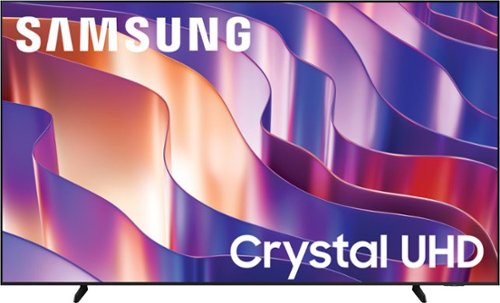
Upgrade your home theater experience with a big, striking 4K picture engineered specifically for sharpness & clarity on a mammoth screen. Take advantage of more than 2700 free channels on Samsung TV Plus and enjoy peace of mind as our proprietary triple-layer security protects your personal data. Add ultra-smooth action and improved contrast to the mix for a truly impressive view.
Thank you for the prompt response. What is the distance between the stands of this tv. I m trying to get the TV stand for this tv.

Hi TV,
The 98" DU8900 TV stand can be placed at either 59.3" or 17.9" apart. I'm happy to answer any questions you may have, but you can also find spec information on the Best Buy PDP under the specifications section.
I hope this helps!
~Samsung Advisor
The 98" DU8900 TV stand can be placed at either 59.3" or 17.9" apart. I'm happy to answer any questions you may have, but you can also find spec information on the Best Buy PDP under the specifications section.
I hope this helps!
~Samsung Advisor
9 months ago
by
Posted by:
Samsung
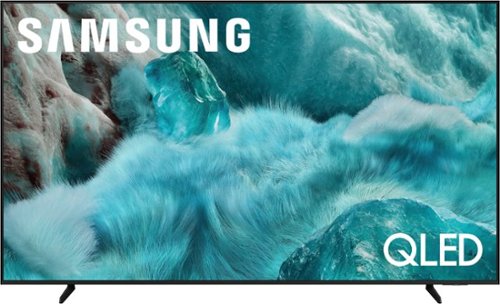
Discover a new level of visual and auditory brilliance with our next level smart TV. Powered by Pantone certified color accuracy, witness over one billion authentic hues burst forth in beautiful detail. Quantum HDR takes things further, elevating contrast for lifelike imagery. Add to that our advanced 3D audio system syncing flawlessly with on screen motion, all intelligently powered by Samsung Vision AI. And rest assured, Knox keeps your private info safe and secure.
Does this television allow for more than one Bluetooth set of headphones simultaneously?
Dual Bluetooth Audio allows you to connect multiple Bluetooth devices – for instance, you can pair 2 headsets to your TV simultaneously. You can even stream 2 different audio contents to each headset when using the Multi View feature. To set this up, go to: Home > left directional key > Settings > All Settings > Sound > Sound Output > Bluetooth Speaker List, then connect the devices you’d like to pair (one at a time). When selecting the second device, select Multi Connect.
~ Samsung Specialist
~ Samsung Specialist
9 months ago
by
Posted by:
Samsung
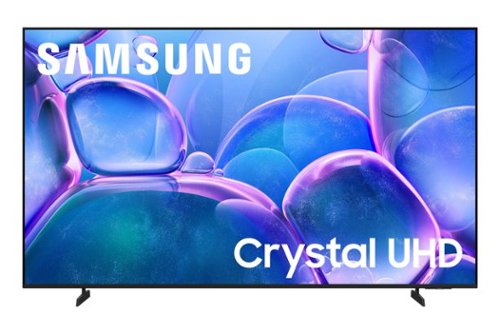
Upgrade your home theater with this stylish 4K TV featuring vibrant colors, rich contrast and an advanced 4K processor. Stay endlessly entertained with thousands of on demand shows and movies for free and enjoy peace of mind as watch thanks to our proprietary triple layer security that protects your personal data across all connected devices at once.
Is this TV wireless compatible? I have ATT Fiber wifi
Hi PD,
Yes, the U7900 TV is Wi-Fi enabled.
~Samsung Advisor
Yes, the U7900 TV is Wi-Fi enabled.
~Samsung Advisor
9 months ago
by
Posted by:
Samsung
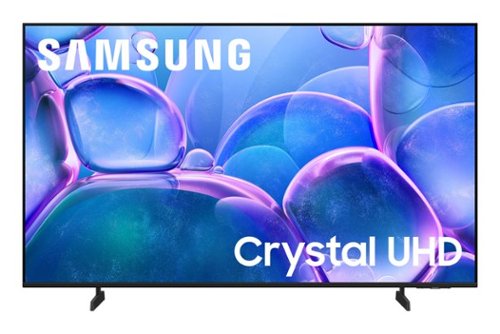
Samsung - 43" Class U7900 Series UHD 4K Smart Tizen TV (2025)
Upgrade your home theater with this stylish 4K TV featuring vibrant colors, rich contrast and an advanced 4K processor. Stay endlessly entertained with thousands of on demand shows and movies for free and enjoy peace of mind as watch thanks to our proprietary triple layer security that protects your personal data across all connected devices at once.
Is software that supports peacock already installed on this TV, order do you have to purchase roku for this?
Hi Jeff,
Peacock is available on the U7900, and there is a built-in app store with hundreds of apps available for download. You do not need a Roku device.
~Samsung Advisor
Peacock is available on the U7900, and there is a built-in app store with hundreds of apps available for download. You do not need a Roku device.
~Samsung Advisor
9 months ago
by
Posted by:
Samsung
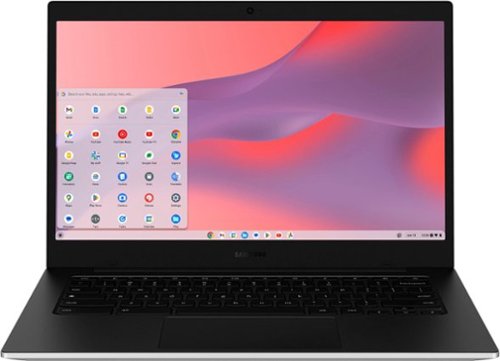
Samsung - Galaxy Chromebook Go - 14" LED Laptop - Intel Celeron- 4GB Memory - 128GB Storage - Silver
Make the grades with a Chromebook that~s at the top of its class in value and performance. Galaxy Chromebook Go is built with premium craftsmanship to endure everyday hiccups and long-lasting battery life to power through class without needing to sit by a power outlet. Plus, you'll blaze through every assignment with fast Wi-Fi connectivity. Thinner and lighter than other Chromebooks, Galaxy Chromebook Go fits easily into backpacks to help lighten the load. Best of all, Galaxy Chromebook Go is priced to please.
Do this have window 11
Greetings Meka, thank you for taking the opportunity to ask us your question about the Samsung Galaxy Chromebook Go. No, the advertised Galaxy Chromebook Go runs on Chrome OS. If you have additional questions, let us know by reaching out to Support. Thanks for being a faithful Samsung customer. - Debra
9 months ago
by
Posted by:
Samsung
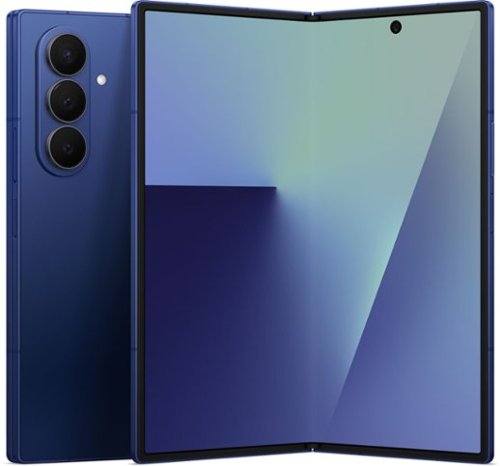
Expand what~s possible with Galaxy Z Fold7, the foldable that~s designed to do so much more than before. The expanded 6.5" cover display is made to feel like a traditional smartphone, making it more convenient to handle daily tasks from text replies to checking the weather without needing to unfold. For even more possibilities, open up the impressive 8" screen to create, unwind, multitask and more. For the first time ever for a foldable, Galaxy Z Fold7 boasts a 200MP camera with ProVisual Engine so you can take stunning photos with ease. Perfecting your pics feels just as effortless. Enjoy plenty of room on the expansive inner screen to make tiny adjustments, like zooming in to delete that stranger in the background with Photo Assist or ensuring everyone~s eyes are open in the group selfie with Best Face. Whether you~re at home or on the go, creating on the large screen of Galaxy Z Fold7 is as comfortable as it gets. View up to three windows at once and edit your content on one side while streaming videos and scrolling social feeds on the other. While you multitask, the customized Snapdragon 8 Elite processor for Galaxy keeps your experiences smooth from start to finish. Plus, you can do it all without fear. Galaxy Z Fold7 is crafted with time tested durability that stands up to everyday wear and tear. Now that Gemini Live can analyze what you see, Galaxy Z Fold7 also expands the ways AI can assist you. Simply open up Gemini Live, and then screenshare or point your camera at whatever interests you for additional info or answers on the fly. Live life to the fullest see more, do more and expand what~s possible with Galaxy Z Fold7.
Can you transfer all data from galaxy s10 to this phone
Aloha, thank you for asking us your question about the Samsung Galaxy Z Fold7. Samsung Smart Switch allows you to transfer your data from your old device to your new one easily! Feel free to check out, "Transfer content with Samsung Smart Switch" if you would like to learn more. Feel free to reach out to Support afterward if you would like any further assistance. Thanks for being a valued Samsung customer. - Debra
9 months ago
by
Posted by:
Samsung

Your favorite new health and wellness companion is here ~ Galaxy Watch7. Enhanced with Galaxy AI,~ this Watch has everything you need to keep you moving toward your health goals. Wake up on the right side of the bed every morning with an Energy Score1 that helps you understand your well-being better. Hit your morning workout while staying in touch with your world ~ make calls from your Watch and quickly respond to texts on the go with Suggested Replies.~ Then hone in on your heart health during your workout with improved Heart Rate Tracking,~ and improve each day with personalized Wellness Tips~ viewable right on your Galaxy smartphone.~ Plus, stay in the zone by streaming your favorite playlist or podcast from your Watch to your Galaxy Buds.~ Your ultimate fitness partner is now on your wrist ~ Galaxy Watch7.
Does this watch have fall detection? Can it alert family?
Hello Jo, thank you for reaching out with your question about the Samsung Galaxy Watch7. Yes, the Galaxy Watch7 offers the Hard Fall Detection feature. The hard fall alert can notify family members by sending them an SOS message with your location when a fall is detected. If you have any other questions for us or if you would like any further assistance, do not hesitate to contact Support. Thanks for being a valued Samsung customer. - Debra
9 months ago
by
Posted by:
Samsung
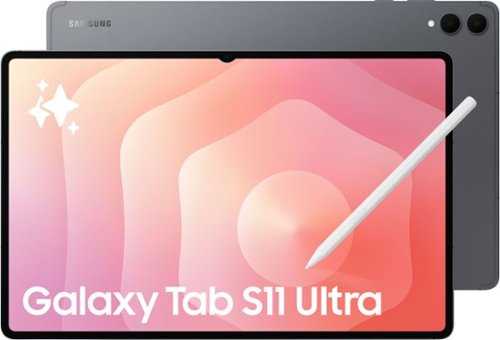
Galaxy Tab S11 Ultra is built for those who see having the latest and greatest tech as non negotiable. It packs an expansive 14.6~ display, uncompromising power and impressive durability all in one sleek design so you can work and play from virtually anywhere worry free. Whether you~re powering through your workday or downtime, Tab S11 Ultra puts everything you love on a giant screen. Create presentations, bring big ideas to life or dive into your favorite series on the incredible Dynamic AMOLED 2X screen with crisp details. Thanks to the ultra slim bezels and improved 3nm MediaTek processor, your content has the space it deserves, making everything you do on your Tab an exceptional experience. And during a long day of utilizing the tech forward features of your Tab to crush your goals, your personal Galaxy AI assistant helps you keep it all organized. Galaxy Tab S11 Ultra is more than your typical tablet it~s the ultimate device to amplify your everyday.
Can this tablet be connected or used with a keyboard?
Hey there, thank you for asking us your question about the Samsung Galaxy Tab S11 Ultra. Yes, you can connect your Galaxy S11 Ultra with a keyboard. The Book Cover Keyboard Slim or a Bluetooth enabled peripheral device would work perfectly with this device. If you have any other questions for us or if you would like any further assistance, please feel free to contact Support at your leisure. Thank you for being a valued Samsung customer. - Debra
9 months ago
by
Posted by:
Samsung
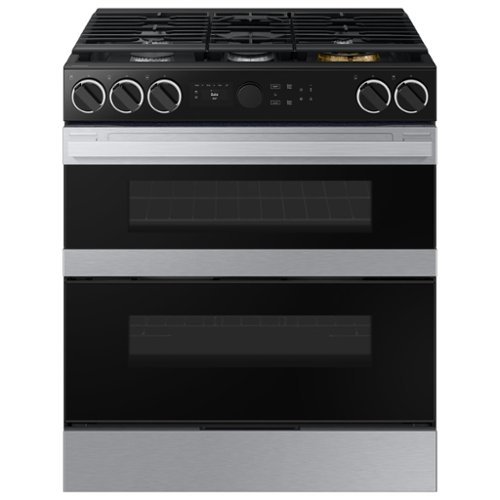
Samsung's smart dual fuel range features a gas cooktop and an electric oven providing the best of both cooking methods. The Flex Duo dual oven lets you convert one oven into two so you can cook multiple meals at once at different temperatures. Illuminated Precision Knobs let you know if your cooktop is on from a distance and precisely control and ensure proper activation of your cooktop.
The range comes with propane conversion orafices. If the home owner installs to convert to propane, will it void the warranty?
Hi Bill,
Yes, a do-it-yourself (DIY) conversion to propane will likely void your Samsung warranty. The conversion must be performed by a Samsung-authorized service center or qualified, licensed technician to ensure it is done correctly and safely according to manufacturer specifications and to maintain the warranty coverage.
Have a great day!
-Ricardo
Yes, a do-it-yourself (DIY) conversion to propane will likely void your Samsung warranty. The conversion must be performed by a Samsung-authorized service center or qualified, licensed technician to ensure it is done correctly and safely according to manufacturer specifications and to maintain the warranty coverage.
Have a great day!
-Ricardo
9 months ago
by
Posted by:
Samsung

Samsung - 70 Class DU7200 Series Crystal UHD 4K Smart Tizen TV (2024)
This essential TV features a range of contrast and color and smart capabilities. Enjoy your content with richer details, brighter images and clearer resolution with 4K Upscaling.
How do I clean my seventy inch t v screen?
Hi there!
To clean your Samsung TV, please follow the below directions.
1. Turn the TV off and let it cool down for a few minutes before unplugging it.
2. To clean the frame and screen, gently wipe it with a microfiber cleaning cloth. Make sure to wipe the TV frame and screen as gently as possible. TV screens are fragile and can be damaged when pressed too hard.
3. If you don't see results, spray distilled water onto your microfiber cleaning cloth and gently wipe the frame and screen.
4. Let the TV dry completely before you plug the TV back in.
If you need more help, Samsung is here for you. Please call us at 1-800-SAMSUNG, 8AM - 12AM EST, 7 days a week. Our LiveChat agents are also available by clicking on the ‘Support’ link on our website.
~ Samsung Ambassador
To clean your Samsung TV, please follow the below directions.
1. Turn the TV off and let it cool down for a few minutes before unplugging it.
2. To clean the frame and screen, gently wipe it with a microfiber cleaning cloth. Make sure to wipe the TV frame and screen as gently as possible. TV screens are fragile and can be damaged when pressed too hard.
3. If you don't see results, spray distilled water onto your microfiber cleaning cloth and gently wipe the frame and screen.
4. Let the TV dry completely before you plug the TV back in.
If you need more help, Samsung is here for you. Please call us at 1-800-SAMSUNG, 8AM - 12AM EST, 7 days a week. Our LiveChat agents are also available by clicking on the ‘Support’ link on our website.
~ Samsung Ambassador
9 months ago
by
Posted by:
Samsung