Samsung
Samsung's Stats
Reviews
- Review Count0
- Helpfulness Votes0
- First ReviewNone
- Last ReviewNone
- Featured Reviews0
- Average Rating0
Reviews Comments
- Review Comment Count0
- Helpfulness Votes0
- First Review CommentNone
- Last Review CommentNone
- Featured Review Comments0
Questions
- Question Count0
- Helpfulness Votes0
- First QuestionNone
- Last QuestionNone
- Featured Questions0
- Answer Count73914
- Helpfulness Votes37,963
- First AnswerApril 24, 2013
- Last AnswerAugust 28, 2026
- Featured Answers0
- Best Answers3950
Samsung's Reviews
Samsung has not submitted any reviews.
Samsung's Questions
Samsung has not submitted any questions.
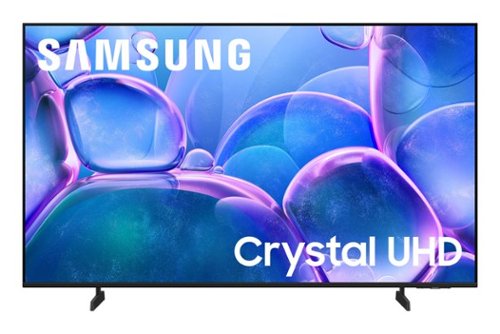
Samsung - 50" Class U7900 Series UHD 4K Smart Tizen TV (2025)
Upgrade your home theater with this stylish 4K TV featuring vibrant colors, rich contrast and an advanced 4K processor. Stay endlessly entertained with thousands of on demand shows and movies for free and enjoy peace of mind as watch thanks to our proprietary triple layer security that protects your personal data across all connected devices at once.
The salesman at Best Buy said that the quality of the 50”and 55” U7900 series was a poor quality tv to watch sports with. Is that true

Hi,
Motion Xcelerator 60Hz on the U7900 TV keeps your action scenes smooth and sharp by predicting frame motion for a seamless viewing experience.
~ Samsung Advisor
Motion Xcelerator 60Hz on the U7900 TV keeps your action scenes smooth and sharp by predicting frame motion for a seamless viewing experience.
~ Samsung Advisor
10 months ago
by
Posted by:
Samsung
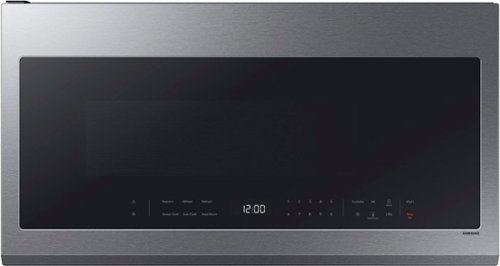
This Samsung Over-the-Range Microwave conveniently syncs with your Samsung range or cooktop so that ventilation and lighting will turn on automatically when you turn on the burners. Through the SmartThings app, you can remotely adjust ventilation speed and cooking time right from your smartphone and receive alerts when heating or cooking is finished. It also has an extra-large 2.1 cu. ft. capacity that will accommodate even your largest dishes, and glass touch controls illuminate with a simple touch and dim when not in use for a clean, seamless look.
Can this model be configured to vent outside the home or is it recirculating only?”
Greetings!
Yes, this Samsung over-the-range microwave model can be configured for external venting, in addition to the recirculating ventilation option.
Leo
Yes, this Samsung over-the-range microwave model can be configured for external venting, in addition to the recirculating ventilation option.
Leo
10 months ago
by
Posted by:
Samsung
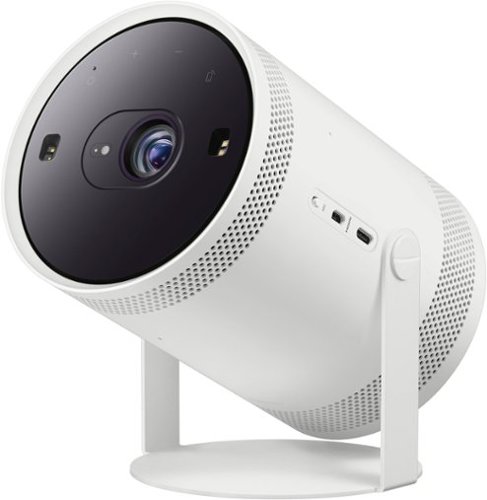
Be ready when the big screen beckons. Bring the action with The Freestyle Gen 2 with Gaming Hub, a smart theater you can take to-go. It brings you the best experience at any size, so you can make motion picture magic in minutes
WHAT KIND OF SCREEN SHOULD I USE FOR THIS? AND WHAT SIZE?
Hi WALTER,
The Freestyle 2nd Gen features Smart Calibration, which is an integrated calibration tool within the SmartThings app that will automatically analyze your environment, such as wall type and color, as well as lighting conditions, to help create a stunning picture.
~Samsung Advisor
The Freestyle 2nd Gen features Smart Calibration, which is an integrated calibration tool within the SmartThings app that will automatically analyze your environment, such as wall type and color, as well as lighting conditions, to help create a stunning picture.
~Samsung Advisor
10 months ago
by
Posted by:
Samsung

Featuring a matte screen for a print like finish, Pantone Validated colors, and a slim customizable bezel that looks like a gallery frame, the TV for art lovers has access to curated works from top tier galleries and museums to blend into any style or d~cor. Samsung Vision AI powers superb picture, sound and personalized TV experiences.
If you don't order a frame what are the edges finished with? And will it still look flush to the wall?
Hi,
The Frame TV is designed to be displayed with its built-in black bezel, which is not removable. Customizable Bezels, sold separately, are designed to attach directly over the black bezel. These magnetic frames are available in Sand Gold (Metal), Modern Brown, Modern Teak, and Modern White.
~Samsung Advisor
The Frame TV is designed to be displayed with its built-in black bezel, which is not removable. Customizable Bezels, sold separately, are designed to attach directly over the black bezel. These magnetic frames are available in Sand Gold (Metal), Modern Brown, Modern Teak, and Modern White.
~Samsung Advisor
10 months ago
by
Posted by:
Samsung
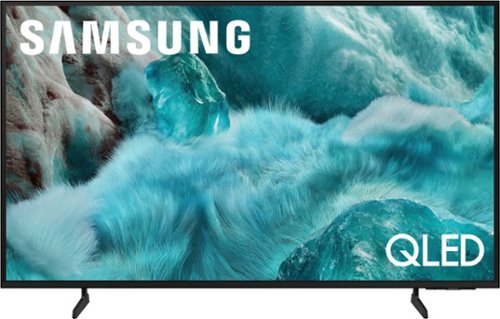
Discover a new level of visual and auditory brilliance with our next level smart TV. Powered by Pantone certified color accuracy, witness over one billion authentic hues burst forth in beautiful detail. Quantum HDR takes things further, elevating contrast for lifelike imagery. Add to that our advanced 3D audio system syncing flawlessly with on screen motion, all intelligently powered by Samsung Vision AI. And rest assured, Knox keeps your private info safe and secure.
Does the tv support multi view ir split screen with different input
Hi Lola,
Multi View, available on Samsung’s Q7F Series and above, allows you to display two types of content on-screen at once. You can view an app or HDMI source on the left, while mirroring your smartphone or casting from a compatible app on the right. While two HDMI sources can’t be displayed together, Multi View gives you the flexibility to combine streaming, live TV, mobile content, and more – side-by-side.
~Samsung Advisor
Multi View, available on Samsung’s Q7F Series and above, allows you to display two types of content on-screen at once. You can view an app or HDMI source on the left, while mirroring your smartphone or casting from a compatible app on the right. While two HDMI sources can’t be displayed together, Multi View gives you the flexibility to combine streaming, live TV, mobile content, and more – side-by-side.
~Samsung Advisor
10 months ago
by
Posted by:
Samsung
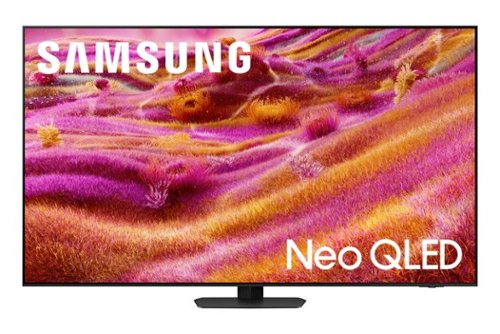
Our most advanced 4K processor powers Samsung Vision AI for enhanced picture, sound, and breakthrough TV experiences. Get amazingly detailed picture and vivid color on a glare free screen for viewing without distraction, even in the brightest rooms. Enriching new personalized TV experiences let you dive deeper into your content and get more from your TV.
Does this tv have a nextgen atsc 3.0 tuner?
Hi Steve,
The QN90F has a built-in ATSC 1.0/ClearQAM tuner; when stepping up to our Neo QLED 8K Series, you’ll gain a built-in ATSC 3.0 tuner for receiving digital broadcasts.
~Samsung Advisor
The QN90F has a built-in ATSC 1.0/ClearQAM tuner; when stepping up to our Neo QLED 8K Series, you’ll gain a built-in ATSC 3.0 tuner for receiving digital broadcasts.
~Samsung Advisor
10 months ago
by
Posted by:
Samsung
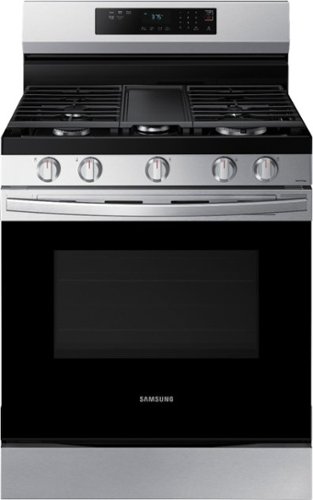
Elevate the look of your kitchen with Samsung~s Smart Freestanding Gas Range. Upgraded technology makes cooking simple and fun.
Are we able to replace the griddle with another grate for this stove top?
Hi Nancy,
No, the integrated griddle is designed as part of the cooktop, and there isn’t a compatible grate available to replace it.
Leo
No, the integrated griddle is designed as part of the cooktop, and there isn’t a compatible grate available to replace it.
Leo
10 months ago
by
Posted by:
Samsung
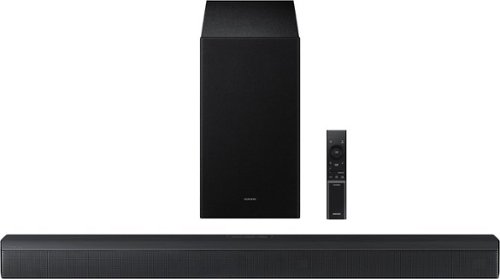
Upgrade your home theater setup with a 3.1 Channel sound system, featuring a built in center speaker to enhance voices and a wireless subwoofer for booming bass. Get rich and balanced sound in your movies and shows while voices are intelligently separated from background noise, delivering clear dialogue even at low volume. Plus, you won't have to hassle with pairing and unpairing your devices to play music - you can connect two simultaneously and switch between them seamlessly.
Does it display screen
Hello James! Yes, the HW-B650F does feature an LED screen located on the front right side of the soundbar. ~ Samsung Solutions
10 months ago
by
Posted by:
Samsung
Upgrade your home theater setup with a 3.1 Channel sound system, featuring a built in center speaker to enhance voices and a wireless subwoofer for booming bass. Get rich and balanced sound in your movies and shows while voices are intelligently separated from background noise, delivering clear dialogue even at low volume. Plus, you won't have to hassle with pairing and unpairing your devices to play music - you can connect two simultaneously and switch between them seamlessly.
Does this have voice controls?
Hi Frank! No, the HW-B650F does not feature voice controls. ~ Samsung Solutions
10 months ago
by
Posted by:
Samsung
Upgrade your home theater setup with a 3.1 Channel sound system, featuring a built in center speaker to enhance voices and a wireless subwoofer for booming bass. Get rich and balanced sound in your movies and shows while voices are intelligently separated from background noise, delivering clear dialogue even at low volume. Plus, you won't have to hassle with pairing and unpairing your devices to play music - you can connect two simultaneously and switch between them seamlessly.
I cannot seem to get the subwoofer to work. It says it’s connected but it doesn’t make any sound. This replaced a previous Samsung set that definitely seemed to have better sound quality. Can you provide some guidance or instructions for me?
Hi rsks04! When powered on for the first time, the subwoofer should automatically connect to the soundbar wirelessly. If the auto-connection process fails, you can try manually connecting the sub to the soundbar.
Before performing the manual connection procedure, check whether the power cables for the Soundbar and subwoofer are connected properly and make sure that the Soundbar is turned off.
Press and hold ID SET on the rear of the subwoofer for at least 5 seconds. The red indicator on the rear of the subwoofer turns off and the blue indicator blinks. Press and hold the Up button on the remote control for at least 5 seconds. The ID SET message appears on the display of the Soundbar for a moment, and then it disappears. The Soundbar will automatically power on when ID SET is complete. The LINK LED indicator stops blinking and glows a solid blue when a connection is established between the Soundbar and the Wireless Subwoofer.
~ Samsung Solutions
Before performing the manual connection procedure, check whether the power cables for the Soundbar and subwoofer are connected properly and make sure that the Soundbar is turned off.
Press and hold ID SET on the rear of the subwoofer for at least 5 seconds. The red indicator on the rear of the subwoofer turns off and the blue indicator blinks. Press and hold the Up button on the remote control for at least 5 seconds. The ID SET message appears on the display of the Soundbar for a moment, and then it disappears. The Soundbar will automatically power on when ID SET is complete. The LINK LED indicator stops blinking and glows a solid blue when a connection is established between the Soundbar and the Wireless Subwoofer.
~ Samsung Solutions
10 months ago
by
Posted by:
Samsung