Lenovo Product Expert
Lenovo Product Expert's Stats
Reviews
- Review Count0
- Helpfulness Votes0
- First ReviewNone
- Last ReviewNone
- Featured Reviews0
- Average Rating0
Reviews Comments
- Review Comment Count0
- Helpfulness Votes0
- First Review CommentNone
- Last Review CommentNone
- Featured Review Comments0
Questions
- Question Count0
- Helpfulness Votes0
- First QuestionNone
- Last QuestionNone
- Featured Questions0
- Answer Count37798
- Helpfulness Votes24,818
- First AnswerApril 21, 2014
- Last AnswerOctober 8, 2026
- Featured Answers0
- Best Answers2825
Lenovo Product Expert's Reviews
Lenovo Product Expert has not submitted any reviews.
Lenovo Product Expert's Questions
Lenovo Product Expert has not submitted any questions.
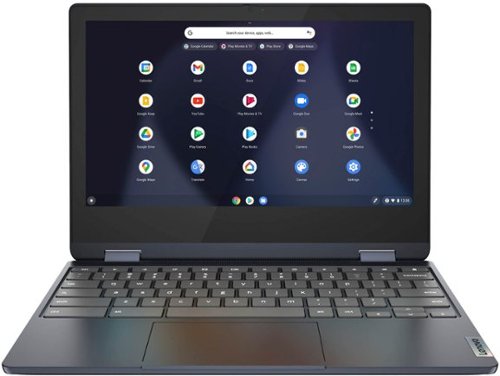
Lenovo - Flex 3 Chromebook 11.6" HD Touch-screen Laptop - Mediatek MT8183 - 4GB - 64GB eMMC - Abyss Blue
Packs what makes Chromebook so amazing into one svelte 360-degree convertible. Versatile and portable, the IdeaPad Flex 3 Chromebook measures just 19.6 mm thick and weighs 1.2 kg with a full keyboard and spacious trackpad, and can be viewed in tent, tablet, laptop or stand modes. Watch crisp visuals in high definition with its 10-point touchscreen on the 11.6" IPS display while being more productive with help from Google. Just say ~Hey Google,~ to manage tasks, enjoy your entertainment, get answers, or control smart home devices.
Is this good for gaming

That will depend on the specific games you want to play and the requirements and compatibility of those specific games. This Lenovo Flex 3 11 Chromebook, model number 82KM0003US, ships with the Chrome Operating System installed and is compatible with Google Play Store APPs. Not all Google Play Store APPs are optimized for the Chrome OS. We recommend you check with the specific game's software publisher's web sites, of the specific versions of the games you want to play, for their compatibility with the Chrome operating system and the minimum/recommended hardware requirements (Is a Graphics card required, the processor speed and the minimum required system RAM and the minimum available hard drive space) to run their program, then compare those requirements to this Chromebook's configuration.
3 years, 11 months ago
by
Posted by:
Lenovo Product Expert
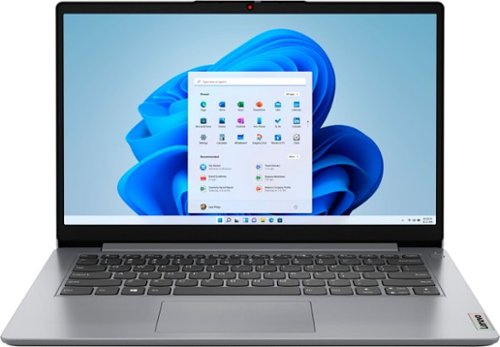
Lenovo - Ideapad 1i 14.0" HD Laptop - Celeron N4020 - 4GB Memory - 64GB eMMC - Cloud Grey
The IdeaPad 1i raises the bar on every affordable laptop with a super-efficient Intel Celeron N4020 processor in a thin and compact 17.9 mm chassis with up-to-10 hours of battery life and rapid charge. Get more value with four-sided narrow bezels for maximum screen, Dolby Audio speakers and Flip to Start for instant bootup.
Can I use dual monitors with this?
This entry-level, Lenovo IdeaPad 1i 14 Laptop, model number 82V6S00000, ships with 1x HDMI 1.4b port and supports up to 2 independent displays (native display and 1 external monitor via HDMI). HDMI supports up to 4096x2160@30Hz.
3 years, 11 months ago
by
Posted by:
Lenovo Product Expert
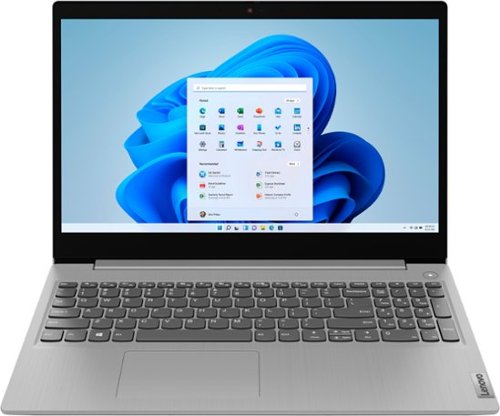
Lenovo - Ideapad 3i 15.6" HD Touch Laptop - Core i3-1115G4 - 8GB Memory - 256GB SSD - Platinum Grey
Engineered for long-lasting performance, the Lenovo IdeaPad 3i with an 11th Gen Intel Core Processor is the perfect laptop for your everyday tasks with dependable features. Dolby Audio delivers crystal-clear sound whether you~re watching a video, streaming music, or video-chatting, you~re sure to love what you hear on the IdeaPad 3i.
Can this pc run Fivem good gta5
That will depend on the requirements and compatibility of the specific version of the game you want to play. This Lenovo IdeaPad 3i 15 Laptop, model number 81X800MCUS, ships with Windows 11 S-Mode, 64-bit Operating System installed. Windows 11 S-Mode provides added security by only allowing APPs available ( and therefore certified by Microsoft) at the Microsoft Store. If you don't need the added security or you need to install APPs not available at the Microsoft Store, you can switch to standard Windows 11 Home 64-bit Operating System, at no additional cost. We recommend you check with the specific version of the game's software publisher's web site, of the specific game you want to play, for their compatibility with Windows 11 S-Mode 64-bit operating system and the minimum/recommended hardware requirements (Is a Graphics card required, the processor speed and the minimum required system RAM and the minimum available hard drive space) to run their program, then compare those requirements to this system's configuration. If you choose to switch out of S-Mode for Windows 11 Home: Here is a link to instructions for switching from Windows 11 S-Mode to Windows 11 Home: https://support.microsoft.com/en-us/windows/switching-out-of-s-mode-in-windows-4f56d9be-99ec-6983-119f-031bfb28a307#WindowsVersion=Windows_11
3 years, 11 months ago
by
Posted by:
Lenovo Product Expert
Lenovo - Flex 3 Chromebook 11.6" HD Touch-screen Laptop - Mediatek MT8183 - 4GB - 64GB eMMC - Abyss Blue
Packs what makes Chromebook so amazing into one svelte 360-degree convertible. Versatile and portable, the IdeaPad Flex 3 Chromebook measures just 19.6 mm thick and weighs 1.2 kg with a full keyboard and spacious trackpad, and can be viewed in tent, tablet, laptop or stand modes. Watch crisp visuals in high definition with its 10-point touchscreen on the 11.6" IPS display while being more productive with help from Google. Just say ~Hey Google,~ to manage tasks, enjoy your entertainment, get answers, or control smart home devices.
Lighted keyboard?
No. This Lenovo Flex 3 11 Chromebook, model number 82KM0003US, does not have a backlit keyboard.
3 years, 11 months ago
by
Posted by:
Lenovo Product Expert
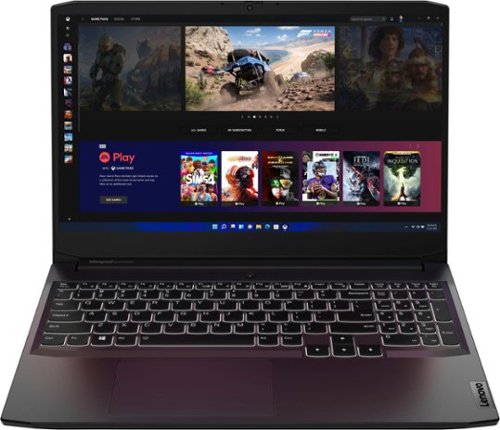
Lenovo - Ideapad Gaming 3 15.6" FHD Laptop - Ryzen 5 5600H - 8GB Memory - NVIDIA GeForce RTX 3050 Ti - 256GB SSD - Shadow Black
Time to elevate your game and esports experience beyond the realm of the ~just acceptable." Engineered with the latest generation AMD Ryzen processor and NVIDIA GeForce graphics, DDR4 memory and SSD storage options, the Lenovo IdeaPad Gaming 3 stays cool with a reengineered high-performance thermal system.
I would like to know the ram product that would be perfectly compatible with this laptop. A link would help me much more if possible.
This Lenovo IdeaPad 3 15 Gaming Laptop, model number 82K201XCUS, ships with 8GB DDR4-3200MHz RAM installed: 1x 8GB SO-DIMM DDR4-3200MHz RAM (Lenovo MEMORY SODIMM,8GB, DDR4,3200,Samsung, Lenovo Part Number - 5M30Z71712). Here is a link to the complete parts list for this model configuration: https://pcsupport.lenovo.com/us/en/products/laptops-and-netbooks/3-series/ideapad-gaming-3-15ach6/82k2/82k201xcus/parts/display/buy-now?linkTrack=Caps%3ABody_SearchProduct&needNotRedirectTypeOne=true&searchType=5&keyWordSearch=82K201XCUS. The maximum RAM this this model configuration of the Lenovo IdeaPad 3 15 Gaming Laptop, model number 82K201XCUS, can support is: Up to 16GB DDR4-3200MHz RAM. We recommend you consult with your certified technician about your RAM upgrade options.
3 years, 11 months ago
by
Posted by:
Lenovo Product Expert
Lenovo - Ideapad Gaming 3 15.6" FHD Laptop - Ryzen 5 5600H - 8GB Memory - NVIDIA GeForce RTX 3050 Ti - 256GB SSD - Shadow Black
Time to elevate your game and esports experience beyond the realm of the ~just acceptable." Engineered with the latest generation AMD Ryzen processor and NVIDIA GeForce graphics, DDR4 memory and SSD storage options, the Lenovo IdeaPad Gaming 3 stays cool with a reengineered high-performance thermal system.
What is the condition of this laptop?
The Lenovo IdeaPad 3 15 Gaming Laptop, model number 82K201XCUS, found at this Best Buy web page is a new laptop, listed at Best Buy's Black Friday price effective today, while supplies last: https://www.bestbuy.com/site/lenovo-ideapad-gaming-3-15-6-fhd-laptop-ryzen-5-5600h-8gb-memory-nvidia-geforce-rtx-3050-ti-256gb-ssd-shadow-black/6513216.p?skuId=6513216
3 years, 11 months ago
by
Posted by:
Lenovo Product Expert
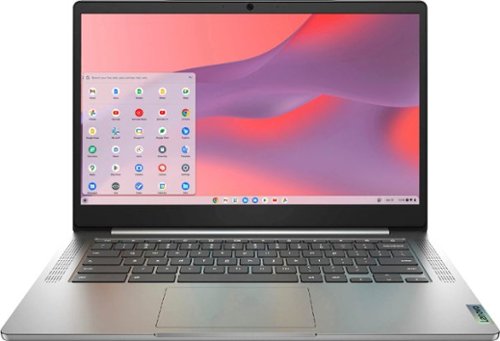
Fast, flexible, and fun, the Chromebook 3-14" brings everyone~s favorite Chromebook features, running on the lightning-fast Chrome OS that boots up in seconds, updates automatically, and is protected by built-in virus protection. Powered by a MediaTek processor and up to 10 hours of battery life, it~ll seamlessly run all of your favorite apps at the same time. Get Minecraft and 3 months of Realms Plus at no cost* with purchase of a new Chromebook. Terms Apply. *Offer valid for qualifying Chromebooks purchased on or after July 1st, 2023 through September 30th, 2023 while supplies last.
Can I use an ethernet adaptor so that I can hardwire into my network rather than using WiFi?
Yes. Although there is no built in RJ-45 port within this Lenovo Chromebook 3 14, model number 82KN0001US, you can connect this Chromebook 3 14 to a ethernet cable by using a USB to ethernet adapter like this one: https://www.bestbuy.com/site/best-buy-essentials-usb-to-ethernet-adapter-white/6451327.p?skuId=6451327
3 years, 11 months ago
by
Posted by:
Lenovo Product Expert
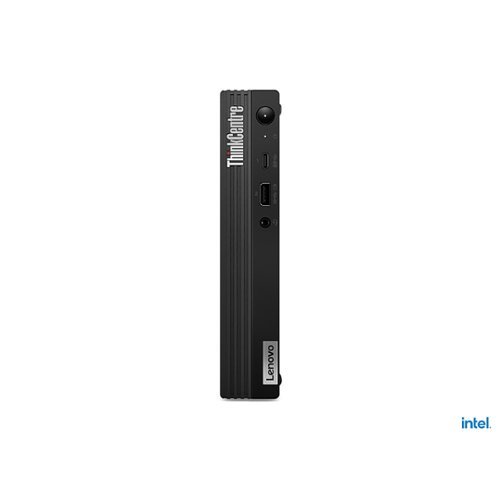
Lenovo - ThinkCentre M70q Gen 2 Desktop - Intel Core i5 - 8GB Memory - 256GB SSD Storage - Black
A 1L enterprise-level powerhouse with mainstream performance and productivity, the ThinkCentre M70q Gen2 Tiny (Intel) PC strikes a perfect balance between performance and footprint. Its powerful 11th Gen Intel Core processor and fast DDR4 memory are ready to start crossing items off your to-do list, with configurable storage options as well.
How do I attach a speaker system to the ThinkCentre? Plug into the headphones port? purchase a bluetooth system ... and if so, which port to use?
This Lenovo ThinkCentre M70q Gen 2 Desktop Computer, model number 11MY001SUS, ships with both 1x headphone / microphone combo jack (3.5mm) Jack for connecting compatible computer speakers and Bluetooth 5.1 Version capability. Here is a link to instructions for pairing a Bluetooth device to a Windows 10 computer: https://support.microsoft.com/en-us/windows/pair-a-bluetooth-device-in-windows-2be7b51f-6ae9-b757-a3b9-95ee40c3e242#WindowsVersion=Windows_10. If you have questions about your Lenovo ThinkCentre M70q Desktop Computer, we recommend you contact Lenovo Tech Support for Think Products at: 877-453-6686.
3 years, 11 months ago
by
Posted by:
Lenovo Product Expert
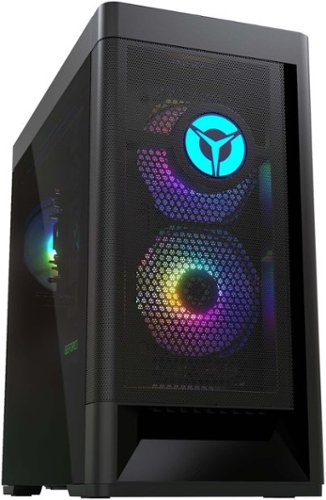
Lenovo - Legion Tower 5 AMD Gaming Desktop - AMD Ryzen 5-5600G - 8GB Memory - AMD Radeon RX 6500XT - 512GB SSD - Raven Black
Engineered out of a passion for savage power and unmatched speed, the Lenovo Legion Tower 5 AMD delivers mind-blowing performance that combines AMD Ryzen processors and AMD Radeon graphics cards for blazing-fast frame rates at up to 4K resolution. Pushing far beyond the upper bounds of smaller rig configurations while keeping things cool and whisper quiet, the Legion Tower 5 is a marvel of build and design, accentuated by its illuminated blue LED logo and lighting, as well a transparent side panel that can properly showcase your internals.
Does this machine have built-in Bluetooth?
Yes. This Lenovo Legion Tower 5 AMD Gaming Desktop Computer, model number 90RB0027US, ships with Bluetooth 5.1 Version capability built in.
3 years, 11 months ago
by
Posted by:
Lenovo Product Expert
Lenovo - Ideapad Gaming 3 15.6" FHD Laptop - Ryzen 5 5600H - 8GB Memory - NVIDIA GeForce RTX 3050 Ti - 256GB SSD - Shadow Black
Time to elevate your game and esports experience beyond the realm of the ~just acceptable." Engineered with the latest generation AMD Ryzen processor and NVIDIA GeForce graphics, DDR4 memory and SSD storage options, the Lenovo IdeaPad Gaming 3 stays cool with a reengineered high-performance thermal system.
If I hook up an external 1080p monitor to this via HDMI, will the performance and frame rate in games be the same on the external monitor as it is on the laptops own display (all settings identical)? Or do you get worse performance when using HDMI output?
This Lenovo IdeaPad 3 15 Gaming Laptop, model number 82K201XCUS, ships with the discrete, NVIDIA GeForce RTX 3050 Ti GPU, with 4GB GDDR6 VRAM on the card, and has a Boost Clock of 1485 / 1597.5MHz with a TGP of 85W, and has 1x HDMI 2.0 video out connection and supports up to 2 independent displays (native display and 1 external monitor via HDMI). HDMI supports up to 3840x2162@60Hz. HDMI 2.0 carries combinations like 1440p 165Hz with no issue, and for 1080p, frame rates of 240Hz are no problem, depending on the capability of the monitor you use.
3 years, 11 months ago
by
Posted by:
Lenovo Product Expert