Lenovo Product Expert
Lenovo Product Expert's Stats
Reviews
- Review Count0
- Helpfulness Votes0
- First ReviewNone
- Last ReviewNone
- Featured Reviews0
- Average Rating0
Reviews Comments
- Review Comment Count0
- Helpfulness Votes0
- First Review CommentNone
- Last Review CommentNone
- Featured Review Comments0
Questions
- Question Count0
- Helpfulness Votes0
- First QuestionNone
- Last QuestionNone
- Featured Questions0
- Answer Count37798
- Helpfulness Votes24,825
- First AnswerApril 21, 2014
- Last AnswerOctober 8, 2026
- Featured Answers0
- Best Answers2826
Lenovo Product Expert's Reviews
Lenovo Product Expert has not submitted any reviews.
Lenovo Product Expert's Questions
Lenovo Product Expert has not submitted any questions.
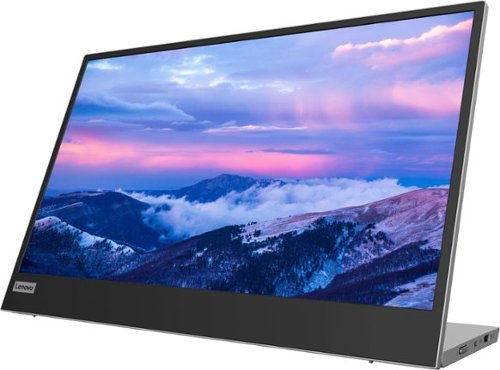
Lenovo - L15 15.6" IPS LED FHD USB-C Portable Monitor - Silver
For users who are constantly on the move, engaged in some work from home, or busy studying in a crowded dormitory, the ultra-portable Lenovo L15 mobile monitor makes perfect sense. Weighing only 860g with an ultra-slim 6mm head thickness and an integrated stand, the L15 is easy to carry around and fits on the corner of a multipurpose table or shelving unit. With its 15.6-inch screen, the L15 is a handy ~second screen~ that gives you flexibility whether you are taking notes while attending online lectures or simply binge-watching your favorite content. It easily connects to Notebooks of any screen size via a USB Type-C cable, and power pass-through support lets you charge the PC and power the monitor simultaneously. With eye care technology to prevent eye strain and Lenovo Artery software3 to control settings, the L15 delivers an uncomplicated and delightful experience.
I love the monitor. I ordered another one and want to use both the L15 monitors in place of my Macbook screen. How do I connect multiple L15 monitors together?

This Lenovo L15 USB-c Portable Monitor ships with 2 x USB Type-C 3.2 Gen1 (DP1.2 Alt Mode) ports, with video out capability.
3 years, 11 months ago
by
Posted by:
Lenovo Product Expert
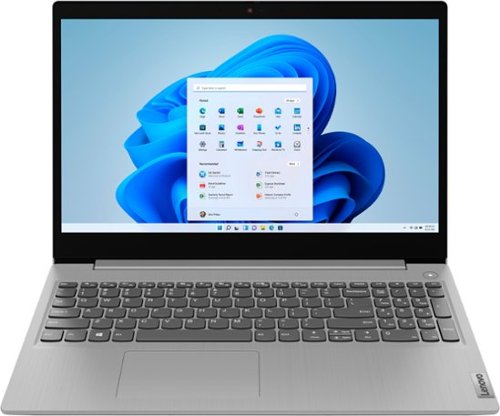
Lenovo - Ideapad 3i 15.6" HD Touch Laptop - Core i3-1115G4 - 8GB Memory - 256GB SSD - Platinum Grey
Engineered for long-lasting performance, the Lenovo IdeaPad 3i with an 11th Gen Intel Core Processor is the perfect laptop for your everyday tasks with dependable features. Dolby Audio delivers crystal-clear sound whether you~re watching a video, streaming music, or video-chatting, you~re sure to love what you hear on the IdeaPad 3i.
Is the ram upgraded? How many slots are available to upgrade and or are they soldered in?
This Lenovo IdeaPad 3i 15 Laptop, model number 81X800MCUS, ships with 8GB DDR4-2666MHz RAM (4GB Soldered DDR4-2666 + 4GB SO-DIMM DDR4-2666MHz RAM). One memory soldered to systemboard, one DDR4 SO-DIMM slot, dual-channel capable. The maximum RAM that this model configuration can support is: Up to 12GB (4GB soldered + 8GB SO-DIMM) DDR4-2666MHz RAM. We recommend you consult with your certified technician about your RAM upgrade options.
3 years, 11 months ago
by
Posted by:
Lenovo Product Expert
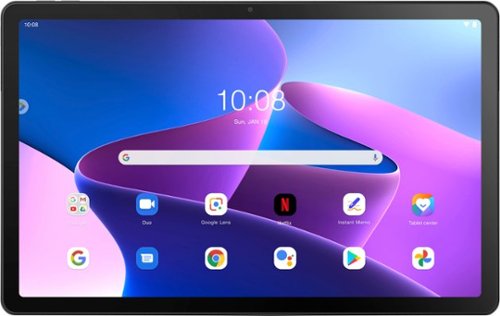
Lenovo - Tab M10 Plus (3rd Gen) - 10.61" - Tablet - 32GB - Storm Grey
Lenovo Tab M10 Plus is one impressive media tablet from the 3rd generation tab family. Its standout metal design gives you a premium look and feel with modern simplicity. Inside lies a 10.6" FHD IPS screen and four Dolby Atmos speakers for truly immersive entertainment. This is one tablet you will want to use and pass around the house.
Does this have pin with it for drawing and taking notes?
The Lenovo Tab M10 Plus 3rd Gen Tablet, model number ZAAJ0006US, is compatible with a Lenovo Precision Pen 2 with built-in rechargeable battery, 4096 levels of pressure sensitivity, tilt detection, supports WGP, AES 2.0 and MPP 2.0 protocols, which is sold separately, like this one from a Best Buy advertising partner: https://www.colamco.com/product/lenovo-stylus-4x81h95637-2273552?utm_source=froogle&utm_medium=referral&utm_source=google&utm_medium=cpc&adpos=&scid=scplp2273552&sc_intid=2273552&gclid=EAIaIQobChMIvJTihuL9-gIVS-TICh1jdAqNEAYYBCABEgJ8Q_D_BwE
3 years, 11 months ago
by
Posted by:
Lenovo Product Expert
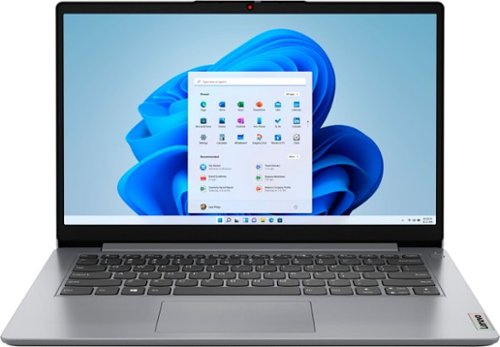
Lenovo - Ideapad 1i 14.0" HD Laptop - Celeron N4020 - 4GB Memory - 64GB eMMC - Cloud Grey
The IdeaPad 1i raises the bar on every affordable laptop with a super-efficient Intel Celeron N4020 processor in a thin and compact 17.9 mm chassis with up-to-10 hours of battery life and rapid charge. Get more value with four-sided narrow bezels for maximum screen, Dolby Audio speakers and Flip to Start for instant bootup.
Can this be used with Design Space for a Cricut?
That will depend on the requirements and compatibility of the device/software you want to use with this entry-level, Lenovo IdeaPad 1i 14 Laptop. This entry-level, IdeaPad 1i 14 Laptop ships with Windows 11 S-Mode, 64-bit Operating System installed. Windows 11 S-Mode provides added security by only allowing APPs available ( and therefore certified by Microsoft) at the Microsoft Store. If you don't need the added security or you need to install APPs not available at the Microsoft Store, you can switch to standard Windows 11 Home 64-bit Operating System, at no additional cost. We recommend you check with the device manufacturer's web site and the software publisher's web site, for the specific model of the device/software you want to use, for their compatibility with Windows 11 S-Mode 64-bit operating system and the minimum/recommended hardware requirements (Is a Graphics card required, the processor speed and the minimum required system RAM and the minimum available hard drive space) to run their program, then compare those requirements to this system's configuration. If you choose to switch out of S-Mode for Windows 11 Home: Here is a link to instructions for switching from Windows 11 S-Mode to Windows 11 Home: https://support.microsoft.com/en-us/windows/switching-out-of-s-mode-in-windows-4f56d9be-99ec-6983-119f-031bfb28a307#WindowsVersion=Windows_11
3 years, 11 months ago
by
Posted by:
Lenovo Product Expert
Lenovo - Ideapad 1i 14.0" HD Laptop - Celeron N4020 - 4GB Memory - 64GB eMMC - Cloud Grey
The IdeaPad 1i raises the bar on every affordable laptop with a super-efficient Intel Celeron N4020 processor in a thin and compact 17.9 mm chassis with up-to-10 hours of battery life and rapid charge. Get more value with four-sided narrow bezels for maximum screen, Dolby Audio speakers and Flip to Start for instant bootup.
Is the RAM soldered to the Motherboard? Is there an additional slot for RAM upgrade? May I know the maximum RAM (in GB) supported.
This entry-level Lenovo IdeaPad 1i 14 Laptop, model number 82V6S00000, ships with 4GB Soldered DDR4-2400MHz RAM, soldered to the motherboard and is not upgradeable.
3 years, 11 months ago
by
Posted by:
Lenovo Product Expert
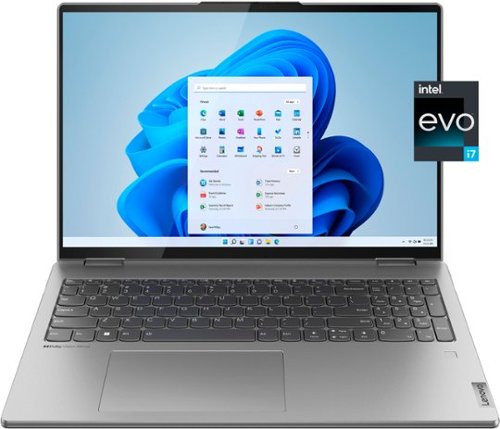
Lenovo - Yoga 7i 16" 2.5K Touch 2-in-1 Laptop - Intel Evo Platform - Core i7-12700H - 32GB Memory - Intel Arc A370M - 1TB SSD - Arctic Grey
The Lenovo Yoga 7i combines versatile portability and enhanced productivity, thanks to the boundary-breaking performance and responsiveness of 12th generation Intel Core processors and vibrant WQXGA clarity with Intel Arc A370M graphics. Go anywhere with a sleek 2-in-1 metal chassis featuring thoughtful details including an IR camera with privacy shutter.
What is the average battery life of this laptop using only google and office word and occasionally youtube?
This Intel Evo-Certified, Lenovo Yoga 7i 16, model number 82UF0000US, ships with Intel Evo-Certified All-Day-Battery-Life, thanks to its Integrated 99.99Wh, Lithium-Polymer Battery, which within this model configuration, has a battery life of up to 10 hours depending on the work the device is performing.
3 years, 11 months ago
by
Posted by:
Lenovo Product Expert
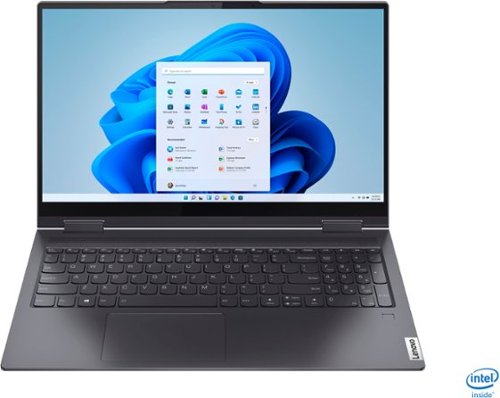
Lenovo - Yoga 7i 2-in-1 15.6" Touch Screen Laptop - Intel Core i5 - 8GB Memory - 256GB Solid State Drive - Slate Grey
The Lenovo Yoga 7i 15" combines versatile portability and enhanced productivity, thanks to the boundary-breaking performance and responsiveness of 11th generation Intel Core i5 processors and vibrant FHD clarity with Intel Iris Xe graphics. Go anywhere with a sleek 2-in-1 metal chassis featuring thoughtful details including a webcam privacy shutter..
Hi, is the keyboard detachable?
No. This Lenovo Yoga 7i 15, model number 82BJ007TUS does not have a detachable screen. There are two 360-degree hinges on the screen/keyboard area, that allow the screen to be positioned in either Laptop Mode or flip the screen over 360-degrees into Tablet Mode, or any position in between for media consumption.
3 years, 11 months ago
by
Posted by:
Lenovo Product Expert
Lenovo - Ideapad 1i 14.0" HD Laptop - Celeron N4020 - 4GB Memory - 64GB eMMC - Cloud Grey
The IdeaPad 1i raises the bar on every affordable laptop with a super-efficient Intel Celeron N4020 processor in a thin and compact 17.9 mm chassis with up-to-10 hours of battery life and rapid charge. Get more value with four-sided narrow bezels for maximum screen, Dolby Audio speakers and Flip to Start for instant bootup.
Can this laptop run RimWorld
That will depend on the requirements and compatibility of the specific version of the game you want to play. This entry-level, Lenovo IdeaPad 1i 14 Laptop, model number 82V6S00000, ships with Windows 11 S-Mode, 64-bit Operating System installed. Windows 11 S-Mode provides added security by only allowing APPs available ( and therefore certified by Microsoft) at the Microsoft Store. If you don't need the added security or you need to install APPs not available at the Microsoft Store, you can switch to standard Windows 11 Home 64-bit Operating System, at no additional cost. We recommend you check with the game's software publisher's web site, of the specific version of the game you want to play, for their compatibility with Windows 11 S-Mode 64-bit operating system and the minimum/recommended hardware requirements (Is a Graphics card required, the processor speed and the minimum required system RAM and the minimum available hard drive space) to run their program, then compare those requirements to this system's configuration. If you choose to switch out of S-Mode for Windows 11 Home: Here is a link to instructions for switching from Windows 11 S-Mode to Windows 11 Home: https://support.microsoft.com/en-us/windows/switching-out-of-s-mode-in-windows-4f56d9be-99ec-6983-119f-031bfb28a307#WindowsVersion=Windows_11
3 years, 11 months ago
by
Posted by:
Lenovo Product Expert
Lenovo - Ideapad 3i 15.6" HD Touch Laptop - Core i3-1115G4 - 8GB Memory - 256GB SSD - Platinum Grey
Engineered for long-lasting performance, the Lenovo IdeaPad 3i with an 11th Gen Intel Core Processor is the perfect laptop for your everyday tasks with dependable features. Dolby Audio delivers crystal-clear sound whether you~re watching a video, streaming music, or video-chatting, you~re sure to love what you hear on the IdeaPad 3i.
is the ssd upgradable? if so what are ssd that's compatible with it
This Lenovo IdeaPad 3i 15 Laptop, model number 81X800MCUS, ships with a 256GB M.2 2242 PCIe 3.0x4 NVMe solid state hard drive installed. The maximum storage capacity that this model configuration can support is: up to two drives, 1x 2.5 inch HDD + 1x M.2 SSD: • 2.5 inch HDD up to 1TB, plus • M.2 2242 SSD up to 512GB or • M.2 2280 SSD up to 1TB. We recommend you consult with your certified technician about your storage upgrade options.
3 years, 11 months ago
by
Posted by:
Lenovo Product Expert
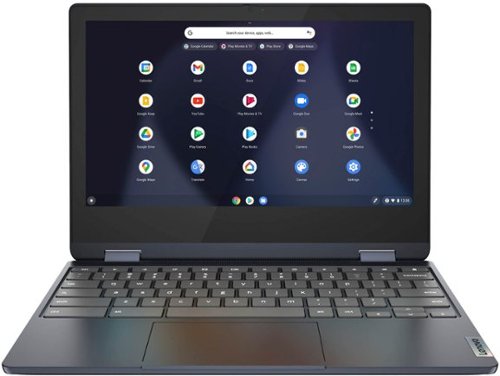
Lenovo - Flex 3 Chromebook 11.6" HD Touch-screen Laptop - Mediatek MT8183 - 4GB - 64GB eMMC - Abyss Blue
Packs what makes Chromebook so amazing into one svelte 360-degree convertible. Versatile and portable, the IdeaPad Flex 3 Chromebook measures just 19.6 mm thick and weighs 1.2 kg with a full keyboard and spacious trackpad, and can be viewed in tent, tablet, laptop or stand modes. Watch crisp visuals in high definition with its 10-point touchscreen on the 11.6" IPS display while being more productive with help from Google. Just say ~Hey Google,~ to manage tasks, enjoy your entertainment, get answers, or control smart home devices.
Does this tablet have expandable memory/storage capability?
This Lenovo Flex 3 11 Chromebook, model number 82KM0003US, ships with a 64GB eMMC 5.1 solid state hard drive, soldered on the systemboard and is not upgradeable. You can expand your storage capacity by using external memory, by using the onboard MicroSD Card Reader Slot on this Flex 3 11 Chromebook, the MicroSD Card is sold separately, or use any USB-based external hard drive, that is compatible with the Chrome OS. You can also use a Cloud-based Storage service for additional storage space.
3 years, 11 months ago
by
Posted by:
Lenovo Product Expert