Lenovo Product Expert
Lenovo Product Expert's Stats
Reviews
- Review Count0
- Helpfulness Votes0
- First ReviewNone
- Last ReviewNone
- Featured Reviews0
- Average Rating0
Reviews Comments
- Review Comment Count0
- Helpfulness Votes0
- First Review CommentNone
- Last Review CommentNone
- Featured Review Comments0
Questions
- Question Count0
- Helpfulness Votes0
- First QuestionNone
- Last QuestionNone
- Featured Questions0
- Answer Count37803
- Helpfulness Votes24,825
- First AnswerApril 21, 2014
- Last AnswerOctober 9, 2026
- Featured Answers0
- Best Answers2826
Lenovo Product Expert's Reviews
Lenovo Product Expert has not submitted any reviews.
Lenovo Product Expert's Questions
Lenovo Product Expert has not submitted any questions.
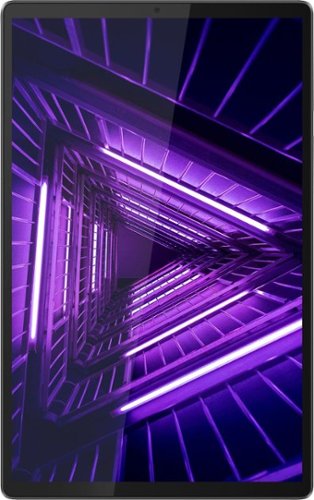
Lenovo - Tab M10 FHD Plus (2nd Gen) - 10.3" - Tablet - 32GB - Iron Gray
Lenovo~ Tab M10 Plus is one impressive media tablet from the 2nd generation tab family. Its standout metal design gives you a premium look and feel with modern simplicity. Inside lies a 10.3" FHD screen and dual speakers for truly immersive entertainment. This is one tablet you will want to use and pass around the house.
I there a slot for a cable lock?

No. This Lenovo Tab M10 2nd Gen Tablet, model number ZA5T0380US, ships with these ports and connections only: 1x USB-C 2.0 (support data transfer, OTG and Power Delivery), 1x Headphone / microphone combo jack (3.5mm), 1x Pogo pin connector (2-point).
4 years ago
by
Posted by:
Lenovo Product Expert
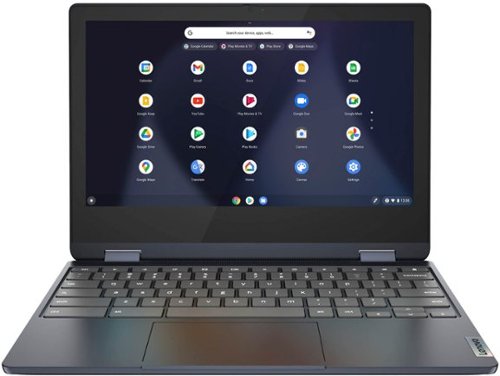
Lenovo - Flex 3 Chromebook 11.6" HD Touch-screen Laptop - Mediatek MT8183 - 4GB - 64GB eMMC - Abyss Blue
Packs what makes Chromebook so amazing into one svelte 360-degree convertible. Versatile and portable, the IdeaPad Flex 3 Chromebook measures just 19.6 mm thick and weighs 1.2 kg with a full keyboard and spacious trackpad, and can be viewed in tent, tablet, laptop or stand modes. Watch crisp visuals in high definition with its 10-point touchscreen on the 11.6" IPS display while being more productive with help from Google. Just say ~Hey Google,~ to manage tasks, enjoy your entertainment, get answers, or control smart home devices.
can I read books and stream movies
That will depend on the requirements and compatibility of the specific APPs you will need to use. This Lenovo Flex 3 11 Chromebook, model number 82KM0003US, ships with the Chrome Operating System installed and is compatible with Google Play Store APPs. Not all Google Play Store APPs are optimized for the Chrome OS. We recommend you check with the specific APPs software publisher's web sites, of the specific APPs you want to use, for their compatibility with the Chrome operating system and the minimum/recommended hardware requirements (Is a Graphics card required, the processor speed and the minimum required system RAM and the minimum available hard drive space) to run their program, then compare those requirements to this Chromebook's configuration.
4 years ago
by
Posted by:
Lenovo Product Expert
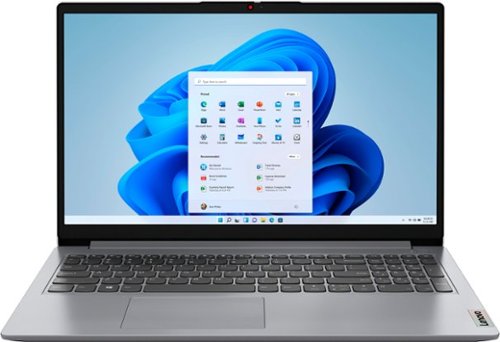
Lenovo - Ideapad 1 15.6" FHD Touch-Screen Laptop - Ryzen 7 5700U - 12GB Memory - 512GB SSD - Cloud Grey
Browse, explore and connect with confidence on the Lenovo IdeaPad 1 powered by ultra-fast AMD Ryzen~ 5000 U Series Mobile Processors on selected models. The IdeaPad 1 packs responsive performance in a thin and compact 17.9 mm chassis, making multitasking on-the-go a breeze. Get the most out of your device with a frameless display for more screen and Dolby Audio~ speakers, along with 10 hours of battery life and rapid charge. Great for video calls, the 1MP camera comes with a privacy shutter to keep out spying eyes, as well as Smart Noise Cancelling to eliminate background noise.
Does this laptop work with an external dvd player?
Yes. Depending on the compatibility of your specific model external CD/DVD player, you may need to switch this Lenovo IdeaPad 1 15 Laptop out of the Windows 11 S-Mode, 64-bit Operating System version it ships with to installed any required drivers for the external CD/DVD drive. Windows 11 S-Mode provides added security by only allowing APPs available ( and therefore certified by Microsoft) at the Microsoft Store. If you don't need the added security or you need to install APPs not available at the Microsoft Store, you can switch to standard Windows 11 Home 64-bit Operating System, at no additional cost. If you need to switch out of S-Mode for Windows 11 Home: Here is a link to instructions for switching from Windows 11 S-Mode to Windows 11 Home: https://support.microsoft.com/en-us/windows/switching-out-of-s-mode-in-windows-4f56d9be-99ec-6983-119f-031bfb28a307#WindowsVersion=Windows_11
4 years ago
by
Posted by:
Lenovo Product Expert
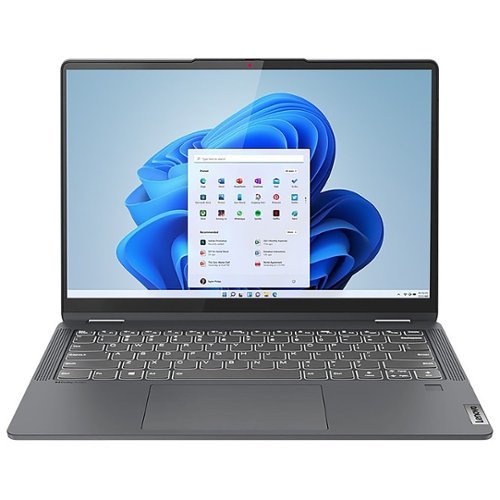
Lenovo - IdeaPad Flex 5 - 14" Touchscreen - AMD Ryzen 5 - 16GB Memory - 1TB SSD - Storm Gray
Flex series. Where performance and connectivity meet productivity and entertainment. Portable multimode laptops with next-gen performance, all-day battery life, and built-in versatility. The IdeaPad Flex 5 14ALC7 features a 14" 2.2K touchscreen display, 16GB memory and 1TB SSD, complete with Windows 11 Home as its operating system. Use this device as a laptop or tablet or convert to whatever is needed in-between. The IdeaPad Flex 5 is for life on the go.
Hello, I will be using a USB C docking station with this laptop, does the USB C port support data and charging? Thank you.
This Lenovo IdeaPad Flex 5 14, model number 82R90069US, ships with these ports: 1x USB-C 3.2 Gen 2 (support data transfer, Power Delivery 3.0 and DisplayPort 1.4), 1x USB 3.2 Gen 1, 1x USB 3.2 Gen 1 (Always On), 1x HDMI 1.4b, 1x Card reader, 1x Headphone / microphone combo jack (3.5mm),
1x Power connector. This configuration of the IdeaPad Flex 5 14 has Power Out capability to a compatible USB-c chargeable external device, but the laptop itself charges via a dedicated, proprietary Round Tip charging port. This IdeaPad Flex 5 14 ships with its own 65W round tip, device side (3-pin, USA compatible wall plug) AC adapter/charger, 100-240V, 50-60Hz included. You will need to use this dedicated charging port and the included AC adapter/charger to charge the computer.
1x Power connector. This configuration of the IdeaPad Flex 5 14 has Power Out capability to a compatible USB-c chargeable external device, but the laptop itself charges via a dedicated, proprietary Round Tip charging port. This IdeaPad Flex 5 14 ships with its own 65W round tip, device side (3-pin, USA compatible wall plug) AC adapter/charger, 100-240V, 50-60Hz included. You will need to use this dedicated charging port and the included AC adapter/charger to charge the computer.
4 years ago
by
Posted by:
Lenovo Product Expert
Lenovo - Ideapad 1 15.6" FHD Touch-Screen Laptop - Ryzen 7 5700U - 12GB Memory - 512GB SSD - Cloud Grey
Browse, explore and connect with confidence on the Lenovo IdeaPad 1 powered by ultra-fast AMD Ryzen~ 5000 U Series Mobile Processors on selected models. The IdeaPad 1 packs responsive performance in a thin and compact 17.9 mm chassis, making multitasking on-the-go a breeze. Get the most out of your device with a frameless display for more screen and Dolby Audio~ speakers, along with 10 hours of battery life and rapid charge. Great for video calls, the 1MP camera comes with a privacy shutter to keep out spying eyes, as well as Smart Noise Cancelling to eliminate background noise.
How well will this run Minecraft Java edition? Specifically at a highee render distance
That really will depend on the requirements and compatibility of the specific APP you want to run. This Lenovo Ideapad 1 15 Laptop, model number 82R4002PUS, ships with Windows 11 Home, 64-bit in S mode, English Version Operating System installed. Windows 11 S-Mode provides added security by only allowing APPs available ( and therefore certified by Microsoft) at the Microsoft Store. If you don't need the added security or you need to install APPs not available at the Microsoft Store, you can switch to standard Windows 11 Home 64-bit Operating System, at no additional cost. We recommend you check with the specific game's software publisher's web site, of the specific version of the game APP you want to run, for their compatibility with Windows 11 S-Mode 64-bit operating system and the minimum/recommended hardware requirements (Is a Graphics card required, the processor speed and the minimum required system RAM and the minimum available hard drive space) to run their program, then compare those requirements to this system's configuration. If you choose to switch out of S-Mode: Here is a link to instructions for switching from Windows 11 S-Mode to Windows 11 Home: https://support.microsoft.com/en-us/windows/switching-out-of-s-mode-in-windows-4f56d9be-99ec-6983-119f-031bfb28a307#WindowsVersion=Windows_11
4 years ago
by
Posted by:
Lenovo Product Expert
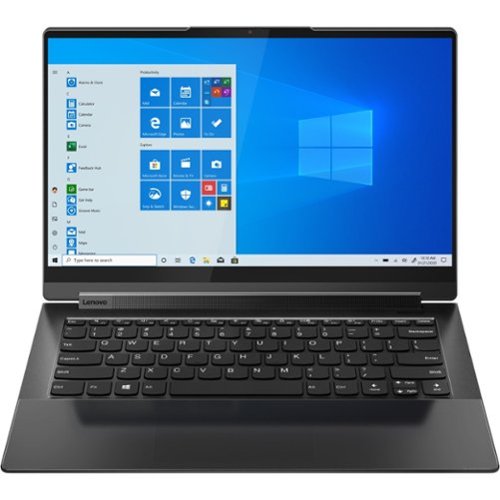
Lenovo - Yoga 9 14ITL5 2-in-1 14" Touch-Screen Laptop - Intel Core i7 with 16GB Memory - 512 GB SSD - Shadow Black
The Yoga 9 14" was engineered to put your experience first. It's packed with innovative features in a sleek 2-in-1 metal chassis in Shadow Black. The 11th Gen Intel Core processor enables you to explore the reaches of your creativity and productivity. And with a 14" up to UHD display optimized with Dolby Vision, you'll enjoy powerfully immersive visuals, combined with a rotating sound bar for three-dimensional audio.
Can I use any other pen with this laptop. Existing pen battery doesn't last long.
This Intel Evo-Certified, Lenovo Yoga 9i 14, model number 82BG0091US, ships with its own Lenovo Integrated Pen, with built-in rechargeable battery, 4096 levels of pressure sensitivity, on-board garaged and rechargeable. Try storing the pen within the garage when not in use. It will recharge while it is in the onboard pen garage. This Yoga 9i 14 is also compatible with a 3rd party Windows Ink, AES Protocol active/digital pen, like this one, which is sold separately: https://www.bestbuy.com/site/wacom-bamboo-ink-smart-stylus-for-windows-ink-2nd-generation-gray/6374981.p?skuId=6374981
4 years ago
by
Posted by:
Lenovo Product Expert
Lenovo - Yoga 9 14ITL5 2-in-1 14" Touch-Screen Laptop - Intel Core i7 with 16GB Memory - 512 GB SSD - Shadow Black
The Yoga 9 14" was engineered to put your experience first. It's packed with innovative features in a sleek 2-in-1 metal chassis in Shadow Black. The 11th Gen Intel Core processor enables you to explore the reaches of your creativity and productivity. And with a 14" up to UHD display optimized with Dolby Vision, you'll enjoy powerfully immersive visuals, combined with a rotating sound bar for three-dimensional audio.
We are trying to connect this laptop to a monitor with a VGA cable. We purchased “ USB-C to VGA Adapter, Benfei Thunderbolt 3 (USB Type C) to VGA Adapter”. We have been unable to make this work. Does anyone have any suggestions?
This Intel Evo-Certified, Lenovo Yoga 9i 14, model number 82BG0091US, ships with 2x Thunderbolt 4 (support data transfer, Power Delivery 3.0, DisplayPort 1.4, and Always On) ports with digital video out capability. here is a link to more information about Intel Thunderbolt 4.0 technology and its compatibility: https://www.intel.com/content/www/us/en/gaming/resources/upgrade-gaming-accessories-thunderbolt-4.html. If you are unable to extend the Yoga 9i 14 display to your VGA monitor, try changing the resolution settings on the Yoga 9i 14 within your Display Settings within Windows 11: https://support.microsoft.com/en-us/windows/view-display-settings-in-windows-37f0e05e-98a9-474c-317a-e85422daa8bb. If you have questions about your Lenovo Yoga 9i 14, we recommend you contact Lenovo Premium Care for additional information at: 888-278-9707.
4 years ago
by
Posted by:
Lenovo Product Expert
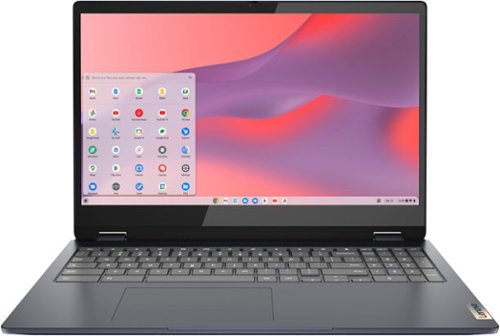
Lenovo - Flex 3i Chromebook 15.6" FHD Touch-Screen Laptop - Celeron N4500 - 4GB Memory - 64GB eMMC - Abyss Blue
One of the most versatile Chromebooks on the market, the IdeaPad Flex 3i Chromebook 15" merges accessibility with power, with an Intel Celeron N4500 processor to handle even the most arduous tasks without a hint of strain. Its slim and light 360~ convertible design and 10 hours of battery life makes it suitable for any setting. And as a Chromebook, you can quickly access all your files, photos, music, and more. You can also talk to Google to help you multitask, control your smart home devices or manage your day. Get Minecraft and 3 months of Realms Plus at no cost* with purchase of a new Chromebook. Terms Apply. *Offer valid for qualifying Chromebooks purchased on or after July 1st, 2023 through September 30th, 2023 while supplies last.
Is this Computer compatible with Microsoft Edge?
This Lenovo Flex 3i 15 Chromebook, model number 82T3000DUS, is compatible with the Microsoft Edge Browser. Here is a link to more information: https://www.onmsft.com/how-to/how-to-install-microsoft-edge-on-a-chromebook
4 years ago
by
Posted by:
Lenovo Product Expert
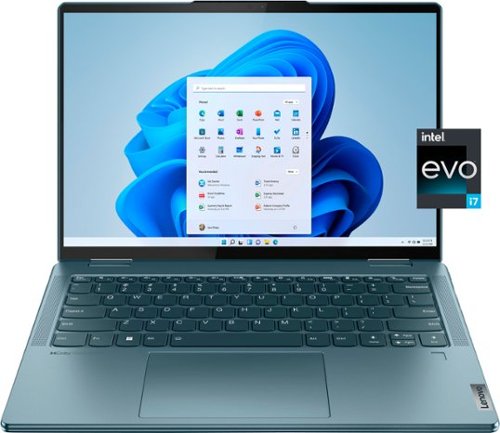
Lenovo - Yoga 7i 14" 2.2K Touch 2-in-1 Laptop - Intel Evo Platform - Core i7-1255U - 16GB Memory - 512GB SSD - Stone Blue
The Lenovo Yoga 7i combines versatile portability and enhanced productivity, thanks to the boundary-breaking performance and responsiveness of 12th generation Intel Core processors and vibrant 2.2K clarity with Intel Iris Xe graphics. Go anywhere with a sleek 2-in-1 metal chassis featuring thoughtful details including a webcam privacy shutter.
Will it connect to a Lenovo thinkpad thunderbolt dock?
This Intel Evo-Certified, Lenovo Yoga 7i 14, model number 82QE000KUS, ships with 2x Thunderbolt 4 (support data transfer, Power Delivery 3.0, and DisplayPort 1.4) ports and would be compatible with this Lenovo Thunderbolt 4.0 Docking Station, sold separately: https://www.bestbuy.com/site/lenovo-thinkpad-universal-thunderbolt-4-docking-station-black/6492406.p?skuId=6492406
4 years ago
by
Posted by:
Lenovo Product Expert
Lenovo - Flex 3i Chromebook 15.6" FHD Touch-Screen Laptop - Celeron N4500 - 4GB Memory - 64GB eMMC - Abyss Blue
One of the most versatile Chromebooks on the market, the IdeaPad Flex 3i Chromebook 15" merges accessibility with power, with an Intel Celeron N4500 processor to handle even the most arduous tasks without a hint of strain. Its slim and light 360~ convertible design and 10 hours of battery life makes it suitable for any setting. And as a Chromebook, you can quickly access all your files, photos, music, and more. You can also talk to Google to help you multitask, control your smart home devices or manage your day. Get Minecraft and 3 months of Realms Plus at no cost* with purchase of a new Chromebook. Terms Apply. *Offer valid for qualifying Chromebooks purchased on or after July 1st, 2023 through September 30th, 2023 while supplies last.
Is this chromebook compatible with the lenovo usi chromebook stylus pen?
No. This Lenovo Flex 3i 15 Chromebook, model number 82T3000DUS, is not compatible with any active/digital pen.
4 years ago
by
Posted by:
Lenovo Product Expert