Lenovo Product Expert
Lenovo Product Expert's Stats
Reviews
- Review Count0
- Helpfulness Votes0
- First ReviewNone
- Last ReviewNone
- Featured Reviews0
- Average Rating0
Reviews Comments
- Review Comment Count0
- Helpfulness Votes0
- First Review CommentNone
- Last Review CommentNone
- Featured Review Comments0
Questions
- Question Count0
- Helpfulness Votes0
- First QuestionNone
- Last QuestionNone
- Featured Questions0
- Answer Count37805
- Helpfulness Votes24,825
- First AnswerApril 21, 2014
- Last AnswerOctober 9, 2026
- Featured Answers0
- Best Answers2826
Lenovo Product Expert's Reviews
Lenovo Product Expert has not submitted any reviews.
Lenovo Product Expert's Questions
Lenovo Product Expert has not submitted any questions.
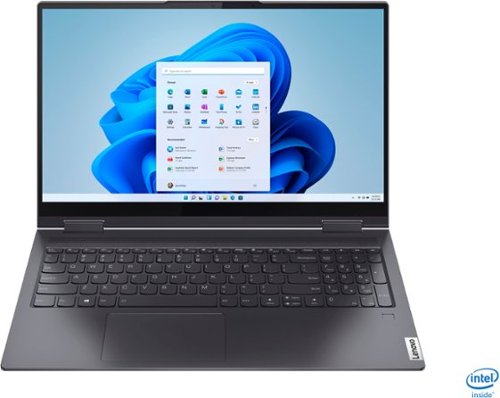
Lenovo - Yoga 7i 2-in-1 15.6" Touch Screen Laptop - Intel Core i5 - 8GB Memory - 256GB Solid State Drive - Slate Grey
The Lenovo Yoga 7i 15" combines versatile portability and enhanced productivity, thanks to the boundary-breaking performance and responsiveness of 11th generation Intel Core i5 processors and vibrant FHD clarity with Intel Iris Xe graphics. Go anywhere with a sleek 2-in-1 metal chassis featuring thoughtful details including a webcam privacy shutter..
How do you get the camera to work?

This Lenovo Yoga 7i 15, model number 82BJ007TUS, ships with a HD 720p webcam with Privacy Shutter and Dual Array Microphones, built in. Be sure that the Privacy Shutter is in the OPEN position before you access the webcam. There is a small slider, directly above the webcam lens. Move the tab to the right to open the Privacy Shutter. There is a red dot over the webcam lens that will disappear when the Privacy Shutter is fully open. This will indicate that the webcam is really to use. Here is a link to the User Guide for this Yoga 7i 15 that illustrates the location of the Privacy Shutter on page 1: https://download.lenovo.com/consumer/mobiles_pub/yoga_7itl_ug_en.pdf. Once the privacy shutter is in the OPEN position, here is a link to information about accessing your webcam within Windows 11: https://support.microsoft.com/en-us/windows/camera-doesn-t-work-in-windows-32adb016-b29c-a928-0073-53d31da0dad5#WindowsVersion=Windows_11. If the issue continues, we recommend you contact Lenovo Premium Care for additional help at: 888-278-9707.
4 years ago
by
Posted by:
Lenovo Product Expert
Lenovo - Yoga 7i 2-in-1 15.6" Touch Screen Laptop - Intel Core i5 - 8GB Memory - 256GB Solid State Drive - Slate Grey
The Lenovo Yoga 7i 15" combines versatile portability and enhanced productivity, thanks to the boundary-breaking performance and responsiveness of 11th generation Intel Core i5 processors and vibrant FHD clarity with Intel Iris Xe graphics. Go anywhere with a sleek 2-in-1 metal chassis featuring thoughtful details including a webcam privacy shutter..
can this laptop work with a surface pen
That will depend on the compatibility of the active pen you want to use. This Lenovo Yoga 7i 15, model number 82BJ007TUS is compatible with an AES Protocol active/digital pen. We recommend you check with your active pen's manufacturer's web site for the compatibility of your specific model active/digital pen with the AES Protocol.
4 years ago
by
Posted by:
Lenovo Product Expert
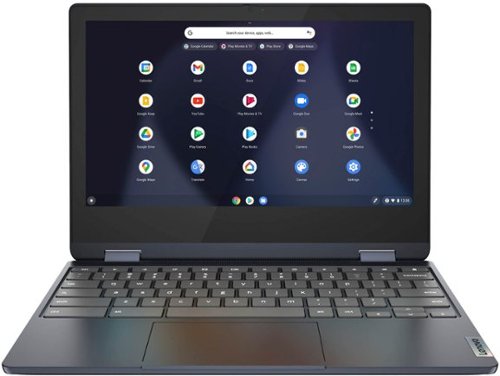
Lenovo - Flex 3 Chromebook 11.6" HD Touch-screen Laptop - Mediatek MT8183 - 4GB - 64GB eMMC - Abyss Blue
Packs what makes Chromebook so amazing into one svelte 360-degree convertible. Versatile and portable, the IdeaPad Flex 3 Chromebook measures just 19.6 mm thick and weighs 1.2 kg with a full keyboard and spacious trackpad, and can be viewed in tent, tablet, laptop or stand modes. Watch crisp visuals in high definition with its 10-point touchscreen on the 11.6" IPS display while being more productive with help from Google. Just say ~Hey Google,~ to manage tasks, enjoy your entertainment, get answers, or control smart home devices.
can you use mouse and portable storage at the same time ?
This Lenovo Flex 3 11 Chromebook, model number 82KM0003US, ships with theses ports: 1x USB 2.0 Type A, 1x USB-C 2.0 (support data transfer, Power Delivery 2.0, and DisplayPort 1.1a) port with video out, 1x microSD card reader, 1x Headphone / microphone combo jack (3.5mm). This Flex 3 11 Chromebook also ships with Bluetooth 4.2 Version capability built in for pairing a wireless Bluetooth mouse, compatible with the Chrome OS. If you need multiple USB Type A ports for your peripheral devices, you can add a portable USB Type A Hub, like this one: https://www.bestbuy.com/site/best-buy-essentials-4-port-usb-2-0-hub-black/6453992.p?skuId=6453992
4 years ago
by
Posted by:
Lenovo Product Expert
Lenovo - Yoga 7i 2-in-1 15.6" Touch Screen Laptop - Intel Core i5 - 8GB Memory - 256GB Solid State Drive - Slate Grey
The Lenovo Yoga 7i 15" combines versatile portability and enhanced productivity, thanks to the boundary-breaking performance and responsiveness of 11th generation Intel Core i5 processors and vibrant FHD clarity with Intel Iris Xe graphics. Go anywhere with a sleek 2-in-1 metal chassis featuring thoughtful details including a webcam privacy shutter..
Is the laptop heavy or light when compared to competitive models?
This Lenovo Yoga 7i 15, model number 82BJ007TUS, is a convertible, 2 in 1 format with a full-size 15.6 Inch (screen size measured diagonally) IPS - FHD (1920x1080) 10-point Multi-touch screen and a full-size, Backlit, English (US) Version standard QWERTY keyboard with 10-Key Numeric Pad included and still only weighs approximately 1.9 kg (4.19 lbs).
4 years ago
by
Posted by:
Lenovo Product Expert
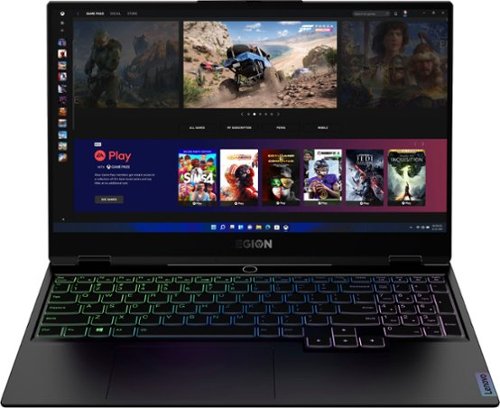
Lenovo - Legion Slim 7 15" Gaming Laptop - AMD Ryzen 7 5800H - 16GB Memory - NVIDIA GeForce RTX 3060 - 512GB SSD - Shadow Black
The Lenovo~ Legion Slim 7 was engineered for gamers who demand mobility and performance for day and night. Sporting a finely crafted chassis machined from 100% aluminum that is shockingly thin and impressively light, the Legion Slim 7 was expertly crafted for gamers who demand more.
Can this be docked to and use the full resolution of an ultrawide curved monitor?
This Lenovo Legion Slim 7 15 Gaming Laptop, model number 82K80083US, ships with 2x USB-C 3.2 Gen 2 (support data transfer, Power Delivery 100w and DisplayPort 1.4) ports with video out and supports up to 3 independent displays (native display and 2 external monitors via USB-C). • USB-C supports up to 5120x2160@60Hz. You can connect an HDMI monitor to this Legion Slim 7 by using a USB-c to HDMI adapter, like this one: https://www.bestbuy.com/site/insignia-usb-c-to-hdmi-adapter-black/6473497.p?skuId=6473497. We recommend you check the requirements and compatibility of the monitor you want to use.
4 years ago
by
Posted by:
Lenovo Product Expert
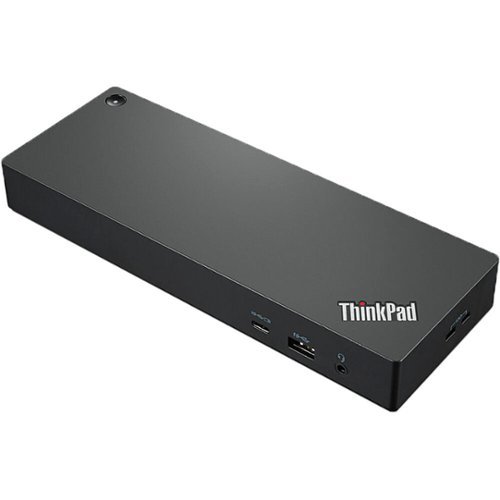
Lenovo - ThinkPad Universal Thunderbolt 4 Docking Station - Black
Enterprise-Grade Universal Thunderbolt 4 Docking Experience. ThinkPad Universal Thunderbolt 4 Dock delivers reliable and consistent industry leading video, data and power connectivity in a Windows based mixed-PC environment. The ThinkPad Universal Thunderbolt 4 is future-proof and fully loaded to take your productivity, efficiency and creativity to the peak.
Would this support 1 or 2 2560x1440p displays at 144hz? How about 120hz?
That will depend on both your computer's capability as well as this Lenovo ThinkPad Universal Thunderbolt 4.0 Docking Station, model number 40B00135US. When connected to a compatible laptop, this ThinkPad Thunderbolt 4.0 Universal Dock supports up to 100W Power Delivery, a single 8K@30Hz monitor or up to 4 4K@60HZ monitors, display support.
4 years ago
by
Posted by:
Lenovo Product Expert
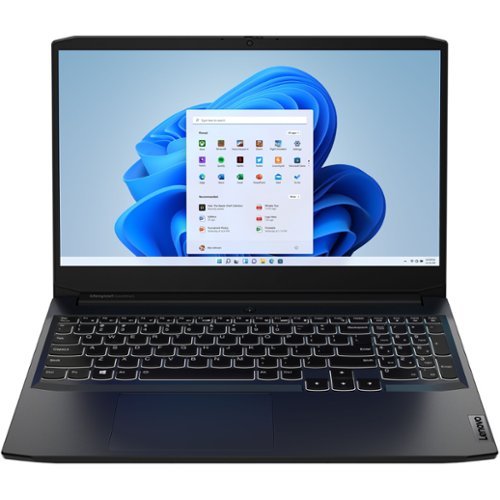
Lenovo - IdeaPad Gaming 3 15IHU6 15.6" Gaming Laptop - Intel Core i5 - 8 GB Memory - NVIDIA GeForce RTX 3050 - 256 GB SSD - Shadow Black
Lenovo Gaming 3 Series. Experience gaming like never before on the IdeaPad Gaming 3i laptop powered by an Intel Core processor. Play and stream PC games at peak performance on the IdeaPad Gaming 3i with up to 4.4GHz clock speed, 4 core, 8MB cache, NVIDIA GeForce RTX 3050 Graphics, High Definition Audio, and Wi-Fi 6 with Bluetooth 5.0.
Would you be able to do schoolwork on this smoothly alongside gaming?
That really will depend on the requirements and compatibility of both software APPs and specific versions of the games you want to play. This Lenovo IdeaPad 3 15 Gaming Laptop, model number 82K1015EUS, ships with the Windows 11 Home, 64-bit Operating System installed. We recommend you check with both the game's software publisher's web sites as well as the specific school work software APPs that you will be using, for their compatibility with Windows 11 Home 64-bit operating system and the minimum/recommended hardware requirements (Is a Graphics card required, the processor speed and the minimum required system RAM and the minimum available hard drive space) to run their program, then compare those requirements to this system's configuration.
4 years ago
by
Posted by:
Lenovo Product Expert
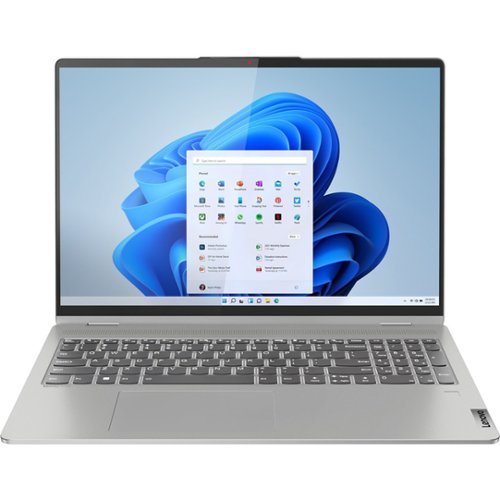
Lenovo - IdeaPad Flex 5 16ALC7 2-in1 16" Laptop - AMD Ryzen 7 5700U - 16GB Memory, 512GB SSD - Windows 11 Home
IdeaPad Flex Series Laptops. Where performance and connectivity meet productivity and entertainment. Portable multimode laptops with next-gen performance, all-day battery life, and built-in versatility. For life on the go.
How many months is warranty valid?
This Lenovo IdeaPad Flex 5 16 model number 82RA000DUS, ships with a 1-year, limited manufacturer's warranty, covering OEM hardware issues.
4 years ago
by
Posted by:
Lenovo Product Expert

Lenovo - IdeaPad 3 15" HD Touch Screen Laptop - Intel Core i3-1115G4 - Intel UHD Graphics - 8GB Memory - 256GB SSD - Almond
Engineered for long-lasting performance, the Lenovo IdeaPad 3 is the perfect laptop for your everyday tasks with features that you can depend on.
Is the ram or any part on the laptop upgradeable or interchangeable?
This Lenovo IdeaPad 3 15 laptop, model number 81X800KLUS, ships with 8GB DDR4-2666MHz RAM installed (4GB Soldered DDR4-2666 + 4GB SO-DIMM DDR4-2666MHz RAM). One memory soldered to systemboard, one DDR4 SO-DIMM slot, dual-channel capable. The maximum RAM that this model configuration can support is: Up to 12GB (4GB soldered + 8GB SO-DIMM) DDR4-2666MHz RAM. There is also a 256GB M.2 2242 PCIe 3.0x4 NVMe solid state hard drive installed. The maximum storage capacity that this model configuration can support is: up to two drives, 1x 2.5 Inch HDD + 1x M.2 SSD: • 2.5 Inch HDD up to 1TB plus • M.2 2242 SSD up to 512GB or • M.2 2280 SSD up to 1TB. We recommend you consult with your certified technician about your upgrade options.
4 years ago
by
Posted by:
Lenovo Product Expert
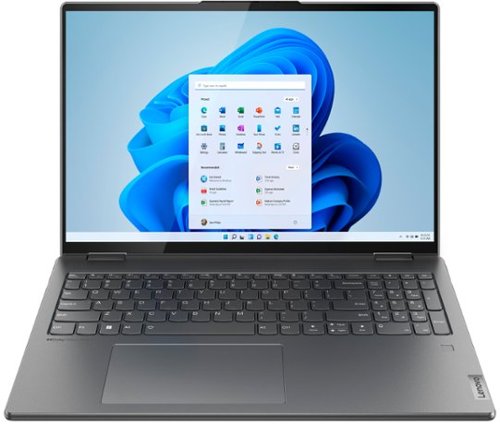
Lenovo - Yoga 7i 16" 2.5K Touch 2-in-1 Laptop - Intel Evo Platform - Core i5-1240P - 8GB Memory - 256GB SSD - Storm Grey
The Lenovo Yoga 7i combines versatile portability and enhanced productivity, thanks to the boundary-breaking performance and responsiveness of 12th generation Intel Core processors and vibrant WQXGA clarity with Intel Iris Xe graphics. Go anywhere with a sleek 2-in-1 metal chassis featuring thoughtful details including a webcam privacy shutter.
1) Where would I have to ship the unit to get the battery replaced, how long would it take, and how much would it cost? 2) Does this unit have built in Blue Tooth? 3) What is the expected life of the hinges on the 2-in-1?
This Intel Evo-Certified, Lenovo Yoga 7i 16, model number 82QG0001US, ships with a Integrated 71Wh, Lithium-Polymer Battery installed. This laptop model started shipping on 2022-04-06 and the internal battery should not need to be replaced at this time, unless there is an issue. We recommend you contact lenovo Premium Care for additional information at: 888-278-9707. This Yoga 7i 16 ships with Bluetooth 5.1 Version capability built in. This Yoga 7i 16 ships with two 360-degree hinges on the screen/keyboard area that have been bench tested through 25,000 cycles (8 to 10 years of normal use) without a failure.
4 years ago
by
Posted by:
Lenovo Product Expert