Lenovo Product Expert
Lenovo Product Expert's Stats
Reviews
- Review Count0
- Helpfulness Votes0
- First ReviewNone
- Last ReviewNone
- Featured Reviews0
- Average Rating0
Reviews Comments
- Review Comment Count0
- Helpfulness Votes0
- First Review CommentNone
- Last Review CommentNone
- Featured Review Comments0
Questions
- Question Count0
- Helpfulness Votes0
- First QuestionNone
- Last QuestionNone
- Featured Questions0
- Answer Count37808
- Helpfulness Votes24,825
- First AnswerApril 21, 2014
- Last AnswerOctober 9, 2026
- Featured Answers0
- Best Answers2827
Lenovo Product Expert's Reviews
Lenovo Product Expert has not submitted any reviews.
Lenovo Product Expert's Questions
Lenovo Product Expert has not submitted any questions.
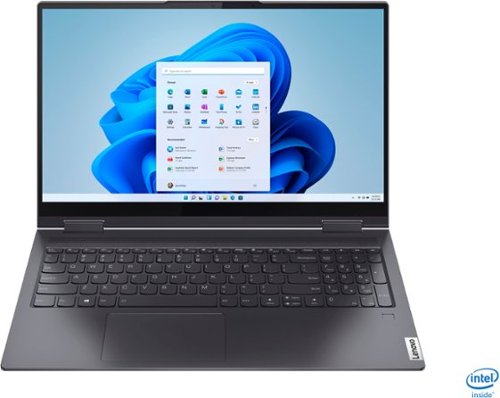
Lenovo - Yoga 7i 2-in-1 15.6" Touch Screen Laptop - Intel Core i5 - 8GB Memory - 256GB Solid State Drive - Slate Grey
The Lenovo Yoga 7i 15" combines versatile portability and enhanced productivity, thanks to the boundary-breaking performance and responsiveness of 11th generation Intel Core i5 processors and vibrant FHD clarity with Intel Iris Xe graphics. Go anywhere with a sleek 2-in-1 metal chassis featuring thoughtful details including a webcam privacy shutter..
how do the page up/down keys work?

This Lenovo Yoga 7i 15, model number 82BJ007TUS, has two different sets of page up/page down keys. There are Pg Up/Pg Dwn keys incorporated within the arrow up/arrow down keys. To select the Pg up/Pg down feature, hold down the Fn Key and tap the arrow up/arrow down keys for the feature you want. There is also a Page Up and Page Down feature within the 10-Key Numeric Pad keys, as well. If you do not need the 10-Key Pad for numbers (there are numbers available also across the top of the keyboard), you can turn off the Num Lock which then activate the secondary feature of the number keys. Page Down will be at the 3 key position and Page Up will be at the 9 key position. You will not need to use the Fn Key once you turn off the Num Lock feature on the 10-Key Pad.
4 years, 2 months ago
by
Posted by:
Lenovo Product Expert
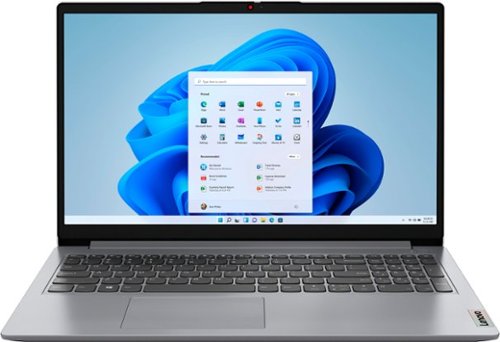
Lenovo - Ideapad 1 15.6" FHD Touch-Screen Laptop - Ryzen 7 5700U - 12GB Memory - 512GB SSD - Cloud Grey
Browse, explore and connect with confidence on the Lenovo IdeaPad 1 powered by ultra-fast AMD Ryzen~ 5000 U Series Mobile Processors on selected models. The IdeaPad 1 packs responsive performance in a thin and compact 17.9 mm chassis, making multitasking on-the-go a breeze. Get the most out of your device with a frameless display for more screen and Dolby Audio~ speakers, along with 10 hours of battery life and rapid charge. Great for video calls, the 1MP camera comes with a privacy shutter to keep out spying eyes, as well as Smart Noise Cancelling to eliminate background noise.
Does this computer have a Fingerprint reader?
No. The Lenovo IdeaPad 1 15 Laptop, model number 82R4002PUS, does not have a fingerprint reader.
4 years, 2 months ago
by
Posted by:
Lenovo Product Expert

Lenovo - Chromebook 3 11.6" HD Laptop - Celeron N4020 - 4GB Memory - 64GB eMMC - Onyx Black
Fast, flexible, and fun, the Lenovo IdeaPad 3 Chromebook 11" brings everyone~s favorite Chromebook features, housed in a slim chassis, running on the lightning-fast Chrome OS that boots up in seconds, updates automatically, and is protected by built-in virus protection. Powered by Intel Celeron processor offers up to 10 hours of battery life, to seamlessly run all of your favorite apps at the same time.
Can Apache Open Office be downloaded to this chromebook? Thanks.
That will depend on the requirements and compatibility of the specific APP you want to install. This Lenovo Chromebook 3 11 uses Google Docs for office type programs. The Chrome Operating System installed on this Chromebook 3 11 is compatible with Google Play Store APPs. Not all Google Play Store APPs are optimized for the Chrome OS. We recommend you check with the specific APPs software publisher's web site, of the APP you want to use, for their compatibility with the Chrome operating system and the minimum/recommended hardware requirements (Is a Graphics card required, the processor speed and the minimum required system RAM and the minimum available hard drive space) to run their program, then compare those requirements to this Chromebook's configuration.
4 years, 2 months ago
by
Posted by:
Lenovo Product Expert
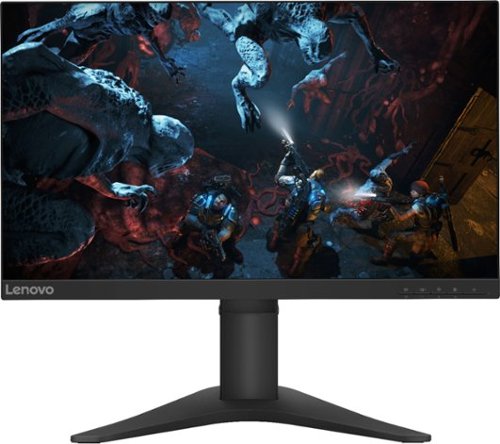
Lenovo - G25-10 24.5" LED FHD FreeSync Gaming Monitor (HDMI) - Raven Black
Amplify your gaming excitement with this Lenovo gaming monitor. The 24.5-inch screen features 1920 x 1080 resolution and NearEdgeless bezels, while a 144MHz refresh rate eliminates lag during intense gameplay. This Lenovo monitor is fueled by AMD FreeSync technology, and the blue light filter and height-adjustable stand provide hours of gaming comfort.
Can you hook up PlayStation 5 to it?
That will depend on the requirements and compatibility of your specific gaming console. This Lenovo G25-10 Monitor, model number 65FEGCC2US, ships with both 1 x HDMI 1.4 Version port and 1 x DisplayPort 1.2 Version for connecting a compatible video source, like a gaming console. We recommend you check with your gaming console manufacturer's web site for the requirements and compatibility of connecting a monitor to your specific model gaming console and the performance levels you can expect.
4 years, 2 months ago
by
Posted by:
Lenovo Product Expert
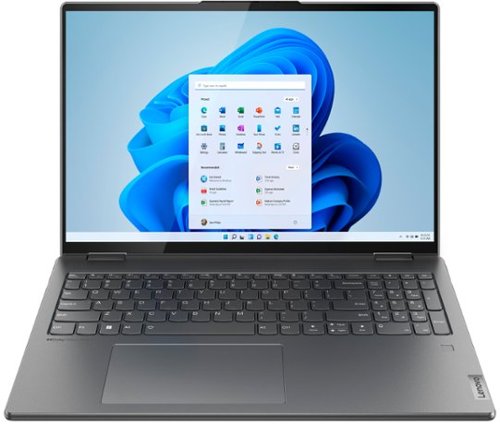
Lenovo - Yoga 7i 16" 2.5K Touch 2-in-1 Laptop - Intel Evo Platform - Core i5-1240P - 8GB Memory - 256GB SSD - Storm Grey
The Lenovo Yoga 7i combines versatile portability and enhanced productivity, thanks to the boundary-breaking performance and responsiveness of 12th generation Intel Core processors and vibrant WQXGA clarity with Intel Iris Xe graphics. Go anywhere with a sleek 2-in-1 metal chassis featuring thoughtful details including a webcam privacy shutter.
What is the battery size in watt hours and what is the expected battery life in Windows 10/11? Also is there a version of this computer with an AMD CPU?
This Intel Evo-Certified, Lenovo Yoga 7i 16, model number 82QG0001US, ships with a Integrated 71Wh, Lithium-Polymer Battery, which within this model configuration, has a battery life of up to 12 hours, depending on the work the device is performing. Here is a link to a similarly configured Yoga 6 13 model with AMD processor: https://www.bestbuy.com/site/lenovo-yoga-6-13-3-wuxga-1920-x-1200-touch-2-in-1-laptop-ryzen-5-5500u-8gb-memory-256gb-ssd-dark-teal-with-fabric-a-cover/6502221.p?skuId=6502221
4 years, 2 months ago
by
Posted by:
Lenovo Product Expert
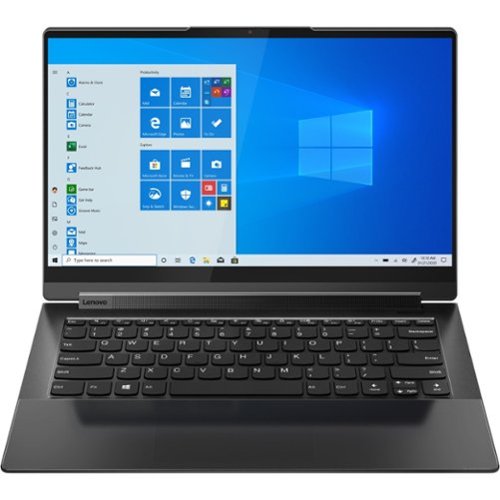
Lenovo - Yoga 9 14ITL5 2-in-1 14" Touch-Screen Laptop - Intel Core i7 with 16GB Memory - 512 GB SSD - Shadow Black
The Yoga 9 14" was engineered to put your experience first. It's packed with innovative features in a sleek 2-in-1 metal chassis in Shadow Black. The 11th Gen Intel Core processor enables you to explore the reaches of your creativity and productivity. And with a 14" up to UHD display optimized with Dolby Vision, you'll enjoy powerfully immersive visuals, combined with a rotating sound bar for three-dimensional audio.
Is the keyboard illuminated?
Yes. This Intel Evo-Certified, Lenovo Yoga 9i 14, model number 82BG0091US, ships with a Backlit, English (US) Version standard QWERTY keyboard. You can active the keyboard backlighting by holding down the Fn Key and tapping the Spacebar at the same time: Once to turn on the backlighting, twice to increase the backlight intensity and three times to turn off the backlighting.
4 years, 2 months ago
by
Posted by:
Lenovo Product Expert
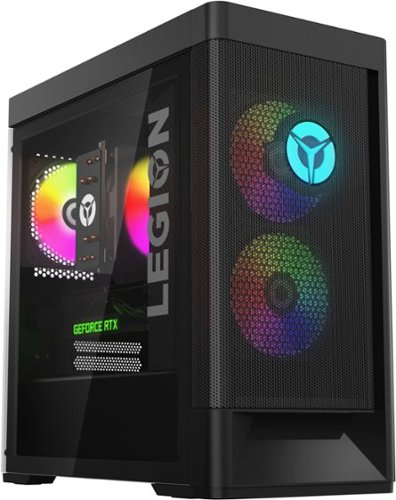
Lenovo - Legion Tower 5i Gaming Desktop - Intel Core i5-12400 - 16GB Memory - NVIDIA GeForce RTX 3050 - 256GB SSD + 1TB HDD - Black
Dominate your competition with the savage power and blistering speeds of your essential battlestation: the Lenovo Legion Tower 5i. 12th Generation Intel Core processors and the latest NVIDIA GeForce graphics cards deliver a stunning show of force with speed-barrier-breaking refresh rates at 4K, along with cool and quiet performance in a compact casing marked by a clean design and build.
So I’m looking at the build and I fail to find the ram speed, is it something like 3000mhz or 3200mhz, maybe even 3600mhz. Just curious, thanks.
This Lenovo Legion Tower 5i Gaming Desktop, model number 90SU000RUS, ships with 16GB DDR5-4800MHz RAM (2x 8GB UDIMM DDR5-4800MHz RAM). There are four DDR5 UDIMM slots, dual-channel capable. The maximum supported RAM for this model configuration is: Up to 128GB DDR5-4800MHz RAM.
4 years, 2 months ago
by
Posted by:
Lenovo Product Expert
Lenovo - Chromebook 3 11.6" HD Laptop - Celeron N4020 - 4GB Memory - 64GB eMMC - Onyx Black
Fast, flexible, and fun, the Lenovo IdeaPad 3 Chromebook 11" brings everyone~s favorite Chromebook features, housed in a slim chassis, running on the lightning-fast Chrome OS that boots up in seconds, updates automatically, and is protected by built-in virus protection. Powered by Intel Celeron processor offers up to 10 hours of battery life, to seamlessly run all of your favorite apps at the same time.
Who is the manufacturer? How do I get a hold of them with no paperwork from the box? Thank you.
This Lenovo Chromebook 3 11, model number 82BA001FUS, is manufactured by Lenovo. You can reach Lenovo Tech Support for Chromebooks at: 800-426-7378. There is more information online for Lenovo Tech Support here: https://www.lenovo.com/us/en/contact/?orgRef=https%253A%252F%252Fwww.google.com%252F
4 years, 2 months ago
by
Posted by:
Lenovo Product Expert
Lenovo - Yoga 7i 2-in-1 15.6" Touch Screen Laptop - Intel Core i5 - 8GB Memory - 256GB Solid State Drive - Slate Grey
The Lenovo Yoga 7i 15" combines versatile portability and enhanced productivity, thanks to the boundary-breaking performance and responsiveness of 11th generation Intel Core i5 processors and vibrant FHD clarity with Intel Iris Xe graphics. Go anywhere with a sleek 2-in-1 metal chassis featuring thoughtful details including a webcam privacy shutter..
Can you change the color of the keyboard lights?
No. This Lenovo Yoga 7i 15, model number 82BJ007TUS, ships with a white light, Backlit, English (US) Version, standard QWERTY Keyboard, with 10-Key Numeric Pad included. The backlighting can be activated by holding down the Fn Key and tapping the Spacebar at the same time: Once to turn on the backlighting, twice to increase the backlight intensity and three times to turn off the backlighting.
4 years, 2 months ago
by
Posted by:
Lenovo Product Expert
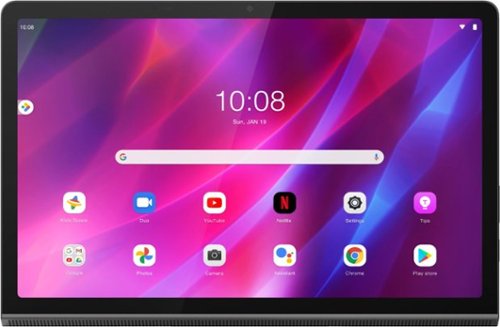
Yoga Tab 11 with Lenovo Precision Pen 2 - 11" - Tablet - 128GB - Storm Grey
Recreate cinema everywhere you go on the Lenovo Yoga Tab 11. Start with the stunning 2K display with Dolby Vision. Add in quad JBL speakers with Dolby Atmos moving audio tuned by Lenovo Premium Audio. It's cinema styled for smaller spaces.
Is this a good tablet for reading music and can a foot pedal be used with it?
That will depend on the specific APPs you will need to use and the requirements and compatibility of those APPs. Additionally any peripheral devices will need to be compatible with the Android 11.0 Operating System and connect to this Lenovo Yoga Tab 11 Tablet via 1x USB-C 2.0 (support data transfer, OTG, and Power Delivery 2.0) port. We recommend you check with both the hardware manufacturer's web site as well as the software publisher's web sites, of the specific APPs software you will need to use, for their compatibility with the Android 11.0 operating system and the minimum/recommended hardware requirements (Is a Graphics card required, the processor speed and the minimum required system RAM and the minimum available hard drive space) to run their program, then compare those requirements to this tablet's configuration.
4 years, 2 months ago
by
Posted by:
Lenovo Product Expert