Lenovo Product Expert
Lenovo Product Expert's Stats
Reviews
- Review Count0
- Helpfulness Votes0
- First ReviewNone
- Last ReviewNone
- Featured Reviews0
- Average Rating0
Reviews Comments
- Review Comment Count0
- Helpfulness Votes0
- First Review CommentNone
- Last Review CommentNone
- Featured Review Comments0
Questions
- Question Count0
- Helpfulness Votes0
- First QuestionNone
- Last QuestionNone
- Featured Questions0
- Answer Count37808
- Helpfulness Votes24,825
- First AnswerApril 21, 2014
- Last AnswerOctober 9, 2026
- Featured Answers0
- Best Answers2827
Lenovo Product Expert's Reviews
Lenovo Product Expert has not submitted any reviews.
Lenovo Product Expert's Questions
Lenovo Product Expert has not submitted any questions.
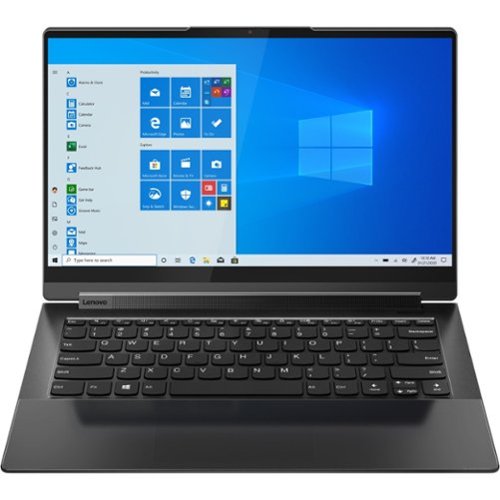
Lenovo - Yoga 9 14ITL5 2-in-1 14" Touch-Screen Laptop - Intel Core i7 with 16GB Memory - 512 GB SSD - Shadow Black
The Yoga 9 14" was engineered to put your experience first. It's packed with innovative features in a sleek 2-in-1 metal chassis in Shadow Black. The 11th Gen Intel Core processor enables you to explore the reaches of your creativity and productivity. And with a 14" up to UHD display optimized with Dolby Vision, you'll enjoy powerfully immersive visuals, combined with a rotating sound bar for three-dimensional audio.
Does this Yoga 9i 14" support AES for pen. I would like to purchase a larger stylus or pen to use. Can you use an alternative stylus with this computer? Looking for a bigger sized one to better fit my hand for extended drawing sessions.

This Intel Evo-Certified, Lenovo Yoga 9i 14, model number 82BG0091US, ships with its own, rechargeable active/digital pen, which stores and charges within the pen garage within the body of the Yoga 9i 14. If you choose to use a different active/digital pen, you can use a AES Protocol active/digital pen, like this one: https://www.bestbuy.com/site/wacom-bamboo-ink-smart-stylus-for-windows-ink-2nd-generation-gray/6374981.p?skuId=6374981
4 years, 2 months ago
by
Posted by:
Lenovo Product Expert
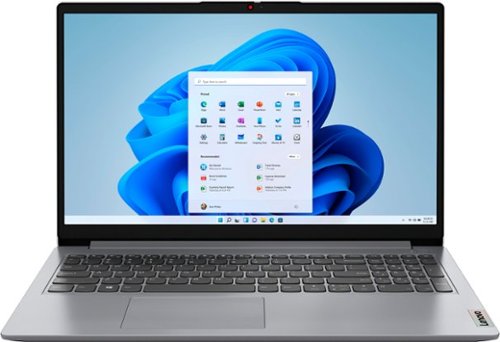
Lenovo - Ideapad 1 15.6" FHD Touch-Screen Laptop - Ryzen 7 5700U - 12GB Memory - 512GB SSD - Cloud Grey
Browse, explore and connect with confidence on the Lenovo IdeaPad 1 powered by ultra-fast AMD Ryzen~ 5000 U Series Mobile Processors on selected models. The IdeaPad 1 packs responsive performance in a thin and compact 17.9 mm chassis, making multitasking on-the-go a breeze. Get the most out of your device with a frameless display for more screen and Dolby Audio~ speakers, along with 10 hours of battery life and rapid charge. Great for video calls, the 1MP camera comes with a privacy shutter to keep out spying eyes, as well as Smart Noise Cancelling to eliminate background noise.
1. Is the SSD NVME? 2. What is the read/write speed? 3. If not NVME, can you add an NVME M.2?
This Lenovo IdeaPad 1 15 Laptop, model number 82R4002PUS, ships with a 512GB M.2 2280 PCIe 3.0x4 NVMe solid state hard drive installed. This format solid state hard drive has a High-Speed Read/Write Speed up to 3100 MBps and 1900 MBps.
4 years, 2 months ago
by
Posted by:
Lenovo Product Expert
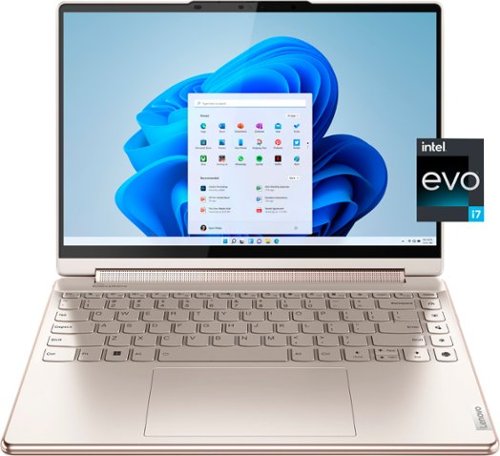
Lenovo - Yoga 9i 14" 2.8K OLED Touch 2-in-1 Laptop with Pen - Intel Evo Platform - Core i7-1260P - 16GB Memory - 512GB SSD - Oatmeal
The Lenovo Yoga 9i, features the world~s first Bowers & Wilkins speaker system on a laptop offering unparalleled entertainment with Dolby Atmos and powered by the advanced 12th Generation Intel Core processor. Featuring four modes, the Yoga 9i is crafted to merge comfort and aesthetics with rounded edges that allow you to grip, carry or use for longer complimenting the extended battery life and its versatility with smart features like the 1-click function keys and Windows Hello Smart Login on an FHD IR hybrid camera.
Is this the OLED version?
Yes. This Lenovo Yoga 9i 14, model number 82LU0001US, ships with a 16:10 aspect ratio, 14 inch (screen size measured diagonally) OLED - 2.8K WQHD+ (2880x1800) 10-point Multi-touch screen, with a brightness level of 400 nits, has a Glossy finish, a refresh rate of 90Hz. This screen provides 100 Percent of the DCI-P3 color gamut for excellent color accuracy. This screen is Display-HDR, HDR 500 and Dolby Vision Certified.
4 years, 2 months ago
by
Posted by:
Lenovo Product Expert

Lenovo - IdeaPad 3 15" HD Touch Screen Laptop - Intel Core i3-1115G4 - Intel UHD Graphics - 8GB Memory - 256GB SSD - Almond
Engineered for long-lasting performance, the Lenovo IdeaPad 3 is the perfect laptop for your everyday tasks with features that you can depend on.
Does this model have a backlit keyboard?
No. This Lenovo IdeaPad 3 15 Laptop, model number 81X800KLUS, ships with a Non-backlit, English Version, standard QWERTY keyboard, with 10-Key Numeric Pad included.
4 years, 2 months ago
by
Posted by:
Lenovo Product Expert
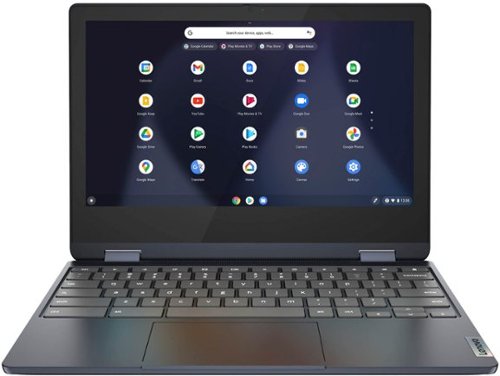
Lenovo - Flex 3 Chromebook 11.6" HD Touch-screen Laptop - Mediatek MT8183 - 4GB - 64GB eMMC - Abyss Blue
Packs what makes Chromebook so amazing into one svelte 360-degree convertible. Versatile and portable, the IdeaPad Flex 3 Chromebook measures just 19.6 mm thick and weighs 1.2 kg with a full keyboard and spacious trackpad, and can be viewed in tent, tablet, laptop or stand modes. Watch crisp visuals in high definition with its 10-point touchscreen on the 11.6" IPS display while being more productive with help from Google. Just say ~Hey Google,~ to manage tasks, enjoy your entertainment, get answers, or control smart home devices.
Do chrome books have built in security?
All Chromebooks, including this Lenovo Flex 3 11 Chromebook, 82KM0003US, have excellent built-in security features that can prevent viruses and malware, but that doesn't mean they're completely secure. Chrome OS, the Chromebook operating system, keeps users safe with a variety of tools, including sandboxing, limited user permissions, proprietary file formats, and verified boot. Here is a link to more information: https://www.safetydetectives.com/blog/does-chromebook-need-antivirus/#:~:text=Chromebooks%20have%20excellent%20built%2Din,file%20formats%2C%20and%20verified%20boot.
4 years, 2 months ago
by
Posted by:
Lenovo Product Expert
Lenovo - IdeaPad 3 15" HD Touch Screen Laptop - Intel Core i3-1115G4 - Intel UHD Graphics - 8GB Memory - 256GB SSD - Almond
Engineered for long-lasting performance, the Lenovo IdeaPad 3 is the perfect laptop for your everyday tasks with features that you can depend on.
I have a Lenovo Idea Pad L340. It is very slow and takes forever to load. Will the new Lenovo be a big improvement?
We are sorry to hear that you are having issues with your Lenovo IdeaPad L340 Laptop. To improve the performance of your IdeaPad L340, check to be sure any software you installed is compatible with Windows 10. Incompatible software can slow down system performance and cause slow boot up of your computer. Additionally, there is no need to install Microsoft Office software. The software is already part of the operating system, you just need to activate the software with a purchased product key. If you have installed a copy of Microsoft Office, this is conflicting with the existing copy on the system and this will slow your system down. If you have installed a 3rd party anti-virus program, be sure that Windows Defender is turned off and that the trial version of McAfee Anti-Virus software is uninstalled. There can only be one anti-virus program on the system. Here is a link to instructions for uninstalling McAfee from a Windows computer: https://service.mcafee.com/?articleId=TS101331&page=shell&shell=article-view You may need to restore your system to original factory default settings if any of the programming errors have occurred. You can do that by typing "restore" in the Cortana search window. Just click on the magnifying glass icon at the bottom left of your Windows 10 Desktop. Click on "Reset This PC" Then click on "Get Started" and follow the on screen directions to restore to factory defaults. If the problem persists, we recommend you contact Lenovo Tech Support at: 877-453-6686. Regarding a new computer purchase, we always recommend you check the requirements and compatibility of any software/games you will be installing on your new computer, before you invest in any computer. Be sure your new computer can support the software/games you will need to use and your workload.
4 years, 2 months ago
by
Posted by:
Lenovo Product Expert
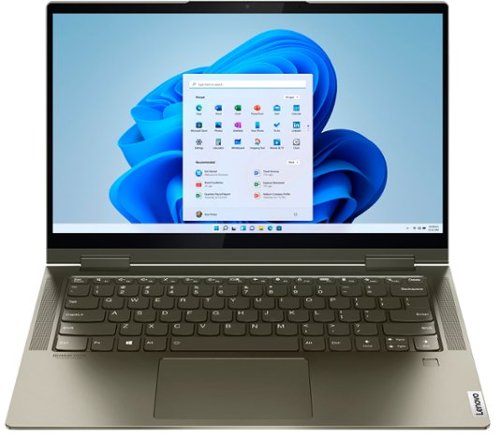
Lenovo - Yoga 7i 2-in-1 14" Touch Screen Laptop - Intel Evo Platform Core i5 - 12GB Memory - 512GB Solid State Drive - Dark Moss
The Lenovo Yoga 7i 14" combines versatile portability and enhanced productivity, thanks to the boundary-breaking performance and responsiveness of 11th generation Intel Core i5 processors and vibrant FHD clarity with Intel Iris X graphics. Go anywhere with a sleek 2-in-1 metal chassis featuring thoughtful details including a webcam privacy shutter.
Can I connect an external dvd reader
Yes. Although this Intel Evo-Certified, Lenovo Yoga 7i 14, model number 82BH00DQUS, does not have a built in CD/DVD drive, you can use an external, USB-based Windows compatible CD/DVD drive with this laptop, like this one: https://www.bestbuy.com/site/lg-8x-external-usb-double-layer-dvdrw-cd-rw-drive-black/5852919.p?skuId=5852919.
4 years, 2 months ago
by
Posted by:
Lenovo Product Expert
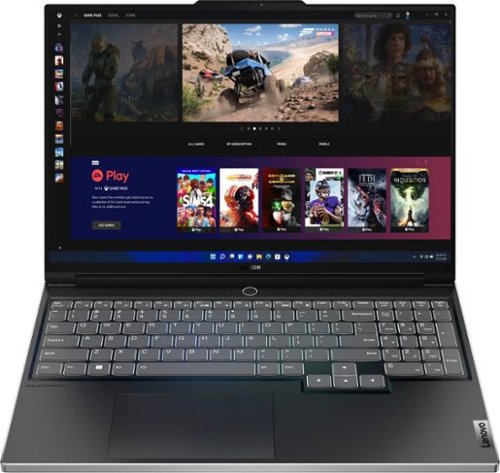
Lenovo - Legion Slim 7i 16" Full HD Gaming Laptop - Core i7-12700H - 16GB Memory - NVIDIA GeForce RTX 3060 - 512GB SSD - Onyx Grey
Engineered for those who know gaming is a way of life, the Lenovo~ Legion Slim 7, in Onyx Grey, is calibrated for next-gen creation and gaming alike. Redefine gaming experiences with the latest generation Intel Core i7 processor and NVIDIA GeForce RTX graphics that are AI-optimized via the Legion AI Engine, all the while cooled by the Legion Coldfront 3.0~s thermal system. The Legion Slim 7~s light and exhilarating design is further machined from an Aluminum and Magnesium blend that defies all basic laws of laptop engineering. Crush the competition in WUXGA for immersive gaming anywhere life takes you.
Does this laptop have 2 SSD slot?
Yes. This Lenovo Legion Slim 7i 16 Gaming Laptop, model number 82TF000RUS, ships with a 512GB M.2 2280 PCIe 4.0x4 NVMe solid state hard drive installed. The maximum storage capacity that this model configuration can support is: Up to two drives, 2x M.2 SSD: M.2 2280 SSD up to 1TB. We recommend you consult with your certified technician about your storage upgrade options.
4 years, 2 months ago
by
Posted by:
Lenovo Product Expert
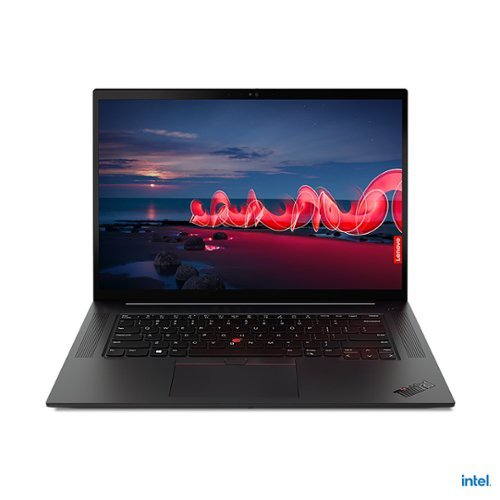
Lenovo - ThinkPad X1 Extreme Gen 4 16" 4K Ultra HD Touch-Screen Laptop - Intel Core i9-11950H - 32GB Memory - 1TB SSD
The ThinkPad X1 Extreme Gen 4 is built for extreme performance with up to the latest 11th Gen Intel Core i9 vPro H series processor, up to 64GB DDR4 (3200MHz) memory, and dual storage with up to 4TB total with Gen 4 performance PCIe SSDs.
Is there an Ethernet port?
Although this Lenovo ThinkPad X1 Extreme Gen 4 Laptop, model number 20Y50010US, does not have a built in RJ-45 network ethernet port built in, you can connect this laptop to a network ethernet cable by using a USB to ethernet adapter, like this one: https://www.bestbuy.com/site/best-buy-essentials-usb-to-ethernet-adapter-white/6451327.p?skuId=6451327
4 years, 2 months ago
by
Posted by:
Lenovo Product Expert
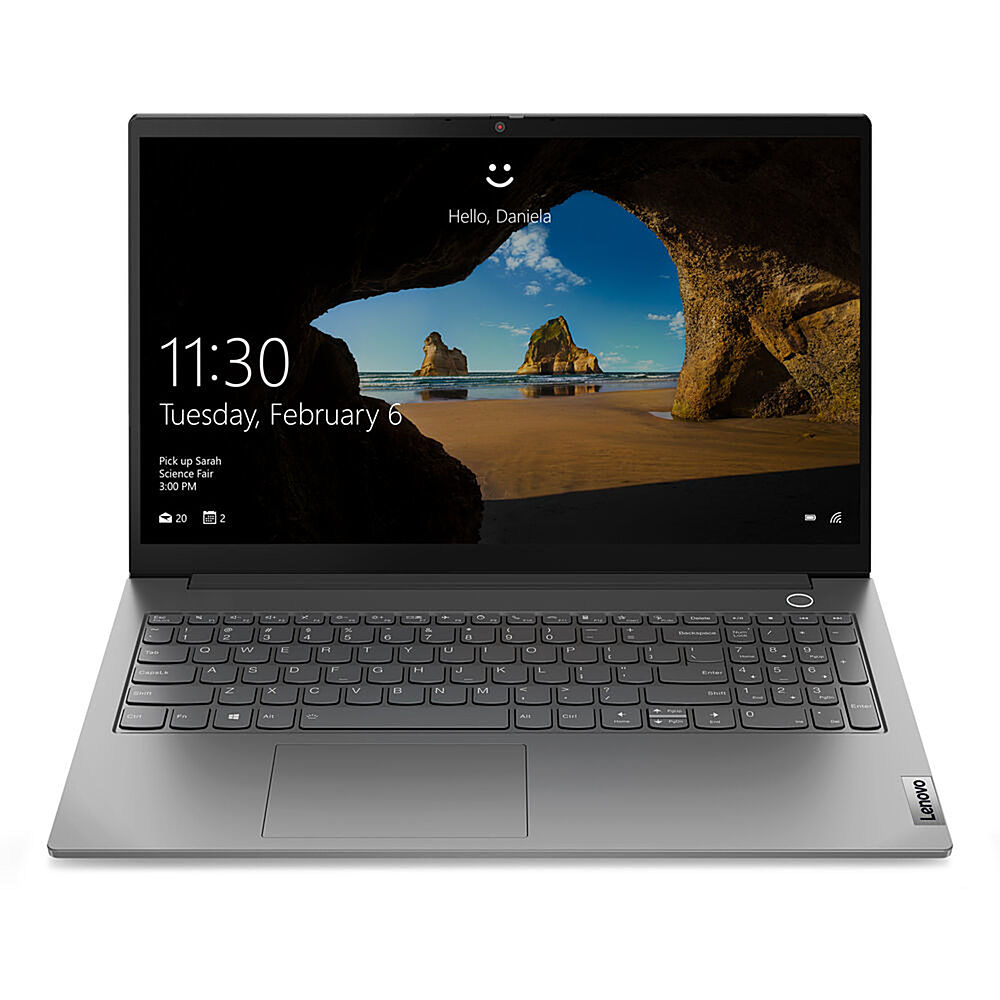
Lenovo - 15.6" ThinkBook 15 G2 ITL Laptop, 8GB Memory, Intel Core i5-1135G7, 256 SSD - Mineral Gray
Enjoy heavy-duty performance on the ThinkBook 15 Gen 2 laptop, thanks to advanced 11th Gen Intel Core processors enhanced by AI technology. With up to 512GB SSD storage and 8GB memory, this business laptop equips you for even the most intensive work. Thanks to Intelligent Cooling, you won't have to worry about it overheating.
What is the estimated processor speed on this Laptop? Lenovo - 15.6" ThinkBook 15 G2 ITL Laptop, 8GB Memory, Intel Core i5-1135G7, 256 SSD - Mineral Gray
This Lewnovo ThinkBook 15 Gen 2 Laptop, model number 20VE003GUS, ships with the 4-Core/8-Thread Intel Core i5-1135G7 Processor, with a base speed of 2.4GHz and a Turbo Boost Speed of up to 4.2GHz.
4 years, 2 months ago
by
Posted by:
Lenovo Product Expert