Lenovo Product Expert
Lenovo Product Expert's Stats
Reviews
- Review Count0
- Helpfulness Votes0
- First ReviewNone
- Last ReviewNone
- Featured Reviews0
- Average Rating0
Reviews Comments
- Review Comment Count0
- Helpfulness Votes0
- First Review CommentNone
- Last Review CommentNone
- Featured Review Comments0
Questions
- Question Count0
- Helpfulness Votes0
- First QuestionNone
- Last QuestionNone
- Featured Questions0
- Answer Count37809
- Helpfulness Votes24,834
- First AnswerApril 21, 2014
- Last AnswerOctober 9, 2026
- Featured Answers0
- Best Answers2828
Lenovo Product Expert's Reviews
Lenovo Product Expert has not submitted any reviews.
Lenovo Product Expert's Questions
Lenovo Product Expert has not submitted any questions.

Lenovo - IdeaCentre AIO A340 22" Touch-Screen All-In-One - Intel Pentium - 8GB Memory - 1TB Hard Drive - Black
With its sleek, modern stand and thin bezel display, the Lenovo IdeaCentre A340 is sure to catch your eye. Fire it up and marvel at the super fast, smooth performance, where 8th Generation Intel~ Core~ processing is backed by the latest graphics and memory technology. And with the vast storage space, you~ll see why this space-saving all-in-one makes the perfect family PC.
Is there a off switch

Yes. There is an On/Off Switch on the right side of the Lenovo IdeaCentre A340 22 All-In-One System.
4 years, 4 months ago
by
Posted by:
Lenovo Product Expert
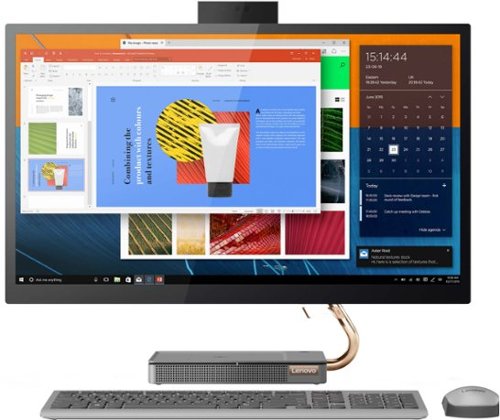
Lenovo - IdeaCentre AIO 5i 27" Touch-Screen All-In-One - Intel Core i5 - 12GB Memory - 512GB Solid State Drive - Mineral Gray
Inspired by the great outdoors, the eye-catching Lenovo IdeaCentre AIO 5i takes its cue from the mighty Cypress tree. Perfectly balanced and durable without sacrificing an ounce of performance with 10th generation Intel Core i5 processor, this all-in-one PC represents an appealing addition to any home.
Where is the microphone located please?
The Dual Array Microphones on this Lenovo IdeaCentre 5i 27 All-In-One System are located on the Webcam slide up post. Here is a link to the User Guide for this IdeaCentre 5i 27 AIO, which illustrates the location of the Dual Array Microphones on page 1: https://download.lenovo.com/consumer/desktop_pub/aio_5_24imb05_aio_5_27imb05_ug_v1.0_en_202005.pdf
4 years, 4 months ago
by
Posted by:
Lenovo Product Expert
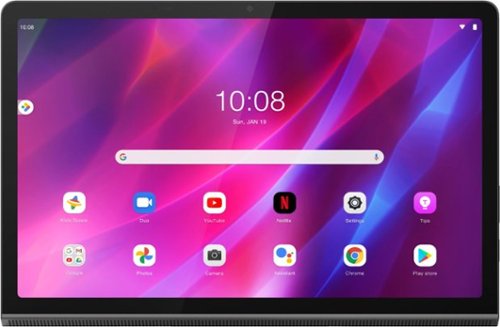
Yoga Tab 11 with Lenovo Precision Pen 2 - 11" - Tablet - 128GB - Storm Grey
Recreate cinema everywhere you go on the Lenovo Yoga Tab 11. Start with the stunning 2K display with Dolby Vision. Add in quad JBL speakers with Dolby Atmos moving audio tuned by Lenovo Premium Audio. It's cinema styled for smaller spaces.
Can the Lenovo Yoga Tab 11 Android operating system be upgraded, or will Lenovo push out an update to the OS after purchase?
This Lenovo Yoga Tab 11 with Precision Pen 2 Tablet, model number ZA8W0015US, can be upgraded to Android 12 and will continue to be eligible for upgrades to the Android OS through 4/30/2024, as they become available.
4 years, 4 months ago
by
Posted by:
Lenovo Product Expert

Lenovo - IdeaPad 3 15" HD Touch Screen Laptop - Intel Core i3-1115G4 - Intel UHD Graphics - 8GB Memory - 256GB SSD - Almond
Engineered for long-lasting performance, the Lenovo IdeaPad 3 is the perfect laptop for your everyday tasks with features that you can depend on.
Does this laptop have an optical drive ?
No. This Lenovo IdeaPad 3 15 Laptop, model number 81X800KLUS, does not ship with a built in CD/DVD drive. You can use an external, USB-based Windows compatible CD/DVD drive with this laptop, like this one: https://www.bestbuy.com/site/lg-8x-external-usb-double-layer-dvdrw-cd-rw-drive-black/5852919.p?skuId=5852919
4 years, 4 months ago
by
Posted by:
Lenovo Product Expert
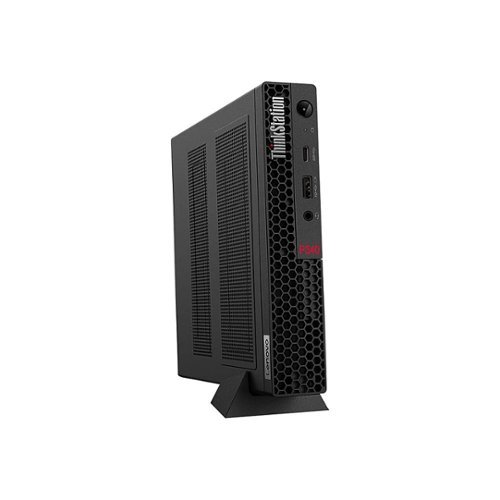
Lenovo - ThinkStation P340 Tiny - Intel Core i7-10700T 16GB Memory 512GB SSD - Black
The stylish, compact ThinkStation P340 Tiny workstation fits just about anywhere and can be positioned horizontally or vertically. Mount this device on a wall, behind a monitor, under a desk ~ even on a bookshelf. It goes wherever you want it to.
Can the RAM be upgraded on this? If so, what is the max GB capacity?
Yes. This Lenovo ThinkStation P340 Tiny Desktop Computer, model number 30DF001KUS, ships with 16GB DDR4-2933MHz RAM (1x 16GB SO-DIMM DDR4-2933 Non-ECC) installed. There are two DDR4 SO-DIMM slots, dual-channel capable. The maximum supported RAM that this model configuration can support is: Up to 64GB DDR4-2933MHz RAM. We recommend you consult with your certified technician about your RAM upgrade options.
4 years, 4 months ago
by
Posted by:
Lenovo Product Expert
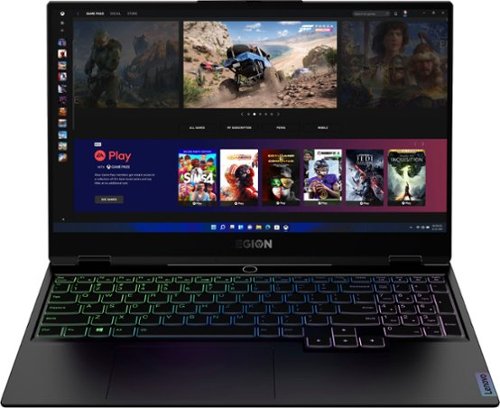
Lenovo - Legion Slim 7 15" Gaming Laptop - AMD Ryzen 7 5800H - 16GB Memory - NVIDIA GeForce RTX 3060 - 512GB SSD - Shadow Black
The Lenovo~ Legion Slim 7 was engineered for gamers who demand mobility and performance for day and night. Sporting a finely crafted chassis machined from 100% aluminum that is shockingly thin and impressively light, the Legion Slim 7 was expertly crafted for gamers who demand more.
What version of Wi-Fi does this machine have?
This Lenovo Legion Slim 7 15 Gaming Laptop, model number 82K80083US, ships with Wi-Fi-6, wide range/high speed 2x2 802.11ax frequency WiFi installed (Realtek WIRELESS Wireless, CMB, LTN, 8852AE M2 Wireless LAN adapter, Lenovo Part Number - 5W10V25797).
4 years, 5 months ago
by
Posted by:
Lenovo Product Expert
Lenovo - Legion Slim 7 15" Gaming Laptop - AMD Ryzen 7 5800H - 16GB Memory - NVIDIA GeForce RTX 3060 - 512GB SSD - Shadow Black
The Lenovo~ Legion Slim 7 was engineered for gamers who demand mobility and performance for day and night. Sporting a finely crafted chassis machined from 100% aluminum that is shockingly thin and impressively light, the Legion Slim 7 was expertly crafted for gamers who demand more.
Does Lenovo offer international warranty in Mexico for this laptop?
Yes. You can get details of the 1-year limited manufacturer's warranty, covering OEM hardware issues on this Lenovo Legion Slim 7 15 Gaming Laptop, model number 82K80083US, at this web site. https://pcsupport.lenovo.com/us/en/iwslookup#/ideapad. Just input the Model Number - 82K80083US into the box provided, then select your Country from the dropdown menu to see the coverage contact information for your Country.
4 years, 5 months ago
by
Posted by:
Lenovo Product Expert
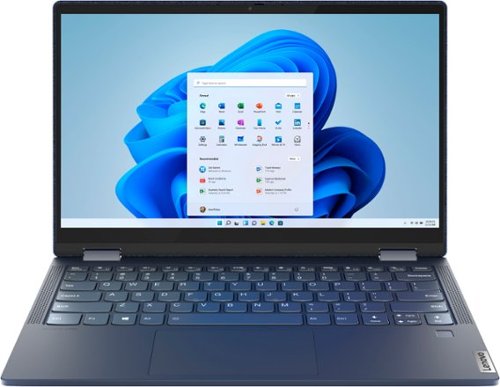
Lenovo - Yoga 6 13 2-in-1 13.3" Touch Screen Laptop - AMD Ryzen 5 - 8GB Memory - 256GB SSD - Abyss Blue with Fabric Cover
The Lenovo~ Yoga~ 6 is an ultra-portable 2-in-1 that combines unique style with the powerful responsiveness of an AMD Ryzen~ 5000 Series Mobile Processor, abundant memory and SSD storage. Enjoy a rich multimedia experience with the clarity of a 13.3" FHD touchscreen display, and enveloping sound with Dolby Atmos~-optimized stereo speakers.
What color is the keyboard backlight?
This Lenovo Yoga 6 13 model number 82ND006YUS, ships with a white backlight keyboard.
4 years, 5 months ago
by
Posted by:
Lenovo Product Expert
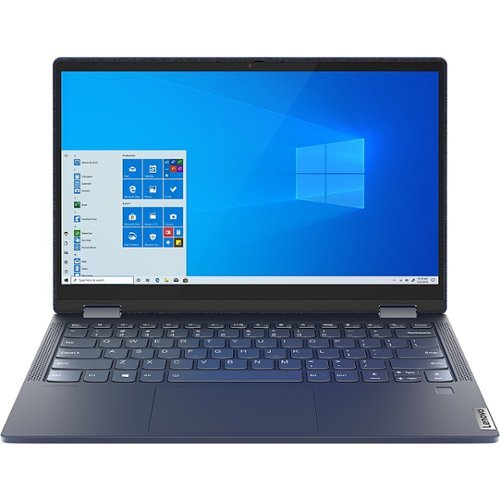
Lenovo - Yoga 6 13.3" Laptop - AMD Ryzen 5 - 8 GB Memory - 512 GB SSD - Abyss Blue
Featuring a premium textile cover, the Lenovo Yoga 6 is an ultra-portable 2-in-1 that combines unique style with the powerful responsiveness of an AMD Ryzen 5000 Series Mobile Processor, abundant memory and SSD storage. Enjoy a rich multimedia experience with the clarity of a 13.3" FHD touchscreen display, and enveloping sound with Dolby Atmos-optimized stereo speakers.
What is the built material of this laptop. Is it aluminium or any other material?
The case material of the Lenovo Yoga 6 13 model number 82ND006WUS, is Fabric (Top), PC + ABS Plastic (Bottom).
4 years, 5 months ago
by
Posted by:
Lenovo Product Expert
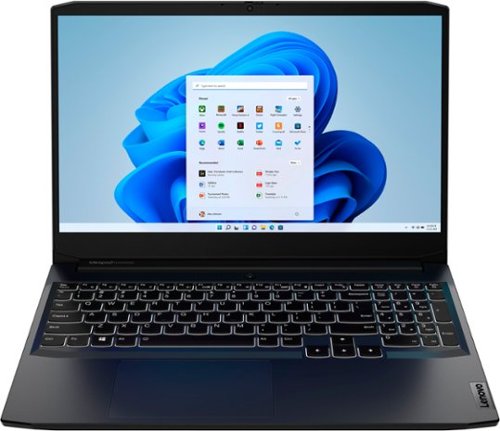
Lenovo - IdeaPad Gaming 3 15.6" FHD 120Hz Laptop - AMD Ryzen 5 5600H - NVIDIA GeForce GTX 1650 - 8GB Memory - 256GB SSD - Shadow Black
Time to elevate your game and esports experience beyond the realm of the ~just acceptable~ with a PC that stands tall amongst your gaming circle. Engineered with AMD Ryzen~ 5600H processor, NVIDIA~ GeForce~ GTX 1650 graphics, DDR4 memory and M.2 NVMe SSD storage options, the Lenovo~ IdeaPad~ Gaming 3 projects a quiet and serene confidence with smooth, crystal-clear visuals and seamless gameplay that stays cool through improved thermals. The IdeaPad Gaming 3 is also stunning visually turned on or off with an 120 Hz clear FHD display and an advanced gaming keyboard.
I want to add an m.2 ssd but does this support pcie gen 4 or only gen 3?
This Lenovo IdeaPad 3 15 Gaming Laptop, model number 82K201QMUS,. ships with a 256GB M.2 2242 PCIe 3.0x4 NVMe solid state hard drive. The maximum storage capacity that this model configuration can support is: up to two drives, 1x 2.5 inch HDD + 1x M.2 2242 SSD or 1x M.2 2242/2280 SSD + 1x M.2 2242 SSD - 2.5 inch HDD up to 1TB plus M.2 2242 SSD up to 512GB or M.2 2280 SSD up to 1TB. We recommend you consult with your certified technician about your storage upgrade options.
4 years, 5 months ago
by
Posted by:
Lenovo Product Expert