Lenovo Product Expert
Lenovo Product Expert's Stats
Reviews
- Review Count0
- Helpfulness Votes0
- First ReviewNone
- Last ReviewNone
- Featured Reviews0
- Average Rating0
Reviews Comments
- Review Comment Count0
- Helpfulness Votes0
- First Review CommentNone
- Last Review CommentNone
- Featured Review Comments0
Questions
- Question Count0
- Helpfulness Votes0
- First QuestionNone
- Last QuestionNone
- Featured Questions0
- Answer Count37809
- Helpfulness Votes24,835
- First AnswerApril 21, 2014
- Last AnswerOctober 9, 2026
- Featured Answers0
- Best Answers2828
Lenovo Product Expert's Reviews
Lenovo Product Expert has not submitted any reviews.
Lenovo Product Expert's Questions
Lenovo Product Expert has not submitted any questions.
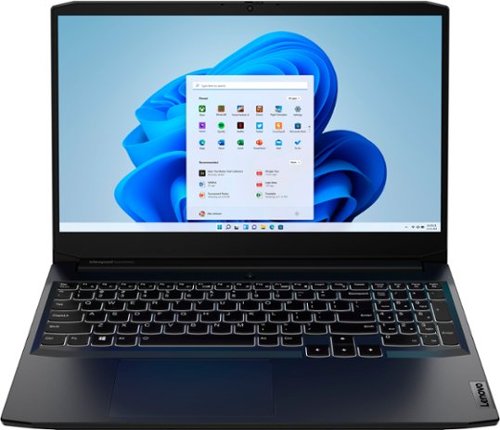
Lenovo - Ideapad Gaming 3i 15.6" FHD Laptop - Core i5-11300H - 8GB Memory - NVIDIA GeForce GTX 1650 - 256GB SSD - Shadow Black
With the latest 11th Generation Intel~ Core~ processor and NVIDIA GeForce graphics, squeeze out maximum value from the IdeaPad~ Gaming 3i and hit peak gaming potential. Match up to the pros with pristine, ultra-smooth and stutterless graphics on the FHD IPS display, drive harder with 100% N-key rollover on your keyboard, dissipate heat faster with high-performance thermals and pinpoint your enemies~ location instantly with Nahimic surround sound audio.
how much VRAM does the GPU have? Thanks!

This Lenovo IdeaPad 3i 15 Gaming Laptop, model number 82K1015CUS, ships with the NVIDIA GeForce GTX 1650 GPU with 4GB GDDR6 VRAM on the card.
4 years, 6 months ago
by
Posted by:
Lenovo Product Expert
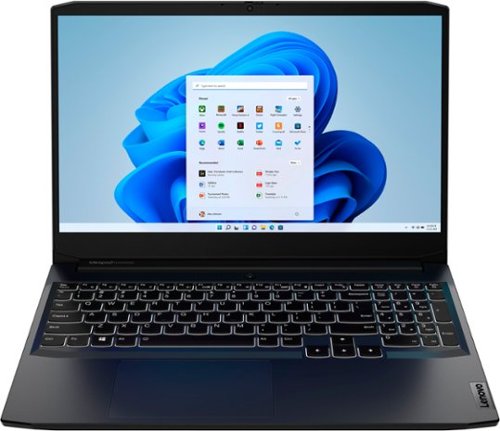
Lenovo - IdeaPad Gaming 3 15.6" FHD 120Hz Laptop - AMD Ryzen 5 5600H - NVIDIA GeForce GTX 1650 - 8GB Memory - 256GB SSD - Shadow Black
Time to elevate your game and esports experience beyond the realm of the ~just acceptable~ with a PC that stands tall amongst your gaming circle. Engineered with AMD Ryzen~ 5600H processor, NVIDIA~ GeForce~ GTX 1650 graphics, DDR4 memory and M.2 NVMe SSD storage options, the Lenovo~ IdeaPad~ Gaming 3 projects a quiet and serene confidence with smooth, crystal-clear visuals and seamless gameplay that stays cool through improved thermals. The IdeaPad Gaming 3 is also stunning visually turned on or off with an 120 Hz clear FHD display and an advanced gaming keyboard.
Does this come with RGB keyboard? Also how many mm of depth in the extra storage bay?
No. This Lenovo IdeaPad 3 15 Gaming Laptop, model number 82K201QMUS, ships with a white light backlit keyboard. This model configuration ships with a 256GB M.2 2242 PCIe 3.0x4 NVMe solid state hard drive installed. The maximum storage capacity that this model configuration can support is: up to two drives, 1x 2.5 inch HDD + 1x M.2 2242 SSD or 1x M.2 2242/2280 SSD + 1x M.2 2242 SSD: 2.5 inch HDD up to 1TB, M.2 2242 SSD up to 512GB, M.2 2280 SSD up to 1TB. We recommend you consult with your certified technician about your storage upgrade options.
4 years, 6 months ago
by
Posted by:
Lenovo Product Expert
Lenovo - Ideapad Gaming 3i 15.6" FHD Laptop - Core i5-11300H - 8GB Memory - NVIDIA GeForce GTX 1650 - 256GB SSD - Shadow Black
With the latest 11th Generation Intel~ Core~ processor and NVIDIA GeForce graphics, squeeze out maximum value from the IdeaPad~ Gaming 3i and hit peak gaming potential. Match up to the pros with pristine, ultra-smooth and stutterless graphics on the FHD IPS display, drive harder with 100% N-key rollover on your keyboard, dissipate heat faster with high-performance thermals and pinpoint your enemies~ location instantly with Nahimic surround sound audio.
Is the ssd included a sata ssd or a NVMe ssd?
This Lenovo IdeaPad 3i 15 Gaming Laptop, model number 82K1015CUS, ships with a 256GB M.2 2242 PCIe 3.0x4 NVMe solid state hard drive installed.
4 years, 6 months ago
by
Posted by:
Lenovo Product Expert
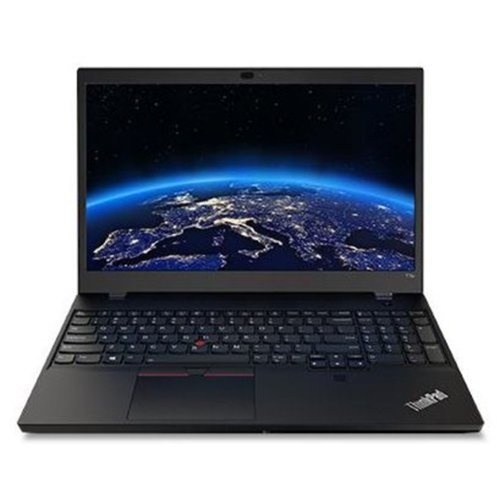
Lenovo - ThinkPad T15p Gen 2 - Intel Core i5-11400H - 15.6" FHD Laptop -256GB SSD - Black
Built for ultimate productivity, the T15p is equipped with features like one-touch log in using the touch finger print reader, one-touch calling on new UC keys, as well as a comprehensive suite of ThinkShield security features~giving you peace of mind to innovate freely wherever life takes you.
What type of external ports? How many of each?
This Lenovo ThinkPad T15p Gen 2 Laptop, model number 21A7001GUS, ships with these ports: 2x USB 3.2 Gen 1 (one Always On), 1x Thunderbolt 4 / USB4 40Gbps (support data transfer, Power Delivery 3.0 and DisplayPort 1.4), 1x HDMI 2.0, 1x SD card reader, 1x Ethernet (RJ-45), 1x Headphone / microphone combo jack (3.5mm).
4 years, 6 months ago
by
Posted by:
Lenovo Product Expert
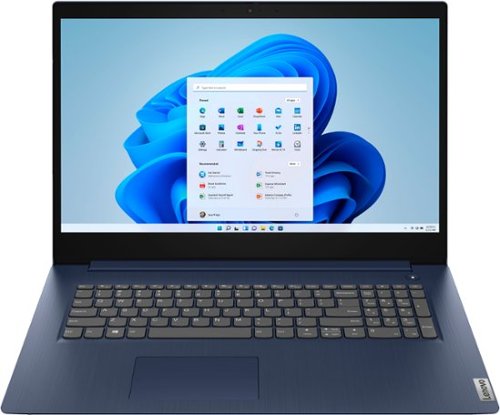
Lenovo - Ideapad 3 17 17" Laptop - Intel Core i5 - 8GB Memory - 1TB HDD - Abyss Blue
Engineered for long-lasting performance, the Lenovo~ IdeaPad~ 3 17 delivers power in a laptop that's perfect for your everyday tasks, with features that you can depend on such as advanced mobile 10th Generation Intel Core processors and all day battery.
What is the warranty for Lenovo ideapad 3?
This Lenovo IdeaPad 3 17 Laptop, model number 81WF004CUS, ships with a 1-year, limited manufacturer's warranty, covering OEM hardware issues. It is valid in the USA and Canada.
4 years, 6 months ago
by
Posted by:
Lenovo Product Expert
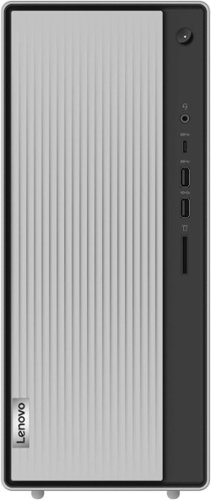
Lenovo - IdeaCentre 5i Desktop - Intel Core i5 - 12GB Memory - 512GB SSD - Mineral Grey
Lenovo IdeaCentre 5i is a powerful, contemporary desktop powered by the latest Intel Core processors. Featuring gaming-grade graphics, fast DDR4 memory, and plenty ofstorage, it~s up to the task of having fun and will immerse you in it~and looks great in your home.
Can I add another SSD for storage or do I have to replace what is in there now?
This Lenovo IdeaCentre 5i Desktop, computer model number 90RJ009GUS, ships with a 512GB M.2 2280 PCIe NVMe solid state hard drive, installed. The maximum storage capacity that this model configuration can support is: Up to two drives, 1x 3.5 inch HDD + 1x M.2 SSD: 3.5 inch HDD up to 2TB and M.2 SSD up to 1TB. We recommend you consult with your certified technician about your storage upgrade options.
4 years, 6 months ago
by
Posted by:
Lenovo Product Expert
Lenovo - Ideapad Gaming 3i 15.6" FHD Laptop - Core i5-11300H - 8GB Memory - NVIDIA GeForce GTX 1650 - 256GB SSD - Shadow Black
With the latest 11th Generation Intel~ Core~ processor and NVIDIA GeForce graphics, squeeze out maximum value from the IdeaPad~ Gaming 3i and hit peak gaming potential. Match up to the pros with pristine, ultra-smooth and stutterless graphics on the FHD IPS display, drive harder with 100% N-key rollover on your keyboard, dissipate heat faster with high-performance thermals and pinpoint your enemies~ location instantly with Nahimic surround sound audio.
Can I upgrade RAM to 2 8gb 2666mz ? If so, will that void warranty ?
This Lenovo IdeaPad 3i 15 Gaming Laptop, model number 82K1015CUS, ships with 8GB DDR4-3200MHz RAM installed (1x 8GB SO-DIMM DDR4-3200MHz RAM). There are two DDR4 SO-DIMM slots, dual-channel capable. The maximum RAM that this model configuration can support is: Up to 16GB DDR4-3200MHz RAM. This Lenovo IdeaPad 3i 15 Gaming Laptop ships with a limited 1-year manufacturer's warranty, covering OEM hardware issues. If the OEM RAM is replaced, the manufacturer's warranty will not cover the non-OEM RAM. All other OEM hardware will still be covered by the limited manufacturer's warranty. We recommend you contact the supplier of the replacement RAM for any warranty coverage they may provide. We also recommend you consult with your certified technician about your RAM upgrade options.
4 years, 6 months ago
by
Posted by:
Lenovo Product Expert
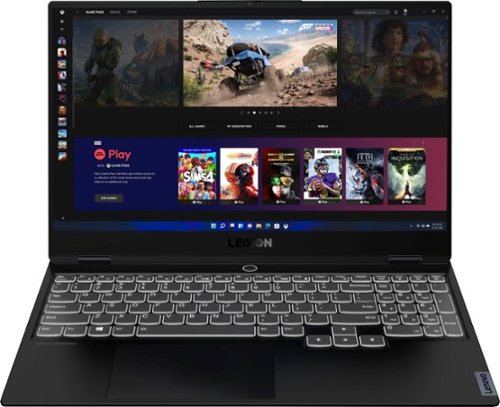
Lenovo - Legion Slim 7 15" 4K Ultra HD Gaming Laptop - AMD Ryzen 9 5900HX - 16GB Memory - NVIDIA GeForce RTX 3050 Ti - 1TB SSD - Shadow Black
The Lenovo~ Legion Slim 7 was engineered for gamers who demand mobility and performance for day and night. Sporting a finely crafted chassis machined from 100% aluminum that is shockingly thin and impressively light, the Legion Slim 7 was expertly crafted for gamers who demand more.
why does it open lenovo vantage when i turn on the lights fn spacebar how do i turn it off
The Lenovo Legion Vantage Dashboard should not open when you activate the keyboard backlighting with the keyboard shortcut: Fn Key and tap the Spacebar. We recommend you contact a Legion Gaming Expert for help turning this feature off, at Lenovo Legion Ultimate Support: 888-278-9707.
4 years, 6 months ago
by
Posted by:
Lenovo Product Expert
Lenovo - Legion Slim 7 15" 4K Ultra HD Gaming Laptop - AMD Ryzen 9 5900HX - 16GB Memory - NVIDIA GeForce RTX 3050 Ti - 1TB SSD - Shadow Black
The Lenovo~ Legion Slim 7 was engineered for gamers who demand mobility and performance for day and night. Sporting a finely crafted chassis machined from 100% aluminum that is shockingly thin and impressively light, the Legion Slim 7 was expertly crafted for gamers who demand more.
I have both the slim 7 ryzen 7 rtx 3060 512gb and the ryzen 9 with 1TB 3050ti. I got both of them for a very good price but which one is better overall. my ryzen 9 came with a 170 watt charger my ryzen 7 version came with a 230 watt both were open box
The Lenovo Slim 7 15 Gaming Laptop, model number 82K80081US, is configured with a Content Creator's requirements in mind. The UHD (3840x2160) screen, with a 60Hz refresh rate and the NVIDIA GeForce RTX 350Ti GPU with 4GB GDDR6 VRAM on the card. The Lenovo Legion Slim 7 15 Gaming Laptop, model number 82K80083US, is configured as a Gamer's Laptop, with its FHD (1920x1080) screen with a refresh rate of 165Hz, supported by the NVIDIA GeForce RTX 3060 Laptop GPU, with 6GB GDDR6 VRAM on the card. We recommend you check the recommended specifications of the specific video games you want to play for the optimum performance you require.
4 years, 6 months ago
by
Posted by:
Lenovo Product Expert

Lenovo - Tab M8 HD (2nd Gen) - 8" - Tablet - 32GB - Iron Grey
Lenovo Tab M8 is the 2nd generation mainstream tablet that comes with standout metal design, and is tailored to make your entertainment experience richer. The stunning 8" HD display brings you a crispier and brighter visual world. More than that, no matter you are watching a thrilling online movie or playing an exciting game, the fast speed and stable connection can also make your enjoyment perfect. Non-stop entertainment is just ON. Lenovo Tab M8, your best companion device with stunning performance and stylish design. The device that everyone wants to have.
I use my ancient Asus tablet to store antique inventory. The photos are named after the item in them for a quick search. Apple does not organize photos by name, only by date. Can I organize photos in an album by photo name on this Lenova tablet?
This Lenovo Tab M8 Tablet uses Google Photos for photo storage. Unfortunately, Sort by filename is not possible. Photos in albums can be sorted by date/time. Changing date/time may thus change the order of the photos. Here is a link to more detailed information: https://sites.google.com/site/picasaresources/google-photos-1/how-to-reorganize-pictures-in-an-album
4 years, 6 months ago
by
Posted by:
Lenovo Product Expert