Lenovo Product Expert
Lenovo Product Expert's Stats
Reviews
- Review Count0
- Helpfulness Votes0
- First ReviewNone
- Last ReviewNone
- Featured Reviews0
- Average Rating0
Reviews Comments
- Review Comment Count0
- Helpfulness Votes0
- First Review CommentNone
- Last Review CommentNone
- Featured Review Comments0
Questions
- Question Count0
- Helpfulness Votes0
- First QuestionNone
- Last QuestionNone
- Featured Questions0
- Answer Count37834
- Helpfulness Votes24,836
- First AnswerApril 21, 2014
- Last AnswerOctober 12, 2026
- Featured Answers0
- Best Answers2829
Lenovo Product Expert's Reviews
Lenovo Product Expert has not submitted any reviews.
Lenovo Product Expert's Questions
Lenovo Product Expert has not submitted any questions.
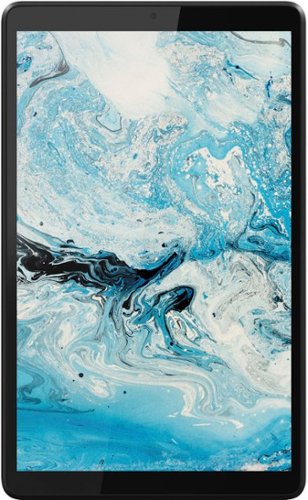
Lenovo - Tab M8 HD (2nd Gen) - 8" - Tablet - 32GB - Iron Grey
Lenovo Tab M8 is the 2nd generation mainstream tablet that comes with standout metal design, and is tailored to make your entertainment experience richer. The stunning 8" HD display brings you a crispier and brighter visual world. More than that, no matter you are watching a thrilling online movie or playing an exciting game, the fast speed and stable connection can also make your enjoyment perfect. Non-stop entertainment is just ON. Lenovo Tab M8, your best companion device with stunning performance and stylish design. The device that everyone wants to have.
Is this tablet equipped with a sim tray?

This Lenovo Tab M8 Tablet, model number ZA5G0060US, ships with 1x microSD card slot. This model has no cellular/broadband data capability built in, it uses 802.11ac frequency WiFi for internet connectivity.
4 years, 8 months ago
by
Posted by:
Lenovo Product Expert
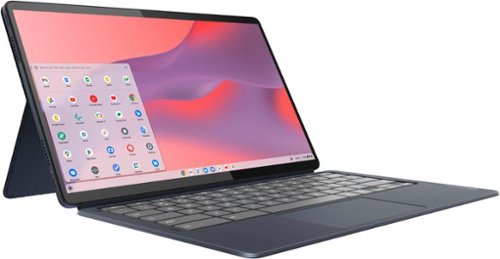
Lenovo - IdeaPad Duet 5 Chromebook 2-in1 Laptop - 13.3" Full HD Touchscreen - Snapdragon SC7180 - 8GB - 128GB - with Keyboard - Abyss Blue
The thin and light 13" IdeaPad Duet 5 Chromebook now packs a brilliant OLED 1920 x 1080 touch screen featuring narrow bezels for true blacks and a cinematic experience, as well as four speakers for clear and resonant audio. Get Minecraft and 3 months of Realms Plus at no cost* with purchase of a new Chromebook. Terms Apply. *Offer valid for qualifying Chromebooks purchased on or after July 1st, 2023 through September 30th, 2023 while supplies last.
why does it constantly lose the network connection?
There are a number of reasons why a Chromebook like this Lenovo IdeaPad Duet 5 Chromebook could loose connection to a WiFi signal. Here is a link to some troubleshooting tips for fixing WiFi connectivity within a Chromebook: https://support.google.com/chromebook/answer/6318213?hl=en. If the issue continues, we recommend you contact lenovo Tech Support for Chromebooks at: 800-426-7378.
4 years, 8 months ago
by
Posted by:
Lenovo Product Expert
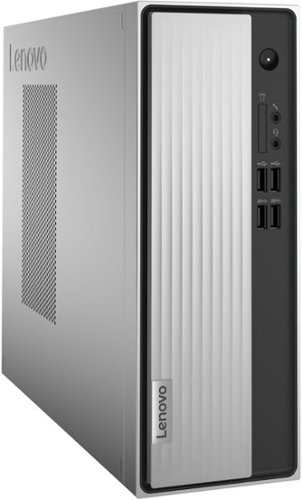
Lenovo - IdeaCentre 3 Desktop - AMD Athlon Silver-Series - 8GB Memory - 256GB SSD - Mineral Grey
Lenovo IdeaCentre 3 07ADA Desktop: Get the job done with this silver Lenovo IdeaCentre 3 desktop computer. An AMD Athlon 3050U processor and 8GB of RAM run multiple programs simultaneously for increased productivity, while the 256GB SSD offers vast storage space for your files and applications. This Lenovo IdeaCentre 3 desktop computer includes a wired mouse and keyboard for easy operation.
What are the dimensions and weight?
The Dimensions of this Lenovo IdeaCentre 3 Desktop Computer, model number 90MV00ELUS, are - Dimensions (WxDxH) - 100 x 290 x 270 mm (3.94 x 11.42 x 10.63 inches). This model Weight is
3.55 kg (7.83 lbs).
3.55 kg (7.83 lbs).
4 years, 8 months ago
by
Posted by:
Lenovo Product Expert
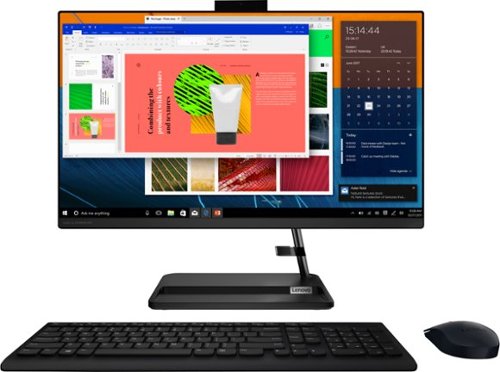
Lenovo - IdeaCentre AIO 3i 24" Touch-Screen All-In-One - Intel Core i3 - 8GB Memory - 256GB Solid State Drive - Black
Great things do come in the smallest packages. Housed in a sleek and compact frame, Lenovo IdeaCentre AIO 3i delivers peak performance with 11th generation Intel Core processing, while holding plenty of storage with a 256GB SSD. Three-sided narrow bezels on the FHD display and Harman-certified stereo speakers make this the consummate family PC.
How far can the screen tilt?
This Lenovo IdeaCentre 3i 24 All-In-One System model number F0G000FWUS, has a 23.8 inch (screen size measured diagonally) IPS - FHD (1920x1080) 10-point Multi-touch screen, with a brightness level of 250 nits. This screen will tilt forward to a minus 5-degrees and backward to a plus 25-degrees.
4 years, 8 months ago
by
Posted by:
Lenovo Product Expert
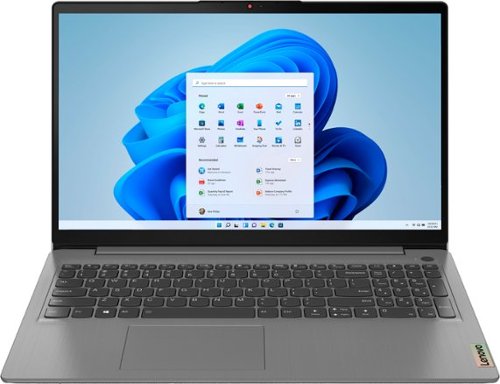
Lenovo - Ideapad 3 15.6" FHD Touch Screen Laptop - Intel Core i5 11th Gen - 12GB Memory - 256GB SSD - Arctic Grey
Engineered for long-lasting performance, the Lenovo~ IdeaPad~ 3 delivers powerful performance with the latest Intel 11th Generation Processors with Intel~ Iris Xe Graphics, in a laptop that's perfect for your everyday tasks, with features that you can depend on.
Can I watch 4k Movies on it?
This Lenovo IdeaPad 3 15 Laptop, model number 82H801DQUS, ships with a 15.6 inch (screen size measured diagonally) IPS - FHD (1920x1080) 10-point Multi-touch screen, with a brightness level of 300 nits and has an Anti-glare Coating. The IdeaPad 3 15 supports up to 2 independent displays (native display and 1 external monitor via HDMI) HDMI supports up to 4K@30Hz.
4 years, 8 months ago
by
Posted by:
Lenovo Product Expert
Lenovo - IdeaPad Duet 5 Chromebook 2-in1 Laptop - 13.3" Full HD Touchscreen - Snapdragon SC7180 - 8GB - 128GB - with Keyboard - Abyss Blue
The thin and light 13" IdeaPad Duet 5 Chromebook now packs a brilliant OLED 1920 x 1080 touch screen featuring narrow bezels for true blacks and a cinematic experience, as well as four speakers for clear and resonant audio. Get Minecraft and 3 months of Realms Plus at no cost* with purchase of a new Chromebook. Terms Apply. *Offer valid for qualifying Chromebooks purchased on or after July 1st, 2023 through September 30th, 2023 while supplies last.
Is this touch screen?
Yes. This Lenovo IdeaPad Duet 5 Chromebook, model number 82QS001HUS, ships with a 13.3 inch (screen size measured diagonally) OLED - FHD (1920x1080) 10-point Multi-touch screen, with a brightness level of 400 nits, has a Glossy finish. This screen provides 100 Percent of the DCI-P3 color gamut for excellent color accuracy.
4 years, 8 months ago
by
Posted by:
Lenovo Product Expert
Lenovo - Ideapad 3 15.6" FHD Touch Screen Laptop - Intel Core i5 11th Gen - 12GB Memory - 256GB SSD - Arctic Grey
Engineered for long-lasting performance, the Lenovo~ IdeaPad~ 3 delivers powerful performance with the latest Intel 11th Generation Processors with Intel~ Iris Xe Graphics, in a laptop that's perfect for your everyday tasks, with features that you can depend on.
Do I need an external microphone or is there one built in
The Lenovo IdeaPad 3 15 Laptop, model number 82H801DQUS, ships with both an HD (720p) webcam with Privacy Shutter and Dual Array Microphones built in.
4 years, 8 months ago
by
Posted by:
Lenovo Product Expert
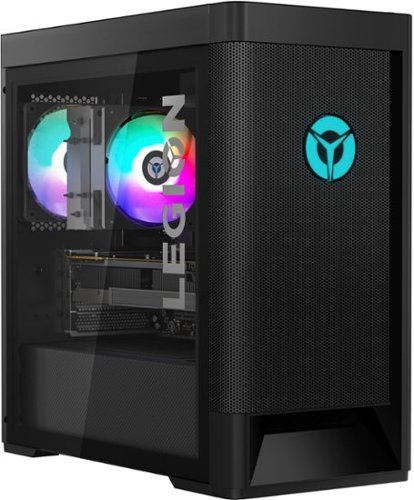
Lenovo - Legion Tower 5 AMD - 90RB001LUS 26/Ryzen 7 5700G/16GB/512GB/1TB/NVIDIA GeForce RTX 3060/Windows 11 Home - Raven Black
Engineered out of a passion for savage power and unmatched speed, the Lenovo Legion Tower 5 AMD delivers mind-blowing performance that combines AMD Ryzen processors and top-of-the-line NVIDIA GeForce graphics cards for blazing-fast frame rates at up to 4K resolution. Pushing far beyond the upper bounds of smaller rig configurations while keeping things cool and whisper quiet, the Legion Tower 5 is a marvel of build and design, accentuated by its illuminated blue LED logo and lighting, as well a transparent side panel that can properly showcase your internals.
Does this PC contain built in wireless network adapters? If so I cannot access them and it only gives me the option for Ethernet.
This Lenovo Legion Tower 5 AMD Gaming Desktop Computer, model number 90RB001LUS, ships with the latest WiFi-6, 2x2 802.11ax frequency WiFi built in. WiFi-6 is also backward compatible to older, a/b/g/n/ac frequency WiFi. Here is a link to some troubleshooting tips for issues with WiFi discovery within a Windows 11 based computer: https://www.guidingtech.com/top-ways-to-fix-wi-fi-not-working-on-windows-11/. If the issue continues, we recommend you contact Lenovo Legion Ultimate Support for additional help at: 888-278-9707.
4 years, 8 months ago
by
Posted by:
Lenovo Product Expert
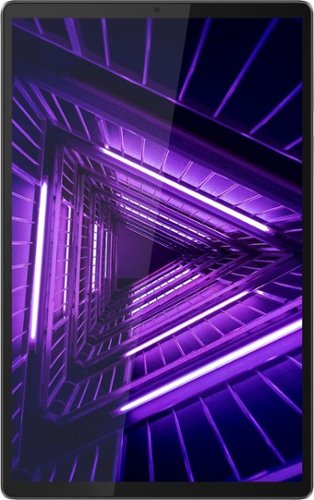
Lenovo - Tab M10 FHD Plus (2nd Gen) - 10.3" - Tablet - 64GB - Iron Gray
Lenovo~ Tab M10 Plus is one impressive media tablet from the 2nd generation tab family. Its standout metal design gives you a premium look and feel with modern simplicity. Inside lies a 10.3" FHD screen and dual speakers for truly immersive entertainment. This is one tablet you will want to use and pass around the house.
Can this device hook up to a projector via a USB-C to VGA or HDMI cable? Also, will my Adonit dash stylus work with this tablet? Which styluses are compatible?
This Lenovo Tab M10 Plus Tablet, model number ZA5T0382US, does not have video out capability through its 1x USB-C 2.0 (support data transfer, OTG, and Power Delivery) port. This Tab M10 Plus Tablet is not compatible with any active/digital pen. You can use a capacitive touch stylus as a finger replacement on this tablet's touch screen, like this one: https://www.bestbuy.com/site/insignia-stylus-silver/3695185.p?skuId=3695185
4 years, 8 months ago
by
Posted by:
Lenovo Product Expert
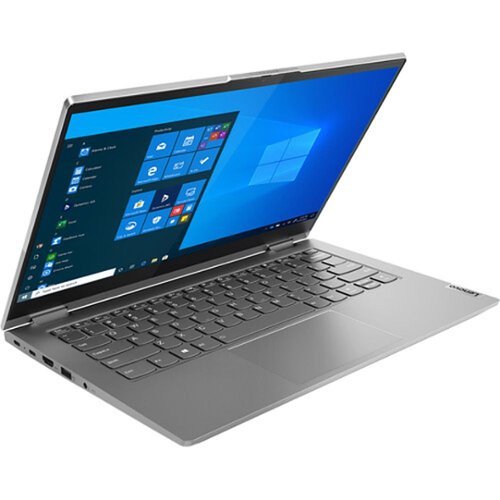
Lenovo - Thinkbook 14s Yoga 2-in-1 14" Touch-Screen Laptop-Intel Core i7-16GB Memory - 512GB SSD - Black
Designed for business and play, the ThinkBook 14s Yoga ITL Multi-Touch Notebook from Lenovo allows you to work on your documents, experience media, and explore your creative side. This lightweight, aluminum-encased notebook sports a 14-inch in-plane switching (IPS) 1920 x 1080 touchscreen and a 360~ hinge, giving you the optional tablet-like experience. Dolby Vision display technology delivers superb details and intense graphic fidelity, making this device ideal for graphic designers, business professionals, and media enthusiasts.
How many nits of brightness?
This Lenovo ThinkBook 14s Yoga Laptop, model number 20WE0018US, ships with a 14 inch (screen size measured diagonally) IPS - FHD (1920x1080) 10-point Multi-touch screen, with a brightness level of 300 nits, has a Glossy, anti-fingerprint finish, this screen is made with Corning Gorilla Glass for additional durability. This screen provides 100 Percent sRGB (72 Percent NTSC) color gamut for excellent color accuracy. This screen is Dolby Vision Certified.
4 years, 8 months ago
by
Posted by:
Lenovo Product Expert