Lenovo Product Expert
Lenovo Product Expert's Stats
Reviews
- Review Count0
- Helpfulness Votes0
- First ReviewNone
- Last ReviewNone
- Featured Reviews0
- Average Rating0
Reviews Comments
- Review Comment Count0
- Helpfulness Votes0
- First Review CommentNone
- Last Review CommentNone
- Featured Review Comments0
Questions
- Question Count0
- Helpfulness Votes0
- First QuestionNone
- Last QuestionNone
- Featured Questions0
- Answer Count37839
- Helpfulness Votes24,837
- First AnswerApril 21, 2014
- Last AnswerOctober 13, 2026
- Featured Answers0
- Best Answers2830
Lenovo Product Expert's Reviews
Lenovo Product Expert has not submitted any reviews.
Lenovo Product Expert's Questions
Lenovo Product Expert has not submitted any questions.
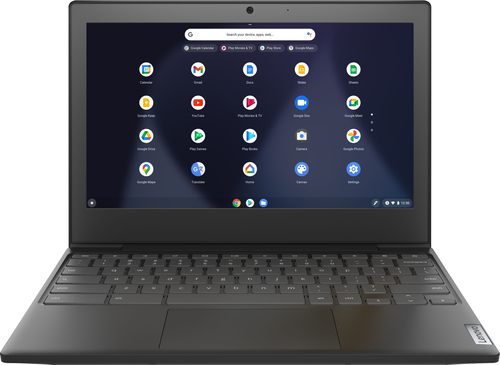
Lenovo - Chromebook 3 11" Chromebook - AMD A6 - 4GB Memory - 32GB eMMC Flash Memory
Fast, flexible, and fun, the Chromebook 3-11" brings everyone~s favorite Chromebook features, housed in a slim chassis, running on the lightning-fast Chrome OS that boots up in seconds, updates automatically, and is protected by built-in virus protection. Powered by an AMD A6 processor with up to 10 hours of battery life, the IdeaPad 3 Chromebook can seamlessly run all of your favorite apps at the same time
is this a c330 or s330?

This Lenovo Chromebook 3 11 is labelled as: IdeaPad 3 CB 11AST5.
4 years, 9 months ago
by
Posted by:
Lenovo Product Expert
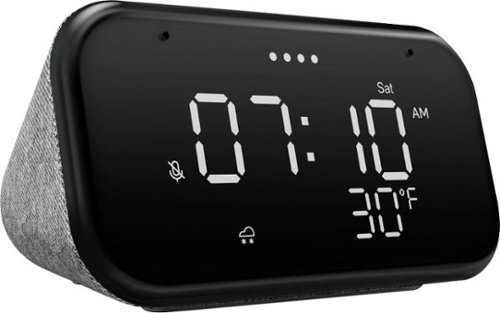
Lenovo - Smart Clock Essential 4" Smart Display with Google Assistant - Soft Touch Gray
The Lenovo Smart Clock Essential is the ultimate smart clock for any room. With a big & bold display you can check out the time from across the room, whether in the kitchen, in the living room or on a shelf. Talk to Google for hands-free help. From checking the time and weather, setting timers for cooking, adding items to your shopping list or making hands-free calls, the Lenovo Smart Clock Essential is here to help you be more productive and take back time. It~s also a great night-time companion with its built-in nightlight that provides a small source of light without waking up the whole family. No more stumbling around in the dark when searching for things. Listen to music, news, podcasts, and more with the clock~s quality speakers. Control over 40,000 compatible smart devices from over 5,000 brands. Ask Google to set the temperature, dim the lights, and more. Just say ~Hey Google.~
Is the device dual voltage...as in can I use a 220v ?
The Lenovo Smart Clock Essential is a 110V device. It does ship with a Dual Voltage AC adapter, with a USA compatible wall side plug. To use this Lenovo Smart Clock Essential outside the USA, you will need to add a compatible wall side plug adapter, compatible with the country where the Smart Clock Essential will be used. This wall side plug adapter is sold separately.
4 years, 9 months ago
by
Posted by:
Lenovo Product Expert
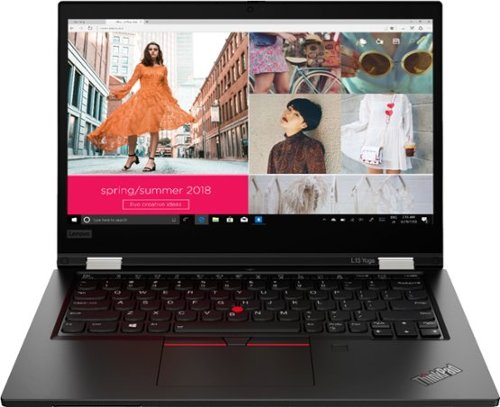
Lenovo - ThinkPad L13 Yoga 2-in-1 13.3" Touch Screen Laptop - Intel Core i5 - 8GB Memory - 256GB SSD - Black
More flexible than a traditional laptop, its 360~ hinge allows mobile workers to use it as a laptop or a tablet; or even in tent or stand mode for 1:1 presentations inside or outside the office. Includes features such as fingerprint reader, 720p camera and smart card reader. Meanwhile, the battery lasts up to 10 hours, ensuring uninterrupted productivity on the go.
Is there a "clean" windows option without the spyware Alexa integrated ?
While this Lenovo ThinkPad L13 Yoga, model number 20VK001QUS, ships with Alexa Assistant capability built in, this feature can only be activated by the user when they setup a Amazon Alexa Account. The Alexa feature can not work without this Amazon Account information added to the Alexa APP.
4 years, 9 months ago
by
Posted by:
Lenovo Product Expert
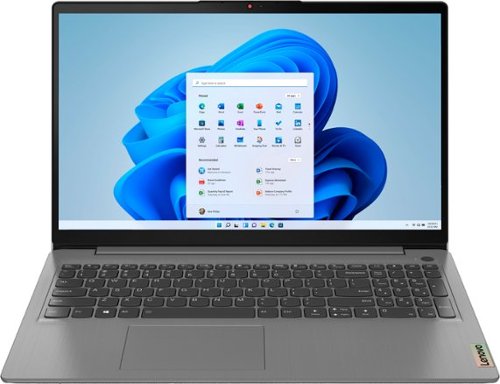
Lenovo - Ideapad 3 15.6" FHD Touch Screen Laptop - Intel Core i5 11th Gen - 12GB Memory - 256GB SSD - Arctic Grey
Engineered for long-lasting performance, the Lenovo~ IdeaPad~ 3 delivers powerful performance with the latest Intel 11th Generation Processors with Intel~ Iris Xe Graphics, in a laptop that's perfect for your everyday tasks, with features that you can depend on.
Can this laptop be connected to a desktop monitor? If so, what type cable is needed?
This Lenovo IdeaPad 3 15 Laptop, model number 82H801DQUS, ships with 1x HDMI 1.4b port for video out to an external monitor. You will need an HDMI 1.4b or better capable cable to connect your monitor to this laptop, like this one: https://www.bestbuy.com/site/best-buy-essentials-6-4k-ultra-hd-hdmi-cable-black/6472356.p?skuId=6472356
4 years, 9 months ago
by
Posted by:
Lenovo Product Expert
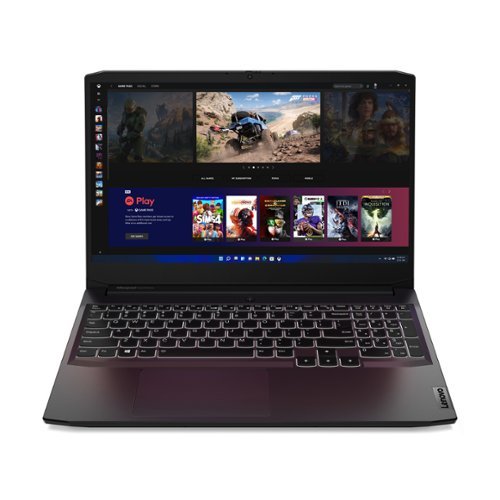
Lenovo - IdeaPad Gaming 3 15" Laptop - AMD Ryzen 5 5600H - NVIDIA GeForce GTX 1650 - 8GB Memory - 512GB SSD
Time to elevate your game and esports experience beyond the realm of the ~just acceptable~ with a PC that stands tall amongst your gaming circle. Engineered with AMD Ryzen~ 5600H processor, NVIDIA~ GeForce~ GTX 1650 graphics, DDR4 memory and M.2 NVMe SSD storage options, the Lenovo~ IdeaPad~ Gaming 3 projects a quiet and serene confidence with smooth, crystal-clear visuals and seamless gameplay that stays cool through improved thermals. The IdeaPad Gaming 3 is also stunning visually turned on or off with an 120 Hz clear FHD display and an advanced gaming keyboard.
will this laptop be good for 3d animations
That will depend on the requirements and compatibility of the specific software you want to use. We recommend you check with the specific software publisher's web site, of the specific software you will be using, for their compatibility with Windows 10/11 Home 64-bit operating system and the minimum/recommended hardware requirements (Is a Graphics card required, the processor speed and the minimum required system RAM and the minimum available hard drive space) to run their program, then compare those requirements to this system's configuration.
4 years, 9 months ago
by
Posted by:
Lenovo Product Expert
Lenovo - ThinkPad L13 Yoga 2-in-1 13.3" Touch Screen Laptop - Intel Core i5 - 8GB Memory - 256GB SSD - Black
More flexible than a traditional laptop, its 360~ hinge allows mobile workers to use it as a laptop or a tablet; or even in tent or stand mode for 1:1 presentations inside or outside the office. Includes features such as fingerprint reader, 720p camera and smart card reader. Meanwhile, the battery lasts up to 10 hours, ensuring uninterrupted productivity on the go.
where is the back lit key
This Lenovo ThinkPad L13 Yoga, model number 20VK001QUS, ships wit a backlit keyboard. To activate the backlighting, hold down the Fn Key and tap the Spacebar at the same time - Once to turn on the backlighting, twice to increase the backlight intensity and three times to turn off the backlighting.
4 years, 9 months ago
by
Posted by:
Lenovo Product Expert
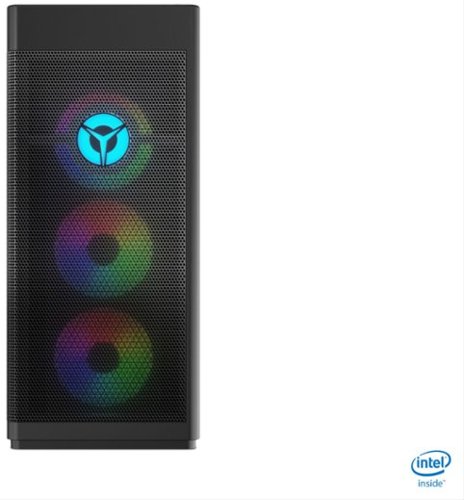
Lenovo - Legion Tower 7i Gaming Desktop - Intel Core i7-10700K - 16GB Memory - NVIDIA GeForce RTX 3060 -512GB SSD - Black
Engineered out of a passion for savage power and unmatched speed, the Lenovo~ Legion Tower 7i delivers overclocked performance, available with an Intel~ Core~ i7-10700K processor, and NVIDIA~ GeForce RTX~ 3060 graphics cards for blazing-fast frame rates at over 4K resolution. Smashing through ceilings in a robust 34 L chassis, accented by over 16 million colors via an ARGB lighting system with transparent side panel.
Does it have a B series chipset or a Z series? Can I overclock the CPU?
This Lenovo Legion Tower 7i Gaming Desktop, model number 90Q800CEUS, ships with a Intel Z490 chipset. Here is a link to the complete parts list for this model configuration: https://pcsupport.lenovo.com/us/en/products/desktops-and-all-in-ones/legion-series/legion-t7-34imz5/90q8/90q800ceus/parts/display/model
4 years, 9 months ago
by
Posted by:
Lenovo Product Expert
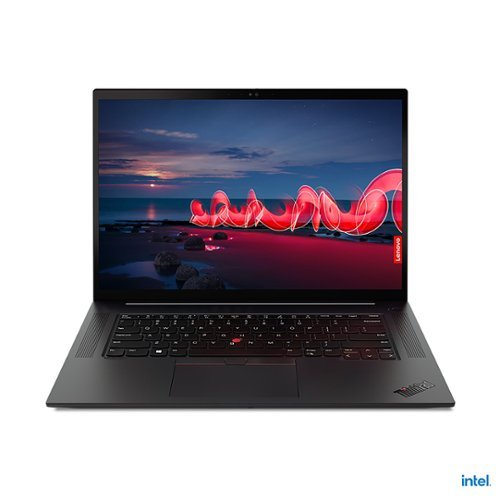
Lenovo - 16" ThinkPad X1 Extreme Gen 4 Laptop - Intel Core i7 - 16GB Memory - NVIDIA GeForce RTX 3060 - 512GB SSD
The ThinkPad X1 Extreme Gen 4 is built for extreme performance with up to the latest 11th Gen Intel Core i9 vPro H series processor, up to 64GB DDR4 (3200MHz) memory, and dual storage with up to 4TB total with Gen 4 performance PCIe SSDs.
Is the hard drive upgradable in any way? Are there extra slots for storage? Or can the current hard drive be replaced with a larger sized SSD?
This Lenovo ThinkPad X1 Extreme Gen 4 Laptop, model number 20Y50016US, ships with a 512GB M.2 2280 PCIe 4.0x4 Performance NVMe Opal2 solid state hard drive. The maximum storage capacity if this model configuration is: one drive, up to 2TB M.2 2280 SSD. We recommend you consult with your certified technician about your storage upgrade options.
4 years, 9 months ago
by
Posted by:
Lenovo Product Expert
Lenovo - Chromebook 3 11" Chromebook - AMD A6 - 4GB Memory - 32GB eMMC Flash Memory
Fast, flexible, and fun, the Chromebook 3-11" brings everyone~s favorite Chromebook features, housed in a slim chassis, running on the lightning-fast Chrome OS that boots up in seconds, updates automatically, and is protected by built-in virus protection. Powered by an AMD A6 processor with up to 10 hours of battery life, the IdeaPad 3 Chromebook can seamlessly run all of your favorite apps at the same time
Can you connect this to a printerer?
Yes. This Lenovo Chromebook 3 11 can connect to any printer that is compatible with the Chrome Operating System. We recommend you check with your printer manufacturer's web site for the compatibility of your specific printer model. here is a link to instructions for connecting a compatible printer to a Chromebook: https://support.google.com/chromebook/answer/7225252?hl=en
4 years, 9 months ago
by
Posted by:
Lenovo Product Expert
Lenovo - Ideapad 3 15.6" FHD Touch Screen Laptop - Intel Core i5 11th Gen - 12GB Memory - 256GB SSD - Arctic Grey
Engineered for long-lasting performance, the Lenovo~ IdeaPad~ 3 delivers powerful performance with the latest Intel 11th Generation Processors with Intel~ Iris Xe Graphics, in a laptop that's perfect for your everyday tasks, with features that you can depend on.
I want to get this for my son. He will really only want to use it to play games i.e. Fortnite, minecraft, roblox ect... can this handle these games well?
That really will depend on the requirements and compatibility of the specific games your son wants to play. This Lenovo IdeaPad 3 15 Laptop, model number 82H801DQUS, ships with the Windows 11 S-Mode 64-bit Operating System installed. Windows 11 S-Mode provides added security by only allowing APPs available ( and therefore certified by Microsoft) at the Microsoft Store. If you don't need the added security or you need to install APPs not available at the Microsoft Store, you can switch to standard Windows 11 Home 64-bit Operating System, at no additional cost. We recommend you check with the specific game's software publisher's web sites, of the games your son will want to play, for their compatibility with Windows 11 S-Mode 64-bit operating system and the minimum/recommended hardware requirements (Is a Graphics card required, the processor speed and the minimum required system RAM and the minimum available hard drive space) to run their program, then compare those requirements to this system's configuration. If you choose to switch out of S-Mode for Windows 11 Home: Here is a link to instructions for switching from Windows 11 S-Mode to Windows 11 Home: https://support.microsoft.com/en-us/help/4456067/windows-10-switch-out-of-s-mode
4 years, 9 months ago
by
Posted by:
Lenovo Product Expert