Lenovo Product Expert
Lenovo Product Expert's Stats
Reviews
- Review Count0
- Helpfulness Votes0
- First ReviewNone
- Last ReviewNone
- Featured Reviews0
- Average Rating0
Reviews Comments
- Review Comment Count0
- Helpfulness Votes0
- First Review CommentNone
- Last Review CommentNone
- Featured Review Comments0
Questions
- Question Count0
- Helpfulness Votes0
- First QuestionNone
- Last QuestionNone
- Featured Questions0
- Answer Count37848
- Helpfulness Votes24,845
- First AnswerApril 21, 2014
- Last AnswerOctober 13, 2026
- Featured Answers0
- Best Answers2830
Lenovo Product Expert's Reviews
Lenovo Product Expert has not submitted any reviews.
Lenovo Product Expert's Questions
Lenovo Product Expert has not submitted any questions.
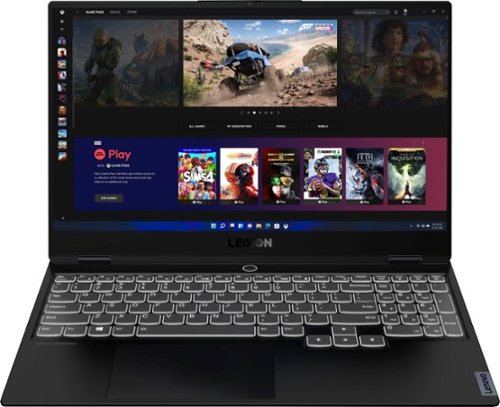
Lenovo - Legion Slim 7 15" 4K Ultra HD Gaming Laptop - AMD Ryzen 9 5900HX - 16GB Memory - NVIDIA GeForce RTX 3050 Ti - 1TB SSD - Shadow Black
The Lenovo~ Legion Slim 7 was engineered for gamers who demand mobility and performance for day and night. Sporting a finely crafted chassis machined from 100% aluminum that is shockingly thin and impressively light, the Legion Slim 7 was expertly crafted for gamers who demand more.
Does this laptop support connecting to a docking station (Like the Dell WD19) for additional monitor connections?

The Lenovo Legion Slim 7 15 Gaming Laptop, model number 82K80081US, supports up to 3 independent displays via native display and 2 external monitors; supports external monitors via USB-C (up to 5120x2160@60Hz). You can also use a compatible, universal USB-c docking station with this Legion Slim 7 15 for additional port options.
4 years, 10 months ago
by
Posted by:
Lenovo Product Expert
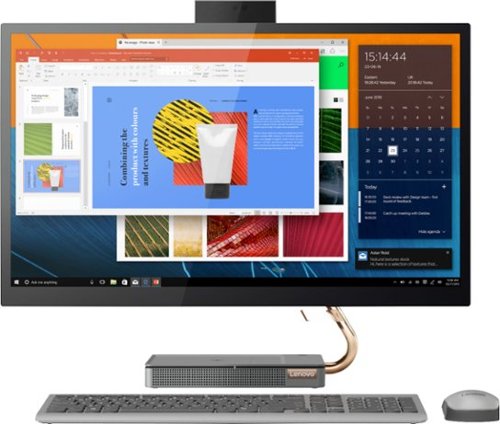
Lenovo - IdeaCentre A540-27ICB 27" Touch-Screen All-In-One - Intel Core i5 - 12GB Memory - 256GB SSD - Mineral Gray
Increase your productivity with this 27-inch QHD Lenovo IdeaCenter All-in-One desktop. The Intel Core i5 processor and 12GB of RAM support seamless multitasking, while a 256GB M.2 SSD combines rapid boots and ample storage. This Bluetooth-enabled Lenovo IdeaCenter All-in-One desktop features a Full HD camera for smooth videoconferencing and arrives with Windows 10 Home 64 bit installed to get you started right away.
Does the Lenovo - IdeaCentre A540-27ICB come with printer software on it?
That will depend on the requirements of your specific printer model. Windows Operating System has many drivers already installed. We recommend you check with the printer manufacturer's web site for your specific printer model, to see if any additional software needs to be installed for your specific printer model.
4 years, 10 months ago
by
Posted by:
Lenovo Product Expert
Lenovo - IdeaCentre A540-27ICB 27" Touch-Screen All-In-One - Intel Core i5 - 12GB Memory - 256GB SSD - Mineral Gray
Increase your productivity with this 27-inch QHD Lenovo IdeaCenter All-in-One desktop. The Intel Core i5 processor and 12GB of RAM support seamless multitasking, while a 256GB M.2 SSD combines rapid boots and ample storage. This Bluetooth-enabled Lenovo IdeaCenter All-in-One desktop features a Full HD camera for smooth videoconferencing and arrives with Windows 10 Home 64 bit installed to get you started right away.
How will I know when windows 11 is available to install on my Lenovo - IdeaCentre A540-27ICB ? It came with an upgrade for windows 11 or it said we would be able to upgrade to windows 11.
You will receive an alert on your screen that your Lenovo IdeaCentre A540 27 All-In-One system is now ready to update to Windows 11. Here is a link to more information about getting ready to upgrade to Windows 11: https://support.microsoft.com/en-us/windows/getting-ready-for-the-windows-11-upgrade-eb50813f-c7da-4cf8-89a3-6ba0d33b2773
4 years, 10 months ago
by
Posted by:
Lenovo Product Expert
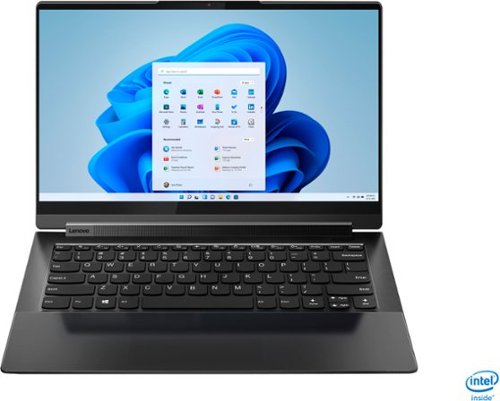
Lenovo - Yoga 9i 14 2-in-1 14" 4K HDR Touch-Screen Laptop - Intel Evo Platform Core i7 - 16GB Memory - 512GB SSD - Shadow Black
Meet the Lenovo Yoga 9i, designed to put your experience first with the Intel Evo platform~s powerhouse combination of performance, responsiveness, battery life and stunning visuals. Innovative features are encased directly in a sleek 2-in-1 metal chassis with a leather cover, combined with the advanced mobile performance of 11th generation Intel Core processors and powerfully immersive entertainment.
The screen goes black , when i work How to fix the problem
Check to be sure you have the latest version of Windows on the computer. Then update all BIOS files and drivers up to that latest version of Windows. You can easily accomplish this by scanning the computer with the Lenovo Utility software available on this computer. This system has Lenovo utilities installed to help maintain the health of the device and keep the operating system software up to date. Type "Lenovo Vantage" in the Cortana Search window (if Lenovo Vantage is not installed on your device, you can download the APP and install it now). Select Lenovo Vantage from the list. In the window that opens, click on "Health and Support". In the expanded menu, select "Hardware Scan" In the window that opens, select "Run Quick Tests". This will scan your entire system for errors. Follow any directions that may pop up. If the problem continues after this scan, now click on "System Update". First select Windows update from the menu. Scan your system to be sure you have the latest version of Windows. Once that scan is complete, select "Additional Updates". This will scan your device to be sure there are no new BIOS/Driver updates needed. Follow any instructions that may pop up. If the issue still continues after these updates, we recommend you call Lenovo Premium Care for additional help at: 888-278-9707.
4 years, 10 months ago
by
Posted by:
Lenovo Product Expert
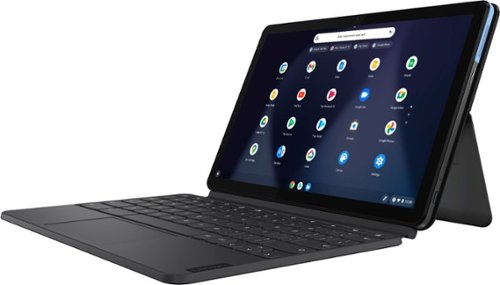
Lenovo - IdeaPad Duet Chromebook - 10.1 (1920x1200) Touch 2-in-1 Tablet - MediaTek P60T - 4G RAM - 128G eMCP4x - with Keyboard - Ice Blue + Iron Gray
Work on pending assignments while on the move with this Lenovo Chromebook Duet. The 10.1-inch touch screen provides an interactive user experience, while the 128GB of internal storage offer ample space for apps and media files. This Lenovo Chromebook Duet features a MediaTek Helio P60T processor and 4GB of RAM for effortless multitasking.
Can you load pictures on a flash drive with it
This Lenovo Chromebook Duet ships with 1x USB-C 2.0 (support data transfer, OTG, Power Delivery, and DisplayPort) port. You can use a USB-c OTG adapter like this one to connect a compatible USB-based external hard drive to the Chromebook Duet: https://www.bestbuy.com/site/insignia-usb-c-to-usb-adapter-black/6473492.p?skuId=6473492. Be sure the external hard drive you are trying to connect is compatible with the Chrome Operating System and the files you want to read are also compatible with the Chrome Operating System.
4 years, 10 months ago
by
Posted by:
Lenovo Product Expert
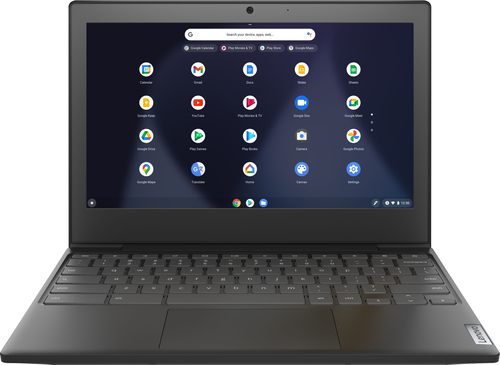
Lenovo - Chromebook 3 11" Chromebook - AMD A6 - 4GB Memory - 32GB eMMC Flash Memory
Fast, flexible, and fun, the Chromebook 3-11" brings everyone~s favorite Chromebook features, housed in a slim chassis, running on the lightning-fast Chrome OS that boots up in seconds, updates automatically, and is protected by built-in virus protection. Powered by an AMD A6 processor with up to 10 hours of battery life, the IdeaPad 3 Chromebook can seamlessly run all of your favorite apps at the same time
Is this good to watch movies on? Can you download YouTube or Netflix for kids?
That really will depend on the requirements and compatibility of the specific APPs you want to use. This Lenovo Chromebook 3 11 ships with the Chrome Operating System and is compatible with Google Play Store APPs. We recommend you check with the specific APPs software publisher's web sites, of the specific APPs you want to use, for their compatibility with the Chrome operating system and the minimum/recommended hardware requirements (Is a Graphics card required, the processor speed and the minimum required system RAM and the minimum available hard drive space) to run their program, then compare those requirements to this system's configuration.
4 years, 10 months ago
by
Posted by:
Lenovo Product Expert
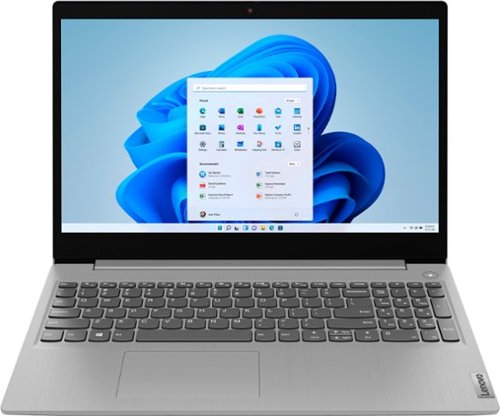
Lenovo - IdeaPad 3 15" HD Touch Screen Laptop - Intel Core i3-1115G4 - Intel UHD Graphics - 8GB Memory - 256GB SSD - Platinum Grey
Engineered for long-lasting performance, the Lenovo~ IdeaPad~ 3 is the perfect laptop for your everyday tasks with features that you can depend on.
i just unboxed this brand new.. is it supposed to have a short battery life and heat up quickly??
The Lenovo IdeaPad 3 15 Laptop, model number 81X800ENUS, ships with a Integrated 35Wh, Lithium-Polymer Battery, which within this configuration, has a battery life of up to 7 hours, depending on the work the device is performing. Be sure all Operating System updates have downloaded and installed. The update process will use more battery life than normal. Heavy workloads like installing updates will increase system heat. This is normal. If you are getting substantially less battery life, first, set your screen brightness at less than 100-percent - try 80-percent to start with. Then, be sure Battery conservation Mode is turned off. This power management setting should only be used when the laptop is plugged in all the time. It will prolong overall battery life by only charging the battery to 60-percent of capacity. Here is a link to instructions for turning off Battery Conservation Mode: https://support.lenovo.com/us/en/solutions/ht103159. Also check what programs are running in the background on the computer. Be sure only the programs you want running in the background are. These programs will drain the battery. Here is a link to information about how to find out what programs are running in the background on your Windows 10 computer and how to manage them for better system performance: https://www.windowscentral.com/how-prevent-apps-running-background-windows-10. Then, finally, be sure any software you installed is compatible with Windows 10. Incompatible software will drain the battery at a faster rate. There is no need to install Microsoft Office software. The software is already part of the operating system, you just need to activate the software with a purchased product key. If you have installed a copy of Microsoft Office, this is conflicting with the existing copy on the system and this will slow your system down. If you have installed a 3rd party anti-virus program, be sure that Windows Defender is turned off and that the trial version of McAfee Anti-Virus software is uninstalled. There can only be one anti-virus program on the system. You may need to restore your system to original factory default settings if any of the programming errors have occurred. You can do that by typing "restore" in the Cortana search window. Just click on the magnifying glass icon at the bottom left of your Windows 10 Desktop. Click on "Reset This PC" Then click on "Get Started" and follow the on screen directions to restore to factory defaults. If the problem persists, we recommend you contact Lenovo Tech Support at: 877-453-6686.
4 years, 10 months ago
by
Posted by:
Lenovo Product Expert
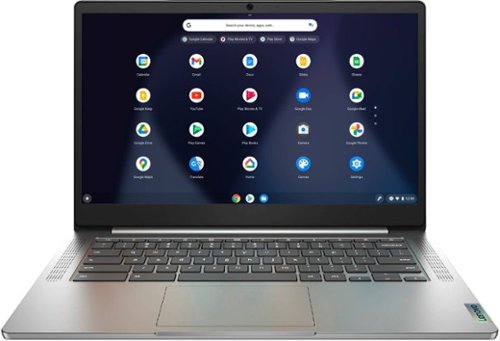
Lenovo - Chromebook 3 14" Laptop - Mediatek MT8183 - 4GB Memory - 64GB eMMC - Arctic Grey
Fast, flexible, and fun, the Chromebook 3-14" brings everyone~s favorite Chromebook features, running on the lightning-fast Chrome OS that boots up in seconds, updates automatically, and is protected by built-in virus protection. Powered by a MediaTek processor and up to 10 hours of battery life, it~ll seamlessly run all of your favorite apps at the same time.
I turned it on and it says chrome os is missing or damaged on your chrome book??? Should I return to store?
Try to recover the Chrome Operating System on your Lenovo Chromebook 3 14. Here is a link to instructions for doing this: https://support.google.com/chromebook/answer/1080595?hl=en. If the issue continues, we recommend you contact Lenovo Tech Support for Chromebooks at: 800-426-7378.
4 years, 10 months ago
by
Posted by:
Lenovo Product Expert
Lenovo - IdeaPad 3 15" HD Touch Screen Laptop - Intel Core i3-1115G4 - Intel UHD Graphics - 8GB Memory - 256GB SSD - Platinum Grey
Engineered for long-lasting performance, the Lenovo~ IdeaPad~ 3 is the perfect laptop for your everyday tasks with features that you can depend on.
Could I run Photoshop on this device?
That will depend on the requirements and compatibility of the specific APP you want to run. This Lenovo IdeaPad 3 15 Laptop, model number 81X800ENUS, ships with Windows 11 S-Mode 64-bit Operating System installed. Windows 11 S-Mode provides added security by only allowing APPs available ( and therefore certified by Microsoft) at the Microsoft Store. If you don't need the added security or you need to install APPs not available at the Microsoft Store, you can switch to standard Windows 11 Home 64-bit Operating System, at no additional cost. We recommend you check with the specific APPs software publisher's web site, of the specific APP you want to use, for their compatibility with Windows 11 S-Mode 64-bit operating system and the minimum/recommended hardware requirements (Is a Graphics card required, the processor speed and the minimum required system RAM and the minimum available hard drive space) to run their program, then compare those requirements to this system's configuration. If you choose to switch out of S-Mode for Windows 11 Home: Here is a link to instructions for switching from Windows 11 S-Mode to Windows 11 Home: https://support.microsoft.com/en-us/help/4456067/windows-10-switch-out-of-s-mode
4 years, 10 months ago
by
Posted by:
Lenovo Product Expert
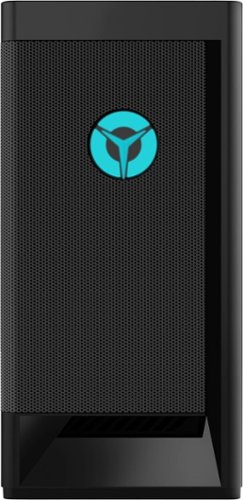
Lenovo - Legion Tower 5i - 90RS0016US 26 / Core i5-11400 / 8GB / 256GB / 1TB / Nvidia GeForce GTX1660 Super / Windows 11 Home - Raven Black
Engineered out of a passion for savage power and unmatched speed, the Lenovo~ Legion Tower 5i delivers mind-blowing performance that combines 11th Generation Intel~ Core~ processors and top-of-the-line NVIDIA~ GeForce~ graphics cards for blazing-fast frame rates at up to 4K resolution. Pushing far beyond the upper bounds of smaller rig configurations while keeping things cool and whisper quiet, the Legion Tower 5i is a marvel of build and design, accentuated by its illuminated blue LED logo and lighting, as well a transparent side panel that can properly showcase your internals.
What type of cpu Cooler this model has and can you upgrade it.
The Lenovo Legion Tower 5i Gaming Desktop Computer, model number 90RS0016US, ships with a 65W Cooler for T550(Intel) gami FAN, Lenovo Part Number - 5H40X63347. For upgrade options, we recommend you contact a Legion Gaming Expert at Legion Ultimate Support: 888-278-9707.
4 years, 10 months ago
by
Posted by:
Lenovo Product Expert