Lenovo Product Expert
Lenovo Product Expert's Stats
Reviews
- Review Count0
- Helpfulness Votes0
- First ReviewNone
- Last ReviewNone
- Featured Reviews0
- Average Rating0
Reviews Comments
- Review Comment Count0
- Helpfulness Votes0
- First Review CommentNone
- Last Review CommentNone
- Featured Review Comments0
Questions
- Question Count0
- Helpfulness Votes0
- First QuestionNone
- Last QuestionNone
- Featured Questions0
- Answer Count37880
- Helpfulness Votes24,853
- First AnswerApril 21, 2014
- Last AnswerOctober 16, 2026
- Featured Answers0
- Best Answers2830
Lenovo Product Expert's Reviews
Lenovo Product Expert has not submitted any reviews.
Lenovo Product Expert's Questions
Lenovo Product Expert has not submitted any questions.
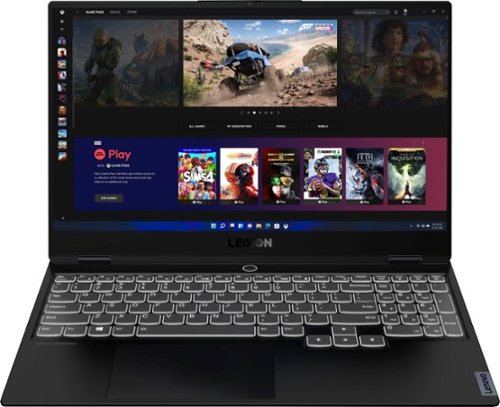
Lenovo - Legion Slim 7 15" 4K Ultra HD Gaming Laptop - AMD Ryzen 9 5900HX - 16GB Memory - NVIDIA GeForce RTX 3050 Ti - 1TB SSD - Shadow Black
The Lenovo~ Legion Slim 7 was engineered for gamers who demand mobility and performance for day and night. Sporting a finely crafted chassis machined from 100% aluminum that is shockingly thin and impressively light, the Legion Slim 7 was expertly crafted for gamers who demand more.
Can I connect an Ethernet cable to this laptop?

Yes. Although the Lenovo Legion Slim 7 15 Gaming Laptop does not have a built in ethernet port, you can connect this laptop to an ethernet cable by using a USB to ethernet adapter like this one: https://www.bestbuy.com/site/j5create-usb-3-0-to-gigabit-ethernet-adapter-gray/2001047.p?skuId=2001047
5 years, 2 months ago
by
Posted by:
Lenovo Product Expert
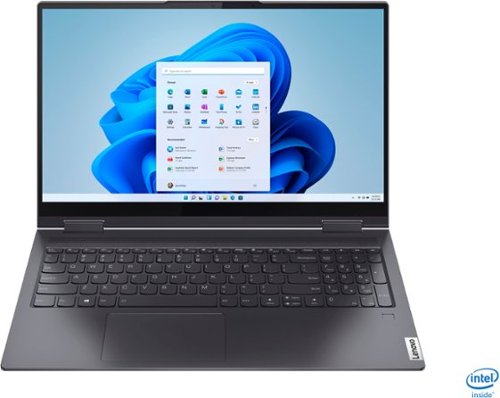
Lenovo - Yoga 7i 2-in-1 15.6" Touch Screen Laptop - Intel Core i5 - 8GB Memory - 256GB Solid State Drive - Slate Grey
The Lenovo Yoga 7i 15" combines versatile portability and enhanced productivity, thanks to the boundary-breaking performance and responsiveness of 11th generation Intel Core i5 processors and vibrant FHD clarity with Intel Iris Xe graphics. Go anywhere with a sleek 2-in-1 metal chassis featuring thoughtful details including a webcam privacy shutter..
How can I connect an HP HDMI second monitor to the laptop?
The Lenovo Yoga 7i 15 model number 82BJ0001US, ships with 2x Thunderbolt 4 / USB4 40Gbps (support data transfer, Power Delivery 3.0 and DisplayPort 1.4) ports with video out capability to external monitors. You can connect an HDMI monitor to this laptop by using a Thunderbolt 3.0/4.0 compatible to HDMI adapter like this one, from a Best Buy advertising partner: https://www.pcnation.com/web/details/5TW074/qvs-6ft-usb-c-thunderbolt-3-to-hdmi-ultrahd-4k-60hz-video-converter-cable-usbchd-06
5 years, 2 months ago
by
Posted by:
Lenovo Product Expert
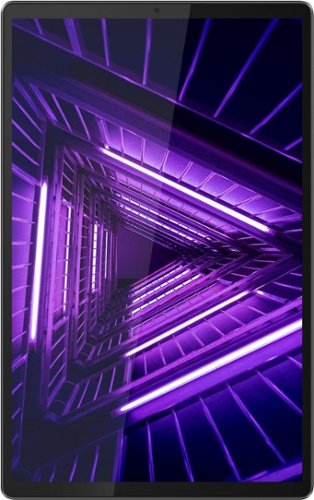
Lenovo - Tab M10 FHD Plus - 10.3" - Tablet - 32GB - Iron Gray
Lenovo~ Tab M10 Plus is one impressive media tablet from the 2nd generation tab family. Its standout metal design gives you a premium look and feel with modern simplicity. Inside lies a 10.3" FHD screen and dual speakers for truly immersive entertainment. This is one tablet you will want to use and pass around the house.
Can you use Microsoft Office with this tablet?
Yes. The Lenovo Tab M10 Plus Tablet uses the Android 9.0 Operating System and is compatible with Google Play Store APPs, where you can find Microsoft Office APPs for Android devices.
5 years, 2 months ago
by
Posted by:
Lenovo Product Expert
Lenovo - Legion Slim 7 15" 4K Ultra HD Gaming Laptop - AMD Ryzen 9 5900HX - 16GB Memory - NVIDIA GeForce RTX 3050 Ti - 1TB SSD - Shadow Black
The Lenovo~ Legion Slim 7 was engineered for gamers who demand mobility and performance for day and night. Sporting a finely crafted chassis machined from 100% aluminum that is shockingly thin and impressively light, the Legion Slim 7 was expertly crafted for gamers who demand more.
What is the aspect ratio of this laptop? What are the screen hertz? How many nits can the screen produce?
The Lenovo Legion Slim 7 15 Gaming Laptop, model number 82K8000RUS, ships with a 16:9 aspect ratio, 15.6 inch (screen size measured diagonally) IPS - UHD (3840x2160) screen, with a brightness level of 500 nits, has an Anti-glare coating, a refresh rate of 60Hz. This screen provides 100 Percent of the Adobe RGB color gamut for excellent color accuracy. This screen is HDR400, Dolby Vision and Free-Sync Certified. This screen uses DC dimmer for additional eye care.
5 years, 2 months ago
by
Posted by:
Lenovo Product Expert
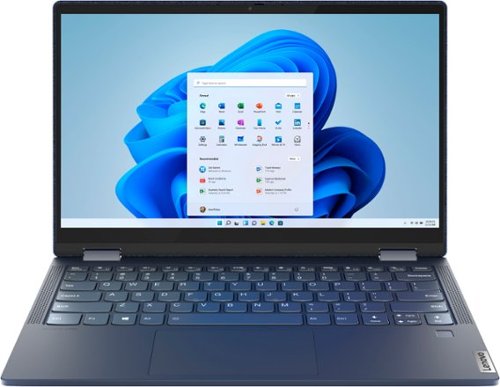
Lenovo - Yoga 6 13 2-in-1 13.3" Touch Screen Laptop - AMD Ryzen 5 - 8GB Memory - 256GB SSD - Abyss Blue with Fabric Cover
The Lenovo~ Yoga~ 6 is an ultra-portable 2-in-1 that combines unique style with the powerful responsiveness of an AMD Ryzen~ 5000 Series Mobile Processor, abundant memory and SSD storage. Enjoy a rich multimedia experience with the clarity of a 13.3" FHD touchscreen display, and enveloping sound with Dolby Atmos~-optimized stereo speakers.
Is the 256GB SSD upgradable? Or can I add any extra memory drives to this, for instance, an NVME?
The Lenovo Yoga 6 13 model number 82ND0009US, is not user upgradable. A certified technician must do all of the work, so as to not void the warranty. This configuration ships with a 256GB M.2 2242 PCIe 3.0x4 NVMe solid state hard drive. The maximum supported storage for this configuration is: One drive, up to 512GB M.2 2242 SSD or 1TB M.2 2280 SSD. We recommend you consult with your certified technician about your storage upgrade options.
5 years, 2 months ago
by
Posted by:
Lenovo Product Expert
Lenovo - Yoga 7i 2-in-1 15.6" Touch Screen Laptop - Intel Core i5 - 8GB Memory - 256GB Solid State Drive - Slate Grey
The Lenovo Yoga 7i 15" combines versatile portability and enhanced productivity, thanks to the boundary-breaking performance and responsiveness of 11th generation Intel Core i5 processors and vibrant FHD clarity with Intel Iris Xe graphics. Go anywhere with a sleek 2-in-1 metal chassis featuring thoughtful details including a webcam privacy shutter..
Is this laptop compatible with logmein123 for working from home?
That really will depend on the requirements and compatibility of the APP you want to use. We recommend you check with the specific software publisher's web site of the APP you want to use, for their compatibility with Windows 10 Home 64-bit operating system and the minimum/recommended hardware requirements (Is a Graphics card required, the processor speed and the minimum required system RAM and the minimum available hard drive space) to run their program, then compare those requirements to this system's configuration.
5 years, 2 months ago
by
Posted by:
Lenovo Product Expert
Lenovo - Legion Slim 7 15" 4K Ultra HD Gaming Laptop - AMD Ryzen 9 5900HX - 16GB Memory - NVIDIA GeForce RTX 3050 Ti - 1TB SSD - Shadow Black
The Lenovo~ Legion Slim 7 was engineered for gamers who demand mobility and performance for day and night. Sporting a finely crafted chassis machined from 100% aluminum that is shockingly thin and impressively light, the Legion Slim 7 was expertly crafted for gamers who demand more.
Can I hook this up to an external large screen monitor?
Yes. The Lenovo Legion Slim 7 15 Gaming Laptop, model number 82K8000RUS, ships with 2x USB-C 3.2 Gen 2 (support data transfer, Power Delivery 100w and DisplayPort 1.4) ports with video out capability to external monitors. This Legion Slim 7 laptop supports up to 3 independent displays via native display and 2 external monitors; supports external monitors via USB-C (up to 5120x2160@60Hz). You can connect an HDMI external monitor to this laptop by using a USB-c to HDMI adapter, like this one: https://www.bestbuy.com/site/insignia-usb-type-c-to-4k-hdmi-adapter-white/4480802.p?skuId=4480802
5 years, 2 months ago
by
Posted by:
Lenovo Product Expert
Lenovo - Yoga 7i 2-in-1 15.6" Touch Screen Laptop - Intel Core i5 - 8GB Memory - 256GB Solid State Drive - Slate Grey
The Lenovo Yoga 7i 15" combines versatile portability and enhanced productivity, thanks to the boundary-breaking performance and responsiveness of 11th generation Intel Core i5 processors and vibrant FHD clarity with Intel Iris Xe graphics. Go anywhere with a sleek 2-in-1 metal chassis featuring thoughtful details including a webcam privacy shutter..
Is this a good laptop for a college student?
That really will depend on the software you will need to use and the requirements and compatibility of that software. We recommend you check with the specific software publisher's web sites of the software you will need to use in school, for their compatibility with Windows 10 Home 64-bit operating system and the minimum/recommended hardware requirements (Is a Graphics card required, the processor speed and the minimum required system RAM and the minimum available hard drive space) to run their program, then compare those requirements to this system's configuration. You can check with your college web site for information about the software you will need to use for your specific course of study.
5 years, 2 months ago
by
Posted by:
Lenovo Product Expert
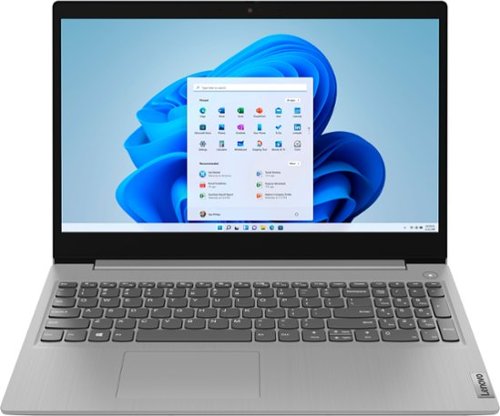
Lenovo - Ideapad 3 15 15.6" Laptop - AMD Ryzen 3 - 8GB Memory - 128GB SSD
Engineered for long-lasting performance, the Lenovo~ IdeaPad~ 3 delivers powerful performance with the latest AMD Mobile Processors with Radeon~ Graphics, in a laptop that's perfect for your everyday tasks, with features that you can depend on.
Will there be a free Windows 11 update for this laptop in the near future?
The Lenovo IdeaPad 3 15 Laptop, model number 81W1018XUS, ships with the Firmware TPM 2.0 Security Chip that is required for upgrading to Windows 11. Microsoft is still finalizing the requirements to upgrade from the latest version of Windows 10 to Windows 11 at this time. Here is a link to more information about upgrading to Windows 11: https://docs.microsoft.com/en-us/windows/whats-new/windows-11-requirements
5 years, 2 months ago
by
Posted by:
Lenovo Product Expert
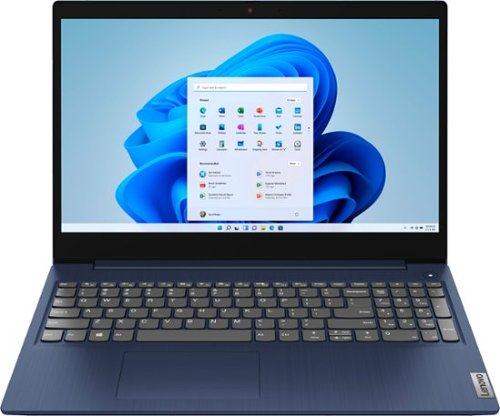
Lenovo - Ideapad 3 15 15.6" Touch-Screen Laptop - Intel Core i3 - 8GB Memory - 256GB SSD - Abyss Blue
Engineered for long-lasting performance, the Lenovo~ IdeaPad~ 3 15 delivers power in a laptop that's perfect for your everyday tasks, with features that you can depend on such as advanced mobile 10th Generation Intel Core processors and all day battery.
Will this computer be compatible with Windows 11?
The Lenovo IdeaPad 3 15 Laptop, model number 81WR000FUS ships with the Firmware TPM 2.0 Security Chip that is required for upgrading to Windows 11. Microsoft is still finalizing the requirements to upgrade from the latest version of Windows 10 to Windows 11 at this time.
5 years, 2 months ago
by
Posted by:
Lenovo Product Expert