Lenovo Product Expert
Lenovo Product Expert's Stats
Reviews
- Review Count0
- Helpfulness Votes0
- First ReviewNone
- Last ReviewNone
- Featured Reviews0
- Average Rating0
Reviews Comments
- Review Comment Count0
- Helpfulness Votes0
- First Review CommentNone
- Last Review CommentNone
- Featured Review Comments0
Questions
- Question Count0
- Helpfulness Votes0
- First QuestionNone
- Last QuestionNone
- Featured Questions0
- Answer Count37880
- Helpfulness Votes24,853
- First AnswerApril 21, 2014
- Last AnswerOctober 16, 2026
- Featured Answers0
- Best Answers2830
Lenovo Product Expert's Reviews
Lenovo Product Expert has not submitted any reviews.
Lenovo Product Expert's Questions
Lenovo Product Expert has not submitted any questions.
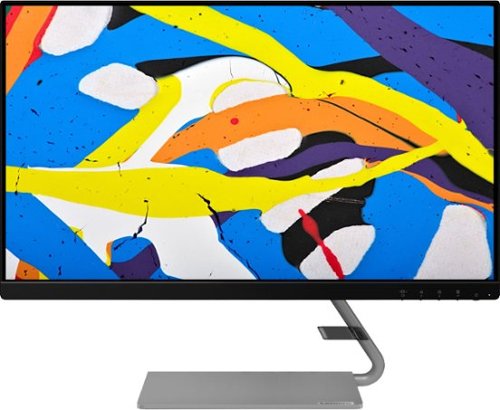
Lenovo - Q24i-1L 23.8" IPS LED FHD FreeSync Monitor Natural Low Blue Light Built-in Speakers (HDMI, VGA) - Black
Add a touch of class and confidence to your living space with the elegantly designed, ultra-slim Lenovo Q24i-1L monitor. Be it in the living room or the study, this sleek display with Full-HD resolution and NearEdgeless bezels bring beauty and functionality together in a perfect 23.8-inch package. Experience superior visuals with its In-Plane Switching display that makes the view from any angle striking. Bid goodbye to eye strain with Natural Low Blue Light and Eyesafe Display Certification that minimize harmful blue light and yellow distortions without impacting color accuracy. Moreover, T~V Rheinland Eye Comfort-certified panel ensures endless viewing comfort. Take your world of entertainment to the next level with the AMD FreeSync~ technology and dual speakers that offer seamless picture quality and rich audio for an immersive experience, every time.
Is this monitor compatible to a MacBook Air 11" bought in 2016?

The Lenovo Q24i-1L Monitor is Operating System independent. It connects to a compatible computer via either VGA or HDMI 1.4 version port. We recommend you check with your computer manufacturer for the requirements and compatibility of your specific computer model with an external monitor, then compare those requirements to this Lenovo Q24i-1L Monitor.
5 years, 2 months ago
by
Posted by:
Lenovo Product Expert
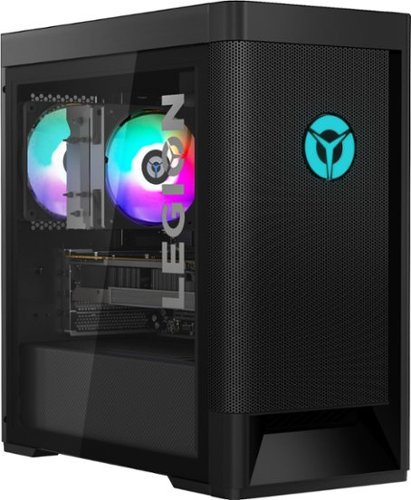
Lenovo - Legion Tower 5 AMD Gaming Desktop - AMD Ryzen 7-3700X - 16GB Memory - NVIDIA GeForce GTX 1660 Super - 256GB SSD+ 1TB HDD - Phantom Black
Engineered out of a passion for savage power and unmatched speed, the Lenovo~ Legion Tower 5 AMD delivers mind-blowing performance that combines AMD Ryzen processors and top-of-the-line NVIDIA~ GeForce~ graphics cards for blazing-fast frame rates at up to 4K resolution. Pushing far beyond the upper bounds of smaller rig configurations while keeping things cool and whisper quiet, the Legion Tower 5 is a marvel of build and design, accentuated by its illuminated blue LED logo and lighting, as well a transparent side panel that can properly showcase your internals.
Having trouble with storage for the new COD update. Can you recommend an external hard drive compatible with this PC?
You can use any Windows 10 compatible external storage that is either Cloud Account or connected to the computer via USB.
5 years, 2 months ago
by
Posted by:
Lenovo Product Expert
Lenovo - IdeaPad 1 14" Laptop - AMD A6-Series - 4GB Memory - AMD Radeon R4 - 64GB eMMC Flash Memory
Lenovo IdeaPad 1 14" Laptop: Complete daily computing tasks quickly with this Lenovo IdeaPad laptop. The 7th Gen AMD A6-9220E processor and 4GB of RAM offer ample power to run multiple applications seamlessly for efficient multitasking, while the AMD Radeon R4 integrated graphics deliver quality visuals on the 14-inch HD display. This Lenovo IdeaPad laptop has a lithium-polymer battery that provides up to 8 hours of uptime on a single charge.
is there a way to make it work more smoothly. when i used it in our online class using google meet,my face doesn't show up in the screen it's just a black screen but my classmates said they can see me.and also lagged when i open new tab using canva site.
Be sure that the APPs you are trying to use are compatible with this entry-level, Lenovo IdeaPad 1 14 Laptop, model number 81VS009GUS. Also, check your settings for your webcam and microphone both on the computer and within the settings available at the video conferencing APP you are using. Here is a link to a YouTube video that demonstrates the way to test your webcam and microphone settings and operation before you join your meeting: https://www.youtube.com/watch?v=2_LyJsD7MHM. The Lenovo IdeaPad 1 14 ships with Windows 10 S-Mode 64-bit Operating System. Windows 10 S-Mode provides added security by only allowing APPs available ( and therefore certified by Microsoft) at the Microsoft Store. If you don't need the added security or you need to install APPs not available at the Microsoft Store, you can switch to standard Windows 10 Home 64-bit Operating System, at no additional cost. We recommend you check with the video conferencing APPs software publisher's web site for their compatibility with Windows 10 S-Mode 64-bit operating system and the minimum/recommended hardware requirements (Is a Graphics card required, the processor speed and the minimum required system RAM and the minimum available hard drive space) to run their program, then compare those requirements to this system's configuration. If you need to switch out of S-Mode to Windows 10 Home, here is a link to instructions for switching from Windows 10 S-Mode to Windows 10 Home: https://support.microsoft.com/en-us/help/4456067/windows-10-switch-out-of-s-mode
5 years, 2 months ago
by
Posted by:
Lenovo Product Expert
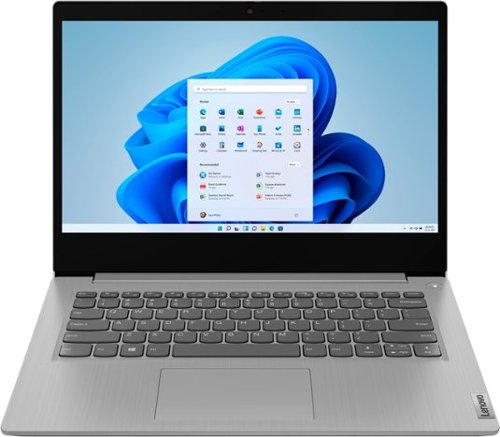
Lenovo - IdeaPad 3 14" Laptop - AMD Ryzen 5 3500U - 8GB Memory - 1TB HDD + 128GB Solid State Drive
Engineered for long-lasting performance, the Lenovo~ IdeaPad~ 3 delivers powerful performance with Intel Pentium Processors and integrated Intel UHD Graphics, in a laptop that's perfect for your everyday tasks, with features that you can depend on.
Is 10th generation ??
No. The Lenovo IdeaPad 3 14 Laptop, model number 81W000NGUS, ships with the AMD Ryzen 5 3500U processor, which the benchmark results and specs show the AMD Ryzen 5 3500U competes directly against the Intels 8th Generation Core i5-8250U and i5-8265U processors.
5 years, 2 months ago
by
Posted by:
Lenovo Product Expert
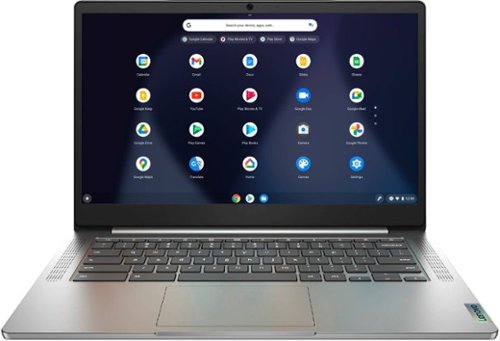
Lenovo - Chromebook 3 14" Laptop - Mediatek MT8183 - 4GB Memory - 64GB eMMC - Arctic Grey
Fast, flexible, and fun, the Chromebook 3-14" brings everyone~s favorite Chromebook features, running on the lightning-fast Chrome OS that boots up in seconds, updates automatically, and is protected by built-in virus protection. Powered by a MediaTek processor and up to 10 hours of battery life, it~ll seamlessly run all of your favorite apps at the same time.
Would this chrome book be a good fit for work needing a pdf files and syncing to a printer?
That really will depend on the requirements and compatibility of both the PDF reader software you want to use and the compatibility of the printer model you will be using with the Chrome Operating System. The Lenovo Chromebook 3 14 ships with the Chrome Operating System and is compatible with Google Play Store APPs. We recommend you check with both the PDF reader software publisher's web site, of the specific PDF reader APP you want to use and then the specific printer manufacturer's web site, to check whether your specific printer model is compatible. Check for their compatibility with the Chrome operating system and the minimum/recommended hardware requirements (Is a Graphics card required, the processor speed and the minimum required system RAM and the minimum available hard drive space) to run their program, then compare those requirements to this system's configuration. Follow any pairing instructions provided by your printer manufacturer's web site, for pairing a new Chromebook to your specific model printer.
5 years, 2 months ago
by
Posted by:
Lenovo Product Expert
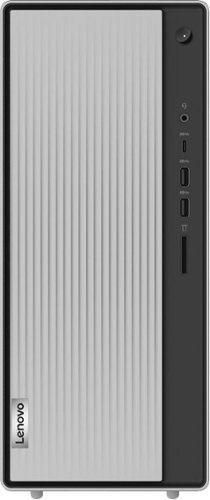
Lenovo - IdeaCentre 5i Desktop - Intel Core i7 - 12GB Memory - 1TB Hard Drive - Mineral Grey
Lenovo~ IdeaCentre~ 5i is a powerful, contemporary desktop powered by the latest Intel~ Core~ processors. Featuring gaming-grade graphics, fast DDR4 memory, and plenty ofstorage, it~s up to the task of having fun and will immerse you in it~and looks great in your home.
Can This computer run a 32bit version of windows 10 also?
In general, both 64-bit Windows 10 and 32-bit Windows 10 can run 32-bit programs. Some older versions of 32-bit software will require that you install an emulator to run them on a 64-bit system. We recommend you check with the specific 32-bit software publisher's web site, of the APPs you want to install, for their compatibility with Windows 10 Home 64-bit operating system and the minimum/recommended hardware requirements (Is a Graphics card required, the processor speed and the minimum required system RAM and the minimum available hard drive space) to run their program, then compare those requirements to this system's configuration. Check to see if you will need to also install an emulator to run the 32-bit APPs you will be using.
5 years, 2 months ago
by
Posted by:
Lenovo Product Expert
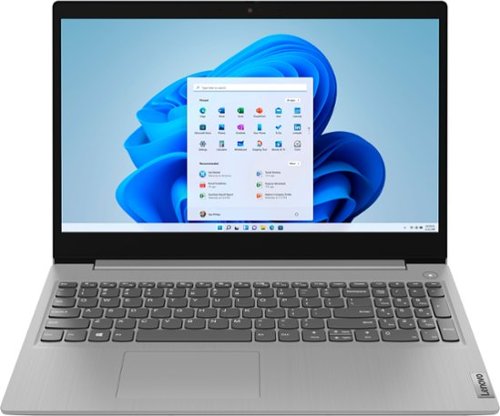
Lenovo - Ideapad 3 15 15.6" Laptop - AMD Ryzen 3 - 8GB Memory - 128GB SSD
Engineered for long-lasting performance, the Lenovo~ IdeaPad~ 3 delivers powerful performance with the latest AMD Mobile Processors with Radeon~ Graphics, in a laptop that's perfect for your everyday tasks, with features that you can depend on.
Does the unit have a Remote Desktop feature, am I able to install TeamViewer to access another Windows computer remotely? I'm in the USA to access office desktop devices. I would use it at home, I primarily use it for email and website research. Biz work
That will depend on the requirements and compatibility of the remote desktop software you will be using. The Lenovo IdeaPad 3 15 Laptop, model number 81W1018XUS, ships with Windows 10 S-Mode 64-bit Operating System. Windows 10 S-Mode provides added security by only allowing APPs available ( and therefore certified by Microsoft) at the Microsoft Store. If you don't need the added security or you need to install APPs not available at the Microsoft Store, you can switch to standard Windows 10 Home 64-bit Operating System, at no additional cost. We recommend you check with the remote desktop software publisher's web site for their compatibility with Windows 10 S-Mode 64-bit operating system and the minimum/recommended hardware requirements (Is a Graphics card required, the processor speed and the minimum required system RAM and the minimum available hard drive space) to run their program, then compare those requirements to this system's configuration. It may be necessary to switch out of S-Mode to Windows 10 Home to use the specific remote desktop software you want. Here is a link to instructions for switching from Windows 10 S-Mode to Windows 10 Home: https://support.microsoft.com/en-us/help/4456067/windows-10-switch-out-of-s-mode
5 years, 2 months ago
by
Posted by:
Lenovo Product Expert
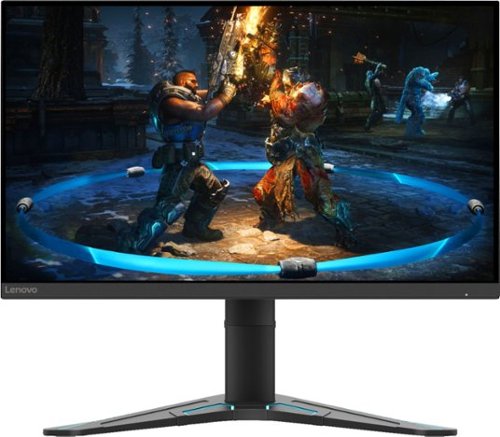
Lenovo - G27-20 27" IPS LED FHD G-SYNC Compatible FreeSync Gaming Monitor Height Adjustable (DisplayPort, HDMI) - Black
When it comes to performance, Lenovo G27-20~s got game. Let~s start with a look at its 27-inch 1920 x 1080 full HD resolution In-Plane Switching panel display that delivers startlingly life-like lighting effects to gameplay in a luminous 400 cd/m2, thanks to HDR decoding on-the-fly. It never misses a beat, even in the most intense moments, because its speedy 144Hz refresh rate and 1ms MPRT response time, coupled with AMD FreeSync~ Premium, remove image stutter, break, tear and streak from the experience, leaving a smooth, fluid unspoilt session. Besides, the 99% sRGB color gamut display featuring true 8-bit color will make your gameplay impressive for sure.And, as bright as this display is, users can watch comfortably because T~V Rheinland Low Blue Light and T~V Rheinland Flicker Free technology can protect eyes from blue light harm on a sliding scale, as well as cut out screen flicker. All these enhance your viewing pleasure plus a vastly reduced chance of eye fatigue. Aside from eye comfort, G27-20~s new future-cool form factor helps comfortable sitting, too.Its upgraded Vector V base with modern blue accent also lifts the screen head a full 130 mm and tilts between -5~ and 22~ to always be in the most ergonomic position for endless hours of comfortable Esports or binge-watching a show that just dropped. Lenovo Artery software gives gamers the chance to seamlessly tweak screen performance to optimize their gameplay experience directly on screen through their PC. So, it saves time for gamers to sit and play in comfort with zero distractions.
The monitor says it’s a 27”, but is that diagonally or the actual length of the screen? How wide is it really?
The Lenovo G27-20 Monitor, model number 66C2GCC1US viewing area of 27 inches which is the viewable screen size measured diagonally. The dimensions of the monitor are: Size Unpacked w/ Stand (D x H x W, mm/inch) (lowest position) - 260.0 x 392.8 x 612.4mm /10.24 x 15.46 x 24.11 inches.
5 years, 2 months ago
by
Posted by:
Lenovo Product Expert
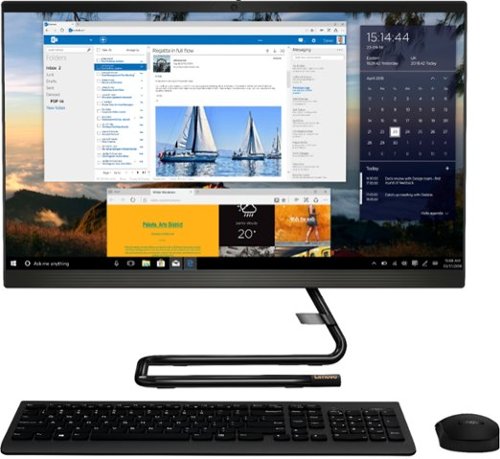
Lenovo - IdeaCentre AIO 3i 24" 23.8" Non-Touch All-In-One - Intel Core i5 - 8GB Memory - 512GB Solid State Drive - Black
For real slick performance and truly stylish engineering, take a look at the Lenovo~ IdeaCentre~ AIO 3i. It~s powered by a 10th generation Intel~ Core~ i5 processor, DDR4 memory, and a 512GB solid-state storage drive, so it can handle any task. With its streamlined stand and near-borderless display, it saves on desk space, too.
How many HDMI ports are on this unit?
The Lenovo IdeaCentre 3i 24 All-In-One system, model number F0EU00R3US, ships with one HDMI-Out port for connecting an external monitor to this system.
5 years, 2 months ago
by
Posted by:
Lenovo Product Expert
Lenovo - IdeaCentre AIO 3i 24" 23.8" Non-Touch All-In-One - Intel Core i5 - 8GB Memory - 512GB Solid State Drive - Black
For real slick performance and truly stylish engineering, take a look at the Lenovo~ IdeaCentre~ AIO 3i. It~s powered by a 10th generation Intel~ Core~ i5 processor, DDR4 memory, and a 512GB solid-state storage drive, so it can handle any task. With its streamlined stand and near-borderless display, it saves on desk space, too.
Is the ram upgradable?
Yes. The Lenovo IdeaCentre 3i 24 All-In-One system, model number F0EU00R3US, ships with 8GB (2x 4GB) DDR4-2666MHz RAM. The maximum supported RAM for this system configuration is 16GB (2 x 8 GB) DDR4-2666MHz RAM.
5 years, 2 months ago
by
Posted by:
Lenovo Product Expert