Lenovo Product Expert
Lenovo Product Expert's Stats
Reviews
- Review Count0
- Helpfulness Votes0
- First ReviewNone
- Last ReviewNone
- Featured Reviews0
- Average Rating0
Reviews Comments
- Review Comment Count0
- Helpfulness Votes0
- First Review CommentNone
- Last Review CommentNone
- Featured Review Comments0
Questions
- Question Count0
- Helpfulness Votes0
- First QuestionNone
- Last QuestionNone
- Featured Questions0
- Answer Count37891
- Helpfulness Votes24,854
- First AnswerApril 21, 2014
- Last AnswerOctober 19, 2026
- Featured Answers0
- Best Answers2830
Lenovo Product Expert's Reviews
Lenovo Product Expert has not submitted any reviews.
Lenovo Product Expert's Questions
Lenovo Product Expert has not submitted any questions.
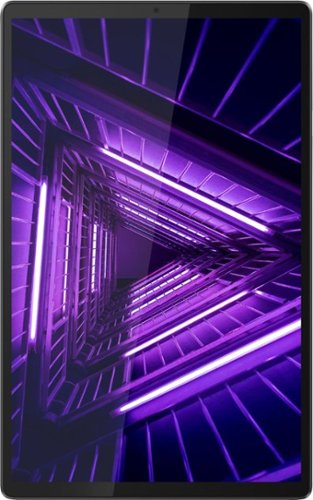
Lenovo - Tab M10 FHD Plus - 10.3" - Tablet - 128GB - Iron Gray
Lenovo~ Tab M10 Plus is one impressive media tablet from the 2nd generation tab family. Its standout metal design gives you a premium look and feel with modern simplicity. Inside lies a 10.3" FHD screen and dual speakers for truly immersive entertainment. This is one tablet you will want to use and pass around the house.
Does this tablet support sim cards/4G LTE/5G, etc. ?

No. The Lenovo Tab M10 Plus Tablet, model number ZA5T0237US, does not have a SIM Card slot for cellular/broadband connectivity. This tablet is WiFi only. You can connect the Tab M10 Tablet to a HotSpot WiFi signal created by your compatible cell phone. We recommend you check with your cellular provider for the compatibility of your specific phone.
5 years, 4 months ago
by
Posted by:
Lenovo Product Expert
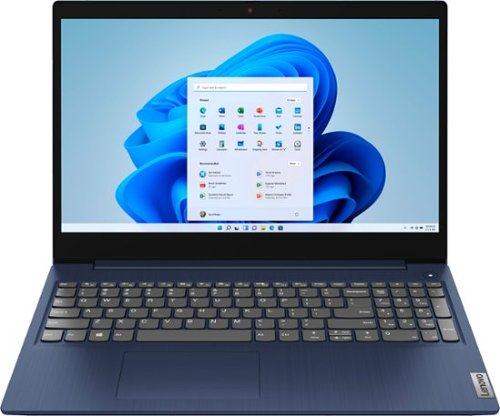
Lenovo - Ideapad 3 15 15.6" Touch-Screen Laptop - Intel Core i3 - 8GB Memory - 256GB SSD - Abyss Blue
Engineered for long-lasting performance, the Lenovo~ IdeaPad~ 3 15 delivers power in a laptop that's perfect for your everyday tasks, with features that you can depend on such as advanced mobile 10th Generation Intel Core processors and all day battery.
is the memory upgradeable?
The Lenovo IdeaPad 3 15 Laptop, model number 81WR000FUS, is not user upgradable. A certified technician must do all of the work, so as to not void the warranty. This model ships with 8GB DDR4-2666MHz RAM (4GB Soldered DDR4-2666 + 4GB SO-DIMM DDR4-2666 - One memory soldered to systemboard, one DDR4 SO-DIMM slot, dual-channel capable). The Maximum Supported RAM for this model is 12GB DDR4-2666MHz RAM - 4GB soldered + 8GB SO-DIMM RAM, so your certified technician can replace the existing 4GB RAM stick with an 8GB DDR4-2666MHz RAM stick. For storage memory, this model can support up to 2 drives, 1x 2.5 inch HDD + 1x M.2 2242/2280 SSD - M.2 2242 SSD up to 512GB or M.2 2280 SSD up to 1TB. We recommend you consult your certified technician about your upgrade options.
5 years, 4 months ago
by
Posted by:
Lenovo Product Expert
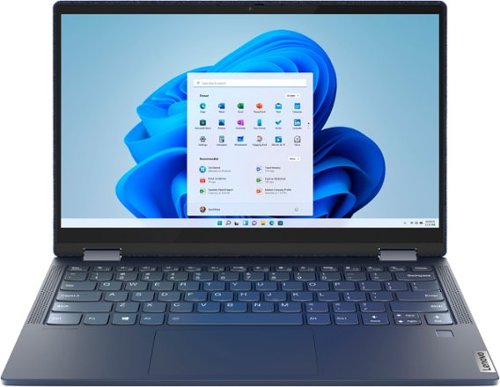
Lenovo - Yoga 6 13 2-in-1 13.3" Touch Screen Laptop - AMD Ryzen 7 - 16GB Memory - 512GB SSD - Abyss Blue Fabric Cover
Featuring a premium textile cover, the Lenovo~ Yoga~ 6 is an ultra-portable 2-in-1 that combines unique style with the powerful responsiveness of an AMD Ryzen~ 4000 Series Mobile Processor, abundant memory and SSD storage. Enjoy a rich multimedia experience with the clarity of a 13.3" FHD touchscreen display, and enveloping sound with Dolby Atmos~-optimized stereo speakers
Does this computer have a i7 processor? Does it run windows 10 and include a webcam and microphone?
The Lenovo Yoga 6 13 model number 82FN0003US, ships with the 8-Core AMD Ryzen 7 4700U processor, with a base speed of 2.0GHz and a boost speed of up to 4.2GHz. This model ships with Windows 10 Home 64-bit Operating System. There is a built in 720p (HD) webcam with manual Privacy Shutter and Dual Array Microphones.
5 years, 4 months ago
by
Posted by:
Lenovo Product Expert
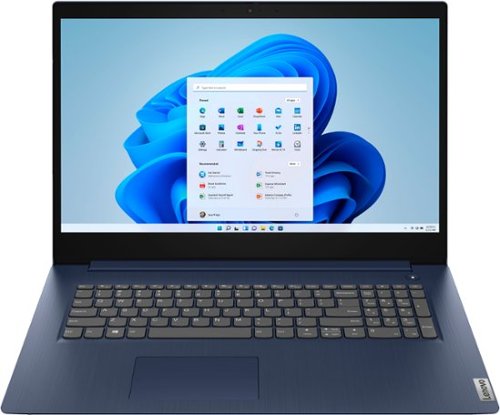
Lenovo - Ideapad 3 17 17" Laptop - Intel Core i5 - 8GB Memory - 1TB HDD - Abyss Blue
Engineered for long-lasting performance, the Lenovo~ IdeaPad~ 3 17 delivers power in a laptop that's perfect for your everyday tasks, with features that you can depend on such as advanced mobile 10th Generation Intel Core processors and all day battery.
What internet browser comes with this laptop? And does it do well streaming movies and videos from internet?
The Lenovo IdeaPad 3 17 Laptop, model number 81WF004CUS, ships with Windows 10 S-Mode 64-bit Operating System which includes the Microsoft Edge Web Browser. Windows 10 S-Mode provides added security by only allowing APPs available ( and therefore certified by Microsoft) at the Microsoft Store. If you don't need the added security or you need to install APPs not available at the Microsoft Store, you can switch to standard Windows 10 Home 64-bit Operating System, at no additional cost. This model ships with a 17.3 inch (screen size measured diagonally) TN - HD+ (1600x900) screen, with a brightness level of 250 nits and an Anti-glare coating with a matte finish. This model uses 5G, Wide-Range/High Speed 2x2 802.11AC frequency WiFi which is also backward compatible with older a/b/g/n frequency WiFi.
5 years, 4 months ago
by
Posted by:
Lenovo Product Expert
Lenovo - Ideapad 3 15 15.6" Touch-Screen Laptop - Intel Core i3 - 8GB Memory - 256GB SSD - Abyss Blue
Engineered for long-lasting performance, the Lenovo~ IdeaPad~ 3 15 delivers power in a laptop that's perfect for your everyday tasks, with features that you can depend on such as advanced mobile 10th Generation Intel Core processors and all day battery.
Is there a laptop with a DVD/Dvr drive
The Lenovo IdeaPad 3 15 Laptop, model number 81WR000FUS, does not have a built in CD/DVD drive. You can use an external, USB-based Windows 10 compatible CD/DVD drive with this laptop, like this one: https://www.bestbuy.com/site/lg-8x-external-usb-double-layer-dvdrw-cd-rw-drive-black/5852919.p?skuId=5852919
5 years, 4 months ago
by
Posted by:
Lenovo Product Expert
Lenovo - Ideapad 3 15 15.6" Touch-Screen Laptop - Intel Core i3 - 8GB Memory - 256GB SSD - Abyss Blue
Engineered for long-lasting performance, the Lenovo~ IdeaPad~ 3 15 delivers power in a laptop that's perfect for your everyday tasks, with features that you can depend on such as advanced mobile 10th Generation Intel Core processors and all day battery.
Does it come with Spanish keyboard?
No. The Lenovo IdeaPad 3 15 Laptop, model number 81WR000FUS, ships with a USA English standard QWERTY Keyboard with 10-Key Numeric Pad included.
5 years, 4 months ago
by
Posted by:
Lenovo Product Expert
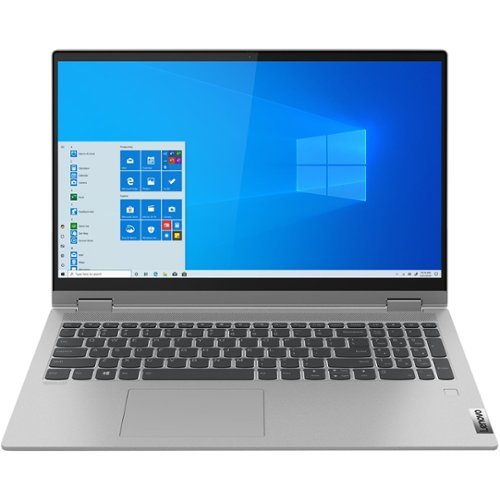
Lenovo - IdeaPad Flex 5 15IIL05 2-in-1 15.6" Touch-Screen Laptop - Intel Core i3 - 8GB Memory - 128GB SSD - Graphite Gray
Lenovo IdeaPad Flex 5 15IIL05 Convertible 2-in-1 Laptop: Work, game or stream your favorite shows with this Lenovo IdeaPad Flex 5 two-in-one laptop. The Intel Core i3 processor and 8GB of RAM deliver reliable performance, while the 15.6-inch Full HD LCD touchscreen offers high-quality visuals and intuitive control. This Lenovo IdeaPad Flex 5 two-in-one laptop features a 128GB SSD for fast startups.
What kind of pen goes with this style of computer?
The Lenovo IdeaPad Flex 5 15 model number 81X3000BUS, is compatible with an AES Protocol Active/Digital Pen, like this one: https://www.bestbuy.com/site/wacom-bamboo-ink-smart-stylus-for-windows-ink-2nd-generation-gray/6374981.p?skuId=6374981
5 years, 4 months ago
by
Posted by:
Lenovo Product Expert
Lenovo - Ideapad 3 15 15.6" Touch-Screen Laptop - Intel Core i3 - 8GB Memory - 256GB SSD - Abyss Blue
Engineered for long-lasting performance, the Lenovo~ IdeaPad~ 3 15 delivers power in a laptop that's perfect for your everyday tasks, with features that you can depend on such as advanced mobile 10th Generation Intel Core processors and all day battery.
Is the battery internal ? CD drive ?
The Lenovo IdeaPad 3 15 Laptop, model number 81WR000FUS, ships with a 2CELL_35WH_INTERNAL, Lithium Polymer Battery, which within this configuration, has a battery life of up to 7 hours, depending on the work the device is performing. Although this model does not have a built in CD/DVD drive, you can use an external USB-based Windows 10 compatible CD/DVD drive with this laptop, like this one: https://www.bestbuy.com/site/lg-8x-external-usb-double-layer-dvdrw-cd-rw-drive-black/5852919.p?skuId=5852919
5 years, 4 months ago
by
Posted by:
Lenovo Product Expert
Lenovo - Ideapad 3 15 15.6" Touch-Screen Laptop - Intel Core i3 - 8GB Memory - 256GB SSD - Abyss Blue
Engineered for long-lasting performance, the Lenovo~ IdeaPad~ 3 15 delivers power in a laptop that's perfect for your everyday tasks, with features that you can depend on such as advanced mobile 10th Generation Intel Core processors and all day battery.
What are USB ports and what are they used for new to all this
USB ports are used to connect external devices like hard drives, CD/DVD drive, printers and other compatible devices to a computer. Always be sure the device you want to connect is compatible with the computer's software and hardware before you connect the device to a computer. Here is a link to a YouTube video that explains the purpose of USB ports on a computer very well: https://www.youtube.com/watch?v=pwWoz1d_kT8
5 years, 4 months ago
by
Posted by:
Lenovo Product Expert
Lenovo - Ideapad 3 15 15.6" Touch-Screen Laptop - Intel Core i3 - 8GB Memory - 256GB SSD - Abyss Blue
Engineered for long-lasting performance, the Lenovo~ IdeaPad~ 3 15 delivers power in a laptop that's perfect for your everyday tasks, with features that you can depend on such as advanced mobile 10th Generation Intel Core processors and all day battery.
I just want this for zoom meetings.....do I just download the app?
First be sure this computer is compatible with the APP you want to use. The Lenovo IdeaPad 3 15 Laptop, model number 81WR000FUS, ships with a built in 720p (HD) webcam with manual Privacy Shutter and Dual Array Microphones built in. This computer ships with Windows 10 S-Mode 64-bit Operating System. Windows 10 S-Mode provides added security by only allowing APPs available ( and therefore certified by Microsoft) at the Microsoft Store. If you don't need the added security or you need to install APPs not available at the Microsoft Store, you can switch to standard Windows 10 Home 64-bit Operating System, at no additional cost. We recommend you check with the specific APPs software publisher's web site of the APP you want to use, for their compatibility with Windows 10 S-Mode 64-bit operating system and the minimum/recommended hardware requirements (Is a Graphics card required, the processor speed and the minimum required system RAM and the minimum available hard drive space) to run their program, then compare those requirements to this system's configuration.
5 years, 4 months ago
by
Posted by:
Lenovo Product Expert