Lenovo Product Expert
Lenovo Product Expert's Stats
Reviews
- Review Count0
- Helpfulness Votes0
- First ReviewNone
- Last ReviewNone
- Featured Reviews0
- Average Rating0
Reviews Comments
- Review Comment Count0
- Helpfulness Votes0
- First Review CommentNone
- Last Review CommentNone
- Featured Review Comments0
Questions
- Question Count0
- Helpfulness Votes0
- First QuestionNone
- Last QuestionNone
- Featured Questions0
- Answer Count37895
- Helpfulness Votes24,854
- First AnswerApril 21, 2014
- Last AnswerOctober 19, 2026
- Featured Answers0
- Best Answers2830
Lenovo Product Expert's Reviews
Lenovo Product Expert has not submitted any reviews.
Lenovo Product Expert's Questions
Lenovo Product Expert has not submitted any questions.
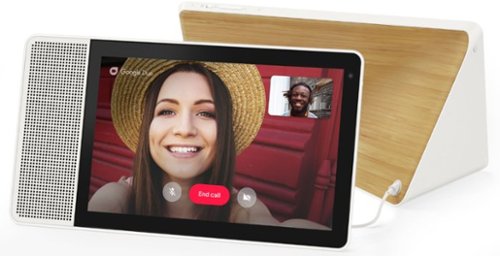
Lenovo - 10" Smart Display with Google Assistant - White Front/Bamboo Back
Make everyday life easier with this 10-inch Lenovo Smart Display. Its built-in Google Assistant responds quickly to your voice commands, whether you need to check your morning commute or bring up a recipe, and the brilliant Full HD touch screen offers a colorful, crisp view. This Lenovo Smart Display lets you catch up with family and friends using video chat.
Can I display my digital cookbook files that are on my computer?

That will depend on the APP you will be using to display the recipes. The Lenovo 10 Inch Smart Display uses Google Assistant. We recommend you check with the specific APPs software publisher's web site for their compatibility with Google Assistant and the minimum/recommended hardware requirements to run their APP, then compare those requirements to Google Assistant compatibility.
5 years, 5 months ago
by
Posted by:
Lenovo Product Expert
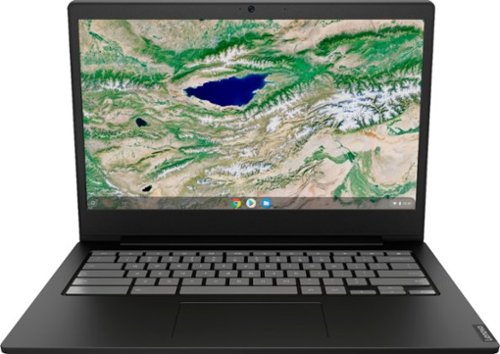
Lenovo - S340-14 Touch 14" Touch-Screen Chromebook - Intel Celeron - 4GB Memory - 32GB eMMC Flash Memory - Onyx Black
Lenovo S340-14 Touch Chromebook: Boost productivity with this 14-inch Lenovo Chromebook laptop. The Intel Celeron processor and 4GB of RAM let you run multiple programs at once, while the 32GB eMMC drive provides responsive storage for your files and applications. This Lenovo Chromebook laptop has a built-in 720p webcam and microphone for hassle-free video conferencing, and the 45W USB-C adapter ensures fast charging.
Can I connect an USB HD Elgato capture card w this to broadcast retro PS3 gameplay for Twitch or YouTube?
That will depend on the requirements and compatibility of the device you want to connect to this Lenovo S340-14 Chromebook. The S340-14 Chromebook ships with the Chrome Operating System and is compatible with Google Play Store APPs. We recommend you check with the hardware manufacturer's web site of the device you want to connect, for their compatibility with the Chrome operating system and the minimum/recommended hardware requirements (Is a Graphics card required, the processor speed and the minimum required system RAM and the minimum available hard drive space) to run their program, then compare those requirements to this system's configuration.
5 years, 5 months ago
by
Posted by:
Lenovo Product Expert
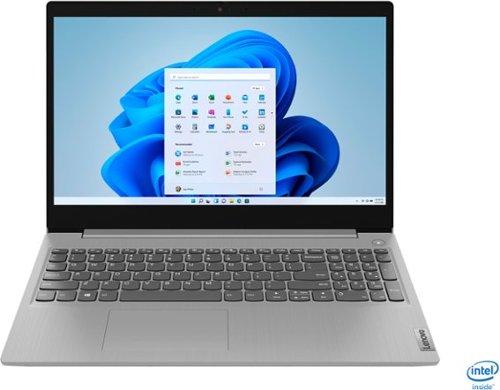
Lenovo - IdeaPad 3 15" Touch Screen Laptop - Intel Core i5-1035G1 - 12GB Memory - 256GB SSD - Platinum Grey
Engineered for long-lasting performance, the Lenovo~ IdeaPad~ 3 delivers powerful performance in a laptop that's perfect for your everyday tasks, with features that you can depend on.
I bought this laptop on december, now after 3 month, it makes a loud noise after working 4-6 hours continuously like a fan or something and it's not like the computer gets hot or as if I have too many programs open at the same time just the basic stuff.
You can use Lenovo Q-Control to manually control fan and system performance: ( Fn + Q ) option to change the fan by undervolting the processor. If the issue continues, we recommend you call Lenovo Tech Support at: 877-453-6686.
5 years, 5 months ago
by
Posted by:
Lenovo Product Expert
Lenovo - IdeaPad 3 15" Touch Screen Laptop - Intel Core i5-1035G1 - 12GB Memory - 256GB SSD - Platinum Grey
Engineered for long-lasting performance, the Lenovo~ IdeaPad~ 3 delivers powerful performance in a laptop that's perfect for your everyday tasks, with features that you can depend on.
How can it be fix the mute button on keyboard, it only mutes the speakers, but when I press it back again it doesn't unmute the speaker . It has been like that since I bought it. Thanks.
Check to be sure you have the latest version of Windows 10 on the computer. Then update all BIOS files and drivers up to that latest version of Windows 10. You can easily accomplish this by scanning the computer with the Lenovo Utility software available on this computer. This system has Lenovo utilities installed to help maintain the health of the device and keep the operating system software up to date. Type "Lenovo Vantage" in the Cortana Search window (if Lenovo Vantage is not installed on your device, you can download the APP and install it now). Select Lenovo Vantage from the list. In the window that opens, click on "Health and Support". In the expanded menu, select "Hardware Scan" In the window that opens, select "Run Quick Tests". This will scan your entire system for errors. Follow any directions that may pop up. If the problem continues after this scan, now click on "System Update". First select Windows update from the menu. Scan your system to be sure you have the latest version of Windows 10. Once that scan is complete, select "Additional Updates". This will scan your device to be sure there are no new BIOS/Driver updates needed. Follow any instructions that may pop up. If the issue with the Mute Button continues, then try these steps: https://www.howtogeek.com/443702/how-to-fix-sound-problems-in-windows-10/. If the issue still continues, we recommend you contact Lenovo Tech Support for additional Help at: 877-453-6686.
5 years, 5 months ago
by
Posted by:
Lenovo Product Expert
Lenovo - IdeaPad 3 15" Touch Screen Laptop - Intel Core i5-1035G1 - 12GB Memory - 256GB SSD - Platinum Grey
Engineered for long-lasting performance, the Lenovo~ IdeaPad~ 3 delivers powerful performance in a laptop that's perfect for your everyday tasks, with features that you can depend on.
Can I install NVidia GeForce MX130 Dedicated Video Card in IdeaPad 3 15IIL05 81WE00NKUS?
This model is not user upgradable. A certified technician must do all of the work, so as to not void the warranty. We recommend you consult with your certified technician about your upgrade options with this model.
5 years, 5 months ago
by
Posted by:
Lenovo Product Expert
Lenovo - IdeaPad 3 15" Touch Screen Laptop - Intel Core i5-1035G1 - 12GB Memory - 256GB SSD - Platinum Grey
Engineered for long-lasting performance, the Lenovo~ IdeaPad~ 3 delivers powerful performance in a laptop that's perfect for your everyday tasks, with features that you can depend on.
What screen pen (stylus) can I use with this laptop model?
The Lenovo IdeaPad 3 15 Laptop, model number 81WE00NKUS, is not compatible with any Active/Digital Pen. You can use a capacitive touch stylus as a finger replacement on the touchscreen, like this one: https://www.bestbuy.com/site/insignia-stylus-silver/3695185.p?skuId=3695185
5 years, 5 months ago
by
Posted by:
Lenovo Product Expert
Lenovo - IdeaPad 3 15" Touch Screen Laptop - Intel Core i5-1035G1 - 12GB Memory - 256GB SSD - Platinum Grey
Engineered for long-lasting performance, the Lenovo~ IdeaPad~ 3 delivers powerful performance in a laptop that's perfect for your everyday tasks, with features that you can depend on.
What is the screen resolution and WebCam resolution also I need to know the download speed
The Lenovo IdeaPad 3 15 Laptop, model number 81WE00NKUS has a 15.6 inch (screen size measured diagonally) HD (1366x768) resolution screen. This model ships with a 720p (HD) webcam with manual Privacy Shutter and Dual Array Microphones built in. This model ships with 5G 2x2 802.11AC frequency WiFi with a maximum download speed of up to 866 Mbps.
5 years, 5 months ago
by
Posted by:
Lenovo Product Expert
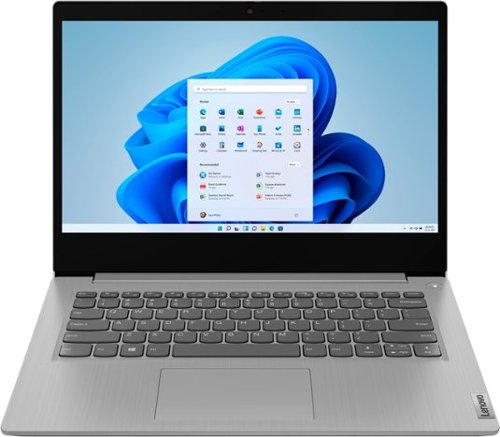
Lenovo - IdeaPad 3 14" Laptop - AMD Ryzen 5 3500U - 8GB Memory - 1TB HDD + 128GB Solid State Drive
Engineered for long-lasting performance, the Lenovo~ IdeaPad~ 3 delivers powerful performance with Intel Pentium Processors and integrated Intel UHD Graphics, in a laptop that's perfect for your everyday tasks, with features that you can depend on.
Can I put another RAM inside?
The Lenovo IdeaPad 3 14 Laptop, model number 81W000NGUS, is not user upgradable. A certified technician must do all of the work, so as to not void the warranty. This model ships with 8GB DDR4-2400MHz RAM (4GB Soldered DDR4-2400 + 4GB SO-DIMM DDR4-2400). The maximum system RAM this configuration can support is: Up to 12GB (4GB soldered + 8GB SO-DIMM) DDR4-2400 RAM, so your certified technician can replace the one 4GB RAM stick in the RAM memory slot with an 8GB stick for the maximum system RAM total of 12GB DDR4-2400MHz RAM. We recommend you consult with your certified technician for your RAM upgrade options.
5 years, 5 months ago
by
Posted by:
Lenovo Product Expert
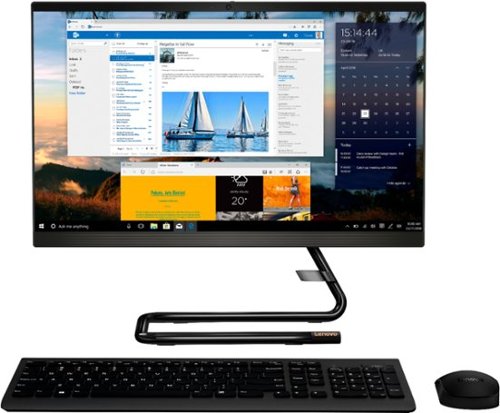
Lenovo - IdeaCentre A340-22IGM 21.5" Touch-Screen All-In-One - Intel Pentium Silver - 8GB Memory - 1TB HDD - Business Black
Finish office work flawlessly with this all-in-one Lenovo IdeaCentre desktop computer. The 1TB HDD provides ample storage space for projects and media, while the 8GB of RAM and Intel Pentium Silver processor let you run multiple programs effortlessly. This 21.5-inch Lenovo IdeaCentre desktop computer includes a Full HD touchscreen, and integrated Intel UHD graphics produce quality visuals.
Where is the headphone jack?
There is a 3.5mm Headset Jack on the left side of the screen.
5 years, 5 months ago
by
Posted by:
Lenovo Product Expert
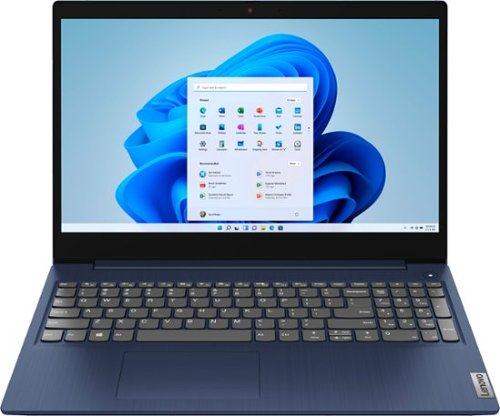
Lenovo - Ideapad 3 15 15.6" Touch-Screen Laptop - Intel Core i3 - 8GB Memory - 256GB SSD - Abyss Blue
Engineered for long-lasting performance, the Lenovo~ IdeaPad~ 3 15 delivers power in a laptop that's perfect for your everyday tasks, with features that you can depend on such as advanced mobile 10th Generation Intel Core processors and all day battery.
can I get the same with backlit keyboard?
The Lenovo IdeaPad 3 15 Laptop, model number 81WR000FUS, does not ships with a backlit keyboard.
5 years, 5 months ago
by
Posted by:
Lenovo Product Expert