Lenovo Product Expert
Lenovo Product Expert's Stats
Reviews
- Review Count0
- Helpfulness Votes0
- First ReviewNone
- Last ReviewNone
- Featured Reviews0
- Average Rating0
Reviews Comments
- Review Comment Count0
- Helpfulness Votes0
- First Review CommentNone
- Last Review CommentNone
- Featured Review Comments0
Questions
- Question Count0
- Helpfulness Votes0
- First QuestionNone
- Last QuestionNone
- Featured Questions0
- Answer Count37933
- Helpfulness Votes24,859
- First AnswerApril 21, 2014
- Last AnswerOctober 22, 2026
- Featured Answers0
- Best Answers2831
Lenovo Product Expert's Reviews
Lenovo Product Expert has not submitted any reviews.
Lenovo Product Expert's Questions
Lenovo Product Expert has not submitted any questions.
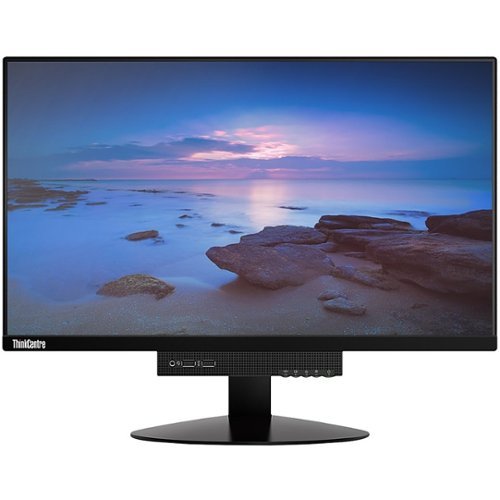
Lenovo - ThinkCentre Tiny-in-One 22 21.5" IPS LED FHD Monitor (DisplayPort) - Black
Enjoy comfortable viewing with this 21.5-inch Lenovo ThinkCentre monitor. The LED backlight lets you see content clearly while minimizing power consumption over extended sessions, and the 25 programmable modes offer convenient customization for optimum results. The adjustable stand of this Lenovo ThinkCentre monitor tilts, swivels and pivots to suit your preference.
How well does this computer run roblox

This is just the monitor only. The computer is sold separately.
5 years, 8 months ago
by
Posted by:
Lenovo Product Expert
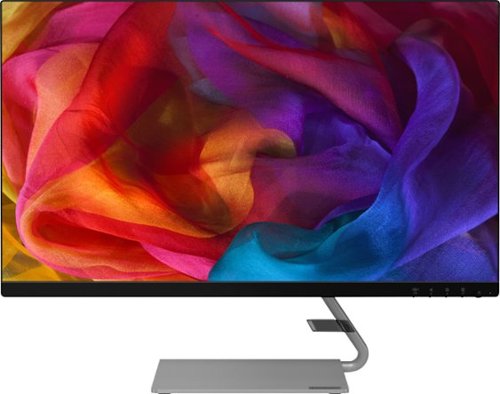
Lenovo - Q27q-10 27" IPS LED QHD FreeSync Monitor (DisplayPort, HDMI) - Black
Enhance your viewing experience with this Lenovo 27-inch QHD WLED computer monitor. The in-plane switching technology displays sharp images with rich colors from any viewing angle. With two embedded speakers and a sleek, narrow-bezel design, this Lenovo 27-inch QHD WLED monitor offers outstanding audio and imagery for gamers, cinephiles and productivity users.
Does this monitor have a VESA mount?
The Lenovo Q27q-10 Monitor, model number 65F4GCC3US is compatible with a 100 x 100 mm VESA Mount, which is sold separately.
5 years, 8 months ago
by
Posted by:
Lenovo Product Expert
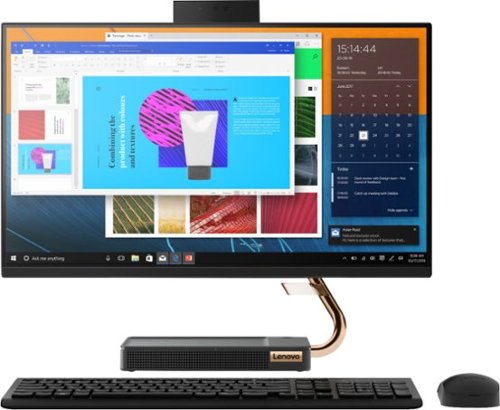
Lenovo - A540-24API 23.8" Touch-Screen All-In-One - AMD Ryzen 3-Series - 8GB Memory - 256GB Solid State Drive - Black
Get the job done with this Lenovo IdeaCentre all-in-one computer. The 23.8-inch Full HD capacitive display offers high-quality visuals and smooth touch operation while typing, and 8GB of RAM lets you run several windows simultaneously. This Lenovo IdeaCentre all-in-one computer features a 256GB SSD for fast data access and an AMD Ryzen 3 3200 processor for seamless performance while streaming.
IS THIS COMPUTER WIFI?
Yes, the Lenovo IdeaCentre A540-24 All-In-One system model number F0EM0003US, ships with 5G, 802.11ac frequency WiFi built in as well as having an ethernet port for wired connectivity.
5 years, 8 months ago
by
Posted by:
Lenovo Product Expert
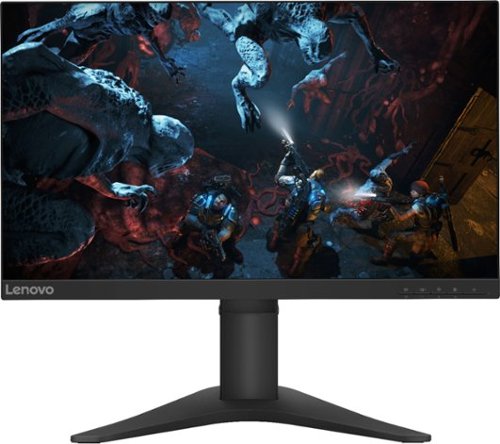
Lenovo - G25-10 24.5" LED FHD FreeSync Gaming Monitor (HDMI) - Raven Black
Amplify your gaming excitement with this Lenovo gaming monitor. The 24.5-inch screen features 1920 x 1080 resolution and NearEdgeless bezels, while a 144MHz refresh rate eliminates lag during intense gameplay. This Lenovo monitor is fueled by AMD FreeSync technology, and the blue light filter and height-adjustable stand provide hours of gaming comfort.
What the response time
The Lenovo G25-10 Monitor, model number 65FEGCC2US has a pixel response time of: 1 ms (Extreme mode) / 5 ms (Typical mode) / 5 ms (off mode).
5 years, 8 months ago
by
Posted by:
Lenovo Product Expert
Lenovo - Q27q-10 27" IPS LED QHD FreeSync Monitor (DisplayPort, HDMI) - Black
Enhance your viewing experience with this Lenovo 27-inch QHD WLED computer monitor. The in-plane switching technology displays sharp images with rich colors from any viewing angle. With two embedded speakers and a sleek, narrow-bezel design, this Lenovo 27-inch QHD WLED monitor offers outstanding audio and imagery for gamers, cinephiles and productivity users.
Will this moniter except a full motion wall mount? Looks like the stand mount is near the bottom of the back and above there's nothing indicating mounting holes ?
The Lenovo Q27q-10 Monitor, model number 65F4GCC3US is compatible with a 100 x 100 mm VESA Mount, which is sold separately.
5 years, 8 months ago
by
Posted by:
Lenovo Product Expert
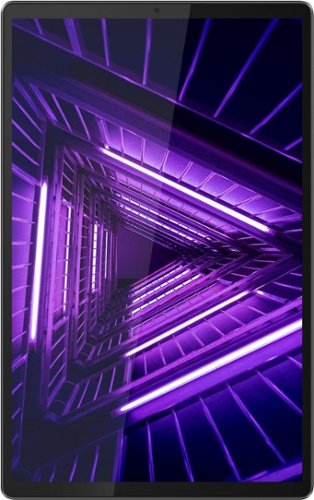
Lenovo - Tab M10 FHD Plus - 10.3" - Tablet - 32GB - Iron Gray
Lenovo~ Tab M10 Plus is one impressive media tablet from the 2nd generation tab family. Its standout metal design gives you a premium look and feel with modern simplicity. Inside lies a 10.3" FHD screen and dual speakers for truly immersive entertainment. This is one tablet you will want to use and pass around the house.
Can I download and read e-books having format ePub or fb2?
That will depend on the requirements and compatibility of the reading APP you use. The Lenovo Tab M10 Plus Tablet ships with the Android 9.0 Operating System and is compatible with Google Play Store APPs. We recommend you check with the specific APPs software publisher's web site for their compatibility with the Android 9.0 operating system and the minimum/recommended hardware requirements (Is a Graphics card required, the processor speed and the minimum required system RAM and the minimum available hard drive space) to run their program, then compare those requirements to this system's configuration.
5 years, 8 months ago
by
Posted by:
Lenovo Product Expert
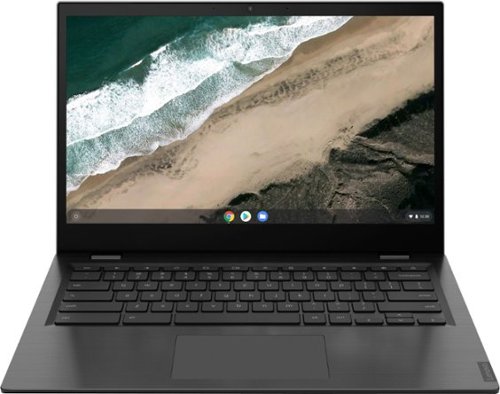
Lenovo - S345-14AST 14" Touch-Screen Chromebook - AMD A6-Series - 4GB Memory - AMD Radeon R5 - 32GB eMMC Flash Memory - Platinum Gray
Lenovo S345-14AST Chromebook: Complete daily computing tasks with this Lenovo Chromebook. The AMD processor offers performance for executing tasks quickly, and the 4GB of RAM let you run several applications seamlessly. This Lenovo Chromebook has a 32GB eMMC SSD for swift data access and start-up times, while the AMD Radeon R5 graphics deliver crisp visuals on the 14-inch Full HD display.
Can this laptop run games such as Rocket league and Minecraft without lag?
That will depend on the requirements and compatibility of the specific games. The Lenovo S345-14 Chromebook ships with the Chrome Operating System and is compatible with Google Play Store APPs. We recommend you check with the specific game's software publisher's web sites for their compatibility with the Chrome operating system and the minimum/recommended hardware requirements (Is a Graphics card required, the processor speed and the minimum required system RAM and the minimum available hard drive space) to run their program, then compare those requirements to this system's configuration.
5 years, 8 months ago
by
Posted by:
Lenovo Product Expert
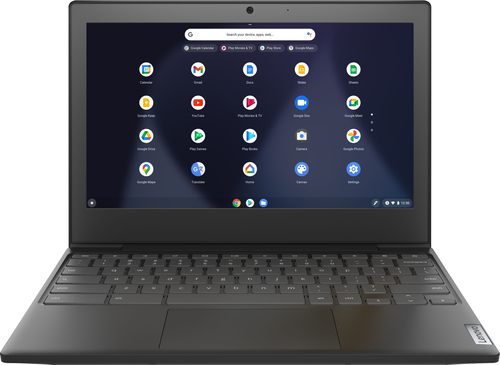
Lenovo - Chromebook 3 11" Chromebook - AMD A6 - 4GB Memory - 32GB eMMC Flash Memory
Fast, flexible, and fun, the Chromebook 3-11" brings everyone~s favorite Chromebook features, housed in a slim chassis, running on the lightning-fast Chrome OS that boots up in seconds, updates automatically, and is protected by built-in virus protection. Powered by an AMD A6 processor with up to 10 hours of battery life, the IdeaPad 3 Chromebook can seamlessly run all of your favorite apps at the same time
I got this as a gift so my question is does the screen tilt all the way back like the picture shows.
The Hinges on the Lenovo Chromebook 3 11 model number 82H40000US will allow the screen to rotate back to 180-degrees.
5 years, 8 months ago
by
Posted by:
Lenovo Product Expert
Lenovo - G25-10 24.5" LED FHD FreeSync Gaming Monitor (HDMI) - Raven Black
Amplify your gaming excitement with this Lenovo gaming monitor. The 24.5-inch screen features 1920 x 1080 resolution and NearEdgeless bezels, while a 144MHz refresh rate eliminates lag during intense gameplay. This Lenovo monitor is fueled by AMD FreeSync technology, and the blue light filter and height-adjustable stand provide hours of gaming comfort.
Can I plug a keyboard into the monitor?
No, you will need to plug the keyboard into the computer you are attaching the G25-10 Monitor to.
5 years, 8 months ago
by
Posted by:
Lenovo Product Expert
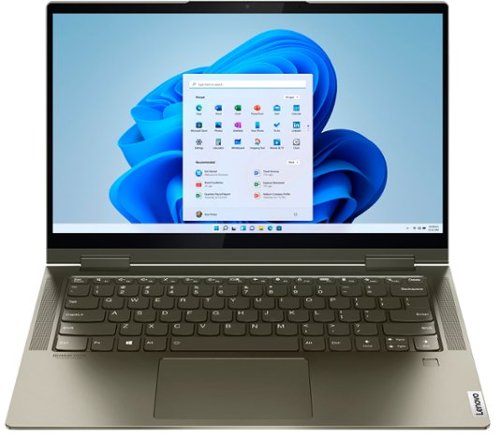
Lenovo - Yoga 7i 2-in-1 14" Touch Screen Laptop - Intel Evo Platform Core i5 - 12GB Memory - 512GB Solid State Drive - Dark Moss
The Lenovo Yoga 7i 14" combines versatile portability and enhanced productivity, thanks to the boundary-breaking performance and responsiveness of 11th generation Intel Core i5 processors and vibrant FHD clarity with Intel Iris X graphics. Go anywhere with a sleek 2-in-1 metal chassis featuring thoughtful details including a webcam privacy shutter.
I do not think adaptive brightness is working at all on the 7i. How do I get it to work, I have tried a lot of troubleshooting. Also, how do settings on the Intel Graphics Command Center affect those settings? Can I set the Command Center back to default?
Here is a link to information about turning Adaptive Brightness on/off within Windows 10: https://www.tenforums.com/tutorials/70157-enable-disable-adaptive-brightness-windows-10-a.html. Here is a link to a YouTube Video about using the Intel Graphics Commend settings within a Windows 10 computer: https://www.youtube.com/watch?v=tEUvWqn3eSM. If you continue to have issues, we recommend you contact Lenovo Tech Support at: 877-453-6686.
5 years, 8 months ago
by
Posted by:
Lenovo Product Expert