Lenovo Product Expert
Lenovo Product Expert's Stats
Reviews
- Review Count0
- Helpfulness Votes0
- First ReviewNone
- Last ReviewNone
- Featured Reviews0
- Average Rating0
Reviews Comments
- Review Comment Count0
- Helpfulness Votes0
- First Review CommentNone
- Last Review CommentNone
- Featured Review Comments0
Questions
- Question Count0
- Helpfulness Votes0
- First QuestionNone
- Last QuestionNone
- Featured Questions0
- Answer Count37939
- Helpfulness Votes24,859
- First AnswerApril 21, 2014
- Last AnswerOctober 23, 2026
- Featured Answers0
- Best Answers2831
Lenovo Product Expert's Reviews
Lenovo Product Expert has not submitted any reviews.
Lenovo Product Expert's Questions
Lenovo Product Expert has not submitted any questions.
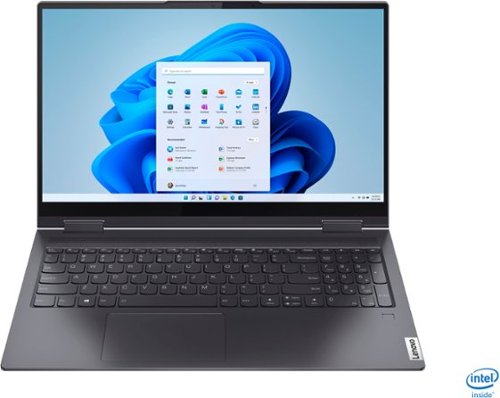
Lenovo - Yoga 7i 2-in-1 15.6" Touch Screen Laptop - Intel Core i5 - 8GB Memory - 256GB Solid State Drive - Slate Grey
The Lenovo Yoga 7i 15" combines versatile portability and enhanced productivity, thanks to the boundary-breaking performance and responsiveness of 11th generation Intel Core i5 processors and vibrant FHD clarity with Intel Iris Xe graphics. Go anywhere with a sleek 2-in-1 metal chassis featuring thoughtful details including a webcam privacy shutter..
Does this laptop support windows hello

Yes. The Lenovo Yoga 7i-15 has a fingerprint reader for biometric security within the Windows Hello ecosystem.
5 years, 9 months ago
by
Posted by:
Lenovo Product Expert
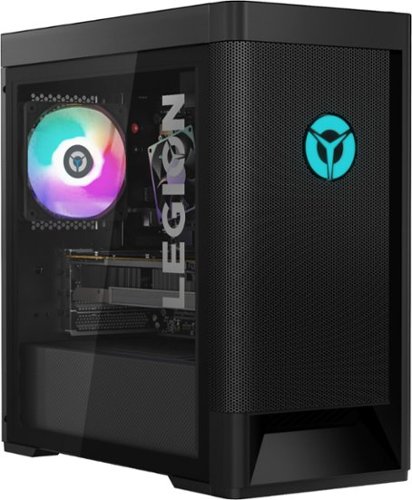
Lenovo - Legion Tower 5 AMD Gaming Desktop - AMD Ryzen 5-3600 - 8GB Memory - NVIDIA GeForce GTX 1650 Super - 512GB SSD - Phantom Black
Engineered out of a passion for savage power and unmatched speed, the Lenovo~ Legion Tower 5 AMD delivers mind-blowing performance that combines AMD Ryzen processors and top-of-the-line NVIDIA~ GeForce~ graphics cards for blazing-fast frame rates at up to 4K resolution. Pushing far beyond the upper bounds of smaller rig configurations while keeping things cool and whisper quiet, the Legion Tower 5 is a marvel of build and design, accentuated by its illuminated blue LED logo and lighting, as well a transparent side panel that can properly showcase your internals.
does is have a CD port?
While there is no built in CD/DVD drive within the Lenovo Legion Tower 5 AMD Gaming Desktop, model number 90RB000DUS, you can use an external, USB-based Windows 10 compatible CD/DVD drive with this computer.
5 years, 9 months ago
by
Posted by:
Lenovo Product Expert
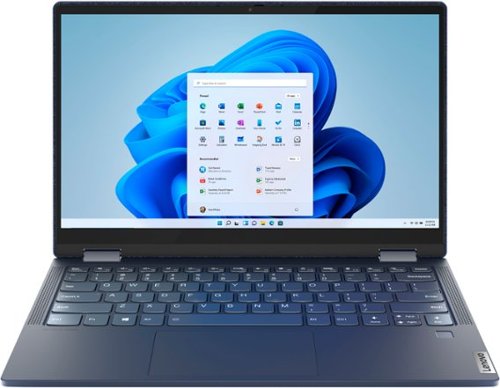
Lenovo - Yoga 6 13 2-in-1 13.3" Touch Screen Laptop - AMD Ryzen 5 - 8GB Memory - 256GB SSD - Abyss Blue Fabric Cover
Featuring a premium textile cover, the Lenovo~ Yoga~ 6 is an ultra-portable 2-in-1 that combines unique style with the powerful responsiveness of an AMD Ryzen~ 4000 Series Mobile Processor, abundant memory and SSD storage. Enjoy a rich multimedia experience with the clarity of a 13.3" FHD touchscreen display, and enveloping sound with Dolby Atmos~-optimized stereo speakers
Is this laptop suitable for gaming
That will depend on the requirements and the compatibility of the specific games you want to play. We recommend you check with the specific game's software publisher's web sites for their compatibility with Windows 10 Home 64-bit operating system and the minimum/recommended hardware requirements (Is a Graphics card required, the processor speed and the minimum required system RAM and the minimum available hard drive space) to run their program, then compare those requirements to this system's configuration.
5 years, 9 months ago
by
Posted by:
Lenovo Product Expert
Lenovo - Yoga 6 13 2-in-1 13.3" Touch Screen Laptop - AMD Ryzen 5 - 8GB Memory - 256GB SSD - Abyss Blue Fabric Cover
Featuring a premium textile cover, the Lenovo~ Yoga~ 6 is an ultra-portable 2-in-1 that combines unique style with the powerful responsiveness of an AMD Ryzen~ 4000 Series Mobile Processor, abundant memory and SSD storage. Enjoy a rich multimedia experience with the clarity of a 13.3" FHD touchscreen display, and enveloping sound with Dolby Atmos~-optimized stereo speakers
Does this laptop come with Microsoft office installed?
There is a 30-day trial of Microsoft Office 365 included as part of the Windows 10 operating system. In order to keep the program active after the trial period, you will need to purchase a product key. You will not need to download any additional software.
5 years, 9 months ago
by
Posted by:
Lenovo Product Expert
Lenovo - Legion Tower 5 AMD Gaming Desktop - AMD Ryzen 5-3600 - 8GB Memory - NVIDIA GeForce GTX 1650 Super - 512GB SSD - Phantom Black
Engineered out of a passion for savage power and unmatched speed, the Lenovo~ Legion Tower 5 AMD delivers mind-blowing performance that combines AMD Ryzen processors and top-of-the-line NVIDIA~ GeForce~ graphics cards for blazing-fast frame rates at up to 4K resolution. Pushing far beyond the upper bounds of smaller rig configurations while keeping things cool and whisper quiet, the Legion Tower 5 is a marvel of build and design, accentuated by its illuminated blue LED logo and lighting, as well a transparent side panel that can properly showcase your internals.
Can this PC handle gaming and streaming? I plan on using it to stream AAA titles on Twitch.
That will depend on the requirements and compatibility of both the streaming service and the games you want to play. We recommend you check with both the streaming service as well as the game's software publisher's web sites for their compatibility with Windows 10 Home 64-bit operating system and the minimum/recommended hardware requirements (Is a Graphics card required, the processor speed and the minimum required system RAM and the minimum available hard drive space) to run their program, then compare those requirements to this system's configuration.
5 years, 9 months ago
by
Posted by:
Lenovo Product Expert
Lenovo - Yoga 7i 2-in-1 15.6" Touch Screen Laptop - Intel Core i5 - 8GB Memory - 256GB Solid State Drive - Slate Grey
The Lenovo Yoga 7i 15" combines versatile portability and enhanced productivity, thanks to the boundary-breaking performance and responsiveness of 11th generation Intel Core i5 processors and vibrant FHD clarity with Intel Iris Xe graphics. Go anywhere with a sleek 2-in-1 metal chassis featuring thoughtful details including a webcam privacy shutter..
HDMI
The Lenovo Yoga 7i-15 uses Thunderbolt 4.0 ports for video out to an external monitor. You can connect an HDMI monitor to this laptop by using a Thunderbolt 3.0/4.0 adapter to HDMI.
5 years, 9 months ago
by
Posted by:
Lenovo Product Expert
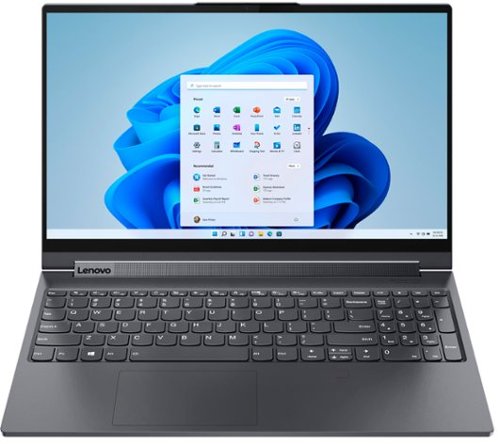
Lenovo - Yoga 9i 15" 2-in-1 Touch-Screen Laptop - Intel Core i7 - 16GB Memory - NVIDIA GeForce GTX 1650 Ti - 1TB SSD - Slate Gray
The Lenovo~ Yoga~ 9i was designed and engineered to put your experience first. Innovative features are encased directly in a sleek 2-in-1 metal chassis. Packed with powerhouse performance typically only available from desktops, 10th generation Intel~ Core~ H-Series processors enable desktop-caliber creativity and productivity.
Have the WiFi and Bluetooth drop issues that are prevalent on last year's C940 been corrected?
The Lenovo Yoga 9i-15 ships with Intel 6G, Wide-Range/High Speed 2x2 802.11AX frequency WiFi and Bluetooth 5.0 capability.
5 years, 9 months ago
by
Posted by:
Lenovo Product Expert
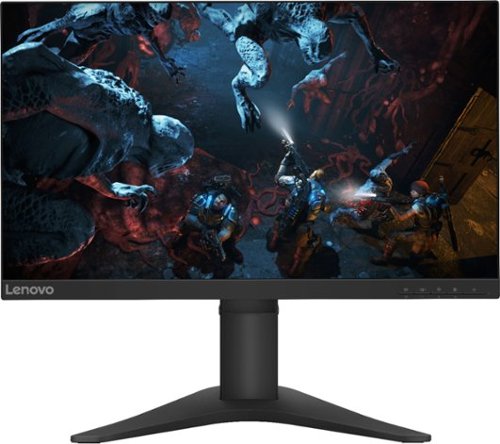
Lenovo - G25-10 24.5" LED FHD FreeSync Gaming Monitor (HDMI) - Raven Black
Amplify your gaming excitement with this Lenovo gaming monitor. The 24.5-inch screen features 1920 x 1080 resolution and NearEdgeless bezels, while a 144MHz refresh rate eliminates lag during intense gameplay. This Lenovo monitor is fueled by AMD FreeSync technology, and the blue light filter and height-adjustable stand provide hours of gaming comfort.
How much hertz is it
The Lenovo G25-10 Monitor, model number 65FEGCC2US, has a refresh rate of 144Hz.
5 years, 9 months ago
by
Posted by:
Lenovo Product Expert
Lenovo - Yoga 7i 2-in-1 15.6" Touch Screen Laptop - Intel Core i5 - 8GB Memory - 256GB Solid State Drive - Slate Grey
The Lenovo Yoga 7i 15" combines versatile portability and enhanced productivity, thanks to the boundary-breaking performance and responsiveness of 11th generation Intel Core i5 processors and vibrant FHD clarity with Intel Iris Xe graphics. Go anywhere with a sleek 2-in-1 metal chassis featuring thoughtful details including a webcam privacy shutter..
Does this laptop have an Ethernet port to connect directly to my 1GB Google Fiber network?
While there is no built in ethernet port within the Lenovo Yoga 7i-15, you can connect this laptop to an ethernet cable by using a USB to ethernet adapter.
5 years, 9 months ago
by
Posted by:
Lenovo Product Expert
Lenovo - Yoga 7i 2-in-1 15.6" Touch Screen Laptop - Intel Core i5 - 8GB Memory - 256GB Solid State Drive - Slate Grey
The Lenovo Yoga 7i 15" combines versatile portability and enhanced productivity, thanks to the boundary-breaking performance and responsiveness of 11th generation Intel Core i5 processors and vibrant FHD clarity with Intel Iris Xe graphics. Go anywhere with a sleek 2-in-1 metal chassis featuring thoughtful details including a webcam privacy shutter..
Does anyone know the brightness levels?
The Lenovo Yoga 7i-15 model number 82BJ0001US, has a screen brightness level of 250 nits.
5 years, 9 months ago
by
Posted by:
Lenovo Product Expert