Lenovo Product Expert
Lenovo Product Expert's Stats
Reviews
- Review Count0
- Helpfulness Votes0
- First ReviewNone
- Last ReviewNone
- Featured Reviews0
- Average Rating0
Reviews Comments
- Review Comment Count0
- Helpfulness Votes0
- First Review CommentNone
- Last Review CommentNone
- Featured Review Comments0
Questions
- Question Count0
- Helpfulness Votes0
- First QuestionNone
- Last QuestionNone
- Featured Questions0
- Answer Count37939
- Helpfulness Votes24,859
- First AnswerApril 21, 2014
- Last AnswerOctober 23, 2026
- Featured Answers0
- Best Answers2831
Lenovo Product Expert's Reviews
Lenovo Product Expert has not submitted any reviews.
Lenovo Product Expert's Questions
Lenovo Product Expert has not submitted any questions.
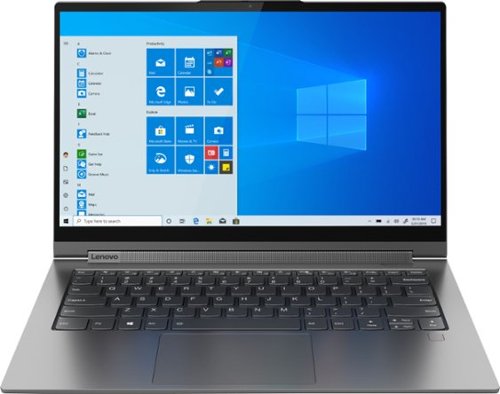
Lenovo - Yoga C940 2-in-1 14" Touch-Screen Laptop - Intel Core i7 - 12GB Memory - 512GB Solid State Drive
Lenovo Yoga C940 Convertible 2-in-1 Laptop: Increase productivity while working with this Lenovo Yoga laptop. The Intel Core i7-1065G7 processor and 12GB of RAM offer solid performance for working with multiple windows seamlessly, while the 512GB SSD offers fast data access times, letting you access saved documents easily. This Lenovo Yoga laptop has 14-inch Full HD capacitative display with 10-point multi-touch operation for detailed visuals and effortless typing.
I installed Lenovo Diagnostic tools on my C940 FHD model, and it is showing under FAN as not available. Why it is showing this way?

You can use Lenovo Q-Control to manually control fan and system performance: ( Fn + Q ) option to change the fan by undervolting the processor. For more information, we recommend you call Lenovo Tech Support at: 877-453-6686.
5 years, 9 months ago
by
Posted by:
Lenovo Product Expert
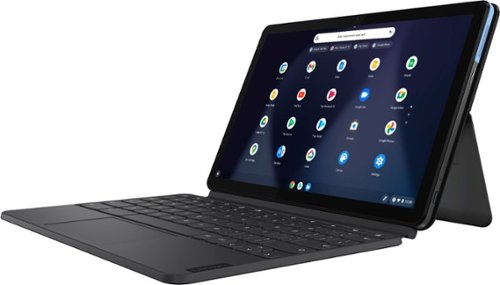
Lenovo - IdeaPad Duet Chromebook - 10.1 (1920x1200) Touch 2-in-1 Tablet - MediaTek P60T - 4G RAM - 128G eMCP4x - with Keyboard - Ice Blue + Iron Gray
Work on pending assignments while on the move with this Lenovo Chromebook Duet. The 10.1-inch touch screen provides an interactive user experience, while the 128GB of internal storage offer ample space for apps and media files. This Lenovo Chromebook Duet features a MediaTek Helio P60T processor and 4GB of RAM for effortless multitasking.
Duet screen dims and brightens by itself--seems to be a light sensing issue. Changing the following setting to disabled does NOT solve the problem chrome://flags/#auto-screen-brightness. Is there another setting somewhere? This is super annoying. Thx.
We are sorry to hear that you are having issues with the screen brightness of your Lenovo Duet Chromebook. Even though you have turned off the auto-brightness setting, check your power management settings as well. Depending on the power management setting you are using, power management may be automatically diming your screen brightness to conserve battery power. This is independent of ambient light that auto-brightness uses to control screen brightness. Your power management settings lengthen your available time-on-battery by diming the screen brightness. Here is a link to instructions for accessing your power management settings on the Duet Chromebook, check your current power management settings to be sure that screen diming is not part of the function of the power management setting: https://support.google.com/chromebook/answer/3420029?hl=en. If the issue continues, we recommend you contact Lenovo Tech Support for Chromebooks at: 800-426-7378.
5 years, 9 months ago
by
Posted by:
Lenovo Product Expert
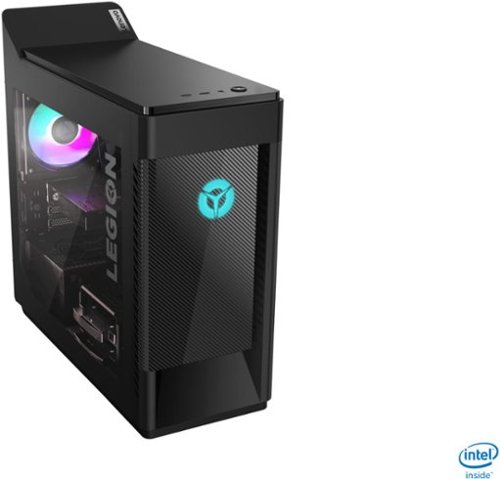
Lenovo - Legion Tower 5i Gaming Desktop - Intel Core i5-10400 - 8GB Memory - NVIDIA GeForce GTX 1660 Super - 256GB SSD + 1TB HDD - Phantom Black
Engineered out of a passion for savage power and unmatched speed, the Lenovo~ Legion Tower 5i delivers mind-blowing performance that combines 10th Generation Intel~ Core~ processors and top-of-the-line NVIDIA~ GeForce~ graphics cards for blazing-fast frame rates at up to 4K resolution. Pushing far beyond the upper bounds of smaller rig configurations while keeping things cool and whisper quiet, the Legion Tower 5i is a marvel of build and design, accentuated by its illuminated blue LED logo and lighting, as well a transparent side panel that can properly showcase your internals.
Does it come with a keyboard
Images for this Question
(click to see full-size image)

Yes. The Lenovo Legion Tower 5i Gaming Desktop, model number 90NC00JAUS, ships with a standard, wired keyboard and mouse.
5 years, 9 months ago
by
Posted by:
Lenovo Product Expert
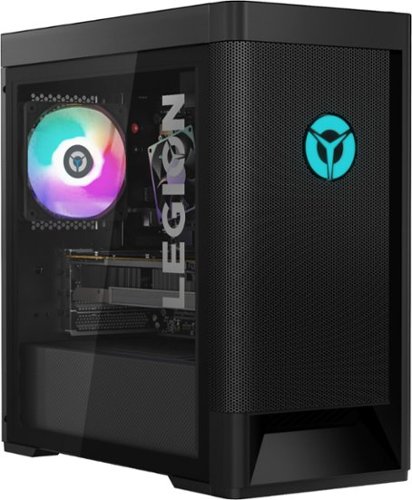
Lenovo - Legion Tower 5 AMD Gaming Desktop - AMD Ryzen 5-3600 - 8GB Memory - NVIDIA GeForce GTX 1650 Super - 512GB SSD - Phantom Black
Engineered out of a passion for savage power and unmatched speed, the Lenovo~ Legion Tower 5 AMD delivers mind-blowing performance that combines AMD Ryzen processors and top-of-the-line NVIDIA~ GeForce~ graphics cards for blazing-fast frame rates at up to 4K resolution. Pushing far beyond the upper bounds of smaller rig configurations while keeping things cool and whisper quiet, the Legion Tower 5 is a marvel of build and design, accentuated by its illuminated blue LED logo and lighting, as well a transparent side panel that can properly showcase your internals.
What ssd do u need to get to add more and does it have a extra slot cause i had to get the one with 512g and its full already
The Lenovo Legion Tower 5 AMD Gaming Desktop, model number 90RB000DUS, ships with a 512GB M.2-2280 NVMe TLC solid state hard drive that can be user replaced with a larger capacity compatible solid state hard drive. This model ships with 2 3.5-inch slots and comes with a tray to support a 2.5-inch drive drive, which is sold separately.
5 years, 9 months ago
by
Posted by:
Lenovo Product Expert
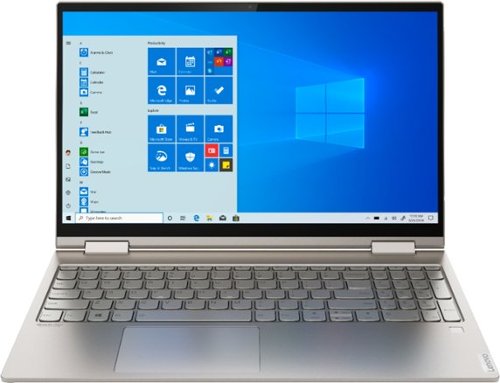
Lenovo - Yoga C740 2-in-1 15.6" Touch-Screen Laptop - Intel Core i7 - 12GB Memory - 512GB Solid State Drive
Lenovo Yoga C740 Convertible 2-in-1 Laptop: Combine power and flexibility with this 15.6-inch Lenovo Yoga convertible notebook. An Intel Core i7 processor and 12GB of RAM let you run multiple programs at once, and the 512GB of storage fits large programs and files. This Lenovo Yoga convertible notebook has a 15.6-inch Full HD touchscreen that delivers stunning images and lets you navigate using touch controls.Learn more.
Hi, wich windows software includes?
The Lenovo Yoga C740-15 model number 81TD0005US, ships with Windows 10 Home 64-bit Operating System.
5 years, 9 months ago
by
Posted by:
Lenovo Product Expert
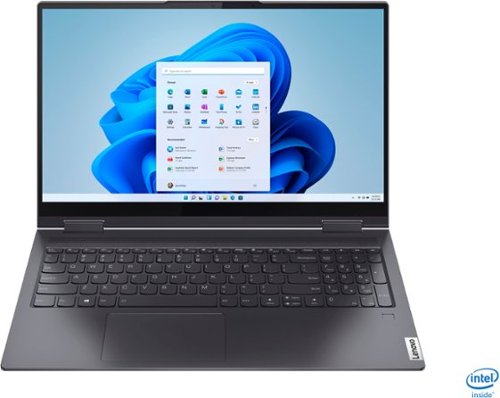
Lenovo - Yoga 7i 2-in-1 15.6" Touch Screen Laptop - Intel Core i5 - 8GB Memory - 256GB Solid State Drive - Slate Grey
The Lenovo Yoga 7i 15" combines versatile portability and enhanced productivity, thanks to the boundary-breaking performance and responsiveness of 11th generation Intel Core i5 processors and vibrant FHD clarity with Intel Iris Xe graphics. Go anywhere with a sleek 2-in-1 metal chassis featuring thoughtful details including a webcam privacy shutter..
Is there a way to adjust the camera? Incoming picture is fine, but my face is blurry on the other end. Using it primarily for zoom meetings, need a clear picture. If not, I think I'll return.
The Lenovo Yoga 7i 15 model number 82BJ0001US, ships with a 720p (HD) webcam with manual Privacy Shutter and Dual Array Microphones built in. If the incoming images are clear but the outgoing image is cloudy/burry, first, check to be sure that the clear shipping tape has been completely removed from the webcam lens. Since the tape cover is clear, it is hard to see. There should be a visible tab on the edge of the clear tape covering the lens to remove the tape completely. This is used during shipping to protect the lens from damage. If the shipping tape over the lens has already been removed, then check to be sure you have the latest version of Windows 10 on the computer. Then update all of the BIOS file and drivers up to that latest version of Windows 10. You can easily accomplish this by scanning the computer with the Lenovo Utility software available on this computer. This system has Lenovo utilities installed to help maintain the health of the device and keep the operating system software up to date. Type "Lenovo Vantage" in the Cortana Search window (if Lenovo Vantage is not installed on your device, you can download the APP and install it now). Select Lenovo Vantage from the list. In the window that opens, click on "Health and Support". In the expanded menu, select "Hardware Scan" In the window that opens, select "Run Quick Tests". This will scan your entire system for errors. Follow any directions that may pop up. If the problem continues after this scan, now click on "System Update". First select Windows update from the menu. Scan your system to be sure you have the latest version of Windows 10. Once that scan is complete, select "Additional Updates". This will scan your device to be sure there are no new BIOS/Driver updates needed. Follow any instructions that may pop up. If the issue still continues after these updates, we recommend you call Lenovo Tech Support at: 877-453-6686 for additional help.
5 years, 9 months ago
by
Posted by:
Lenovo Product Expert
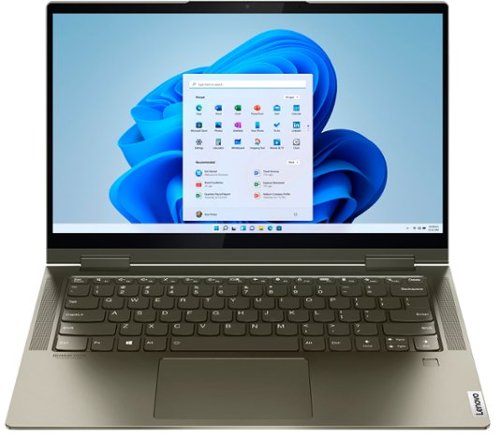
Lenovo - Yoga 7i 2-in-1 14" Touch Screen Laptop - Intel Evo Platform Core i5 - 12GB Memory - 512GB Solid State Drive - Dark Moss
The Lenovo Yoga 7i 14" combines versatile portability and enhanced productivity, thanks to the boundary-breaking performance and responsiveness of 11th generation Intel Core i5 processors and vibrant FHD clarity with Intel Iris X graphics. Go anywhere with a sleek 2-in-1 metal chassis featuring thoughtful details including a webcam privacy shutter.
Will Active Pen 2 work with it fully compatible? If not which lenovo pens will work with it?
The Lenovo Active Pen 2 is compatible with the Yoga 7i-14. The Yoga 7i-14 is compatible with an AES protocol Active Pen. An alternative to the Lenovo Active Pen 2 would be: https://www.bestbuy.com/site/wacom-bamboo-ink-smart-stylus-for-windows-ink-2nd-generation-gray/6374981.p?skuId=6374981
5 years, 9 months ago
by
Posted by:
Lenovo Product Expert
Lenovo - Legion Tower 5i Gaming Desktop - Intel Core i5-10400 - 8GB Memory - NVIDIA GeForce GTX 1660 Super - 256GB SSD + 1TB HDD - Phantom Black
Engineered out of a passion for savage power and unmatched speed, the Lenovo~ Legion Tower 5i delivers mind-blowing performance that combines 10th Generation Intel~ Core~ processors and top-of-the-line NVIDIA~ GeForce~ graphics cards for blazing-fast frame rates at up to 4K resolution. Pushing far beyond the upper bounds of smaller rig configurations while keeping things cool and whisper quiet, the Legion Tower 5i is a marvel of build and design, accentuated by its illuminated blue LED logo and lighting, as well a transparent side panel that can properly showcase your internals.
does the pc have a wifi card
Yes. The Lenovo Legion Tower 5i Gaming Desktop, model number 90NC00JAUS, ships with the latest, 6G Wide-Range/High Speed 2x2 802.11AX WiFi built in. It also has an ethernet port for wired connectivity as well.
5 years, 9 months ago
by
Posted by:
Lenovo Product Expert
Lenovo - Legion Tower 5i Gaming Desktop - Intel Core i5-10400 - 8GB Memory - NVIDIA GeForce GTX 1660 Super - 256GB SSD + 1TB HDD - Phantom Black
Engineered out of a passion for savage power and unmatched speed, the Lenovo~ Legion Tower 5i delivers mind-blowing performance that combines 10th Generation Intel~ Core~ processors and top-of-the-line NVIDIA~ GeForce~ graphics cards for blazing-fast frame rates at up to 4K resolution. Pushing far beyond the upper bounds of smaller rig configurations while keeping things cool and whisper quiet, the Legion Tower 5i is a marvel of build and design, accentuated by its illuminated blue LED logo and lighting, as well a transparent side panel that can properly showcase your internals.
Will a standard ATX power supply fit in this case if I want to upgrade it?
That will depend on the requirements and compatibility of the specific power supply you want to use. The Lenovo Legion Tower 5i Gaming Desktop, model number 90NC00JAUS, ships with a 400W internal power supply with the CML B460 MATX MB motherboard. We recommend you check with the power supply's manufacturer's website for the requirements and compatibility of the specific model you want to use.
5 years, 9 months ago
by
Posted by:
Lenovo Product Expert
Lenovo - IdeaPad Duet Chromebook - 10.1 (1920x1200) Touch 2-in-1 Tablet - MediaTek P60T - 4G RAM - 128G eMCP4x - with Keyboard - Ice Blue + Iron Gray
Work on pending assignments while on the move with this Lenovo Chromebook Duet. The 10.1-inch touch screen provides an interactive user experience, while the 128GB of internal storage offer ample space for apps and media files. This Lenovo Chromebook Duet features a MediaTek Helio P60T processor and 4GB of RAM for effortless multitasking.
Can you Skype with it? Video?
That will depend on the requirements and compatibility of the specific APP you want to use. The Lenovo Duet Chromebook ships with the Chrome Operating System and is compatible with Google Play Store APPs. We recommend you check with the specific APPs software publisher's web site for their compatibility with the Chrome operating system and the minimum/recommended hardware requirements (Is a Graphics card required, the processor speed and the minimum required system RAM and the minimum available hard drive space) to run their program, then compare those requirements to this system's configuration.
5 years, 9 months ago
by
Posted by:
Lenovo Product Expert