Lenovo Product Expert
Lenovo Product Expert's Stats
Reviews
- Review Count0
- Helpfulness Votes0
- First ReviewNone
- Last ReviewNone
- Featured Reviews0
- Average Rating0
Reviews Comments
- Review Comment Count0
- Helpfulness Votes0
- First Review CommentNone
- Last Review CommentNone
- Featured Review Comments0
Questions
- Question Count0
- Helpfulness Votes0
- First QuestionNone
- Last QuestionNone
- Featured Questions0
- Answer Count37939
- Helpfulness Votes24,861
- First AnswerApril 21, 2014
- Last AnswerOctober 23, 2026
- Featured Answers0
- Best Answers2831
Lenovo Product Expert's Reviews
Lenovo Product Expert has not submitted any reviews.
Lenovo Product Expert's Questions
Lenovo Product Expert has not submitted any questions.
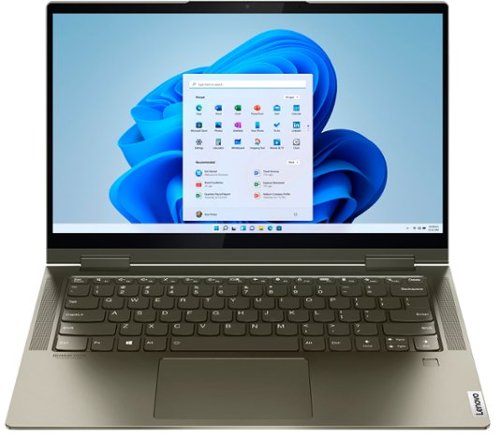
Lenovo - Yoga 7i 2-in-1 14" Touch Screen Laptop - Intel Evo Platform Core i5 - 12GB Memory - 512GB Solid State Drive - Dark Moss
The Lenovo Yoga 7i 14" combines versatile portability and enhanced productivity, thanks to the boundary-breaking performance and responsiveness of 11th generation Intel Core i5 processors and vibrant FHD clarity with Intel Iris X graphics. Go anywhere with a sleek 2-in-1 metal chassis featuring thoughtful details including a webcam privacy shutter.
Laptop screen flickers, is it hardware related or software? Can this be fixed?

First, be sure any software you installed is compatible with Windows 10. There is no need to install Microsoft Office software. The software is already part of the operating system, you just need to activate the software with a purchased product key. If you have installed a copy of Microsoft Office, this is conflicting with the existing copy on the system and this will slow your system down. If you have installed a 3rd party anti-virus program, be sure that Windows Defender is turned off and that the trial version of McAfee Anti-Virus software is uninstalled. There can only be one anti-virus program on the system. You may need to restore your system to original factory default settings if any of the programming errors have occurred. You can do that by typing "restore" in the Cortana search window. Just click on the magnifying glass icon at the bottom left of your Windows 10 Desktop. Click on "Reset This PC" Then click on "Get Started" and follow the on screen directions to restore to factory defaults. If there is not incompatible software installed, then check to be sure you have the latest version of Windows 10 on the computer. Then update all of the BIOS files and drivers up to that latest version of Windows 10. You can easily accomplish this by scanning the computer with the Lenovo Utility software available on this computer. This system has Lenovo utilities installed to help maintain the health of the device and keep the operating system software up to date. Type "Lenovo Vantage" in the Cortana Search window (if Lenovo Vantage is not installed on your device, you can download the APP and install it now). Select Lenovo Vantage from the list. In the window that opens, click on "Health and Support". In the expanded menu, select "Hardware Scan" In the window that opens, select "Run Quick Tests". This will scan your entire system for errors. Follow any directions that may pop up. If the problem continues after this scan, now click on "System Update". First select Windows update from the menu. Scan your system to be sure you have the latest version of Windows 10. Once that scan is complete, select "Additional Updates". This will scan your device to be sure there are no new BIOS/Driver updates needed. Follow any instructions that may pop up. If the issue still continues after these updates, we recommend you call Lenovo Tech Support at: 877-453-6686 for additional help.
5 years, 10 months ago
by
Posted by:
Lenovo Product Expert
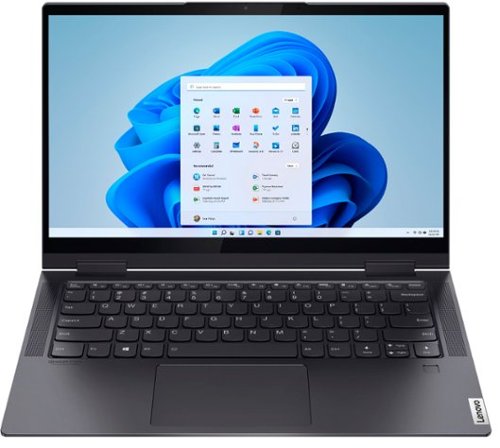
Lenovo - Yoga 7i 2-in-1 14" Touch Screen Laptop - Intel Evo Platform Core i7 - 12GB Memory - 512GB Solid State Drive - Slate Grey
The Lenovo~ Yoga~ 7i 14" combines versatile portability and enhanced productivity, thanks to the boundary-breaking performance and responsiveness of 11th generation Intel~ Core~ i7 processors and vibrant FHD clarity with Intel~ Iris~ Xe graphics. Go anywhere with a sleek 2-in-1 metal chassis featuring thoughtful details including a webcam privacy shutter.
Is the RAM single channel or dual channel?
The Lenovo Yoga 7i-14 model number 82BH0002US, ships with 12GB DDR4-3200MHz RAM soldered to the motherboard which operates as Dual Channel Memory.
5 years, 10 months ago
by
Posted by:
Lenovo Product Expert
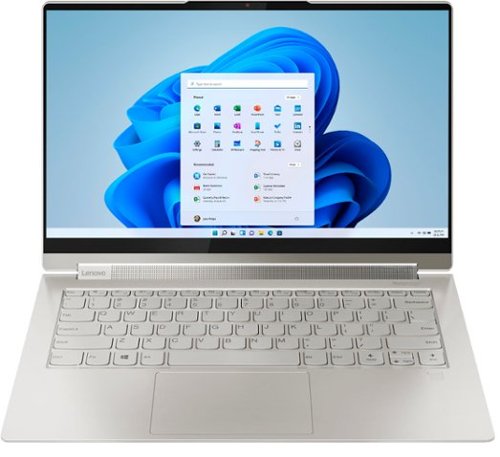
Lenovo - Yoga 9i 14 2-in-1 14" Touch-Screen Laptop - Intel Evo Platform Core i7 - 16GB Memory - 512GB SSD - Mica
Meet the Lenovo Yoga 9i, designed to put your experience first with the Intel Evo platform~s powerhouse combination of performance, responsiveness, battery life and stunning visuals. Innovative features are encased directly in a sleek 2-in-1 metal chassis, combined with the advanced mobile performance of 11th generation Intel Core processors and powerfully immersive entertainment.
Is the operating system Windows 10 Pro?
No. The Lenovo Yoga 9i 14 model number 82BG000CUS, ships with Windows 10 Home 64-bit Operating System.
5 years, 10 months ago
by
Posted by:
Lenovo Product Expert

Lenovo - IdeaPad S340 15" Touch-Screen Laptop - AMD Ryzen 7 3700U - 12GB Memory - 512GB Solid State Drive
Introducing the Lenovo~ IdeaPad~ S340 Touchscreen. Slip into something more comfortable with a thinner & lighter laptop with narrow bezels for broader viewing, it boasts state-of-the-art processing and thoughtful design elements such as a privacy shutter. Plus the convenience of touch. Power through any task with ease and in style.
Can you use a wireless mouse?
You can use a compatible USB-based WiFi 2.4GHz wireless mouse or a compatible Bluetooth 4.1 mouse with the Lenovo IdeaPad S340-15 Laptop. The IdeaPad S340-15 ships with Windows 10 S-Mode 64-bit Operating System. Windows 10 S-Mode provides added security by only allowing APPs available ( and therefore certified by Microsoft) at the Microsoft Store. If you don't need the added security or you need to install APPs not available at the Microsoft Store, you can switch to standard Windows 10 Home 64-bit Operating System, at no additional cost. We recommend you check with the wireless mouse manufacturer's web site for their compatibility with Windows 10 S-Mode 64-bit operating system and the minimum/recommended hardware requirements (Is a Graphics card required, the processor speed and the minimum required system RAM and the minimum available hard drive space) to run their program, then compare those requirements to this system's configuration.
5 years, 10 months ago
by
Posted by:
Lenovo Product Expert

Lenovo - IdeaCentre A540 24" Touch-Screen All-In-One - AMD Ryzen 3-Series - 8GB Memory - 256GB Solid State Drive
Get the job done with this Lenovo IdeaCentre all-in-one computer. The 23.8-inch Full HD capacitive display offers high-quality visuals and smooth touch operation while typing, and 8GB of RAM lets you run several windows simultaneously. This Lenovo IdeaCentre all-in-one computer features a 256GB SSD for fast data access and an AMD Ryzen 3 3200 processor for seamless performance while streaming.
Can you play fortnite on this device
That will depend on the requirements and compatibility of the specific game you want to play. We recommend you check with the game's software publisher's web site for their compatibility with Windows 10 Home 64-bit operating system and the minimum/recommended hardware requirements (Is a Graphics card required, the processor speed and the minimum required system RAM and the minimum available hard drive space) to run their program, then compare those requirements to this system's configuration.
5 years, 10 months ago
by
Posted by:
Lenovo Product Expert
Lenovo - IdeaPad S340 15" Touch-Screen Laptop - AMD Ryzen 7 3700U - 12GB Memory - 512GB Solid State Drive
Introducing the Lenovo~ IdeaPad~ S340 Touchscreen. Slip into something more comfortable with a thinner & lighter laptop with narrow bezels for broader viewing, it boasts state-of-the-art processing and thoughtful design elements such as a privacy shutter. Plus the convenience of touch. Power through any task with ease and in style.
Will this laptop run Photoshop Essentials without problems?
That will depend on the requirements and compatibility of the specific software you want to run. The Lenovo IdeaPad S340-15 Laptop, model number 81QG000DUS, ships with Windows 10 S-Mode 64-bit Operating System. We recommend you check with the specific software publisher's web site for their compatibility with Windows 10 S-Mode 64-bit operating system and the minimum/recommended hardware requirements (Is a Graphics card required, the processor speed and the minimum required system RAM and the minimum available hard drive space) to run their program, then compare those requirements to this system's configuration. We recommend you check with the game's software publisher's web site for their compatibility with Windows 10 Home 64-bit operating system and the minimum/recommended hardware requirements (Is a Graphics card required, the processor speed and the minimum required system RAM and the minimum available hard drive space) to run their program, then compare those requirements to this system's configuration.
5 years, 10 months ago
by
Posted by:
Lenovo Product Expert
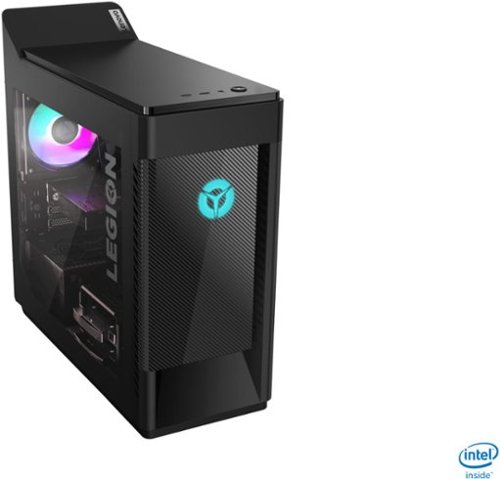
Lenovo - Legion Tower 5i Gaming Desktop - Intel Core i5-10400 - 8GB Memory - NVIDIA GeForce GTX 1660 Super - 256GB SSD + 1TB HDD - Phantom Black
Engineered out of a passion for savage power and unmatched speed, the Lenovo~ Legion Tower 5i delivers mind-blowing performance that combines 10th Generation Intel~ Core~ processors and top-of-the-line NVIDIA~ GeForce~ graphics cards for blazing-fast frame rates at up to 4K resolution. Pushing far beyond the upper bounds of smaller rig configurations while keeping things cool and whisper quiet, the Legion Tower 5i is a marvel of build and design, accentuated by its illuminated blue LED logo and lighting, as well a transparent side panel that can properly showcase your internals.
Does it have Bluetooth ?
Yes. The Lenovo Legion Tower 5i Gaming Desktop, model number 90NC00JAUS, ships with Bluetooth 5.0 capability built in.
5 years, 10 months ago
by
Posted by:
Lenovo Product Expert
Lenovo - Legion Tower 5i Gaming Desktop - Intel Core i5-10400 - 8GB Memory - NVIDIA GeForce GTX 1660 Super - 256GB SSD + 1TB HDD - Phantom Black
Engineered out of a passion for savage power and unmatched speed, the Lenovo~ Legion Tower 5i delivers mind-blowing performance that combines 10th Generation Intel~ Core~ processors and top-of-the-line NVIDIA~ GeForce~ graphics cards for blazing-fast frame rates at up to 4K resolution. Pushing far beyond the upper bounds of smaller rig configurations while keeping things cool and whisper quiet, the Legion Tower 5i is a marvel of build and design, accentuated by its illuminated blue LED logo and lighting, as well a transparent side panel that can properly showcase your internals.
Does it have windows 10 into it?
Yes. The Lenovo Legion Tower 5i Gaming Desktop, model number 90NC00JAUS, ships with Windows 10 Home 64-bit Operating System.
5 years, 10 months ago
by
Posted by:
Lenovo Product Expert
Lenovo - IdeaPad S340 15" Touch-Screen Laptop - AMD Ryzen 7 3700U - 12GB Memory - 512GB Solid State Drive
Introducing the Lenovo~ IdeaPad~ S340 Touchscreen. Slip into something more comfortable with a thinner & lighter laptop with narrow bezels for broader viewing, it boasts state-of-the-art processing and thoughtful design elements such as a privacy shutter. Plus the convenience of touch. Power through any task with ease and in style.
Is the RAM Memory upgradeable to anything over 12gb
No. The maximum supported system RAM for the Lenovo S340-15 Laptop, model number 81QG000DUS, is the 12GB DDR4-2400MHz RAM it ships with.
5 years, 10 months ago
by
Posted by:
Lenovo Product Expert
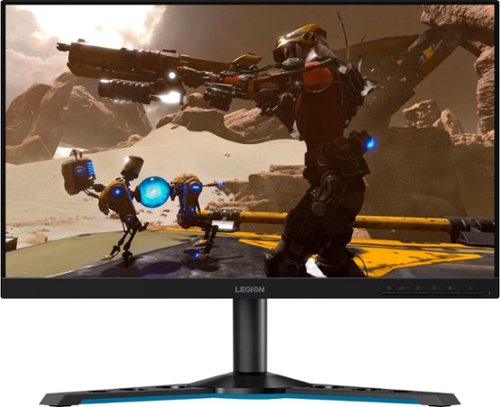
Lenovo - Legion Y25-25 24.5" IPS LED FHD FreeSync and G-SYNC Compatible Gaming Monitor (DisplayPort, HDMI, USB) - Raven Black
Professional Esport gaming is an extremely competitive space~where the difference between winning and losing comes down to the minutest of details. To stand out from the competition, you need equipment that matches the speed of your thought and actions. The Legion Y25-25 delivers wins in the toughest, most critical situations. NVIDIA~ G-SYNC~ Compatible technology takes motion blur out of the equation, improving visual clarity and making prolonged gaming sessions enjoyable. This monitor~s 24.5-inch In-Plane Switching (IPS) panel with a 240 Hz refresh rate and 1ms response time makes it possible to spot an opponent before they see you. When it comes down to a quickfire duel, that is the difference between firing first and getting shot.
Can this be mounted to a vesa monitor mount?
Yes. The Lenovo Legion Y25-25 Gaming Monitor is compatible with a 100 mm (3.94 in.) VESA mount which is sold separately.
5 years, 10 months ago
by
Posted by:
Lenovo Product Expert