Lenovo Product Expert
Lenovo Product Expert's Stats
Reviews
- Review Count0
- Helpfulness Votes0
- First ReviewNone
- Last ReviewNone
- Featured Reviews0
- Average Rating0
Reviews Comments
- Review Comment Count0
- Helpfulness Votes0
- First Review CommentNone
- Last Review CommentNone
- Featured Review Comments0
Questions
- Question Count0
- Helpfulness Votes0
- First QuestionNone
- Last QuestionNone
- Featured Questions0
- Answer Count37959
- Helpfulness Votes24,861
- First AnswerApril 21, 2014
- Last AnswerOctober 26, 2026
- Featured Answers0
- Best Answers2831
Lenovo Product Expert's Reviews
Lenovo Product Expert has not submitted any reviews.
Lenovo Product Expert's Questions
Lenovo Product Expert has not submitted any questions.
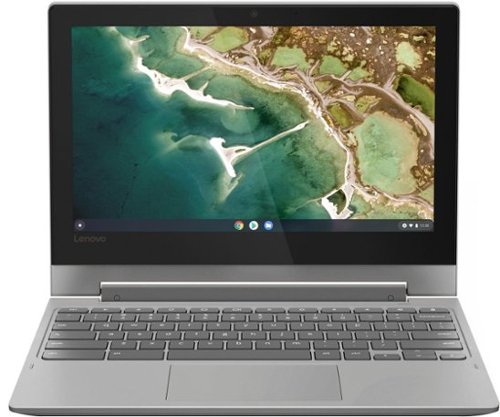
Lenovo - Chromebook Flex 3 11" MTK 2-in-1 11.6" Touch Screen Chromebook - MediaTek MT8173C - 4GB Memory - 32GB eMMC Flash Memory - Platinum Grey
Engineered for long-lasting performance, the Lenovo~ IdeaPad~ 3 delivers powerful performance in a laptop that's perfect for your everyday tasks, with features that you can depend on.
Specifications says it is 64 bit arch but settings say it is chrome os says it is 32 bit ? Am i missing something here? Which one is it? This is my first chrome os experience.

The Lenovo Chromebook Flex 3 11 model number 82HG0000US, ships with the 4-Core MediaTek MT8173C processor, which is 64-bit processor. Here is a link to more information about this processor: https://www.mediatek.com/products/tablets/mt8173#:~:text=MediaTek%20MT8173%20is%20a%20highly,at%20up%20to%202.0GHz.
5 years, 10 months ago
by
Posted by:
Lenovo Product Expert
Lenovo - Chromebook Flex 3 11" MTK 2-in-1 11.6" Touch Screen Chromebook - MediaTek MT8173C - 4GB Memory - 32GB eMMC Flash Memory - Platinum Grey
Engineered for long-lasting performance, the Lenovo~ IdeaPad~ 3 delivers powerful performance in a laptop that's perfect for your everyday tasks, with features that you can depend on.
I have an iPad now. Can this work just like an iPad.
No. Your iPad uses the iOS Operating System. This Lenovo Chromebook Flex 3 11 uses the Chrome Operating System and is compatible with Google Play Store APPs. Both the function and the specific APPs available on either device will vary depending on the APPs compatibility with a specific operating System. The Chromebook Flex 3 11 does have 360-degree hinges on the screen that allow the user to position the screen either in traditional laptop mode or flip the screen over to use the device in tablet mode. We recommend you check to be sure the APPs you want to use on this Chromebook are available through the Google Play Store.
5 years, 10 months ago
by
Posted by:
Lenovo Product Expert
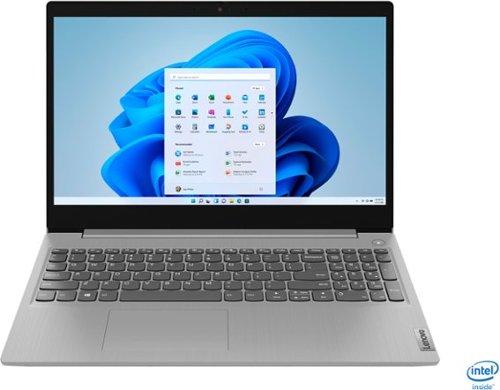
Lenovo - IdeaPad 3 15" Touch Screen Laptop - Intel Core i5-1035G1 - 12GB Memory - 256GB SSD - Platinum Grey
Engineered for long-lasting performance, the Lenovo~ IdeaPad~ 3 delivers powerful performance in a laptop that's perfect for your everyday tasks, with features that you can depend on.
Being a student, my U provides MS office at no charge. Office is preinstalled on this laptop and if another copy is applied, it slows the machine down. How do I erase the preinstalled MS office software.
Just log in to the preinstalled version of Microsoft Office 365 with your existing Student Microsoft Office Account, using the user name and password on that account to log into the preinstalled software. If you do not already have an established Microsoft Office Account, use the Product Code provided with your Microsoft Office software from the university. If there is no Product Code provided by your university, we recommend you consult with the university provider. All Windows 10 computers come with preinstalled Microsoft Office software in trial version. The university will need to supply a way to access this software.
5 years, 10 months ago
by
Posted by:
Lenovo Product Expert

Lenovo - IdeaCentre A540 24" Touch-Screen All-In-One - AMD Ryzen 3-Series - 8GB Memory - 256GB Solid State Drive
Get the job done with this Lenovo IdeaCentre all-in-one computer. The 23.8-inch Full HD capacitive display offers high-quality visuals and smooth touch operation while typing, and 8GB of RAM lets you run several windows simultaneously. This Lenovo IdeaCentre all-in-one computer features a 256GB SSD for fast data access and an AMD Ryzen 3 3200 processor for seamless performance while streaming.
will i be able to play video games on this computer? how good/bad will it function?
That will depend on the requirements and compatibility of the specific games you want to play. We recommend you check with the game's software publisher's web site for their compatibility with Windows 10 Home 64-bit operating system and the minimum/recommended hardware requirements (Is a Graphics card required, the processor speed and the minimum required system RAM and the minimum available hard drive space) to run their program, then compare those requirements to this system's configuration.
5 years, 10 months ago
by
Posted by:
Lenovo Product Expert
Lenovo - IdeaCentre A540 24" Touch-Screen All-In-One - AMD Ryzen 3-Series - 8GB Memory - 256GB Solid State Drive
Get the job done with this Lenovo IdeaCentre all-in-one computer. The 23.8-inch Full HD capacitive display offers high-quality visuals and smooth touch operation while typing, and 8GB of RAM lets you run several windows simultaneously. This Lenovo IdeaCentre all-in-one computer features a 256GB SSD for fast data access and an AMD Ryzen 3 3200 processor for seamless performance while streaming.
Is This Pc Good At Running Third-Person Shooting Games? Like Fortnite.
That will really depend on the requirements and compatibility of the specific games. We recommend you check with the specific game's software publisher's web site for their compatibility with Windows 10 Home 64-bit operating system and the minimum/recommended hardware requirements (Is a Graphics card required, the processor speed and the minimum required system RAM and the minimum available hard drive space) to run their program, then compare those requirements to this system's configuration.
5 years, 10 months ago
by
Posted by:
Lenovo Product Expert
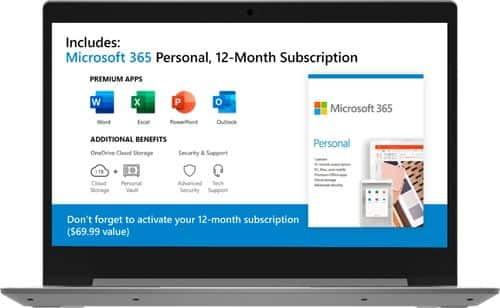
Lenovo - IdeaPad 1 14" Laptop - AMD A6-Series - 4GB Memory - AMD Radeon R4 - 64GB eMMC Flash Memory
Lenovo IdeaPad 1 14" Laptop: Complete daily computing tasks quickly with this Lenovo IdeaPad laptop. The 7th Gen AMD A6-9220E processor and 4GB of RAM offer ample power to run multiple applications seamlessly for efficient multitasking, while the AMD Radeon R4 integrated graphics deliver quality visuals on the 14-inch HD display. This Lenovo IdeaPad laptop has a lithium-polymer battery that provides up to 8 hours of uptime on a single charge.
WILL THIS RUN MICROSOFT OFFICE?
There is a free 1-year subscription to Microsoft Office 365 already installed on this laptop.
5 years, 10 months ago
by
Posted by:
Lenovo Product Expert
Lenovo - IdeaCentre A540 24" Touch-Screen All-In-One - AMD Ryzen 3-Series - 8GB Memory - 256GB Solid State Drive
Get the job done with this Lenovo IdeaCentre all-in-one computer. The 23.8-inch Full HD capacitive display offers high-quality visuals and smooth touch operation while typing, and 8GB of RAM lets you run several windows simultaneously. This Lenovo IdeaCentre all-in-one computer features a 256GB SSD for fast data access and an AMD Ryzen 3 3200 processor for seamless performance while streaming.
Would this be a good computer to play games that require high prefromance?
That really will depend on what the software publisher means by High-Performance. We recommend you check with the specific game's software publisher's web site for their compatibility with Windows 10 Home 64-bit operating system and the minimum/recommended hardware requirements (Is a Graphics card required, the processor speed and the minimum required system RAM and the minimum available hard drive space) to run their program, then compare those requirements to this system's configuration.
5 years, 10 months ago
by
Posted by:
Lenovo Product Expert
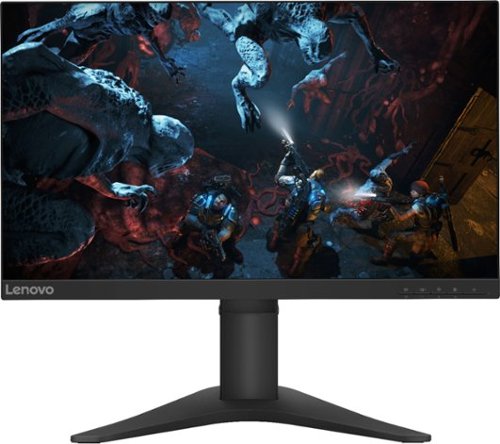
Lenovo - G25-10 24.5" LED FHD FreeSync Gaming Monitor (HDMI) - Raven Black
Amplify your gaming excitement with this Lenovo gaming monitor. The 24.5-inch screen features 1920 x 1080 resolution and NearEdgeless bezels, while a 144MHz refresh rate eliminates lag during intense gameplay. This Lenovo monitor is fueled by AMD FreeSync technology, and the blue light filter and height-adjustable stand provide hours of gaming comfort.
Will this work in 120hz mode with the ps5?
The Lenovo G25-10 Monitor ships with one DisplayPort 1.2 version and one HDMI 1.4 version connection ports.
5 years, 10 months ago
by
Posted by:
Lenovo Product Expert
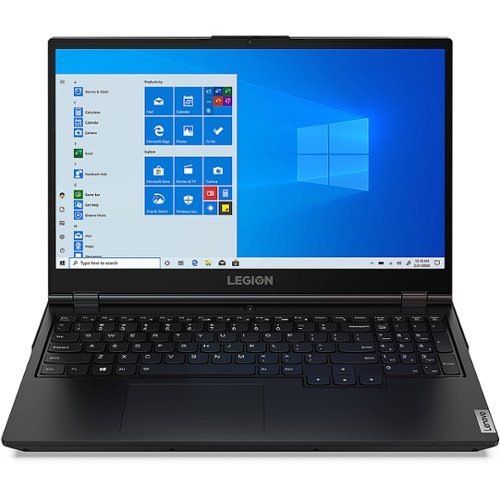
Lenovo - Legion 5 17IMH05H 17.3" Gaming Laptop - Intel Core i7 - 16 GB Memory - NVIDIA GeForce RTX 2060 - 512 GB SSD - Phantom Black
Stylish on the outside and savage on the inside, the Lenovo Legion laptop packs a punch. The Legion series delivers true gaming power and best-in-class graphics and components in a slim, light and elegant design. This 17.3" Legion laptop is equipped with an Intel Core i7 2.60 GHz processor that provides lightning-fast speed and peak performance for the toughest of tasks and games. The expansive, 17.3" diagonal display in FHD (1920 x 1080) resolution presents movies, games and photos with impressive clarity, rich color and smooth, tear-free video for an immersive experience. A NVIDIA~ GeForce ~ GTX 1650 GPU 4 GB graphics card delivers superior performance and faster speed for a variety of multimedia applications such as video editing, graphic design, photography and game broadcasting. With 8 GB of memory and ample storage, the laptop is able to run powerful programs with efficient multitasking. The Windows 10 Home edition operating system is designed to support the latest PC gaming experiences. Windows 10 also allows you to enjoy your favorite content all at once on a larger browser and share your thoughts with the world by writing directly on web pages. A reliable 6-hour and 48-minute battery provides ample time to take care of everyday tasks. An affordable gaming option, you can customize your Legion laptop or opt for a pre-configured model.
Can the Legion 5 17imho5h memory be upgraded from 16 to 32GB?
Yes. The Lenovo Legion 5 17 Gaming Laptop, model number 81Y8004SUS, can support up to 32GB DDR4-2933MHz RAM within its two RAM memory slots.
5 years, 10 months ago
by
Posted by:
Lenovo Product Expert
Lenovo - Chromebook Flex 3 11" MTK 2-in-1 11.6" Touch Screen Chromebook - MediaTek MT8173C - 4GB Memory - 32GB eMMC Flash Memory - Platinum Grey
Engineered for long-lasting performance, the Lenovo~ IdeaPad~ 3 delivers powerful performance in a laptop that's perfect for your everyday tasks, with features that you can depend on.
What kind processor does this laptop have?
The Lenovo Chromebook Flex 3 11 model number 82HG0000US, ships with the ARM, 4-Core MediaTek MT8173C processor, with a speed of 2.1GHz.
5 years, 10 months ago
by
Posted by:
Lenovo Product Expert