Lenovo Product Expert
Lenovo Product Expert's Stats
Reviews
- Review Count0
- Helpfulness Votes0
- First ReviewNone
- Last ReviewNone
- Featured Reviews0
- Average Rating0
Reviews Comments
- Review Comment Count0
- Helpfulness Votes0
- First Review CommentNone
- Last Review CommentNone
- Featured Review Comments0
Questions
- Question Count0
- Helpfulness Votes0
- First QuestionNone
- Last QuestionNone
- Featured Questions0
- Answer Count37965
- Helpfulness Votes24,861
- First AnswerApril 21, 2014
- Last AnswerOctober 27, 2026
- Featured Answers0
- Best Answers2831
Lenovo Product Expert's Reviews
Lenovo Product Expert has not submitted any reviews.
Lenovo Product Expert's Questions
Lenovo Product Expert has not submitted any questions.
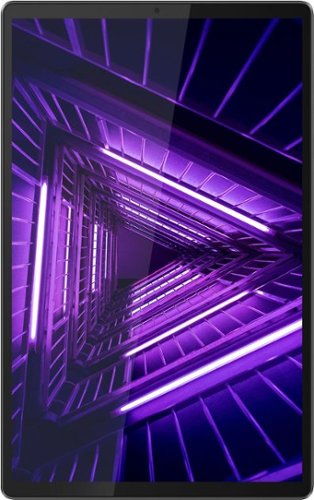
Lenovo - Tab M10 FHD Plus - 10.3" - Tablet - 64GB - Iron Gray
Lenovo~ Tab M10 Plus is one impressive media tablet from the 2nd generation tab family. Its standout metal design gives you a premium look and feel with modern simplicity. Inside lies a 10.3" FHD screen and dual speakers for truly immersive entertainment. This is one tablet you will want to use and pass around the house.
Can you connect to a monitor using usb-c to HDMI adapter?

Hi Rich, Yes you can. The Lenovo Tab M10 Plus model # ZA5T0300US features a USB-C 2.0 port that is video out capable. You will just need the compatible USB-C to HDMI adapter.
5 years, 11 months ago
by
Posted by:
Lenovo Product Expert

Lenovo - IdeaPad L340 15 Gaming Laptop - Intel Core i5 - 8GB Memory - NVIDIA GeForce GTX 1650 - 256GB Solid State Drive - Black
Gaming is all about making the right choices. With the Lenovo~ IdeaPad~ L340 Gaming Laptop, you know you've made a great call from the very start. Equipped with an Intel~ Core~ i5 Processor, NVIDIA~ GeForce~ GTX 1650 graphics, and jaw-dropping Dolby Audio~, you~ll experience first-hand real power and seamless play.
Does the keyboard change colors?
Hi there! The Lenovo IdeaPad L340 model # 81LK01MSUS ships with a blue colored backlit LED keyboard. It is not RGB so you cannot change to color, it will always remain blue when on.
5 years, 11 months ago
by
Posted by:
Lenovo Product Expert
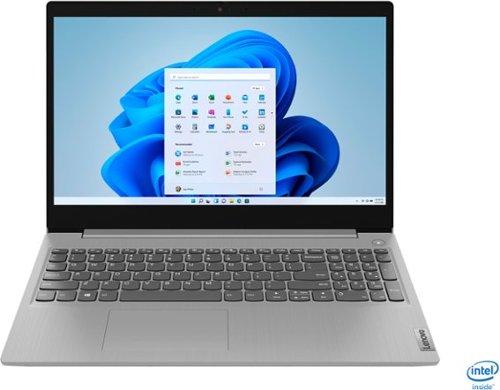
Lenovo - IdeaPad 3 15" Touch Screen Laptop - Intel Core i5-1035G1 - 12GB Memory - 256GB SSD - Platinum Grey
Engineered for long-lasting performance, the Lenovo~ IdeaPad~ 3 delivers powerful performance in a laptop that's perfect for your everyday tasks, with features that you can depend on.
Is this reliable for gaming?
That will depend on the types of games you want to play. We recommend you check with the game's software publisher's web site for their compatibility with Windows 10 Home (or S-Mode if applicable) 64-bit operating system and the minimum/recommended hardware requirements (Is a Graphics card required, the processor speed and the minimum required system RAM and the minimum available hard drive space) to run their program, then compare those requirements to this system's configuration.
5 years, 11 months ago
by
Posted by:
Lenovo Product Expert
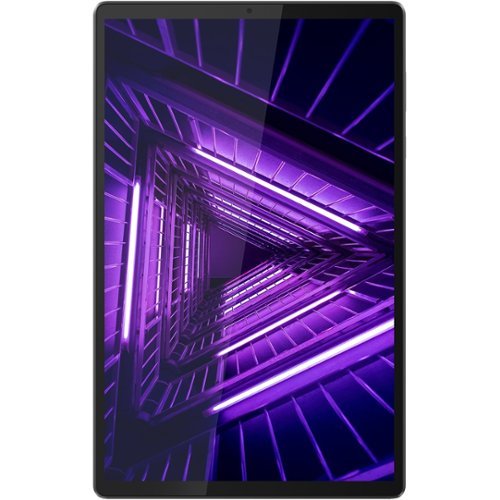
Lenovo - Smart Tab M10 FHD Plus with the Google Assistant - 10.3" - Tablet - 32GB - Iron Gray
Manage your entertainment and work on the go with this Lenovo Smart Tab M10 tablet. Boasting a 10.3-inch display, this FHD tablet presents a crystal clear image, while the fast built-in Wi-Fi and octa-core processor allow for effortless media streaming. This Lenovo Smart Tab M10 tablet uses facial-recognition technology to help you quickly log in, while the Kid's Mode 4.0 parental controls keep your little ones safe from harmful content.
Does the Lenovo - Smart Tab M10 FHD Plus have an expansion port of any kind, SIM card for example? If so, what is the maximum size card that can be used?
Hello the Lenovo Smart Tab M10 plus features a MicroSD card slot expandable up to 256GB. It does not feature SIM card compatibility.
5 years, 11 months ago
by
Posted by:
Lenovo Product Expert
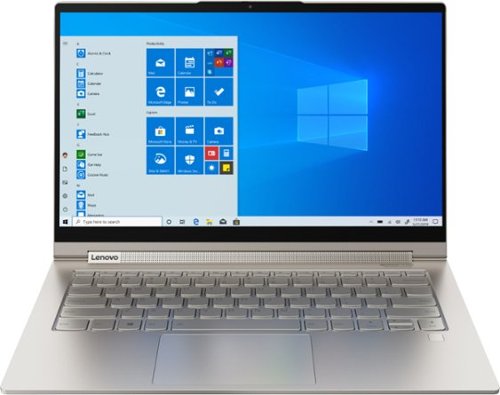
Lenovo - Yoga C940 2-in-1 14" 4K Ultra HD Touch-Screen Laptop - Intel Core i7 - 16GB Memory - 512GB SSD + 32GB Optane
Lenovo Yoga C940 Convertible 2-in-1 Laptop: Enhance digital creativity with this Lenovo Yoga laptop. The 14-inch UHD display with 10-point multi-touch operation offers high-quality visuals and lets you type easily, while the 512GB SSD offers rapid startup and data access times for running complete projects easily. This Lenovo Yoga laptop has an Intel Core i7 processor and 16GB of RAM, which offer fast task execution speeds.
The Lenovo-Yoga C940, i7 - 16GB Memory, 512GB SSD. Does it also have 8GB video Ram? We are going to be using it in connection with our PC to live stream our church service.
Hello, thanks for your question. The Lenovo Yoga C940 model # 81Q90041US features integrated intel Iris plus graphics. It does not have dedicated video ram. You will need a model that features a dedicated graphics card for this. The Lenovo Legion 7i model # 81YT0007US features 8GB video ram https://www.bestbuy.com/site/lenovo-legion-7-gaming-laptop-15-6-intel-core-i7-16gb-memory-nvidia-geforce-rtx-2070-512gb-ssd-slate-gray/6406886.p?skuId=6406886
5 years, 11 months ago
by
Posted by:
Lenovo Product Expert
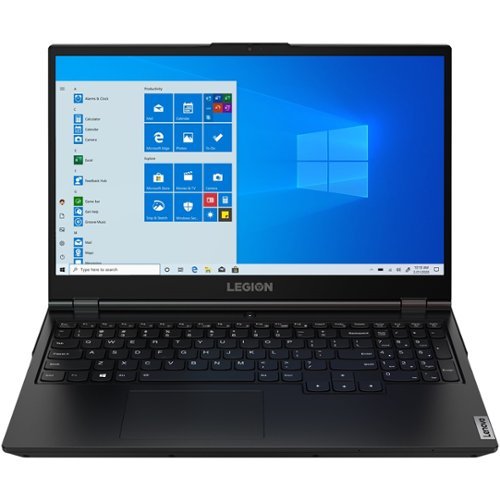
Lenovo - Legion 5 15ARH05 15.6" Laptop - AMD Ryzen 7 - 8GB Memory - NVIDIA GeForce GTX 1650 - 512GB SSD - Phantom Black
Lenovo Legion 5 15ARH05 Laptop: Dominate the competition with this Lenovo Legion5 gaming laptop. The NVIDIA GeForce GTX 1650 graphic card supports stunning visuals on the 15.6-inch FHD display for seamless gameplay, while the Ryzen 7 processor and 8GB of RAM power through modern titles. This Lenovo Legion5 gaming laptop has a 512GB SSD for rapid start-ups.
what is the max amount ram is it 16gb or 32gb ? or can it go up to 64gb
Hello. The Lenovo Legion 5 model # 82B5001AUS is expandable to 16GB memory.
5 years, 11 months ago
by
Posted by:
Lenovo Product Expert
Lenovo - IdeaPad 3 15" Touch Screen Laptop - Intel Core i5-1035G1 - 12GB Memory - 256GB SSD - Platinum Grey
Engineered for long-lasting performance, the Lenovo~ IdeaPad~ 3 delivers powerful performance in a laptop that's perfect for your everyday tasks, with features that you can depend on.
Does it have an Ethernet port?
Hello, No the Lenovo IdeaPad 3 model # 81WE00NKU does not feature an ethernet port, only WiFi. You can add LAN functionality with adapter like the one in the link https://www.bestbuy.com/site/insignia-usb-to-ethernet-adapter-white/6418345.p?skuId=6418345
5 years, 11 months ago
by
Posted by:
Lenovo Product Expert
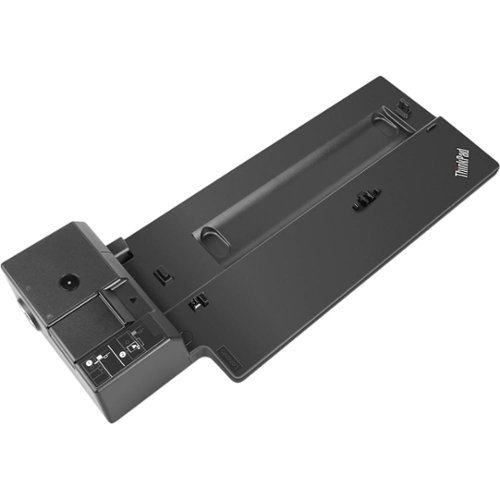
Lenovo - ThinkPad Basic Docking Station
Run your enterprise-class laptop and peripherals with this Lenovo ThinkPad Basic dock. Four USB-A ports support multiple components and include an always-on USB 3.0 Gen 1 interface for device charging, and PXE boot, wake-on-LAN and MAC address pass-through enable simplified IT management. Connect a projector and monitor to this Lenovo ThinkPad Basic dock via the DisplayPort and VGA outputs.
Is this docking station compatible with a thinkpad x1 carbon gen 7?
The X1 Carbon 7th Gen - (Type 20QD, 20QE) Laptop (ThinkPad) model is compatible with this dock. Confirm your model number. Here is a link to more information about compatibility of this docking station: https://support.lenovo.com/us/en/solutions/pd500172-thinkpad-basic-docking-station-overview-and-service-parts
5 years, 11 months ago
by
Posted by:
Lenovo Product Expert
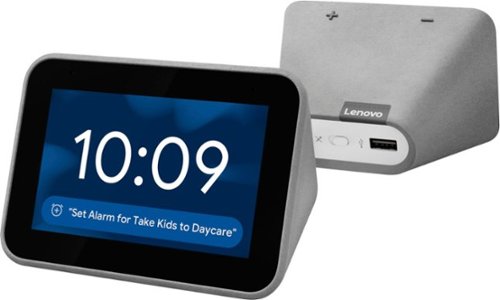
Lenovo - Smart Clock with Google Assistant - Gray
Wake up and start your day with this Lenovo smart clock. Wi-Fi connectivity and Google Assistant integration let you use voice commands to play music, check schedules and control smart home devices. This Lenovo smart clock offers hundreds of audio and media alarm options so you can choose how to wake up.
Does the unit have a night light?
Hi Ira, thank for your question. The Lenovo Smart Clock with Google assistant model #ZA4R0002US has an on screen night light that can be set to different brightness levels and colors up to 30 minutes. The Lenovo Smart Clock Essential model # ZA740005US has a dedicated night light LED built into the back if the unit that can be left on indefinitely.
5 years, 11 months ago
by
Posted by:
Lenovo Product Expert
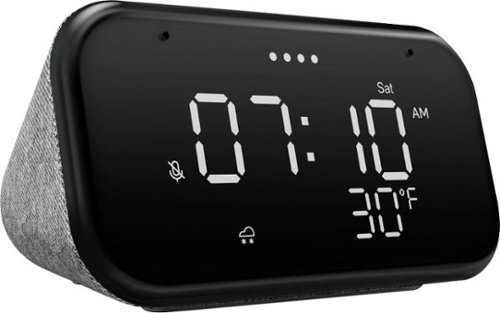
Lenovo - Smart Clock Essential 4" Smart Display with Google Assistant - Soft Touch Gray
The Lenovo Smart Clock Essential is the ultimate smart clock for any room. With a big & bold display you can check out the time from across the room, whether in the kitchen, in the living room or on a shelf. Talk to Google for hands-free help. From checking the time and weather, setting timers for cooking, adding items to your shopping list or making hands-free calls, the Lenovo Smart Clock Essential is here to help you be more productive and take back time. It~s also a great night-time companion with its built-in nightlight that provides a small source of light without waking up the whole family. No more stumbling around in the dark when searching for things. Listen to music, news, podcasts, and more with the clock~s quality speakers. Control over 40,000 compatible smart devices from over 5,000 brands. Ask Google to set the temperature, dim the lights, and more. Just say ~Hey Google.~
Why doesn’t the display screen show the temperature?
Hello, we are sorry to hear you are experiencing an issue with the weather displaying on your Lenovo Smart Clock Essential. Please ensure you have your home location set in the Google Home App. Once the app is open on your smart phone or tablet please select "settings" and then home information, and enter in your location so the clock knows where to pull weather data for. If this does not resolve your issue please perform a soft reset by unplugging the device for 120 seconds, plugging it back in, and allowing it to power on. If your issue remains Please perform a factory reset by holding down the “Volume + and – ” buttons on top of your device for 8 Seconds. If the issue persists, please contact our customer support team at 866-426-0911
5 years, 11 months ago
by
Posted by:
Lenovo Product Expert