Lenovo Product Expert
Lenovo Product Expert's Stats
Reviews
- Review Count0
- Helpfulness Votes0
- First ReviewNone
- Last ReviewNone
- Featured Reviews0
- Average Rating0
Reviews Comments
- Review Comment Count0
- Helpfulness Votes0
- First Review CommentNone
- Last Review CommentNone
- Featured Review Comments0
Questions
- Question Count0
- Helpfulness Votes0
- First QuestionNone
- Last QuestionNone
- Featured Questions0
- Answer Count37970
- Helpfulness Votes24,862
- First AnswerApril 21, 2014
- Last AnswerOctober 28, 2026
- Featured Answers0
- Best Answers2831
Lenovo Product Expert's Reviews
Lenovo Product Expert has not submitted any reviews.
Lenovo Product Expert's Questions
Lenovo Product Expert has not submitted any questions.
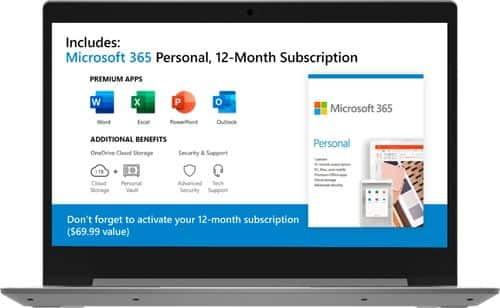
Lenovo - IdeaPad 1 14" Laptop - AMD A6-Series - 4GB Memory - AMD Radeon R4 - 64GB eMMC Flash Memory
Lenovo IdeaPad 1 14" Laptop: Complete daily computing tasks quickly with this Lenovo IdeaPad laptop. The 7th Gen AMD A6-9220E processor and 4GB of RAM offer ample power to run multiple applications seamlessly for efficient multitasking, while the AMD Radeon R4 integrated graphics deliver quality visuals on the 14-inch HD display. This Lenovo IdeaPad laptop has a lithium-polymer battery that provides up to 8 hours of uptime on a single charge.
Hi, is this computer good enough if I plan to use it mainly for video online classes?

That will depend on the APPs you will need to use. The Lenovo IdeaPad 1 14 Laptop, model number 81VS009GUS, is an entry-level, light use computer. This model ships with Windows 10 S-Mode Operating System. Windows 10 S-Mode provides added security by only allowing APPs available ( and therefore certified by Microsoft) at the Microsoft Store. If you don't need the added security or you need to install APPs not available at the Microsoft Store, you can switch to standard Windows 10 Home 64-bit Operating System, at no additional cost. There is a 300p webcam and microphone built in. We recommend you check with the specific software publisher's web sites of the APPs you will need to use, for their compatibility with Windows 10 S-Mode 64-bit operating system and the minimum/recommended hardware requirements (Is a Graphics card required, the processor speed and the minimum required system RAM and the minimum available hard drive space) to run their program, then compare those requirements to this system's configuration.
6 years ago
by
Posted by:
Lenovo Product Expert
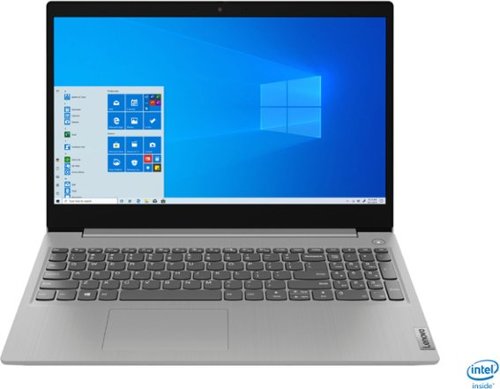
Lenovo - IdeaPad 3 15" Laptop - Intel Core i3-1005G1 - 8GB Memory - 256GB SSD
Engineered for long-lasting performance, the Lenovo~ IdeaPad~ 3 delivers powerful performance in a laptop that's perfect for your everyday tasks, with features that you can depend on.
Is windows already installed ?
Yes. The Lenovo IdeaPad 3 15 Laptop, model number 81WE011UUS, ships with Windows 10 S-Mode 64-bit Operating System installed. It needs to be activated and setup by the user. Windows 10 S-Mode provides added security by only allowing APPs available ( and therefore certified by Microsoft) at the Microsoft Store. If you don't need the added security or you need to install APPs not available at the Microsoft Store, you can switch to standard Windows 10 Home 64-bit Operating System, at no additional cost. Here is a link to instructions for switching from Windows 10 S-Mode to Windows 10 Home: https://support.microsoft.com/en-us/help/4456067/windows-10-switch-out-of-s-mode
6 years ago
by
Posted by:
Lenovo Product Expert
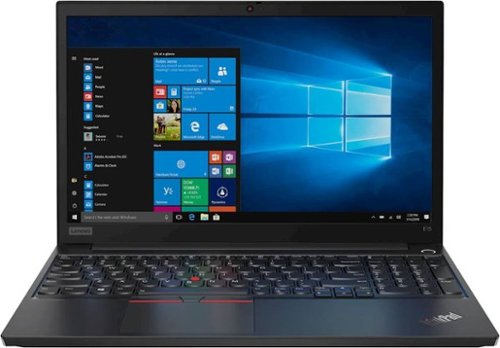
Lenovo - ThinkPad E15 15.6" Laptop - Intel Core i5 - 8GB Memory - 1TB Hard Drive - Black
Lenovo ThinkPad E15 Laptop: Complete daily tasks quickly with this Lenovo ThinkPad laptop. The Intel Core i5 processor and 8GB of RAM run multiple programs simultaneously for smooth multitasking, while the 1TB HDD provides ample storage space for your files. This Lenovo ThinkPad laptop has a 15.6-inch Full HD display for clear visuals, and the Windows 10 Pro operating system offers seamless operation.
fast charge?
Yes. The Lenovo ThinkPad E15 Laptop, model number 20RD005GUS, ships with Rapid Charge capability (charge up to 80% in 1hr) when used with the included 65W AC adapter/charger.
6 years ago
by
Posted by:
Lenovo Product Expert
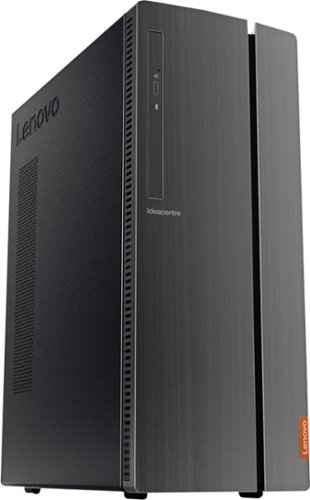
Lenovo - 510A-15ICB Desktop - Intel Core i3 - 8GB Memory - 1TB Hard Drive - Black
Lenovo 510A-15ICB Desktop: Take care of business with this Lenovo IdeaCentre desktop computer. The Intel Core i3 processor and 8GB of RAM let you engage with intensive applications, while the DVD-RW drive lets you watch movies and install new programs. This Lenovo IdeaCentre desktop computer has a 1TB hard drive to store your files.
Does the computer have internal speakers? If not, can external speakers be added?
No. There are not internal speakers within this Lenovo IdeaCentre 510A Desktop computer. You can add external speakers by using the 3.5 mm headphone jack with compatible speakers.
6 years ago
by
Posted by:
Lenovo Product Expert
Lenovo - IdeaPad 3 15" Laptop - Intel Core i3-1005G1 - 8GB Memory - 256GB SSD
Engineered for long-lasting performance, the Lenovo~ IdeaPad~ 3 delivers powerful performance in a laptop that's perfect for your everyday tasks, with features that you can depend on.
Is it free to switch out of S-Mode that comes pre-installed? In other words, does this device come with a fully licensed and activated version of Windows 10 Home (so that I don't have to pay the additional $139 to upgrade the OS?)
Yes. You can switch out of Windows 10 S-Mode to Windows 10 Home for free. Here is a link to instructions for switching from Windows 10 S-Mode to Windows 10 Home: https://support.microsoft.com/en-us/help/4456067/windows-10-switch-out-of-s-mode
6 years ago
by
Posted by:
Lenovo Product Expert
Lenovo - IdeaPad 3 15" Laptop - Intel Core i3-1005G1 - 8GB Memory - 256GB SSD
Engineered for long-lasting performance, the Lenovo~ IdeaPad~ 3 delivers powerful performance in a laptop that's perfect for your everyday tasks, with features that you can depend on.
Does this come in a touch screen version or is there a similar Lenovo laptop that is touch screen?
No. The Lenovo IdeaPad 3 15 Laptop, model number 81WE011UUS, does not have a touchscreen.
6 years ago
by
Posted by:
Lenovo Product Expert
Lenovo - IdeaPad 3 15" Laptop - Intel Core i3-1005G1 - 8GB Memory - 256GB SSD
Engineered for long-lasting performance, the Lenovo~ IdeaPad~ 3 delivers powerful performance in a laptop that's perfect for your everyday tasks, with features that you can depend on.
Does this laptop have a SD card slot?
Yes. The Lenovo IdeaPad 3 15 Laptop, model number 81WE011UUS, has an SD card slot built in.
6 years ago
by
Posted by:
Lenovo Product Expert
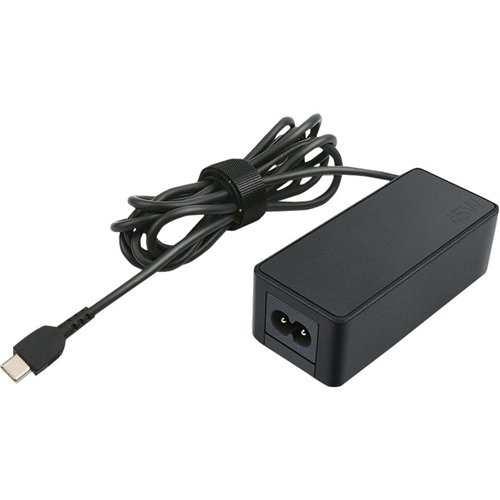
Lenovo - Power Adapter for Tablet 10, ThinkPad 11, 11e Chromebook, Thinkpad 13, 13 Chromebook, ThinkPad A275, A285 and A475 - Black
Top off the battery level of your ThinkPad notebook or tablet with this 45W Lenovo AC adapter. Its Smart Voltage system automatically delivers the right voltage depending on the device.
Will it work yoga 720
No. The Lenovo Yoga 720-13IKB model uses a USB-c 65W AC adapter/charger. This will only work with the Yoga 720-13IKB and not the Yoga 720-15IKB model: https://www.bestbuy.com/site/lenovo-power-adapter-for-tablet-10-thinkpad-11-11e-chromebook-thinkpad-13-13-chromebook-thinkpad-a275-a475-and-a485-black/5969705.p?skuId=5969705
6 years ago
by
Posted by:
Lenovo Product Expert
Lenovo - IdeaPad 3 15" Laptop - Intel Core i3-1005G1 - 8GB Memory - 256GB SSD
Engineered for long-lasting performance, the Lenovo~ IdeaPad~ 3 delivers powerful performance in a laptop that's perfect for your everyday tasks, with features that you can depend on.
Is this laptop good for a collage student to use
That really will depend on the APPs you will need to use. The Lenovo IdeaPad 3 15 laptop is a mid-level, moderate use configuration, with its 10th. Generation Intel Core i3-1005G1 processor. This Dual-Core/Four-Thread processor has a base speed of 1.2GHz and a boost speed of up to 3.4GHz. This configuration has 8GB of DDR4-2666MHz RAM and a 256GB solid state hard drive. It is good with Microsoft Office type programs, internet browsing and other moderate work. This model ships with Windows 10 S-Mode Operating System. Windows 10 S-Mode provides added security by only allowing APPs available ( and therefore certified by Microsoft) at the Microsoft Store. If you don't need the added security or you need to install APPs not available at the Microsoft Store, you can switch to standard Windows 10 Home 64-bit Operating System, at no additional cost. We recommend you check with the specific software publisher's web sites of the APPs you will need to use, for their compatibility with Windows 10 S-Mode 64-bit operating system and the minimum/recommended hardware requirements (Is a Graphics card required, the processor speed and the minimum required system RAM and the minimum available hard drive space) to run their program, then compare those requirements to this system's configuration.
6 years ago
by
Posted by:
Lenovo Product Expert
Lenovo - 510A-15ICB Desktop - Intel Core i3 - 8GB Memory - 1TB Hard Drive - Black
Lenovo 510A-15ICB Desktop: Take care of business with this Lenovo IdeaCentre desktop computer. The Intel Core i3 processor and 8GB of RAM let you engage with intensive applications, while the DVD-RW drive lets you watch movies and install new programs. This Lenovo IdeaCentre desktop computer has a 1TB hard drive to store your files.
Does this come with a built in wifi adapter? Can you use a wifi adapter on this computer?
The Lenovo IdeaCentre 510A Desktop, model number 90HV001MUS ships with 802.11ac WiFi capability built in. It is also backward compatible to older b/g/n WiFi frequencies as well. There is also an ethernet port for wired internet/network connectivity as well.
6 years ago
by
Posted by:
Lenovo Product Expert