Lenovo Product Expert
Lenovo Product Expert's Stats
Reviews
- Review Count0
- Helpfulness Votes0
- First ReviewNone
- Last ReviewNone
- Featured Reviews0
- Average Rating0
Reviews Comments
- Review Comment Count0
- Helpfulness Votes0
- First Review CommentNone
- Last Review CommentNone
- Featured Review Comments0
Questions
- Question Count0
- Helpfulness Votes0
- First QuestionNone
- Last QuestionNone
- Featured Questions0
- Answer Count37282
- Helpfulness Votes24,644
- First AnswerApril 21, 2014
- Last AnswerJuly 24, 2026
- Featured Answers0
- Best Answers2779
Lenovo Product Expert's Reviews
Lenovo Product Expert has not submitted any reviews.
Lenovo Product Expert's Questions
Lenovo Product Expert has not submitted any questions.
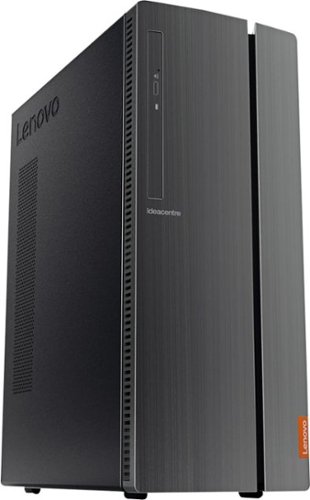
Lenovo - IdeaCentre 510A Desktop - Intel Core i7 - 12GB Memory - 1TB Hard Drive - Black
Lenovo 510A-15ICB Desktop: Give yourself the gift of speed with this Lenovo desktop computer. This build features an Intel i7 processor and 12GB of DDR4 RAM for fast processing power, and the 1TB hard drive and DVD RW drive provide massive storage capacity. This Lenovo desktop computer comes with Windows 10 installed and includes a wired keyboard and mouse.
Where would I find out the serial number of my new computer? Where in the software program, or also, where on the CPU itself?

There are several locations for the serial number of your specific computer. Here is a link to more information about locating the serial number of your computer: https://www.howtogeek.com/294712/how-to-find-your-windows-pcs-serial-number/
6 years ago
by
Posted by:
Lenovo Product Expert
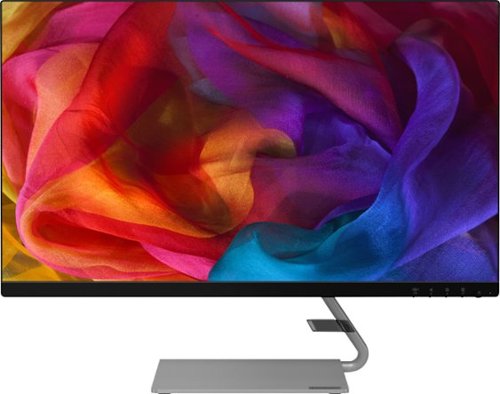
Lenovo - Q27q-10 27" IPS LED QHD FreeSync Monitor (DisplayPort, HDMI) - Black
Enhance your viewing experience with this Lenovo 27-inch QHD WLED computer monitor. The in-plane switching technology displays sharp images with rich colors from any viewing angle. With two embedded speakers and a sleek, narrow-bezel design, this Lenovo 27-inch QHD WLED monitor offers outstanding audio and imagery for gamers, cinephiles and productivity users.
Can the stand be removed so I can mount on wall?
Yes, the Lenovo Q27q-10 Monitor is VESA mount compatible with a 100 x 100 mm mount, sold separately.
6 years ago
by
Posted by:
Lenovo Product Expert
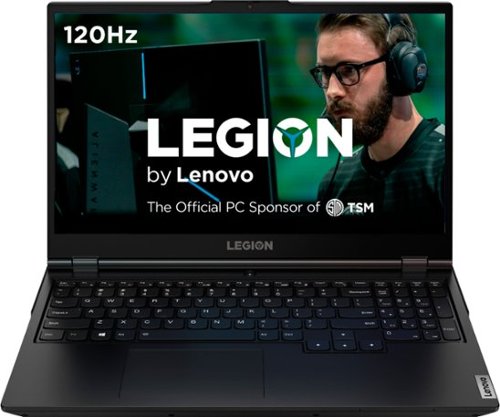
Lenovo - Legion 5 15" Gaming Laptop - Intel Core i7 - 8GB Memory - NVIDIA GeForce GTX 1660 Ti - 512GB SSD - Phantom Black
Lenovo Legion 5 15IMH05H Laptop: Game seamlessly with this 15.6-inch Lenovo Legion 5 gaming notebook. The Intel Core i7 processor and 8GB of RAM let you run modern titles smoothly, while the NVIDIA GeForce GTX 1660Ti graphics card produces crisp, clear visuals on the Full HD, anti-glare screen. This Lenovo Legion 5 gaming notebook has 512GB SSD for rapid boot times.
I have a few questions so I'm gonna throw them all in one big question. How color accurate and bright is the display? Can I expand the ram to 32gb? Does 3000mhz or 3200mhz ram work properly with the system?
The Lenovo Legion 5 15 Gaming Laptop, model number 81Y6000DUS, ships with a 15.6-Inch (screen size measured diagonally) FHD (1920x1080) IPS screen, with a brightness level of 250 nits, Anti-glare coating,with a refresh rate of 120Hz, this screen provides 45-percent of the sRGB Color Gamut. The maximum RAM this configuration can support is 16GB DDR4-2933MHz RAM in two RAM slots. Here is a link to more information about this model: https://psref.lenovo.com/Detail/Legion/Lenovo_Legion_5_15IMH05H?M=81Y6000DUS
6 years ago
by
Posted by:
Lenovo Product Expert
Lenovo - Legion 5 15" Gaming Laptop - Intel Core i7 - 8GB Memory - NVIDIA GeForce GTX 1660 Ti - 512GB SSD - Phantom Black
Lenovo Legion 5 15IMH05H Laptop: Game seamlessly with this 15.6-inch Lenovo Legion 5 gaming notebook. The Intel Core i7 processor and 8GB of RAM let you run modern titles smoothly, while the NVIDIA GeForce GTX 1660Ti graphics card produces crisp, clear visuals on the Full HD, anti-glare screen. This Lenovo Legion 5 gaming notebook has 512GB SSD for rapid boot times.
Do you have a 144hz model, and how much more would it cost
Here is a link to the Lenovo Legion Y540-17 Gaming Laptop, model number 81Q4008EUS, it ships with a 144Hz screen: https://www.bestbuy.com/site/lenovo-legion-y540-17-3-gaming-laptop-intel-core-i7-16gb-memory-nvidia-geforce-gtx-1660-ti-1tb-solid-state-drive-black/6367808.p?skuId=6367808
6 years ago
by
Posted by:
Lenovo Product Expert
Lenovo - Legion 5 15" Gaming Laptop - Intel Core i7 - 8GB Memory - NVIDIA GeForce GTX 1660 Ti - 512GB SSD - Phantom Black
Lenovo Legion 5 15IMH05H Laptop: Game seamlessly with this 15.6-inch Lenovo Legion 5 gaming notebook. The Intel Core i7 processor and 8GB of RAM let you run modern titles smoothly, while the NVIDIA GeForce GTX 1660Ti graphics card produces crisp, clear visuals on the Full HD, anti-glare screen. This Lenovo Legion 5 gaming notebook has 512GB SSD for rapid boot times.
I want to purchase an additional 8GB DDR4-2933MHz RAM. When I am asked for the model number to insure compatibility, the model number 81Y6000DUS does not appear. Can you tell me what model number I should be entering, or, what compatible RAM I can buy?
We recommend yo contact a Legion Gaming Expert at Legion Ultimate Support at: 888-278-9707.
6 years ago
by
Posted by:
Lenovo Product Expert
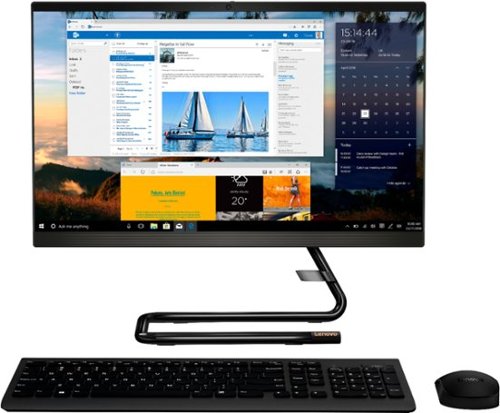
Lenovo - IdeaCentre A340-22IGM 21.5" Touch-Screen All-In-One - Intel Pentium Silver - 8GB Memory - 1TB HDD - Business Black
Finish office work flawlessly with this all-in-one Lenovo IdeaCentre desktop computer. The 1TB HDD provides ample storage space for projects and media, while the 8GB of RAM and Intel Pentium Silver processor let you run multiple programs effortlessly. This 21.5-inch Lenovo IdeaCentre desktop computer includes a Full HD touchscreen, and integrated Intel UHD graphics produce quality visuals.
Can this computer be used as a monitor for the Xbox One?
No. The Lenovo Ideacentre A340-22IGM All-In-One System, model number F0EA003RUS, does not have a HDMI-In port for an external video source like a game console.
6 years ago
by
Posted by:
Lenovo Product Expert
Lenovo - IdeaCentre 510A Desktop - Intel Core i7 - 12GB Memory - 1TB Hard Drive - Black
Lenovo 510A-15ICB Desktop: Give yourself the gift of speed with this Lenovo desktop computer. This build features an Intel i7 processor and 12GB of DDR4 RAM for fast processing power, and the 1TB hard drive and DVD RW drive provide massive storage capacity. This Lenovo desktop computer comes with Windows 10 installed and includes a wired keyboard and mouse.
What is the wattage on the power supply that comes in the computer?
The Lenovo IdeaCentre 510A Desktop, model number 90HV0005US, ships with a 180W external power supply.
6 years ago
by
Posted by:
Lenovo Product Expert
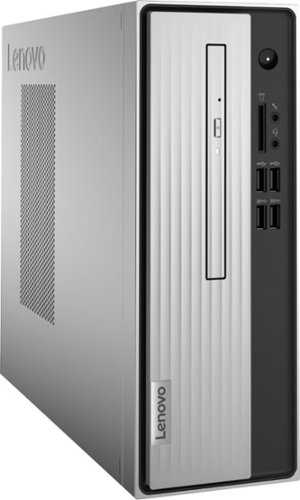
Lenovo - IdeaCentre 3 07ADA Desktop - AMD Athlon -Series - 4GB Memory - 1TB HDD - Silver
Lenovo IdeaCentre 3 07ADA Desktop: Get the job done with this silver Lenovo IdeaCentre 3 desktop computer. An AMD Athlon 3050U processor and 4GB of RAM run multiple programs simultaneously for increased productivity, while the 1TB HDD offers vast storage space for your files and applications. This Lenovo IdeaCentre 3 desktop computer includes a wired mouse and keyboard for easy operation.
Where do you plug-in the speakers?
There is a audio out port on both the front and back of this computer that you can attach compatible external speakers to. Here is a link to more information about connecting an external audio source to your computer: https://pcsupport.lenovo.com/us/en/products/desktops-and-all-in-ones/3-series/ideacentre-3-07ada05/solutions/HT504841
6 years ago
by
Posted by:
Lenovo Product Expert
Lenovo - Legion 5 15" Gaming Laptop - Intel Core i7 - 8GB Memory - NVIDIA GeForce GTX 1660 Ti - 512GB SSD - Phantom Black
Lenovo Legion 5 15IMH05H Laptop: Game seamlessly with this 15.6-inch Lenovo Legion 5 gaming notebook. The Intel Core i7 processor and 8GB of RAM let you run modern titles smoothly, while the NVIDIA GeForce GTX 1660Ti graphics card produces crisp, clear visuals on the Full HD, anti-glare screen. This Lenovo Legion 5 gaming notebook has 512GB SSD for rapid boot times.
How much fps can you have on this laptop while playing fortnite on the lower and higher settings?
That will depend on the requirements and compatibility of the specific game. We recommend you check with the game's software publisher's web site for their compatibility with Windows 10 Home 64-bit operating system and the minimum/recommended hardware requirements (Is a Graphics card required, the processor speed and the minimum required system RAM and the minimum available hard drive space) to run their program, then compare those requirements to this system's configuration.
6 years ago
by
Posted by:
Lenovo Product Expert
Lenovo - Legion 5 15" Gaming Laptop - Intel Core i7 - 8GB Memory - NVIDIA GeForce GTX 1660 Ti - 512GB SSD - Phantom Black
Lenovo Legion 5 15IMH05H Laptop: Game seamlessly with this 15.6-inch Lenovo Legion 5 gaming notebook. The Intel Core i7 processor and 8GB of RAM let you run modern titles smoothly, while the NVIDIA GeForce GTX 1660Ti graphics card produces crisp, clear visuals on the Full HD, anti-glare screen. This Lenovo Legion 5 gaming notebook has 512GB SSD for rapid boot times.
Can I use 2x8 3200mhz ddr4 ram or it has to be 2933mhz. And in general what is the maximum Mhz that the ram slot supports ?
The Lenovo Legion 5 15 Gaming Laptop, model number 81Y6000DUS, ships with 8GB of DDR4-2933MHz RAM. The maximum RAM this configuration can support is 16GB DDR4-2933MHz in the two RAM slots within this model.
6 years ago
by
Posted by:
Lenovo Product Expert